← Back to Blog
How to Use Claude Code: The 60-Minute Beginner Guide.
How to use Claude Code in 60 minutes: install it, write CLAUDE.md, build a slash command, add a skill, run subagents in parallel, deploy to Vercel.
How to use Claude Code in 60 minutes: install it, write CLAUDE.md, build a slash command, add a skill, run subagents in parallel, deploy to Vercel.
You use Claude Code by installing the desktop or CLI version, opening a project folder, writing a CLAUDE.md file that tells the model what you're building, then driving it with slash commands, skills, MCP connections, and parallel subagents. That sentence is the whole job. The rest of this post is how to do each piece in about 60 minutes.

I'm Tom. I run AI Architects and teach Claude Code to non-developers every week. I built a free 60-minute walkthrough called the Blueprint that takes a beginner from a fresh install to a public URL. Everything below is pulled from it and from watching real students get stuck and unstuck.
Claude Code is the agentic version of Claude that lives on your machine and edits your files, runs your commands, calls external services, and spawns sub-sessions of itself when work splits into parallel pieces. It comes in two flavours, a desktop app and a command-line tool, both signed in with the same Claude account.
The bit most tutorials miss is that Claude Code is not a chatbot with file access. It is a project-shaped tool. Once you point it at a folder it reads a CLAUDE.md file at the root and treats every prompt as a request to do work inside that folder. That mental model is what makes the rest of this guide make sense.
Four things, open and signed in before you type your first prompt: a Claude account on the standard plan or higher (the free tier will frustrate you on a first project), the Claude Code desktop app or CLI installed and signed in, a free Airtable account at airtable.com (we'll use it as the database), and a free Vercel account at vercel.com (you'll deploy to it in Step 6).
You do NOT need coding experience, knowledge of git or npm, or a domain name. Claude Code does the heavy lifting. Your job is to point and confirm.
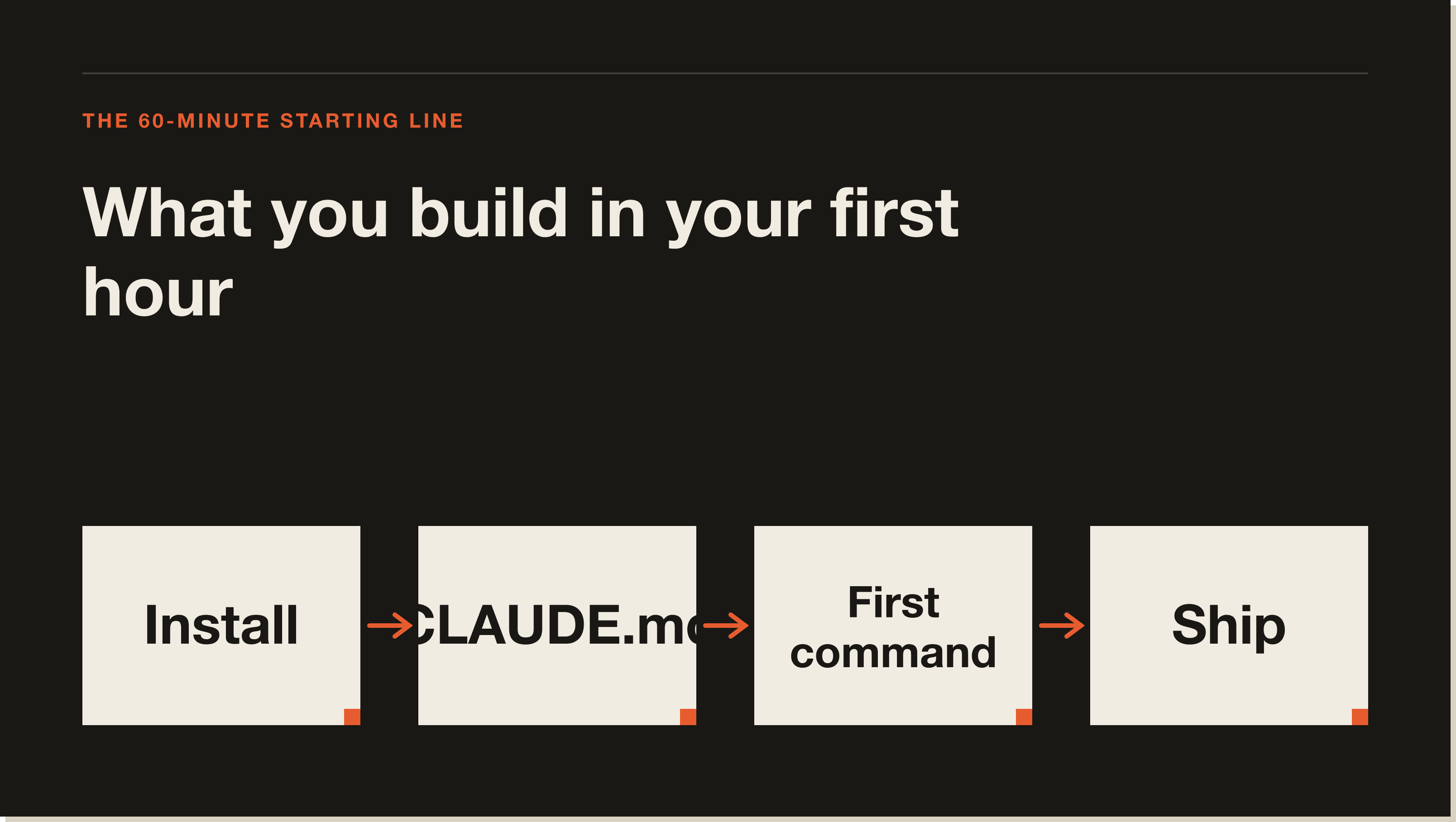
Claude Code installs in one of two ways depending on whether you prefer a graphical app or a terminal. Pick one. Both work. Most beginners I teach pick the desktop app.
Go to claude.com/claude-code and download the desktop app for Mac, Windows, or Linux. Install it like any other app. Open it and sign in with the same account you use on claude.ai. The first launch will offer to open a folder. Skip that for now and read Step 2 first.
If you're comfortable with a terminal, run npm install -g @anthropic-ai/claude-code in your shell. Then run claude in the folder you want to work in. The first run prompts you to sign in via a browser. The official docs at docs.anthropic.com/en/docs/claude-code cover Linux, WSL, and Ubuntu edge cases.
If you've never opened a terminal, install the desktop app. The interface is friendlier and the file tree is what you'd expect from VS Code. If you already live in a terminal, the CLI is faster to launch. The project folder is the same either way.
Create a folder called brief-generator. Lowercase, hyphen, no spaces. Open it in Claude Code: in the desktop app, choose Open Folder. In the CLI, run claude inside the folder.
A CLAUDE.md file is a markdown document at the root of your project that Claude Code reads at the start of every session. It is the standing brief for the project. It tells Claude what you're building, which files matter, how you want changes made, and any rules of the road. Without one, Claude has to be re-briefed every session. With one, you start work in two seconds instead of two minutes.
In the chat, send: Create a CLAUDE.md file in this folder with the content I'll paste next. Then paste a brief that names the project (Brief Generator), the stack (Claude Code desktop app, Airtable MCP, one skill called company-brief), how you work (confirm before non-trivial changes, edit existing files only, be concrete), and what lives where (.claude/commands/ for slash commands, .claude/skills/ for skills, briefs/ for local copies). This is the same CLAUDE.md I have Blueprint students use on lesson one.
Test that the file is being read. Send: Without reading any files, what's this project about? Claude should answer correctly without being told to look at CLAUDE.md. If it doesn't, restart the session. CLAUDE.md is loaded at session start, not mid-session.
Slash commands turn a prompt you'd otherwise type fifty times a week into one keystroke. The file lives at .claude/commands/<name>.md. The dot in front of .claude is intentional. Some file viewers hide it. The folder is still there.
Send in chat: Create a new file at .claude/commands/brief.md with the content I'll paste next. Paste a markdown file with a frontmatter description and a body saying: You are running the /brief command. The user will give a company name or URL. If a company-brief skill is installed, use it. Otherwise generate a basic brief with Summary, Recent News, Key People, Suggested Angles.
Test it. Type /brief stripe.com. Claude should respond with a structured brief on Stripe. If /brief is treated as plain text, the file is in the wrong place. Confirm the path is exactly .claude/commands/brief.md and restart the session. That fixes 90% of slash command issues.
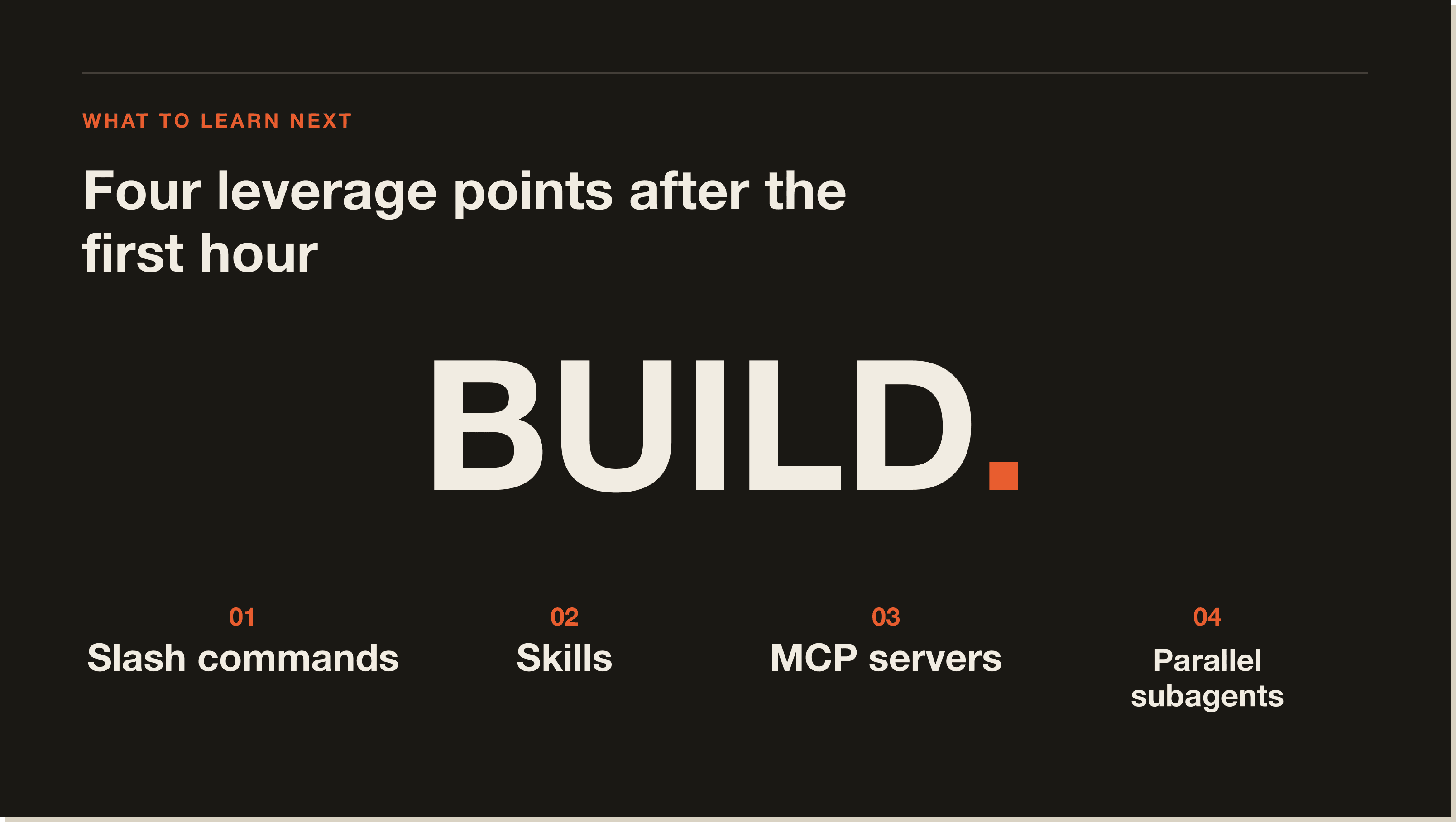
A slash command is a one-shot prompt. A skill is a reusable instruction set Claude loads when the topic comes up. An MCP is a connection to an external system so Claude can read and write outside the file tree. You're about to use all three together. This is the basic shape of every internal tool you'll build with Claude Code.
Claude Code skills are folders inside .claude/skills/ containing a SKILL.md file. The frontmatter has a name and a description. The body teaches Claude how to do a job: what input to expect, what the output looks like, where to save it. Claude loads a skill automatically the moment a matching task comes up. You don't have to re-paste instructions.
Install the Airtable MCP. In Claude Code's settings or extensions, find the MCP/plugins section, find Airtable, click install, and either sign in with Airtable or paste a personal access token from airtable.com/create/tokens with scopes data.records:read, data.records:write, and schema.bases:read.
Create the base. In airtable.com, click Add a base, name it Brief Generator. Rename the default table to Briefs. Set up exactly five fields in order: Company (single line text), Summary (long text), Recent News (long text), Key People (long text), Date (date). The skill references these names verbatim, so don't get creative.
Confirm Claude can see the base. Send: List the bases I have access to in Airtable. Brief Generator should show up. Then ask Claude to list the fields in the Briefs table. You should get back the five field names.
Now write the skill at .claude/skills/company-brief/SKILL.md. The frontmatter sets the name (company-brief) and a description that names the trigger words (Use whenever the user asks for a brief or runs the /brief slash command). The body specifies four sections: Summary (2-4 concrete sentences), Recent News (2-4 dated bullets), Key People (2-4 bullets with name, role, one specific fact), Suggested Angles. Print the brief, save to Airtable mapped Company, Summary, Recent News, Key People, Date, confirm the record ID back to the user.
Run /brief on a real company. The brief prints. The MCP write fires. Refresh your Airtable tab and there's a row. That's the moment most people realise Claude Code is not a chatbot.
Up to here, Claude has been doing one thing at a time. Step 5 is the upgrade that makes Claude Code feel different from every other AI tool. You teach the skill to spawn three Claude sub-sessions at the same time and merge their output.
A subagent is a separate Claude session your main session spawns using the Agent tool. Each has its own clean context window, does the focused job you give it, and returns a short summary. The main session only sees the summary. When you spawn three at once, they run in parallel. Three focused researchers in roughly the wall-clock time of one.
Replace the contents of SKILL.md with a parallel version. The body says: produce a one-page research brief by running three subagents in parallel using the Agent tool. Subagent A (Website researcher) reads the homepage, About, and pricing pages and returns Summary and Product Notes. Subagent B (News researcher) searches the last 12 months for funding, launches, leadership changes, returns 3-5 dated bullets. Subagent C (Key People) returns 2-4 bullets with name, role, and one specific fact each.
The critical line in the skill: dispatch all three Agent calls in a single message so they run simultaneously, not in sequence. The main session assembles the sections, writes a Suggested Angles section based on combined findings, prints, then saves to Airtable.
Run /brief on a different company. You'll see three Agent tool calls fire at once. If you only see one, the parallelism didn't trigger. Send: Re-run, but make all three Agent calls in a single tool-use message so they run simultaneously. That fixes it.
Compare the new brief to the Step 4 one. The new one has sharper Recent News, richer Key People, and a Product Notes section the old one didn't have. Each subagent had a clean context focused on one job. Three focused Claudes per task is what makes Claude Code feel like a team.
You have briefs in Airtable. They live behind your login. Step 6 puts a public showcase page on the internet. Claude builds the page. Vercel hosts it. You don't write any HTML.
Sign up free at vercel.com on the Hobby plan. Back in Claude Code, send a single prompt: Create a new folder at the project root called showcase. Inside it, create a single file called index.html that displays a list of company briefs. Read the most recent 10 briefs from the Briefs table of the Brief Generator base in Airtable. For each brief, render a card with Company as the heading, Summary as a paragraph, Recent News and Key People as bullets, Date as small grey text. Single static HTML file with inline CSS, no frameworks, no build step, max width 720px, readable on mobile.
Claude reads your briefs through the MCP and writes showcase/index.html. Open the file in your browser to preview. If anything looks off, tell Claude in plain language and refresh the tab.
Now deploy. The simplest path is drag and drop. Go to vercel.com/new, drag the showcase folder onto the page, click the URL Vercel gives you. If the drag and drop UI has moved, ask Claude to install the Vercel CLI and deploy the showcase folder. Either way you end with a *.vercel.app URL that loads on any device. That's the proof.
I've watched dozens of beginners go through this build. Five mistakes show up over and over.
People send their first prompt before writing any project context. Claude has to guess. The output is generic. The fix takes two minutes: write a 10-line CLAUDE.md before you do anything else. Every project I build starts with one.
A skill is only useful if Claude knows when to load it. The frontmatter description is the trigger. Vague descriptions like 'Helps with research' don't fire. Specific descriptions like 'Use whenever the user asks for a brief or runs the /brief slash command' do. If your skill isn't being picked up, rewrite the description to name the trigger words verbatim.
If you call the Agent tool in three separate messages, they run one after another. You lose the parallelism. The fix: tell Claude to dispatch all three Agent calls in a single tool-use message. The skill should specify this in writing.
Claude Code's value is in the project context, file edits, MCPs, and subagents. If you're using it like claude.ai in a tab, you're paying for features you're not using. Every prompt is a request to do work inside the folder. The folder is the project. CLAUDE.md is the brief. Slash commands are macros. Skills are playbooks. MCPs are the wires to the outside world.
Most people pick the wrong process to automate first. They reach for something judgement-heavy, spend a week building it, end up with a tool worse than doing it manually. Look for the opposite: repetitive plus research-heavy plus structured output equals a candidate. Judgement-heavy or one-off, leave it alone. Company research is the textbook case. Pick yours the same way.
Claude Code itself is free to download and use. The cost is in the Claude usage that powers it. The free Claude tier gives you a small amount of Claude Code time per day, enough to test but not enough to build the Brief Generator end to end. The Pro plan at $20/month covers most beginners and the Max plan covers heavy users. Anthropic's pricing page at anthropic.com/pricing has the current limits. As of April 2026 they updated the Pro tier limits, so always check the live page rather than third-party guides.
Sixty minutes for the first usable build, thirty days to confidence. The Blueprint takes most students 60 to 80 minutes to go from a fresh install to a public URL. After that they can repeat the pattern on their own. The 30-Day Challenge takes people from one build to four or five, including production reliability, scheduling, and multiple MCPs. If you want a sense of how non-coders progress, read Kevin's case study and Chris Cole's case study, both built real internal tools without a developer background.
Claude Code is for operators and founders who want to build internal tools without hiring a developer. It is not a chatbot and it is not a no-code visual builder. It sits in the middle. You write project briefs in plain English, point Claude at external systems, let it spawn parallel sessions when work splits, and ship the result to the public internet.
If you've ever thought 'I'd build this myself if I could code', Claude Code is the answer. If you're a developer, it is a force multiplier on the work you already do. If you just want to ask a model questions, stay on claude.ai.
Claude Code is Anthropic's terminal and desktop coding agent. It opens a project folder, reads a CLAUDE.md file at the root, edits your files, calls external services through MCPs, and spawns parallel subagents when work splits naturally. Same Claude models as claude.ai, designed for project work instead of chat.
Download the desktop app at claude.com/claude-code or install the CLI with npm install -g @anthropic-ai/claude-code. Sign in with the same account you use on claude.ai. Open a folder. The full install matrix for Mac, Windows, Linux, and WSL is at docs.anthropic.com/en/docs/claude-code. Once installed it keeps itself current in the background, and here is how to update Claude Code if you ever need to force it.
Claude Code itself is free to download. The Claude usage behind it costs. The free tier gives you a small daily quota. Pro at $20/month covers most beginner workflows. Max covers heavy users. Anthropic adjusts the limits periodically, so check the live pricing page.
A markdown file at the root of your project that Claude reads at the start of every session. It tells Claude what you're building, which folders mean what, and how you want changes made. Without it, you're re-explaining the project on every prompt.
Reusable instruction folders inside .claude/skills/. Each has a SKILL.md with frontmatter (name and description) and a body teaching Claude how to do a job. Claude loads a skill automatically when the description matches the user's request. Skills are how you stop pasting the same instructions over and over.
Separate Claude sessions your main session spawns using the Agent tool. Each one has a clean context window. Called in a single message, they run in parallel. Use them when work splits into independent pieces. The main session merges the summaries.
About 60 minutes to a working first project using the Blueprint. About 30 days to confidence on multiple projects using the Challenge. After that you stop learning Claude Code itself and start learning what to point it at.
Yes. Most of the people I teach in the Blueprint and the Challenge cohort are not developers. Kevin is a service business owner. Chris Cole runs a property company. Both built real tools without writing code themselves. Claude does the writing. You do the directing.
Examples, plugins, and reference skills live at github.com/anthropics/claude-code. The core agent is closed-source but the surrounding ecosystem of skills and plugins is public.
If this guide was useful, these go deeper on adjacent topics:
Primary sources referenced in this guide:
If you read this far you have the mental model. The fastest way to internalise it is to build the Brief Generator end to end. The Blueprint walks you through it in 60 minutes, free. For the production version with multiple MCPs, scheduled briefs, and team workflows, the 30-Day Challenge is where I take people next.
Install Claude Code (desktop app or npm install -g @anthropic-ai/claude-code), open a project folder, write a CLAUDE.md at the root, then drive it with slash commands, skills, MCP connections, and parallel subagents. The Blueprint walkthrough takes a beginner from a fresh install to a public Vercel URL in about 60 minutes. You point and confirm. Claude does the heavy lifting.
No. Most of the people I teach in the Blueprint and the Challenge cohort are not developers. Kevin runs a service business. Chris Cole runs a property company. Both built real internal tools without writing code themselves. Claude does the writing. You do the directing.
Claude Code itself is free to download. The Claude usage behind it costs money. The free tier gives you a small daily quota, enough to test but not enough to build the Brief Generator end to end. Pro at $20/month covers most beginners. Max covers heavy users. Anthropic adjusts the limits periodically, so check the live pricing page.
Claude.ai is a chat interface. Claude Code is a project-shaped tool. Once you point it at a folder it reads CLAUDE.md and treats every prompt as a request to do work inside that folder. It edits files, runs commands, calls external services through MCPs, and spawns parallel subagents. If you just want to ask questions, stay on claude.ai. If you want a system that ships work, use Claude Code.
If you call the Agent tool in three separate messages, they run sequentially. The fix is to tell Claude to dispatch all three Agent calls in a single tool-use message. Write that line into your skill verbatim. If you only see one Agent tool call when you expected three, send: 'Re-run, but make all three Agent calls in a single tool-use message so they run simultaneously.'
Ninety percent of slash command issues are a wrong file path. Confirm the file is at exactly .claude/commands/<name>.md (the dot in front of .claude is intentional, some viewers hide it) and restart the session. If /brief is still being treated as plain text, the file is in the wrong place or the session was started before the file existed.
Look for repetitive plus research-heavy plus structured output. Company research briefs are the textbook case, which is why the Blueprint uses them. Avoid judgement-heavy or one-off tasks. Most beginners pick something judgement-heavy, spend a week on it, and end up with a tool that is worse than doing the work manually.
Related guide: How to run a local LLM as a coding agent
Five interactive lessons. Install Claude Code, build your first automation, and deploy it live on the internet — all in under an hour. Free, no coding required.
Grab the Blueprint →