← Back to Blog
Paperclip AI Review: How to Use It, Set It Up + Pricing.
Hands-on Paperclip AI review and setup tutorial. What it does, how to install it, pricing, alternatives, and whether it's worth the hype.
Hands-on Paperclip AI review and setup tutorial. What it does, how to install it, pricing, alternatives, and whether it's worth the hype.
Paperclip AI is a free, open-source orchestration platform that lets you build autonomous AI teams. You hire AI employees, give them job titles, assign them tasks, and they run operations on their own. Think of it as the company that wraps around tools like Claude Code or Codex. Those tools are the individual workers. Paperclip AI is the org chart, the CEO, the management layer, and the Kanban board that ties them together.

Quick disambiguation before we go further. Not to be confused with the indie game Universal Paperclips, or Nick Bostrom's paperclip-maximizer thought experiment in AI safety. Paperclip AI is an actual software product you can install and run today. It's the orchestration layer that sits above coding agents like Claude Code and lets you run a whole team of them on autopilot. If you searched for "paperclip ai" or "ai paperclip" expecting a game or a philosophy paper, this is the other one.
I'm Tom. I've been in the automation space for over eight years, and I tested Paperclip AI over a few days on a VPS to figure out whether it's a real productivity tool or another hype cycle. Below is a hands-on Paperclip AI tutorial, my honest review, the standout features, where it falls short, pricing, alternatives, and the full setup walkthrough.
Paperclip AI is an open-source AI orchestration platform that lets you build what its creators call "zero human companies." Instead of running a single AI agent, you spin up a whole organisation: a CEO at the top, C-suite below, engineers and staff under those. Each agent gets a job title, system prompt, skills, and tasks. They communicate, delegate, and report back to you.
Free, open source, and over 44,000 developers on GitHub. The simplest way to think about it: if Claude Code or Codex are individual AI employees, Paperclip AI is the company those employees work inside.
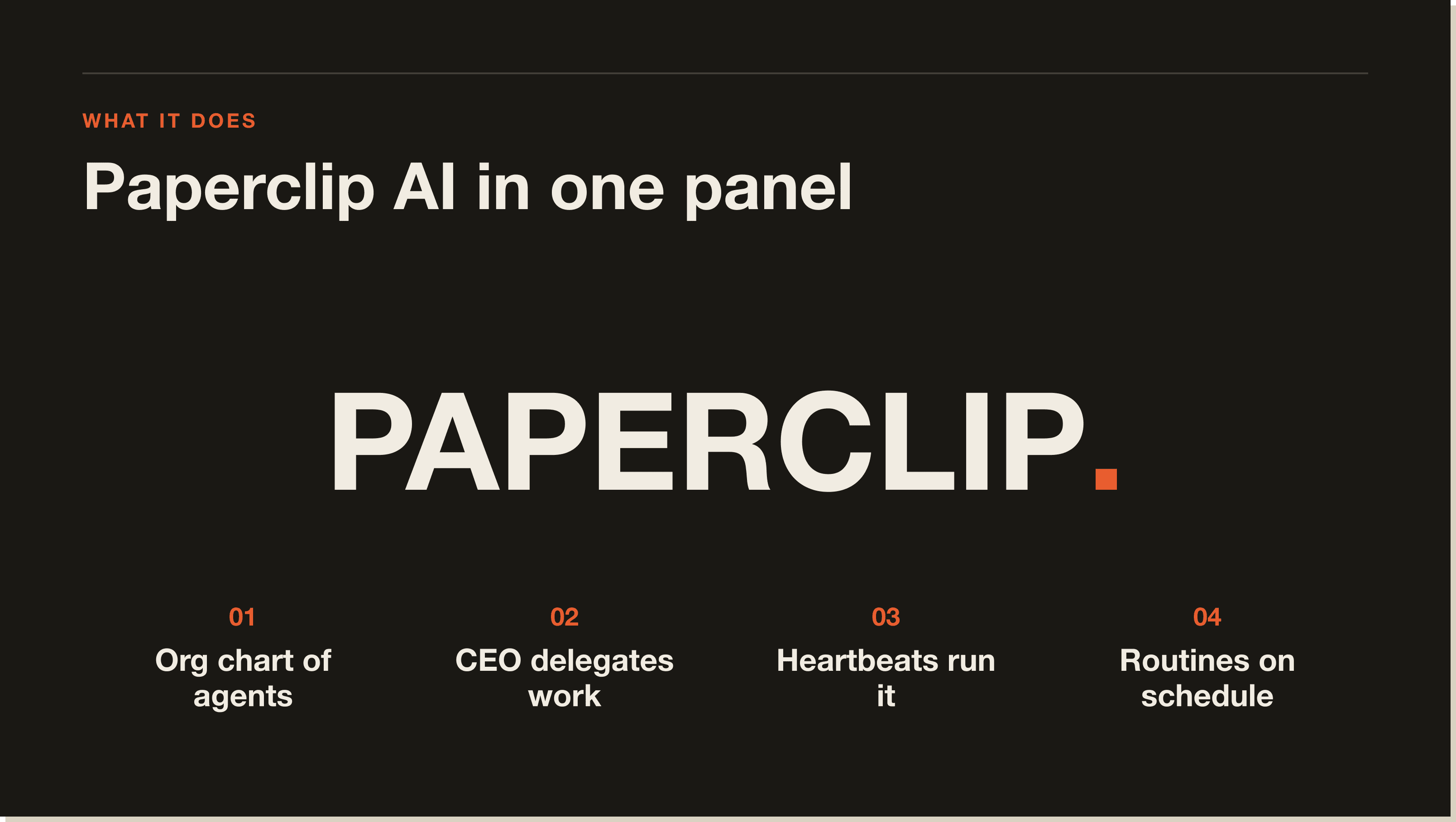
Paperclip AI runs as a self-hosted application. You can install it on your own machine, a Mac Mini, or a VPS. Once it's running, you log into a web interface that looks like a project management tool crossed with an org chart. From there, the structure works top-down.
Everything is structured top-down. You set a company mission. Inside the company you create projects. Each project has a goal. You then hire agents, starting with a CEO, and assign them issues, which are essentially tasks. The CEO orchestrates the other agents and delegates work down the chain.
Only the CEO has a heartbeat, a recurring trigger that runs on whatever interval you set (default 3,600 seconds, one hour). When the heartbeat fires, the CEO checks for new issues and decides what to do. You or other agents create the issues, the CEO assigns them, and the system runs without you manually triggering every step. That's where the "autonomous" claim starts to hold up.
Each agent runs on an adapter: Claude Code, Codex, or any LLM you plug in. Under the hood every agent is essentially an instance of that adapter with its own system prompt, AGENTS.md file, skills, and configuration. Five agents plus a CEO is six concurrent Claude Code instances running.
I deployed Paperclip AI on a Hostinger VPS using their one-click install (KVM2 plan, $8.99/month). Deploy took a couple of minutes. Then I ran the full setup: connected Claude via SSH, named the company "AI Growth Lab," wrote the mission and goal, hired a CEO, and told it to hire a founding engineer.
From there I built a real workflow: an autonomous social media content pipeline. Four specialist agents (content researcher, hook writer, post writer, quality checker), each loaded with the system prompts, MD files, and copywriting principles I already use manually inside Claude Code. I gave the CEO an issue: pull research from Reddit and YouTube, narrow to three ideas, generate hooks, write the posts, run every draft through the humanizer pass.
Then I ran the heartbeat. The CEO picked up the issue, delegated to each agent in order, and the agents talked to each other through the system. The output was a usable LinkedIn hook, which tracks because the skill files are the same ones I use to write content that pulls millions of views. The orchestration worked. I saved the whole thing as a daily routine, so it now runs in the background automatically.
Five things stood out from the test:
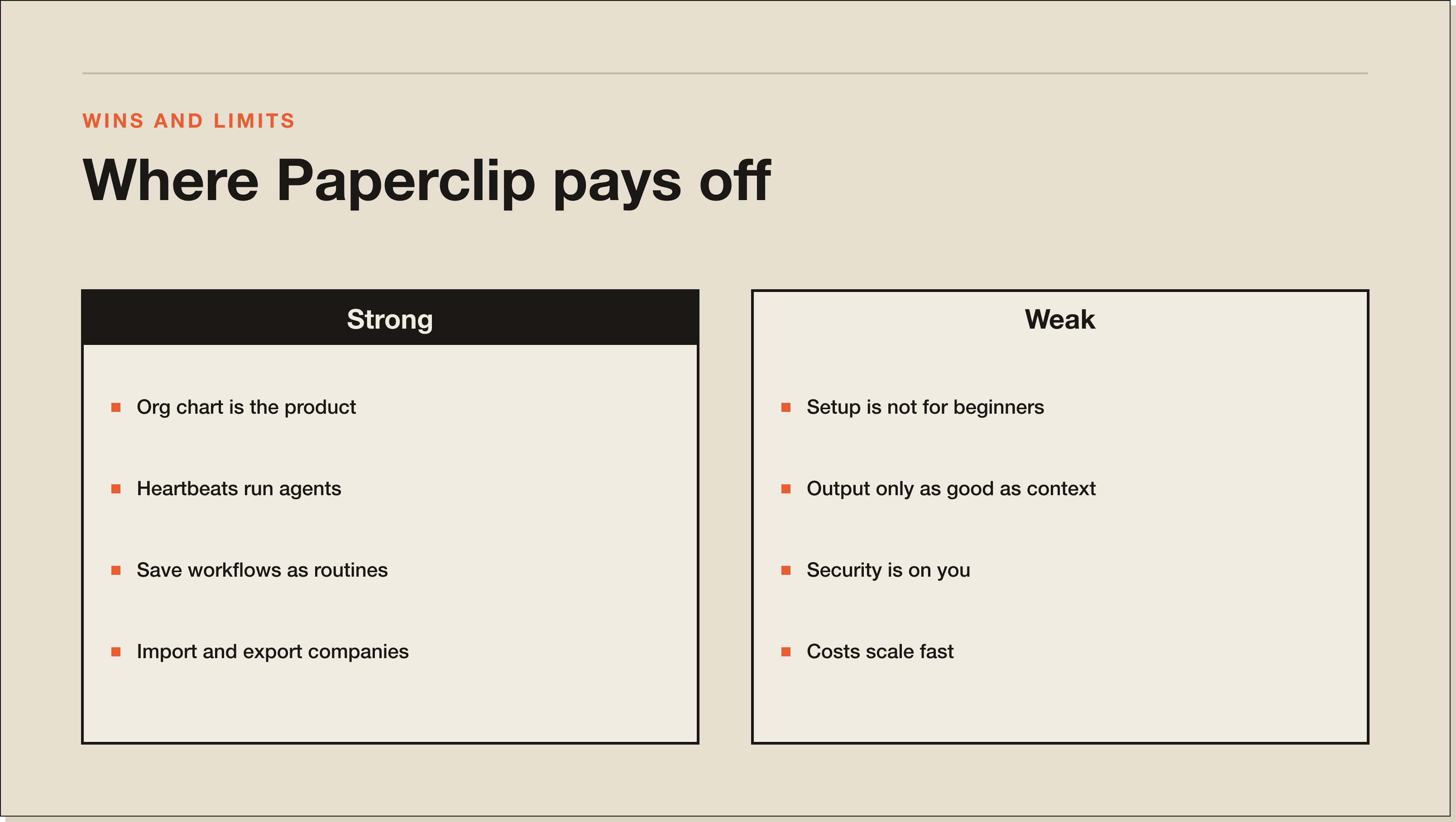
I'll give you the criticism straight, because anyone telling you this is plug-and-play hasn't actually used it.
First, the setup is not for beginners. The marketing makes it sound like "define the goal, hire the team, approve, and run." In reality you need to be comfortable with a VPS, SSH, Docker, environment files, and the basics of Claude Code skills and MCPs. If you've never opened a terminal, you'll struggle.
Second, the outputs are only as good as the context you put in. Paperclip AI orchestrates, it doesn't write your content or do your research. Every system prompt, every AGENTS.md file, every skill has to be built and tuned by you. Garbage in, garbage out, with extra steps.
Third, security is your problem. The platform doesn't wrap your VPS in best practices. Use Tailscale to lock down access so only you can connect, and keep API keys in the .env file, never pasted into chat.
Fourth, costs scale fast. Each agent is its own instance of Claude Code. Five agents plus a CEO is six concurrent instances burning tokens. Autonomous routines running in the background will hit Claude subscription limits quickly.
Fifth, and this is important: Anthropic's updated rules say you cannot connect your Anthropic subscription to third-party harnesses like Paperclip AI or Open Claude. Use an Anthropic API key instead.
Yes. Paperclip AI is free and open source, with over 44,000 developers on GitHub. There's no licence fee for the platform itself.
You pay for two things. First, the infrastructure: a VPS like Hostinger starts around $6.50 to $8.99 a month for the KVM plans that comfortably handle Paperclip AI plus a handful of agents. A Mac Mini you already own runs it for $0. Second, the LLM you plug in. Each agent burns API tokens, so a CEO plus five specialists on a Claude adapter is six concurrent Claude Code sessions every time the heartbeat fires.
So the honest answer to "is Paperclip AI free?" is this: the software is free, the running costs are not. Budget $10 to $20 a month for hosting plus whatever your LLM provider charges. A serious production setup with multiple agents on daily routines runs $50 to $200 a month in API spend until you've tuned the workflows.
Claude Code is one AI agent doing one job at a time, in your terminal. Paperclip AI is a layer above Claude Code. It spawns multiple Claude Code agents, gives them roles, lets them communicate, and runs them on schedules. You don't pick one or the other. Paperclip AI uses Claude Code as its workforce.
ChatGPT is a chat interface for prompting one model. Paperclip AI is an orchestration platform for running an autonomous AI team in the background, with delegation, heartbeats, routines, and a Kanban board. They're not the same category. If you want a conversation, use ChatGPT. If you want a system that runs while you sleep, use Paperclip AI.
If you're hunting for a Paperclip AI alternative, the closest is Open Claude, another harness that sits closer to Claude Code itself. Paperclip AI sits above harnesses like Open Claude as the orchestration layer. Adjacent tools include CrewAI and AutoGen on the Python side, but those are libraries you wire up yourself rather than a hosted UI with a Kanban interface and built-in heartbeats.
If you want to see what serious orchestration looks like before you go full Paperclip AI, this case study with Keven Elison walks through how he stitched together n8n, RAG, and MCP servers to run a real B2B marketing operation. Same orchestration mindset, different layer of the stack.
My take: Paperclip AI is a step up from Claude Code and Open Claude. It's the next layer of the AI automation stack.
Here's how to install Paperclip AI from scratch. Don't worry if you've never used a terminal. Follow each phase in order.
You have three options: your own laptop, a Mac Mini, or a VPS. I don't recommend running it on your daily-driver laptop because it has access to all your files. A Mac Mini works as a sandboxed environment but you need to keep it running 24/7. A VPS is the cheapest and cleanest way to get started. I used a Hostinger KVM2 at $8.99 a month, with a one-click Paperclip AI install in their Docker catalog.
Inside Hostinger (or any VPS provider with Docker support), go to Docker Manager, then Catalog, search for Paperclip, set your admin email and password, and hit deploy. Takes a couple of minutes. If you're using your own VPS, install via Docker manually using the official Paperclip AI documentation.
Do not paste API keys into the Paperclip AI chat or comments. That exposes them. Find the .env file in your Docker manager, add ANTHROPIC_API_KEY and any other keys you want Paperclip AI to use, and save. This is also how you give it access to additional services.
SSH into your VPS as root using the password from the hosting dashboard. Run docker ps to find the Paperclip container ID, then docker exec -it [CONTAINER_ID] /bin/bash to drop into the container. Run claude to install and authenticate Claude Code. This is what makes skills and MCPs available across all your Paperclip AI agents.
Before you put anything serious in there, secure the VPS. Ask Claude how to set this up. Most people end up using Tailscale so the VPS is only reachable when connected to their Tailscale network. Don't skip this.
Open Paperclip AI in your browser, log in, name your company, and write a concise mission and goal (I asked Claude Code to draft mine from my full company context). Create your first agent: the CEO. Pick the Claude Code adapter, test it, confirm it goes green, and set the heartbeat interval (one hour is fine to start).
Don't try to build a 10-agent org on day one. Start with the CEO plus one engineer. Give the CEO "hire a founding engineer" as a starter task. Approve the hire from your inbox. Then add a project, hire the specialists you need, and give each a tuned system prompt and AGENTS.md file.
Setup is one thing. Knowing how to use Paperclip AI day to day is another. Here's the loop I now run every week.
Monday morning I open the Kanban board, review what shipped over the weekend, leave comments on three to five drafts that need rework, and approve the rest. Approved items go to publishing. Rejected items go back to the agent with a comment, the same way you'd manage a junior on Slack.
When a workflow drifts, I edit the AGENTS.md file for the agent that's misfiring and re-run the routine. Almost every problem I've hit traces back to a fuzzy system prompt rather than a Paperclip AI bug. The Paperclip AI Reddit threads and the project's GitHub discussions are the best place to see how other people are wiring up their orgs.
Paperclip AI is the most exciting orchestration tool I've seen in a while. Running a full AI team that delegates work, checks outputs, and runs around the clock is a real step up from working with single agents. I'm bullish on where this goes, especially the import/export marketplace angle.
Who Paperclip AI is for: people already comfortable building with Claude Code, with specific workflows they want to automate end-to-end. If you've already got skills, prompts, and processes dialled in, Paperclip AI is the missing orchestration layer. Who it's not for: beginners who haven't touched a terminal, or anyone expecting a no-code drag-and-drop builder. Get comfortable with Claude Code first.
Paperclip AI is a free, open-source AI orchestration platform that lets you build autonomous AI teams. You set a company mission, hire AI agents (CEO, engineers, specialists), assign tasks, and the system runs delegation and execution on its own.
Paperclip AI runs as a self-hosted Docker app. You set a company mission, hire a CEO agent, then specialists. The CEO's heartbeat fires on a schedule, picks up new issues, and delegates them. Each agent runs on an LLM adapter like Claude Code or Codex.
Yes. Paperclip AI itself is free and open source, with over 44,000 developers on GitHub. You'll pay for the infrastructure you run it on (a VPS like Hostinger starts around $6.50 to $8.99 a month) and for whatever LLM you plug in via API.
The fastest path is a VPS with a Docker one-click install (Hostinger has it in their catalog). You can also self-host on a Mac Mini or your own machine via Docker. After deploy, log in, add API keys to the .env file, SSH into the container to install Claude Code, and start building.
Anything you currently run as a multi-step workflow with Claude Code or another AI tool, where you want it to run on a schedule without you: content pipelines, research and summarisation, lead enrichment, code review on PRs, support triage, ops reporting. The pattern is always the same: break the workflow into roles, hire one agent per role, and let the CEO orchestrate.
They're not the same category. ChatGPT is a chat interface. Paperclip AI is an autonomous orchestration platform that runs multiple AI agents on a schedule. If you want a conversation, use ChatGPT. If you want a system that delegates and ships work in the background, use Paperclip AI.
The official Paperclip AI documentation lives on the project's GitHub repo and project site, covering install, adapter configuration, and the API reference. Community discussion happens on Reddit and in GitHub discussions.
Running an autonomous AI organisation on your daily-driver laptop is not the best idea, because it has access to your files. Use a VPS or a sandboxed Mac Mini, lock it down with something like Tailscale so only you can connect, and keep API keys in the environment file rather than pasted into the chat.
No, and this is important. Anthropic's updated rules state you cannot connect your Anthropic subscription to third-party harnesses like Paperclip AI or Open Claude. Use an Anthropic API key instead. You'll be able to track costs in Paperclip AI directly.
If this guide was useful, these go deeper on adjacent topics:
Primary sources referenced in this guide:
If you want to go deeper than "I installed a tool" and actually build production-ready AI systems for your business, the 30-Day Claude Code Challenge takes you through an interactive Claude Code course inside Claude Code. You'll build your first web app and your first automation. Applications are live if the cohort is open.
Not ready for the challenge yet? Grab the free Claude Code Blueprint. It's the starting point most people use before they commit to building. It's the foundation Paperclip AI sits on top of, so going through the Blueprint first will make every Paperclip AI workflow you build hit harder.
Paperclip AI is a free, open-source AI orchestration platform that lets you build autonomous AI teams. You set a company mission, hire AI agents (CEO, engineers, specialists), assign tasks, and the system runs delegation and execution on its own. Think of it as the company that wraps around tools like Claude Code or Codex. Those tools are the individual workers. Paperclip AI is the org chart, the Kanban board, and the management layer that ties them together.
The software is free and open source, with over 44,000 developers on GitHub. The running costs are not. Budget $10 to $20 a month for VPS hosting (Hostinger's KVM2 plan is $8.99) plus whatever your LLM provider charges. A serious production setup with multiple agents on daily routines runs $50 to $200 a month in API spend until you have tuned the workflows.
No, and this is important. Anthropic's updated rules say you cannot connect your Anthropic subscription to third-party harnesses like Paperclip AI or Open Claude. Use an Anthropic API key instead. You will be able to track costs in Paperclip AI directly. Pasting your Claude subscription credentials into a third-party harness risks getting your account flagged.
No. The marketing makes it sound like 'define the goal, hire the team, approve, and run', but in reality you need to be comfortable with a VPS, SSH, Docker, environment files, and the basics of Claude Code skills and MCPs. If you have never opened a terminal, you will struggle. Get comfortable with Claude Code first before layering Paperclip AI on top.
Paperclip AI runs as a self-hosted Docker app. You set a company mission, hire a CEO agent, then specialists. Only the CEO has a heartbeat, a recurring trigger that runs on whatever interval you set (default 3,600 seconds, one hour). When the heartbeat fires, the CEO checks for new issues and delegates them. Each agent runs on an LLM adapter like Claude Code or Codex.
Claude Code is one AI agent doing one job at a time, in your terminal. Paperclip AI is a layer above Claude Code. It spawns multiple Claude Code agents, gives them roles, lets them communicate, and runs them on schedules. You do not pick one or the other. Paperclip AI uses Claude Code as its workforce.
Running an autonomous AI organisation on your daily-driver laptop is not a great idea, because it has access to all your files. Use a VPS or a sandboxed Mac Mini, lock it down with Tailscale so only you can connect, and keep API keys in the .env file rather than pasted into chat. The platform does not wrap your VPS in best practices. Security is your job.
Five interactive lessons. Install Claude Code, build your first automation, and deploy it live on the internet — all in under an hour. Free, no coding required.
Grab the Blueprint →