← Back to Blog
Claude Code Hooks: 9 Production Hooks That Actually Work.
Claude Code hooks tutorial: 9 production PreToolUse, PostToolUse, Stop and SessionStart hooks with real JSON config and runnable shell scripts.
Claude Code hooks tutorial: 9 production PreToolUse, PostToolUse, Stop and SessionStart hooks with real JSON config and runnable shell scripts.
Claude Code hooks are user-defined shell commands that fire automatically at specific points in the Claude Code lifecycle, like before a tool runs, after a file is edited, or when the session ends. They turn Claude Code from an AI assistant into a programmable workflow runner that you can trust with destructive commands, secrets, and your CI pipeline.

I'm Tom. I run AI Architects and have nine hooks wired into my own Claude Code setup right now. Every one of them exists because Claude did something stupid once and I wrote a hook so it could never happen again. This post walks through all nine with the real JSON config and the shell script you can copy.
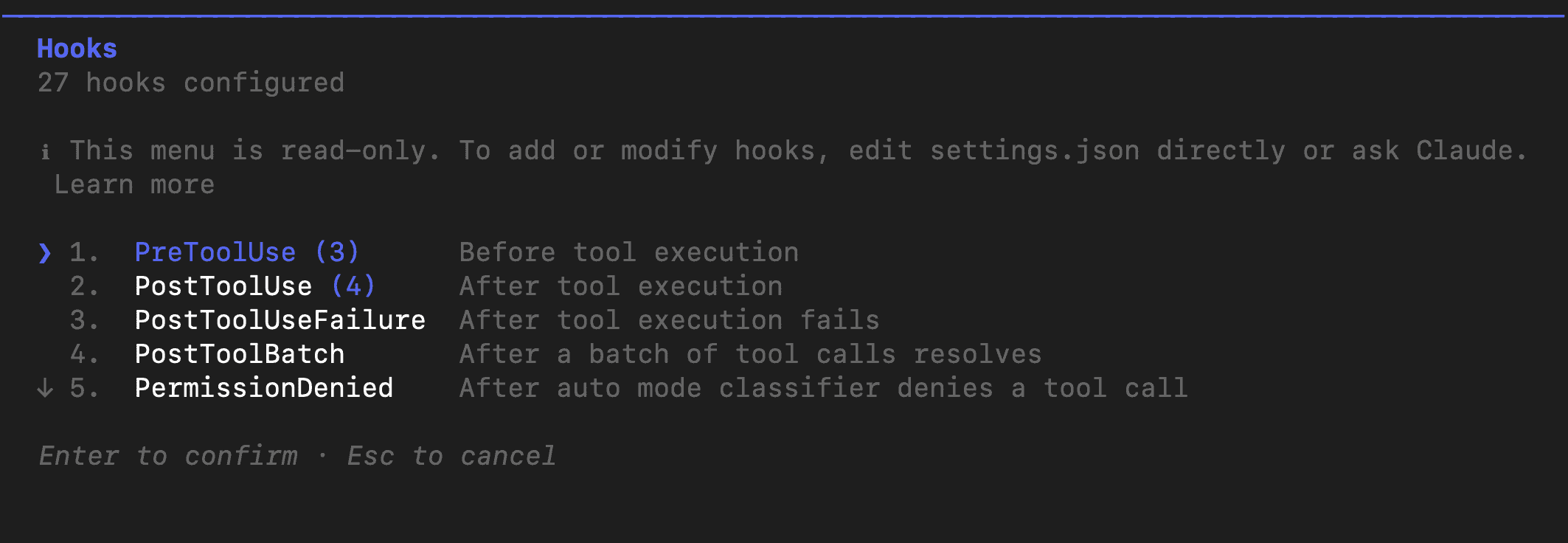
Claude Code hooks are shell commands the harness runs automatically at lifecycle events: before tool use, after tool use, on session start, on session stop, on user prompt, on notification, and a few others. The harness pipes a JSON payload into the hook on stdin, and the hook can either pass through (exit 0) or block the action (exit 2 plus a message).
The official reference lives at docs.anthropic.com/en/docs/claude-code/hooks. The page is dense, but the model is simple. You add a hooks block to your settings.json, give it a matcher (like Edit|Write or Bash), and point it at a command. Claude runs that command at every matching event. The hook gets a few hundred milliseconds, returns, and Claude proceeds, retries, or stops based on the exit code.
Anthropic added a few important capabilities in 2026. Hooks can now call MCP tools directly (v2.1.118), and the PostToolUse payload includes a duration_ms field (v2.1.119) so you can profile slow tools. The CHANGELOG on github.com/anthropics tracks the rest.
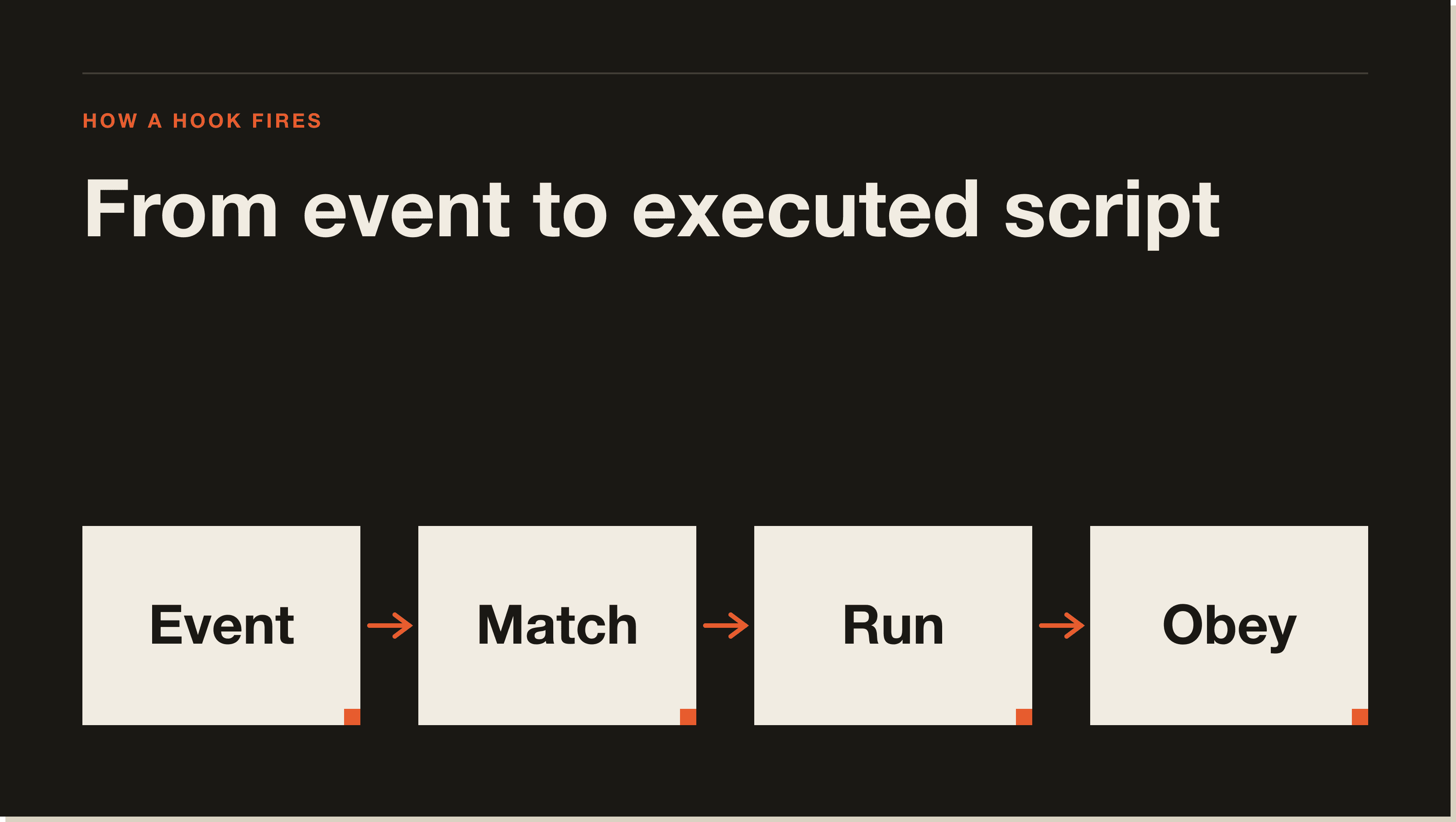
You create a Claude Code hook by adding a hooks object to your settings.json file under the matching event name (PreToolUse, PostToolUse, Stop, SessionStart, etc.). Each entry has a matcher and one or more command hooks. Save the file, restart your Claude Code session, and the hook is live.
The smallest possible hook looks like this. It runs an echo every time Claude finishes a session:
{
  "hooks": {
    "Stop": [
      {
        "matcher": "",
        "hooks": [
          {
            "type": "command",
            "command": "echo 'Session ended at $(date)' >> ~/claude-sessions.log"
          }
        ]
      }
    ]
  }
}
Restart Claude Code. End a session. Check claude-sessions.log. You'll see a timestamp. That is the entire mental model. Everything from here is just choosing the right event, writing a slightly fancier shell script, and remembering to restart Claude Code after every settings.json change.
Hooks live in three places: ~/.claude/settings.json (user scope, applies to every project), .claude/settings.json in your project root (project scope, shared with your team via git), and .claude/settings.local.json in your project root (local scope, gitignored). The harness merges all three at session start.
Use user scope for personal safety nets like the rm -rf blocker. Use project scope for team-shared rules like a lint hook that runs on every Edit. Use local scope for one-off testing and anything project-specific you don't want in git. If two scopes define the same matcher, both fire. They are additive, not overriding.
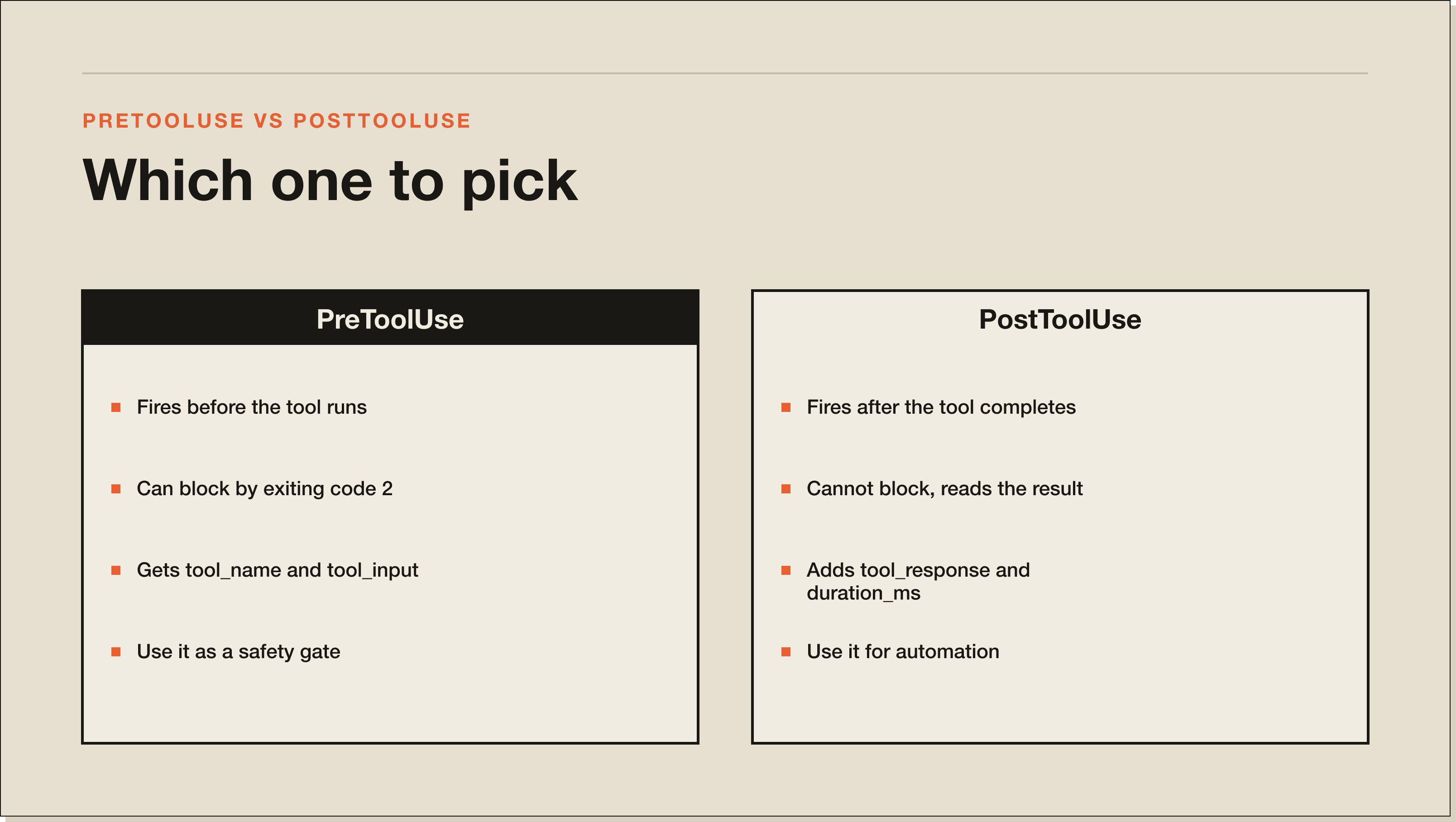
PreToolUse hooks fire before Claude Code runs a tool and can block it by exiting with code 2. PostToolUse hooks fire after the tool completes and cannot block, but they can read the result, log it, or trigger follow-up work. Use PreToolUse for safety gates. Use PostToolUse for automation.
Concrete example. A PreToolUse hook on Bash can intercept the command Claude is about to run, scan it for rm -rf, and refuse. A PostToolUse hook on Edit can run prettier on the file Claude just changed. PreToolUse is your veto. PostToolUse is your janitor.
Both events get a JSON payload on stdin. PreToolUse gets tool_name and tool_input (the arguments Claude wants to pass). PostToolUse gets the same plus tool_response and duration_ms. Pull whichever fields you need with jq.
Every hook below is in my real settings.json. Each one is a real problem I solved by writing the hook. Copy them, adjust paths, drop them into ~/.claude/settings.json or .claude/settings.json. Restart Claude Code after each addition.
The day Claude wiped a node_modules folder I didn't want it touching, I wrote this hook. It scans every Bash command before execution and refuses anything matching rm -rf or rm -fr targeting an unsafe path. It is the single most important hook in my setup.
Add this to ~/.claude/settings.json:
{
  "hooks": {
    "PreToolUse": [
      {
        "matcher": "Bash",
        "hooks": [
          {
            "type": "command",
            "command": "bash ~/.claude/scripts/block-dangerous-bash.sh"
          }
        ]
      }
    ]
  }
}
And the script at ~/.claude/scripts/block-dangerous-bash.sh:
#!/bin/bash
# Block rm -rf, sudo, and any Bash command targeting / or $HOME without explicit allow.
INPUT=$(cat)
CMD=$(echo "$INPUT" | jq -r '.tool_input.command // empty')

if [[ -z "$CMD" ]]; then
  exit 0
fi

# Refuse rm -rf or rm -fr against anything in /, $HOME, or unbounded globs.
if echo "$CMD" | grep -qE 'rm[[:space:]]+(-[a-zA-Z]*r[a-zA-Z]*f|-[a-zA-Z]*f[a-zA-Z]*r)[[:space:]]+(/|\$HOME|~|\.)([[:space:]]|$)'; then
  echo "BLOCKED: dangerous rm command detected." >&2
  echo "Command: $CMD" >&2
  exit 2
fi

# Refuse sudo entirely. If you really need it, run it yourself outside Claude.
if echo "$CMD" | grep -qE '^sudo\b'; then
  echo "BLOCKED: sudo is not allowed in Claude Code sessions." >&2
  exit 2
fi

exit 0
Make the script executable with chmod +x ~/.claude/scripts/block-dangerous-bash.sh. Restart Claude Code. Try to make Claude run rm -rf ~/Documents. The harness blocks the call before it leaves the model. You'll see the BLOCKED message in your terminal.
Claude writes valid code, but it doesn't always match your project's formatter. This hook runs prettier (or rustfmt or gofmt, take your pick) on whatever file Claude just edited, immediately after the Edit lands. It saves the lint dance later.
Add to your project .claude/settings.json:
{
  "hooks": {
    "PostToolUse": [
      {
        "matcher": "Edit|Write",
        "hooks": [
          {
            "type": "command",
            "command": "bash .claude/scripts/auto-format.sh"
          }
        ]
      }
    ]
  }
}
Script at .claude/scripts/auto-format.sh:
#!/bin/bash
# Auto-format any file Claude just edited.
INPUT=$(cat)
FILE=$(echo "$INPUT" | jq -r '.tool_input.file_path // empty')

if [[ -z "$FILE" || ! -f "$FILE" ]]; then
  exit 0
fi

case "$FILE" in
  *.ts|*.tsx|*.js|*.jsx|*.json|*.css|*.md|*.html)
    npx --no-install prettier --write "$FILE" 2>/dev/null
    ;;
  *.py)
    ruff format "$FILE" 2>/dev/null
    ;;
  *.go)
    gofmt -w "$FILE" 2>/dev/null
    ;;
  *.rs)
    rustfmt "$FILE" 2>/dev/null
    ;;
esac

exit 0
PostToolUse can't block, so even if prettier fails the Edit still lands. That is the right behaviour. You don't want a busted formatter taking down Claude's whole workflow.
When I run Claude Code on a long task in another terminal, I want to know when it's done without checking. This hook posts a Slack message the second the Stop event fires. The message includes the project name and the last prompt summary.
Settings:
{
  "hooks": {
    "Stop": [
      {
        "matcher": "",
        "hooks": [
          {
            "type": "command",
            "command": "bash ~/.claude/scripts/slack-on-stop.sh",
            "timeout": 10
          }
        ]
      }
    ]
  }
}
Script. Set SLACK_WEBHOOK_URL in your shell profile first.
#!/bin/bash
# Post a Slack message when a Claude Code session ends.
WEBHOOK="${SLACK_WEBHOOK_URL}"
if [[ -z "$WEBHOOK" ]]; then
  exit 0
fi

PROJECT=$(basename "$PWD")
INPUT=$(cat)
LAST=$(echo "$INPUT" | jq -r '.transcript.last_message // empty' 2>/dev/null | head -c 280)

PAYLOAD=$(jq -n \
  --arg text "Claude Code finished in *$PROJECT* :white_check_mark:" \
  --arg last "$LAST" \
  '{ text: $text, attachments: [{ text: $last }] }')

curl -sS -X POST -H 'Content-type: application/json' \
  --data "$PAYLOAD" "$WEBHOOK" >/dev/null

exit 0
Slack delivers in under a second. If your firewall blocks outbound webhooks, swap curl for any other notifier. The pattern is identical.
Format-on-save is the easy half. Linting catches actual mistakes Claude makes: unused imports, dead code, type errors. This hook runs eslint with --fix on TypeScript and JavaScript files immediately after Edit.
{
  "hooks": {
    "PostToolUse": [
      {
        "matcher": "Edit|Write",
        "hooks": [
          {
            "type": "command",
            "command": "bash .claude/scripts/lint-after-edit.sh"
          }
        ]
      }
    ]
  }
}
Script:
#!/bin/bash
INPUT=$(cat)
FILE=$(echo "$INPUT" | jq -r '.tool_input.file_path // empty')

if [[ -z "$FILE" || ! -f "$FILE" ]]; then
  exit 0
fi

case "$FILE" in
  *.ts|*.tsx|*.js|*.jsx)
    OUTPUT=$(npx --no-install eslint --fix "$FILE" 2>&1)
    if [[ $? -ne 0 ]]; then
      echo "Lint warnings on $FILE:" >&2
      echo "$OUTPUT" >&2
    fi
    ;;
  *.py)
    ruff check --fix "$FILE" 2>&1 >&2
    ;;
esac

exit 0
Lint output goes to stderr, which Claude Code surfaces back into the session. Claude reads its own lint warnings on the next turn and fixes them. The loop closes itself.
Every project I open has a context file with the current sprint focus, the open bugs, and the do-not-touch list. SessionStart fires once per Claude Code session and lets me pipe that context straight into the conversation before Claude reads anything else.
{
  "hooks": {
    "SessionStart": [
      {
        "matcher": "",
        "hooks": [
          {
            "type": "command",
            "command": "bash .claude/scripts/load-context.sh"
          }
        ]
      }
    ]
  }
}
Script:
#!/bin/bash
# Inject project sprint focus + open bugs into the session.
CONTEXT_FILE=".claude/CURRENT_SPRINT.md"

if [[ -f "$CONTEXT_FILE" ]]; then
  echo "=== CURRENT SPRINT ==="
  cat "$CONTEXT_FILE"
  echo ""
fi

# Pull last 5 commit messages
echo "=== RECENT COMMITS ==="
git log --oneline -5 2>/dev/null

# Pull any TODO comments added in the last 7 days
echo "=== RECENT TODOS ==="
git log --since="7 days ago" -p 2>/dev/null | grep -E '^\+.*TODO' | head -10

exit 0
Anything the script writes to stdout becomes context Claude sees on its first turn. Keep it under 1000 tokens or you'll burn budget on every session start.
Claude occasionally tries to curl a payload that contains an API key from a .env file. This hook scans every Bash command for the patterns API keys take (sk-, ghp_, xox, AKIA, eyJ for JWTs) and blocks the call if it spots one.
{
  "hooks": {
    "PreToolUse": [
      {
        "matcher": "Bash",
        "hooks": [
          {
            "type": "command",
            "command": "bash ~/.claude/scripts/scan-secrets.sh"
          }
        ]
      }
    ]
  }
}
Script:
#!/bin/bash
INPUT=$(cat)
CMD=$(echo "$INPUT" | jq -r '.tool_input.command // empty')

if [[ -z "$CMD" ]]; then
  exit 0
fi

# Common secret prefixes. Add your own as you find them.
PATTERNS='sk-[a-zA-Z0-9]{20,}|ghp_[a-zA-Z0-9]{20,}|xox[abp]-[a-zA-Z0-9-]{20,}|AKIA[A-Z0-9]{16}|eyJ[A-Za-z0-9_-]{30,}\.[A-Za-z0-9_-]{30,}'

if echo "$CMD" | grep -qE "$PATTERNS"; then
  echo "BLOCKED: command contains what looks like a real secret." >&2
  echo "Move secrets into env vars and reference them as \$VAR_NAME instead." >&2
  exit 2
fi

exit 0
I keep this in user scope so it runs in every project. The patterns list is what I've seen in the wild. Add your own internal token prefixes too. False positives are rare and easy to fix by parameterising the command.
When Claude runs git commit -m, half the time the message is fine, the other half it's a one-word log entry. This hook intercepts git commit calls, reads the staged diff, and rewrites the message to follow conventional commits format if it doesn't already.
{
  "hooks": {
    "PreToolUse": [
      {
        "matcher": "Bash",
        "hooks": [
          {
            "type": "command",
            "command": "bash ~/.claude/scripts/conventional-commit.sh"
          }
        ]
      }
    ]
  }
}
Script:
#!/bin/bash
INPUT=$(cat)
CMD=$(echo "$INPUT" | jq -r '.tool_input.command // empty')

# Only intercept git commit -m commands
if ! echo "$CMD" | grep -qE '^git commit.*-m'; then
  exit 0
fi

# Pull message from -m "..."
MSG=$(echo "$CMD" | sed -nE 's/.*-m[[:space:]]+"([^"]+)".*/\1/p')

# If it already follows feat:/fix:/chore: etc, let it through.
if echo "$MSG" | grep -qE '^(feat|fix|chore|refactor|docs|test|style|perf|ci|build)(\(.+\))?: '; then
  exit 0
fi

# Otherwise refuse and surface a hint.
echo "BLOCKED: commit message does not follow Conventional Commits." >&2
echo "Got: $MSG" >&2
echo "Expected prefix: feat|fix|chore|refactor|docs|test|style|perf|ci|build" >&2
exit 2
Claude reads the BLOCKED message, retries the commit with a proper prefix, and the hook lets it through. You get a clean git log without ever opening it.
When Claude edits a file in src/, this hook runs the matching test in tests/. If the test file doesn't exist, the hook is silent. If it exists and fails, Claude sees the failure on its next turn and patches the code without being asked.
{
  "hooks": {
    "PostToolUse": [
      {
        "matcher": "Edit|Write",
        "hooks": [
          {
            "type": "command",
            "command": "bash .claude/scripts/run-matching-test.sh"
          }
        ]
      }
    ]
  }
}
Script:
#!/bin/bash
INPUT=$(cat)
FILE=$(echo "$INPUT" | jq -r '.tool_input.file_path // empty')

if [[ -z "$FILE" ]]; then
  exit 0
fi

# Map src/foo/bar.ts to tests/foo/bar.test.ts
TEST_FILE=$(echo "$FILE" | sed -E 's|^src/|tests/|; s|\.(ts|tsx|js|jsx)$|.test.\1|')

if [[ ! -f "$TEST_FILE" ]]; then
  exit 0
fi

OUTPUT=$(npx --no-install vitest run "$TEST_FILE" 2>&1)
STATUS=$?

if [[ $STATUS -ne 0 ]]; then
  echo "Test failed: $TEST_FILE" >&2
  echo "$OUTPUT" >&2
fi

exit 0
Switch vitest for jest, pytest, go test, cargo test, whatever your stack uses. The mapping logic is the only part you need to adapt.
When I leave Claude Code running and walk away, I want to know when it's blocked on a permission prompt. The Notification event fires every time Claude wants approval. This hook pops a desktop notification on macOS or Linux.
{
  "hooks": {
    "Notification": [
      {
        "matcher": "",
        "hooks": [
          {
            "type": "command",
            "command": "bash ~/.claude/scripts/notify-desktop.sh"
          }
        ]
      }
    ]
  }
}
Script:
#!/bin/bash
INPUT=$(cat)
MSG=$(echo "$INPUT" | jq -r '.message // "Claude Code needs your attention"' | head -c 200)

if command -v terminal-notifier >/dev/null 2>&1; then
  terminal-notifier -title "Claude Code" -message "$MSG" -sound default
elif command -v osascript >/dev/null 2>&1; then
  osascript -e "display notification \"$MSG\" with title \"Claude Code\" sound name \"Pop\""
elif command -v notify-send >/dev/null 2>&1; then
  notify-send "Claude Code" "$MSG"
fi

exit 0
Install terminal-notifier on macOS with brew install terminal-notifier for the cleanest output. Linux uses notify-send (preinstalled on most desktops). Windows: pipe to a PowerShell BurntToast call instead.
Block dangerous commands by writing a PreToolUse hook on the Bash matcher that exits with code 2 when the command matches a dangerous pattern. Exit 2 tells Claude Code to refuse the tool call and surface your stderr message back to the model. Hook 1 above is the canonical example.
Three patterns are worth blocking by default: rm -rf with an unbounded path, sudo of any kind, and curl piped to bash from an untrusted domain. Add team-specific blocks for things like dropping the production database or pushing to main directly.
Yes. A Claude Code hook is just a shell command, so it can curl a Slack webhook, post to Discord, send an email through sendmail, or call any other API. Hook 3 above shows the exact pattern. Set SLACK_WEBHOOK_URL in your environment, drop the script in ~/.claude/scripts/, point a Stop hook at it, and you're done.
The hook receives the full transcript on stdin. You can extract the last message, the total token count, the duration, or any other field you want and include it in the notification. jq is your friend here.
Use the Stop hook event. The Stop event fires once when Claude Code completes a turn and stops accepting tools. Add a hooks block under Stop in settings.json with a command that points at your script. The script runs synchronously, so keep it under a couple of seconds or set a timeout.
Hook 3 (Slack) and the example at the very top of this post both use Stop. The other common pattern is logging session metadata to a file for analytics. Tail that file later and you have a complete history of every Claude session you've run.
Most Claude Code hook failures fall into four buckets: forgot to restart Claude Code, matcher doesn't match the tool name, script isn't executable, or jq isn't installed. Diagnose them in that order.
Run claude --debug to see hook execution in real time. The harness prints every hook it tries to run plus the exit code. If you don't see your hook in the debug log, the matcher is wrong. If you see it run but the action goes through anyway, you returned the wrong exit code (PostToolUse can't block, only PreToolUse can, and only with exit 2 plus a stderr message).
Test your hook script directly by piping a sample JSON payload into it. Copy the payload format from the hooks docs. If the script works in isolation but not via Claude Code, the problem is the settings.json wiring. Check that the matcher is the literal tool name (Bash, Edit, Write, MultiEdit, etc.) and that the JSON is valid.
Claude Code hooks are as safe as the shell scripts you write for them. The harness runs every hook with your user permissions, so a malicious or buggy hook can do anything you can do from a terminal: delete files, post to the internet, drop databases. Treat hooks like any other shell automation. Read every hook before you install it.
The two genuine risks are: (1) a hook from someone else's repo doing something destructive on first session, and (2) a hook that calls an MCP tool with credentials it shouldn't have. Mitigate both by code-reviewing every hook in .claude/settings.json (it's checked into git), and by scoping any tokens MCP hooks use to the minimum permissions they need.
Claude Code supports PreToolUse, PostToolUse, UserPromptSubmit, Stop, SubagentStop, SessionStart, SessionEnd, Notification, and a handful of others documented at docs.anthropic.com/en/docs/claude-code/hooks. PreToolUse and PostToolUse are the two most useful in practice.
Yes, since Claude Code v2.1.118. Set the hook type to mcp_tool and pass the server name, tool name, and arguments. The classic use case is a SessionStart hook that calls a knowledge-base MCP server to inject project context. The full payload schema is in the changelog at github.com/anthropics/claude-code.
Point the command at python3 /path/to/script.py instead of bash. The script reads JSON from stdin, prints any output to stderr, and exits 0 to allow or 2 to block (PreToolUse only). Python is fine for any hook that does more than basic string matching. Use bash for one-liners and Python for anything you'd otherwise pipe through five awk calls.
Search github.com for claude-code-hooks or browse the awesome-claude-code repos. Quality varies. The most useful collections are the ones tied to a specific stack (Next.js, Rails, Django) where the hooks reflect real workflow choices. Read every hook before you install it.
Yes. Comment-style disable doesn't work in JSON, so the cleanest way is to wrap the command in a guard. Set CLAUDE_HOOKS_OFF=1 in the shell where Claude Code is running and the hook becomes a no-op:
"command": "[[ $CLAUDE_HOOKS_OFF == 1 ]] && exit 0 || bash my-script.sh"Hooks are deterministic shell commands the harness runs at lifecycle events without asking the model. Skills are markdown instructions Claude reads when relevant and decides whether to apply. Hooks enforce. Skills suggest. Use a hook when the rule must always run. Use a skill when the rule is contextual.
Hooks work in the Claude Code CLI on macOS, Linux, and Windows. The desktop app picks them up too because it's a thin wrapper over the CLI. Claude Code on the web runs in a managed sandbox and supports a restricted hook set as of late 2025. Check the docs for the current web-supported event list.
Yes, via the UserPromptSubmit event. The hook payload includes the prompt text. You can use this to scrub sensitive info before it hits the model, log every prompt for audit, or trigger a context loader based on prompt content. Just don't let your hook modify the prompt without telling the user.
I built a free 60-minute walkthrough called the Blueprint that gets a non-developer from a fresh Claude Code install to a working setup with their first hook installed. If you'd rather work through it with weekly accountability, the Claude Code 30-Day Challenge runs a four-week cohort that ends with a portfolio of three working automations, all guarded by the hooks above. The full Claude Code primer lives at /blog/how-to-use-claude-code if you want the broader setup before going deep on hooks.
Claude Code hooks are user-defined shell commands that fire automatically at lifecycle events: before a tool runs, after a file is edited, when the session ends, on user prompt, on notification. The harness pipes a JSON payload to the hook on stdin and the hook either passes through (exit 0) or blocks the action (exit 2 plus a message). They turn Claude Code into a programmable workflow runner you can trust with destructive commands.
Add a hooks object to your settings.json under the matching event name (PreToolUse, PostToolUse, Stop, SessionStart). Each entry has a matcher and a command. Save the file, restart your Claude Code session, and the hook is live. The smallest possible hook is a Stop hook with an echo command appending to a log file. Once that works, the rest is choosing the right event and writing a fancier shell script.
Three places. ~/.claude/settings.json for user scope (every project). .claude/settings.json in your project root for project scope (shared via git). .claude/settings.local.json for local scope (gitignored). The harness merges all three at session start and they are additive, not overriding. Use user scope for personal safety nets, project scope for team-shared rules, local scope for one-off testing.
PreToolUse fires before Claude runs a tool and can block it by exiting with code 2. PostToolUse fires after the tool completes and cannot block, but it can read the result, log it, or trigger follow-up work. Use PreToolUse for safety gates like blocking rm -rf or sudo. Use PostToolUse for automation like running prettier after every Edit.
Yes. A hook is just a shell command, so it can curl a Slack webhook, post to Discord, send an email, or call any other API. Set SLACK_WEBHOOK_URL in your environment, drop a bash script in ~/.claude/scripts/, and point a Stop hook at it. The hook receives the full transcript on stdin so you can pull the last message, token count, or duration with jq.
Four buckets cover most failures. Forgot to restart Claude Code after editing settings.json. Matcher does not match the actual tool name (Bash, Edit, Write, MultiEdit). Script is not executable (chmod +x it). Or jq is not installed. Run claude --debug to see hook execution in real time. The harness prints every hook it tries and its exit code, which tells you exactly which problem you have.
As safe as the shell scripts you trust. The harness runs every hook with your user permissions, so a malicious hook can do anything you can do from a terminal. Read every hook before you install it. The two real risks are a hook from someone else's repo doing something destructive on first session, and a hook calling an MCP tool with credentials it should not have. Code-review settings.json the same way you code-review any other commit.
Five interactive lessons. Install Claude Code, build your first automation, and deploy it live on the internet — all in under an hour. Free, no coding required.
Grab the Blueprint →