← Back to Blog
Claude Code MCP: Setup, Scopes & The 4 Servers I Use.
Claude Code MCP setup guide: install Playwright, GitHub, Postgres, and custom servers. Scope tradeoffs, .mcp.json config, OAuth, and remove commands.
Claude Code MCP setup guide: install Playwright, GitHub, Postgres, and custom servers. Scope tradeoffs, .mcp.json config, OAuth, and remove commands.
Claude Code MCP is the connector layer that lets Claude Code read from and write to outside tools like Postgres, GitHub, Figma, Airtable, Stripe, and Playwright through a single open standard. It is the difference between Claude doing work inside your repo and Claude actually running your business systems.
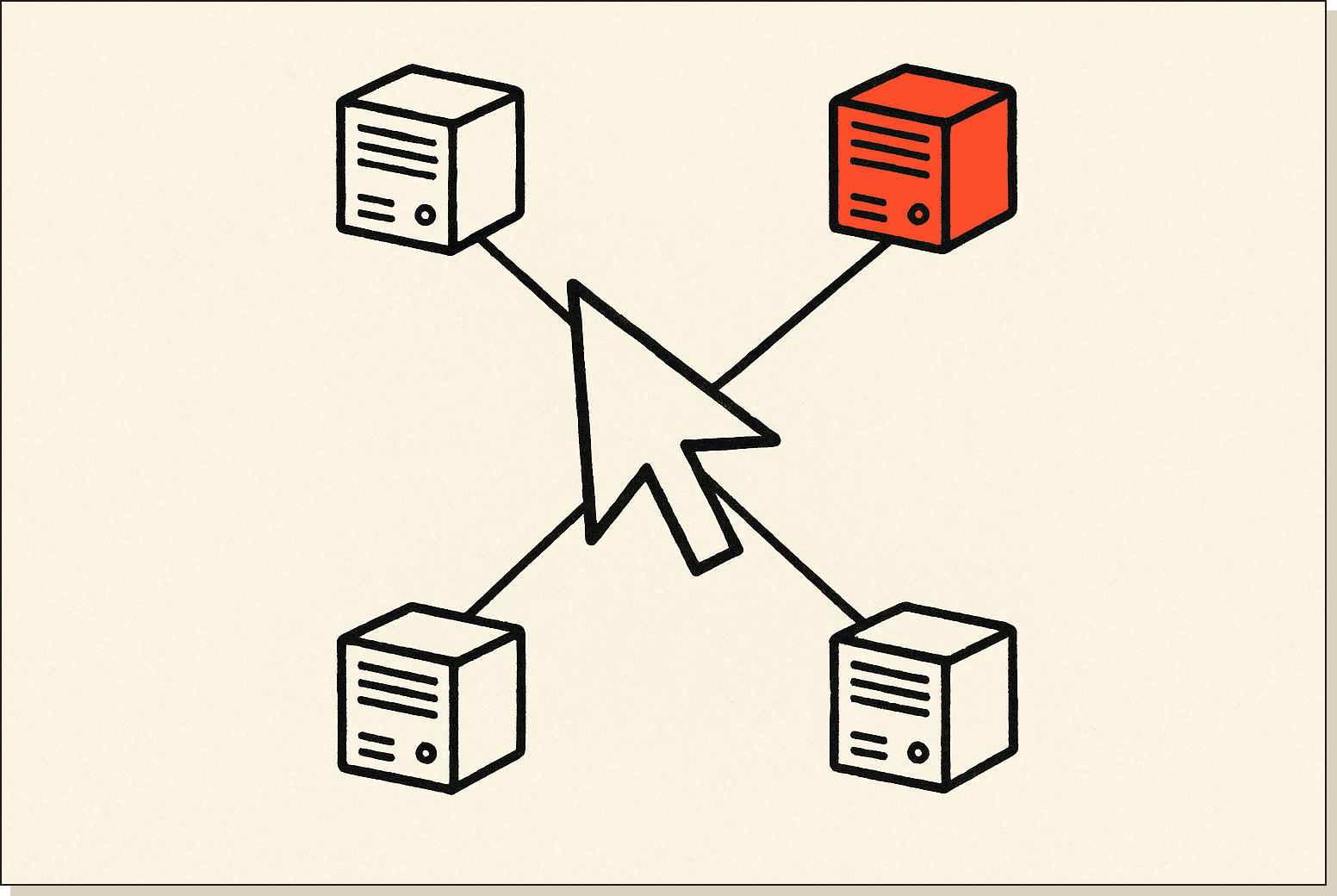
Quick disambiguation: MCP stands for Model Context Protocol. It is not a Claude Code feature, it is an open standard Anthropic published in November 2024 that any AI client can speak. Claude Code happens to support it natively, but the same MCP servers also work in Cursor, Claude Desktop, and a growing list of clients.
I'm Tom. I run AI Architects and have ten MCP servers wired into my own setup right now. This post covers the three scopes, the four servers I'd install first, and the install/remove commands that actually work in 2026.
Claude Code MCP is Anthropic's implementation of the Model Context Protocol inside the Claude Code CLI and desktop app. It connects Claude to external data sources and tools through a standardised JSON interface, so Claude can read your Google Drive docs, query your Postgres database, post in Slack, or drive a browser through Playwright without you writing custom integration code.
Anthropic describes MCP as "an open standard for connecting AI tools to external data sources. With MCP, Claude Code can read your design docs in Google Drive, update tickets in Jira, pull data from Slack, or use your own custom tooling." It launched in late 2024 and has been GA in Claude Code since 2025, with one-click registry installs added in 2026.
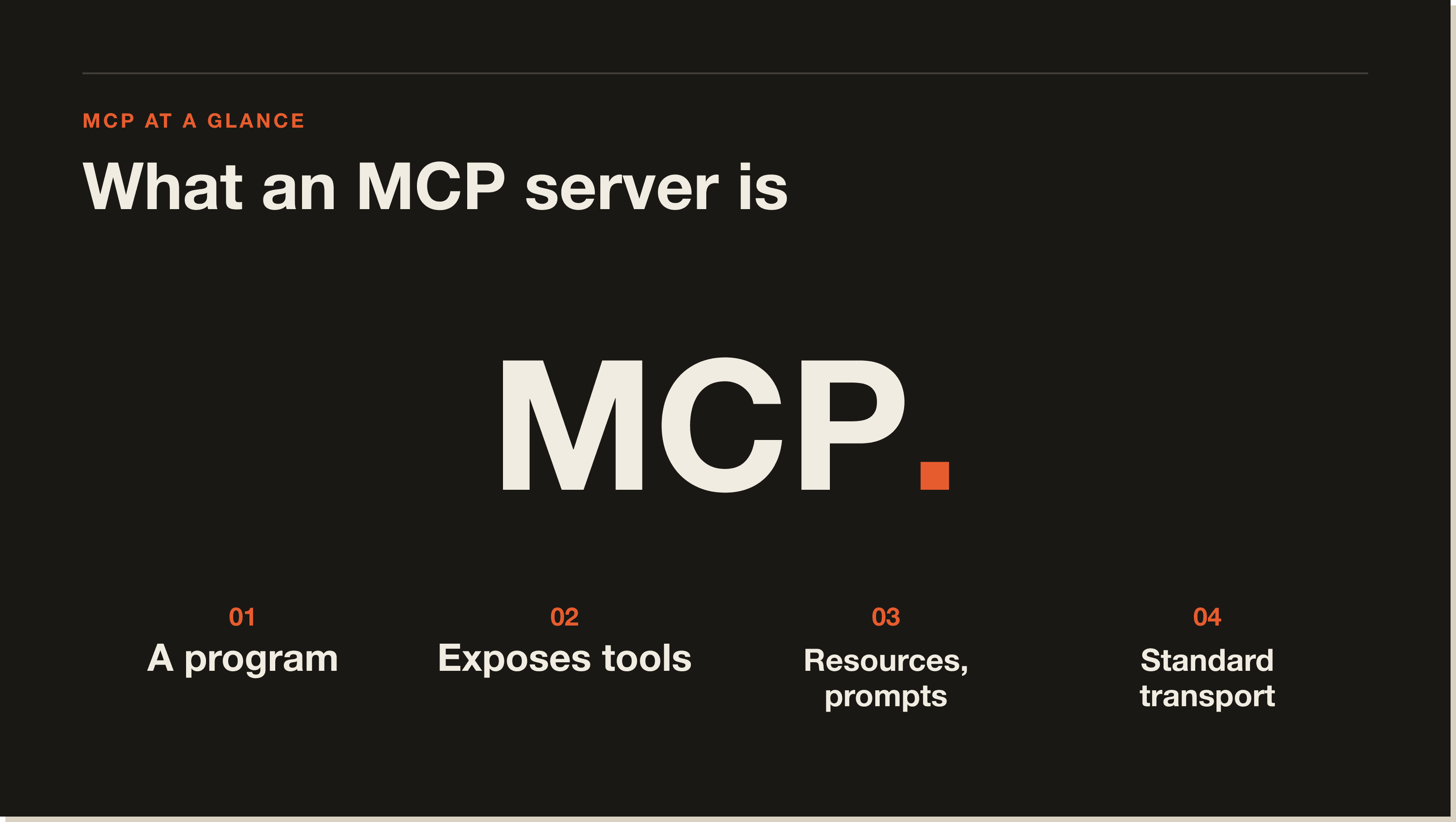
Two things to know up front. MCP is not Claude-specific. The official spec lives at modelcontextprotocol.io, and Cursor, VS Code, OpenAI Codex, and dozens of other clients all speak it. And MCP servers are just programs that expose tools, resources, and prompts over a standard transport. Most are Node, Python, or Go binaries you install with npx or pipx.
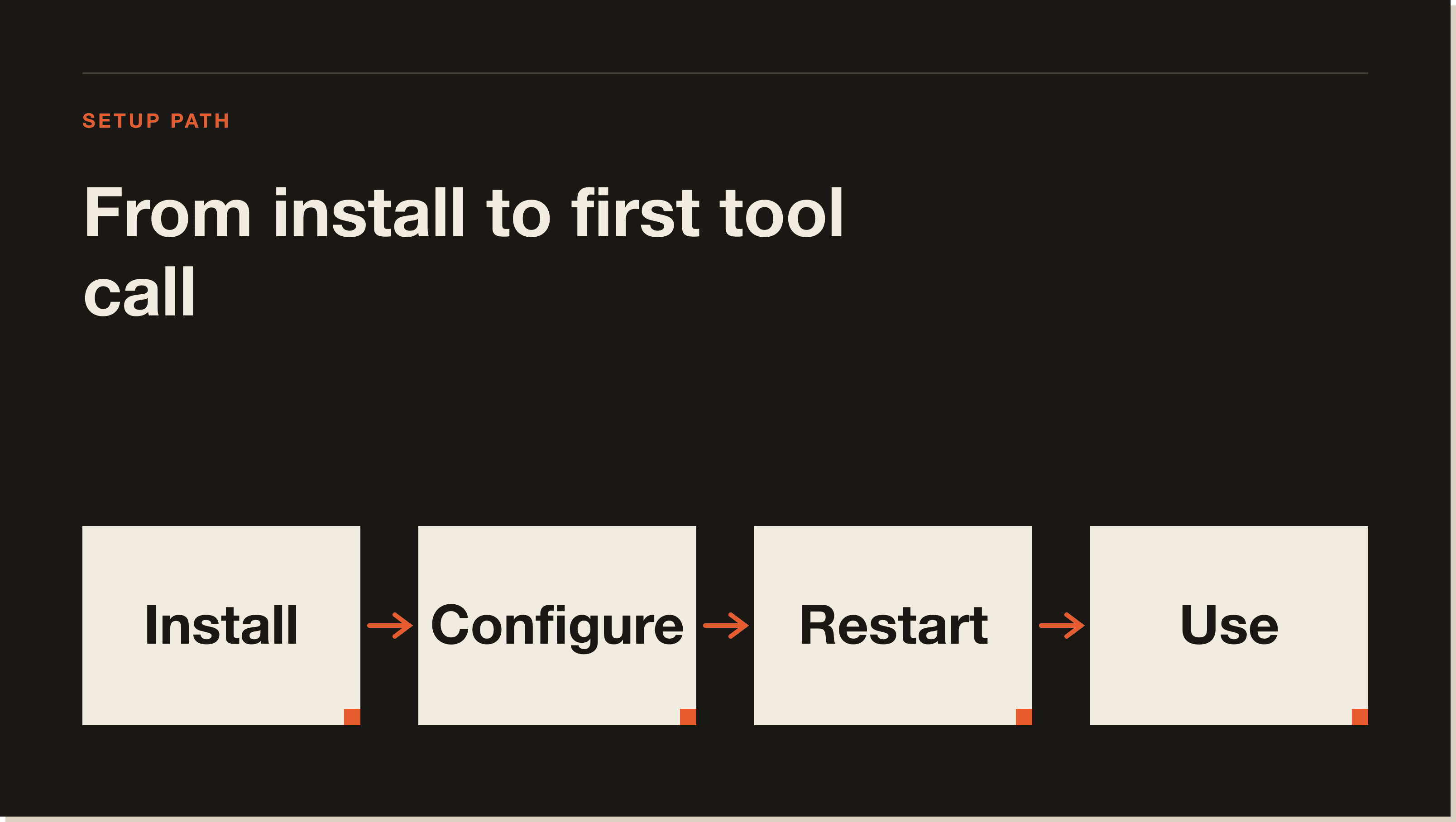
You install an MCP server in Claude Code by running claude mcp add with the name and command, or by editing the .mcp.json file in your project root directly. Both methods write to the same place. The CLI is faster for one-off installs. Editing the JSON is faster when you're copy-pasting from a docs page.
The fastest install command looks like this. Run it from inside any project directory:
claude mcp add airtable npx -y airtable-mcp-server \
  --env AIRTABLE_API_KEY=patXXX.YYY
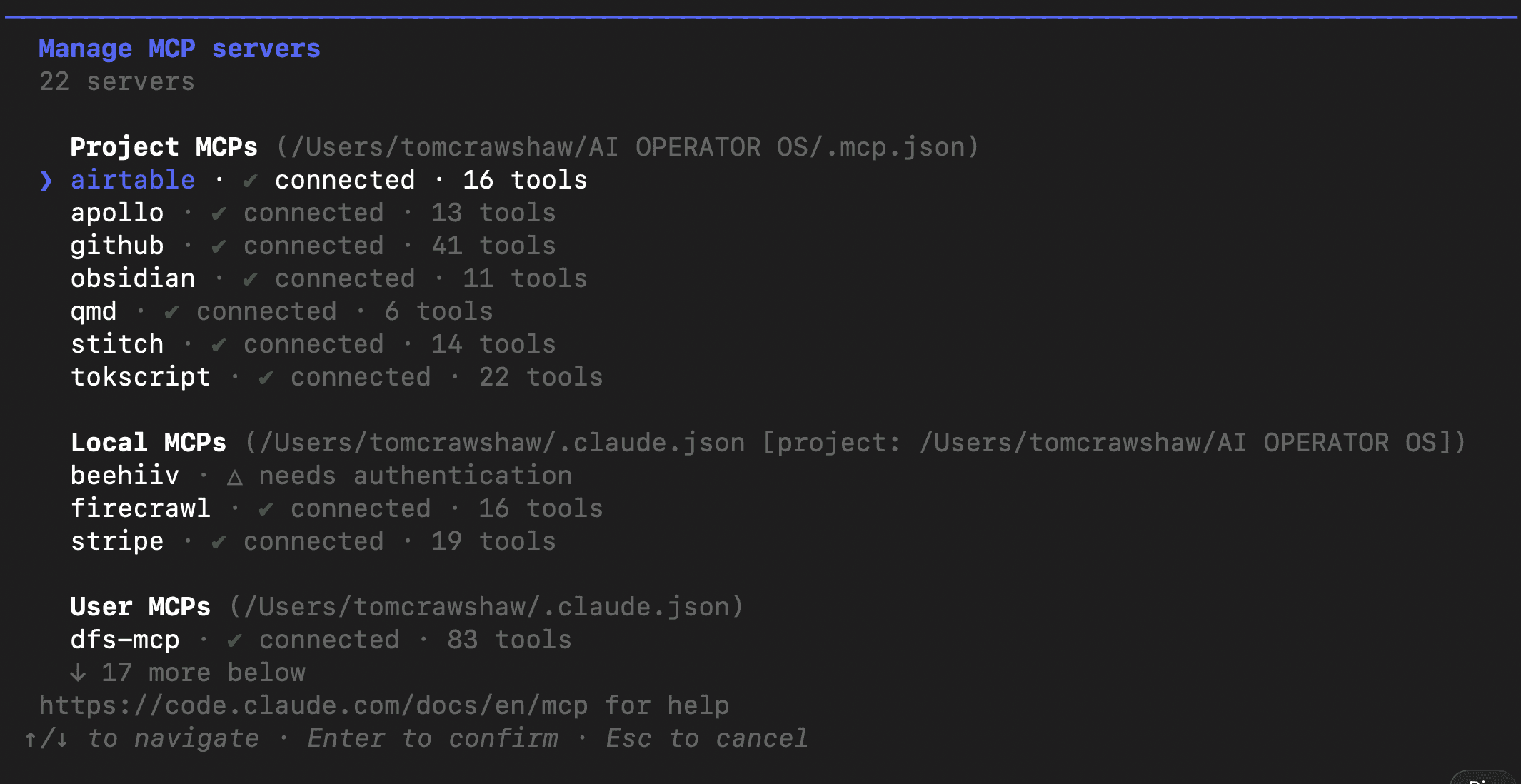
That writes the server config into the current scope (project by default). Type /mcp inside Claude Code to confirm the server connected and see its tool count.
If the server is HTTP-based (managed servers like GitHub's hosted MCP), point at a URL instead of a command and add an authorization header:
claude mcp add github --transport http \
  --url https://api.githubcopilot.com/mcp/ \
  --header "Authorization: Bearer ghp_YOUR_TOKEN"
Three transports are supported: stdio (a local process Claude talks to over stdin/stdout), SSE, and HTTP. Almost every server you install in your first week is stdio. The hosted ones from GitHub, Atlassian, and Linear are HTTP.
You add an MCP server to Claude Code by writing a JSON object into the mcpServers section of .mcp.json, or by running claude mcp add. Both produce the same result. Pick whichever has less friction for the task.
Here is the .mcp.json from my AI Operator OS project, sanitised. It runs ten servers across knowledge base, business systems, and Google:
{
  "mcpServers": {
    "airtable": {
      "type": "stdio",
      "command": "npx",
      "args": ["-y", "airtable-mcp-server"],
      "env": {
        "AIRTABLE_API_KEY": "pat_REDACTED"
      }
    },
    "github": {
      "type": "http",
      "url": "https://api.githubcopilot.com/mcp/",
      "headers": {
        "Authorization": "Bearer ghp_REDACTED"
      }
    },
    "obsidian": {
      "type": "stdio",
      "command": "npx",
      "args": ["-y", "obsidian-mcp", "/Users/tomcrawshaw/AI OPERATOR OS"]
    },
    "google-workspace": {
      "type": "stdio",
      "command": "gws",
      "args": ["mcp", "--tools", "drive,docs,sheets"]
    },
    "apollo": {
      "type": "stdio",
      "command": "node",
      "args": ["/Users/tomcrawshaw/AI OPERATOR OS/apollo-mcp-server/index.js"],
      "env": {
        "APOLLO_API_KEY": "REDACTED"
      }
    }
  }
}
The type field is either "stdio" or "http" (sse is also valid). For stdio, command and args spawn a local subprocess. For http, url is the endpoint and headers go in their own object. Secrets always go in env (stdio) or headers (http), never in args, which can leak via process listings.
After saving the file, type /mcp inside Claude Code. You'll see a list of every server with a connection status and a tool count. If a server shows zero tools or a red status, jump to the troubleshooting section below.
Claude Code supports three MCP config scopes: project, user, and local. Project scope lives in .mcp.json in your repo root and is shared with the whole team via git. User scope lives in ~/.claude.json and applies to every project on your machine. Local scope is per-user, per-project, also in ~/.claude.json, and overrides the project file for just you.
Use project scope when the server is part of how the project itself works. Examples: a Postgres MCP pointing at the dev database, a Stripe MCP scoped to a test mode key, a Playwright MCP for the test suite. Commit .mcp.json so the next person to clone the repo gets the same tools.
Use user scope for servers you want everywhere: Obsidian, Google Workspace, GitHub (with your personal token), an LLM memory store. These are tools tied to you, not to the codebase. They follow you across every project you open.
Use local scope when you need to override or add to project scope without touching the shared file. Common case: the project's .mcp.json points at a staging Postgres, but you personally want to point your local copy at production for a one-off audit. Add a local-scope override that gets ignored by everyone else.
The CLI lets you set scope at install time with --scope flag. The default is project. Run claude mcp add --scope user github ... to install GitHub at user scope instead.
You set up the GitHub MCP server in Claude Code by adding the hosted endpoint at api.githubcopilot.com/mcp/ with a personal access token in the Authorization header. The hosted version requires a GitHub Copilot subscription. If you don't have one, run the open-source local server from the github/github-mcp-server repo instead.
Hosted version, the one I run, looks like this in .mcp.json:
{
  "mcpServers": {
    "github": {
      "type": "http",
      "url": "https://api.githubcopilot.com/mcp/",
      "headers": {
        "Authorization": "Bearer ghp_YOUR_TOKEN_HERE"
      }
    }
  }
}
Generate the token at github.com/settings/tokens with repo, workflow, and read:org scopes. Paste, restart Claude Code, type /mcp. You should see GitHub with around 60 tools (issue read/write, PR review, branch create, file get, search code).
The local open-source server is a Go binary you build yourself. It works without a Copilot subscription but you maintain it. For most people the hosted route is faster, since it's the one Anthropic and GitHub keep in sync with new endpoints.
You set up the Postgres MCP server in Claude Code by installing the official @modelcontextprotocol/server-postgres package via npx and passing your connection string as an argument. It exposes read-only tools for listing tables, describing schemas, and running SELECT queries. It deliberately blocks writes so Claude can't drop your database.
Drop this in .mcp.json (project scope, since the connection string is environment-specific):
{
  "mcpServers": {
    "postgres": {
      "type": "stdio",
      "command": "npx",
      "args": [
        "-y",
        "@modelcontextprotocol/server-postgres",
        "postgresql://user:password@localhost:5432/mydb"
      ]
    }
  }
}
Never commit a real connection string. Use an env var and reference it via shell expansion in the args, or load it from .envrc with direnv. Once connected, ask Claude things like "show me the schema for the users table" or "how many subscriptions were created last week." It picks the SELECT tool and returns the result inline. Pair it with a hook to log every query if you need an audit trail (Claude Code v2.1.118 supports hooks calling MCP tools).
You set up the Playwright MCP server in Claude Code by installing Microsoft's @playwright/mcp package and adding it to .mcp.json with stdio transport. It gives Claude a real browser it can drive: navigate, click, fill forms, take screenshots, run accessibility audits, and scrape rendered DOM. It's the most popular MCP server on the registry, with around 14,800 monthly searches alone for the term Playwright MCP.
Config block:
{
  "mcpServers": {
    "playwright": {
      "type": "stdio",
      "command": "npx",
      "args": ["-y", "@playwright/mcp@latest"]
    }
  }
}
First launch downloads Chromium (around 200MB) and warms up the browser context. Then ask Claude things like "open theaiarchitects.com and screenshot the hero" or "go to my Stripe dashboard and tell me MRR." Claude picks the navigate tool and the result lands in your context.
Two things people miss. Playwright MCP can run headless or headed. Headed mode is useful for debugging. Headless is for production and CI. Set it via PLAYWRIGHT_HEADED=1 in the env block. And you can chain Playwright with other servers. I have a setup that uses Playwright to scrape, Airtable to store, and Stripe to verify. Three MCP servers, one prompt.
You remove an MCP server from Claude Code by running claude mcp remove <name>, or by deleting the server's entry from .mcp.json (project scope) or ~/.claude.json (user/local scope). The CLI is the safer option because it confirms which scope it's editing. Hand-editing the JSON is fine if you know which file owns the server.
CLI:
claude mcp remove airtableIf the server exists in multiple scopes, the command will ask which one to remove. Pass --scope project|user|local to skip the prompt.
Manual edit. Open .mcp.json, delete the key for the server, save. Restart Claude Code. Run /mcp to confirm it's gone. If it still shows up, it's defined in another scope. Run claude mcp list with --scope all to see every config the CLI is reading.
Use claude mcp disable to keep the config but stop loading. Useful when debugging which server is hogging context.
Most Claude Code MCP connection failures fall into four buckets: missing credentials, wrong transport type, port collision, or a broken server. Run claude mcp logs <name> first. The error is usually at the top.
"command not found" or "npm error" means the binary isn't installed or npx can't reach the registry. Pre-install with npm install -g <package> and point Claude Code at the absolute binary path instead of npx.
401 or 403 on an HTTP server means the bearer token is wrong, expired, or missing scopes. Regenerate, re-add, confirm /mcp shows green.
A hang or timeout on stdio usually means a missing env var. Many Postgres and database servers silently wait for a connection string. Cross-check the server's README and add the missing env entry.
Last gotcha: scope conflicts. If a project .mcp.json and a user-scope config both define a server with the same name, the project one wins. The other is silently ignored. Rename or remove the duplicate.
If you only install one, install Playwright. It is the highest-leverage server for the broadest set of tasks: scraping rendered pages, automating SaaS dashboards, debugging your own deployed app from inside a Claude session. After Playwright my second pick is GitHub, third is Postgres or Airtable depending on where your data lives.
Honest take: most MCP servers are over-engineered. Many wrap a SaaS API you could just hit with curl from Claude Code's Bash tool. The reason to install an MCP server is when the tool exposure is structured (typed inputs, schema-aware) or when you don't want Claude reading your raw API key. Otherwise, give Claude an OpenAPI spec instead.
For business operators, the four servers I run every week are Airtable (CRM, accounting), Apollo (lead enrichment), Stripe (revenue queries), and Tokscript (TikTok/Instagram transcripts). None are on the front page of the official MCP registry.
Here is the fastest path from zero to a working MCP server. Spin up a fresh project. Install Claude Code. Run the install command. Verify. Move on.
Run claude --version. You want anything in the v2.1.x range from late 2025 onward. If you're on an older v1, the .mcp.json schema and the CLI command syntax both differ. Update with brew upgrade --cask claude-code on macOS, or rerun the curl install script.
MCP servers attach to project context, so cd into a real folder. If you don't have one, mkdir mcp-test && cd mcp-test. Run claude inside it. Type /mcp. The list will be empty.
The Filesystem server is the simplest install (no API key, no transport gotchas). Drop this in a new .mcp.json:
{
  "mcpServers": {
    "filesystem": {
      "type": "stdio",
      "command": "npx",
      "args": ["-y", "@modelcontextprotocol/server-filesystem", "."]
    }
  }
}Restart the Claude Code session. Run /mcp. You should see filesystem with around 8 tools. Ask Claude "list the files in this folder." It picks the read_directory tool from the filesystem server and returns the listing. If you want to be sure it's the MCP server doing the work and not the built-in tools, run /tools and look for the mcp__filesystem prefix.
Add Playwright. Add GitHub. Add whatever production system you want to drive. Each new server is a four-line JSON entry. Restart, /mcp, confirm green, move on. Under 60 seconds per server once you have your tokens.
Some MCP servers (notably Google Workspace, Atlassian, Linear) require OAuth instead of a static API key. Claude Code handles this with the claude mcp authenticate command, which opens a browser, lets you grant scopes, and writes the token back into the config file.
The flow looks like this:
claude mcp add atlassian --transport http \
  --url https://mcp.atlassian.com/v1/sse
claude mcp authenticate atlassian
# browser opens, you log in, redirect comes back to claude code, token saved
Refresh tokens rotate automatically while the original session stays valid. If a server starts failing with 401 weeks after install, run claude mcp authenticate <name> again to refresh manually.
MCP is genuinely good but it has three rough edges I run into every week.
First, cold starts. Every new session spins up every stdio server in your config. With ten servers locally, that's a 4-6 second wait on your first prompt. The alwaysLoad option (v2.1.121) lets you pre-warm critical ones, but first launch of the day is still slow.
Second, tool discovery overhead. If you run 200+ tools, Claude has to read every description to pick one. That eats context. The /mcp panel shows tool counts (v2.1.128) precisely because people install too many servers. Audit yours and disable the ones you don't use day-to-day.
Third, security model. MCP servers run with whatever credentials you hand them. Give a server a database admin token and Claude has admin on that database. Scope tokens to read-only when possible, and use PreToolUse hooks to confirm destructive operations.
Yes, for anyone using Claude Code on real work. Even one MCP server (Playwright or GitHub) makes Claude meaningfully more capable than the same model running with just Bash and Edit. Skip it if you're using Claude Code purely as a code generator and you never want it touching outside systems. Otherwise, install Playwright today and add servers as you hit the next bottleneck. Cost is zero unless you pick a server that wraps a paid API.
Project scope: .mcp.json in the project root. User scope: ~/.claude.json (look for the mcpServers key). Local scope: also in ~/.claude.json under a per-project section. On Windows, the user file is at %USERPROFILE%\.claude.json. The CLI claude mcp list --scope all prints every active config.
Type /mcp inside Claude Code to see all connected servers, their connection status, and the number of tools each exposes. From the terminal outside Claude, run claude mcp list. Add --scope user, --scope project, or --scope all to filter.
Yes. Use claude mcp add --scope user <name> <command>. That writes the entry to ~/.claude.json, which loads in every project. Use this for personal tools (Obsidian, GitHub with your token, knowledge bases). Keep project-specific servers in .mcp.json so the team can share them.
Install the official figma/mcp package via npx and pass your Figma personal access token in the env. The config block looks similar to the Playwright one, with a single env var FIGMA_API_KEY. The server exposes read tools for files, comments, and components. Editing Figma files via MCP is currently restricted to specific node operations.
Yes, the protocol and the Claude Code MCP support are both free. You only pay for the underlying services your servers wrap. A Postgres MCP costs nothing. A Stripe MCP costs nothing on top of your Stripe account. The hosted GitHub MCP server requires a Copilot subscription, but the open-source local equivalent is free.
MCP servers are external tools Claude can call. Skills are markdown files that extend Claude's instructions. MCP gives Claude the ability to do new things (query a database, drive a browser). Skills give Claude a procedure to follow when it does them. Most production setups use both. See the deep-dive at /blog/how-to-use-claude-code for a worked example.
Yes, since v2.1.118. You can configure a hook with type "mcp_tool" so a lifecycle event (e.g. SessionStart, PostToolUse) automatically invokes a specific MCP tool. Common pattern: a SessionStart hook that calls a knowledge-base MCP to load relevant context into the session. Full hook reference at docs.anthropic.com/en/docs/claude-code.
The official MCP server registry lives at github.com/anthropics (search for mcp) and at modelcontextprotocol.io. Anthropic's registry now supports one-click install from inside Claude Code as of 2026. Third-party registries like mcp.so and Smithery list community servers too, but vet anything you install with credentials.
I built a free 60-minute walkthrough called the Blueprint that gets a non-developer from a fresh Claude Code install to a public URL with at least one live MCP server connected. If you'd rather work through it with weekly accountability, the
Claude Code 30-Day Challenge runs a four-week cohort that ends with a portfolio of three working automations. Either way, MCP is the layer where Claude Code stops being a coding tool and starts being an operator.
Claude Code MCP is Anthropic's implementation of the Model Context Protocol inside Claude Code. It connects Claude to external data sources and tools (Postgres, GitHub, Stripe, Playwright, Airtable, Google Drive) through a standardised JSON interface, so Claude can read and write outside your repo without you writing custom integration code. MCP launched in late 2024 as an open standard, so the same servers also work in Cursor, VS Code, and Codex.
Run claude mcp add with the name and command, or edit .mcp.json in your project root directly. Both write to the same place. The CLI is faster for one-off installs. Editing the JSON is faster when you are copy-pasting from a docs page. After saving, type /mcp inside Claude Code to confirm the server connected and see its tool count.
Project scope lives in .mcp.json in your repo root and is shared with the whole team via git. Use it for servers tied to the project (test-mode Stripe, dev Postgres, Playwright for the test suite). User scope lives in ~/.claude.json and applies everywhere on your machine. Use it for personal tools (Obsidian, GitHub with your token). Local scope overrides project scope for just you, useful for one-off audits without touching the shared file.
Playwright. It is the highest-leverage server for the broadest set of tasks: scraping rendered pages, automating SaaS dashboards, debugging your own deployed app from inside a Claude session. Around 14,800 monthly searches a month go to 'Playwright MCP' alone. My second pick is GitHub, third is Postgres or Airtable depending on where your data lives.
Run claude mcp logs <name> first. The error is usually at the top. Four common causes: 'command not found' means the binary is not installed (pre-install with npm install -g and point to the absolute path), 401 or 403 means the bearer token is wrong or expired, a stdio hang usually means a missing env var, and scope conflicts mean a duplicate server in both project and user scope (project wins silently).
Yes. The protocol and Claude Code MCP support are both free. You only pay for the services the servers wrap. A Postgres MCP costs nothing. A Stripe MCP costs nothing on top of your Stripe account. The hosted GitHub MCP requires a Copilot subscription, but the open-source local equivalent is free.
MCP servers are external tools Claude can call (query a database, drive a browser, post in Slack). Skills are markdown files that extend Claude's instructions and give it a procedure to follow. MCP gives Claude new abilities. Skills give Claude a playbook for using them. Most production setups use both together.
Five interactive lessons. Install Claude Code, build your first automation, and deploy it live on the internet — all in under an hour. Free, no coding required.
Grab the Blueprint →