← Back to Blog
Claude Code Skills Explained: SKILL.md, Triggers, Sharing.
Claude Code skills explained: how SKILL.md works, how to trigger them, share them, plus 3 of my real production skills with verbatim frontmatter.
Claude Code skills explained: how SKILL.md works, how to trigger them, share them, plus 3 of my real production skills with verbatim frontmatter.
A Claude Code skill is a folder inside your project at .claude/skills/<name>/ containing a SKILL.md file. The frontmatter has a name and a description. The body teaches Claude how to do a specific job. Claude loads the skill automatically when the description matches what you ask it to do. That is the whole concept.

Quick disambiguation. Claude skills (the marketplace ones at claude.com/skills) and Claude Code skills are the same primitive on different surfaces. Anthropic launched Agent Skills in October 2025 as a single portable file format. Claude.ai uses them. Claude Code uses them. The API supports them. Same SKILL.md, same frontmatter, same activation rules.
I'm Tom. I run AI Architects. I've shipped 17 production skills in my own .claude/skills/ folder. Three of them run dozens of times a week. Below: how skills actually work, the SKILL.md anatomy, the dynamic context injection trick almost nobody talks about, and three of my production skills with frontmatter copied verbatim.
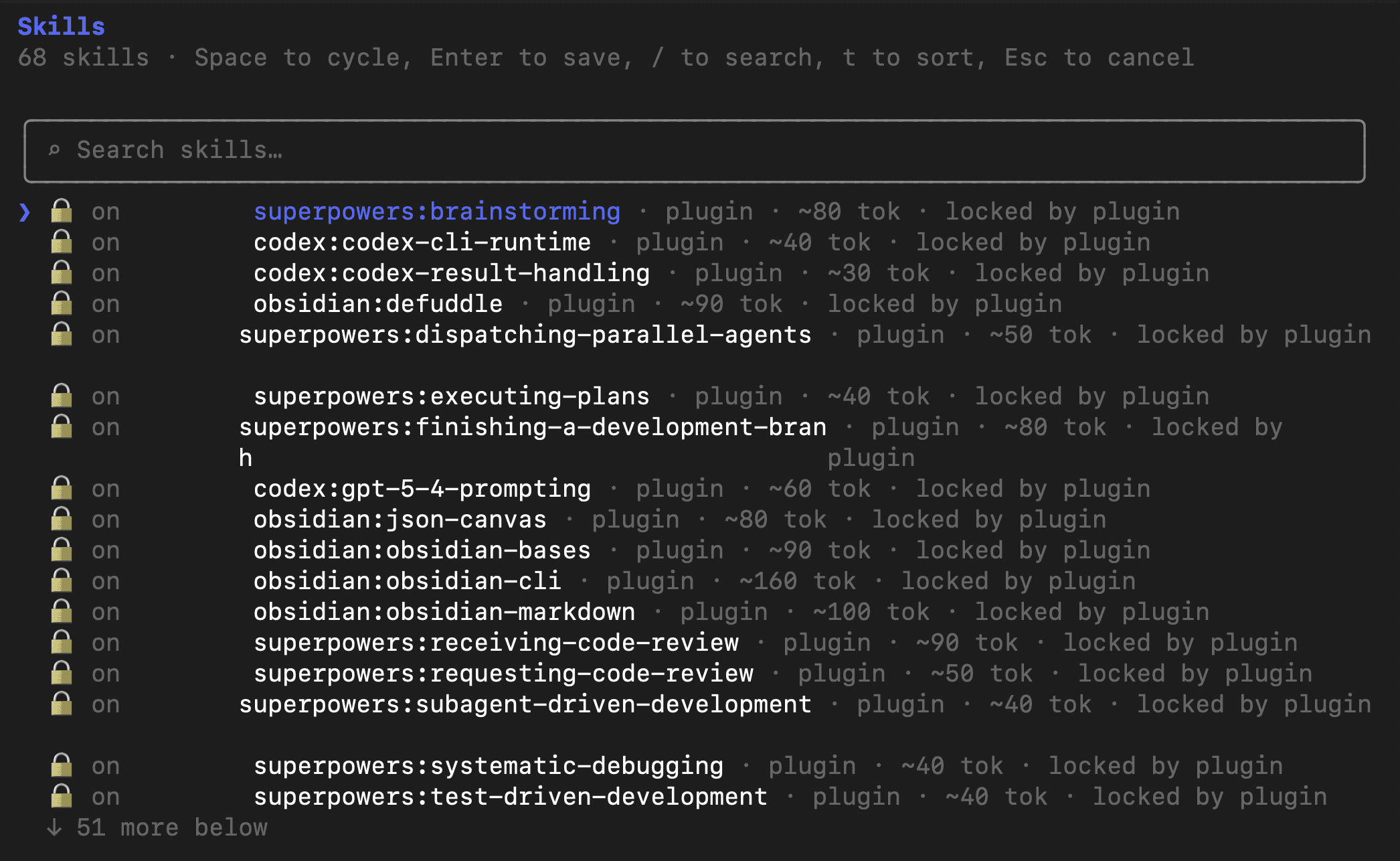
Claude Code skills are reusable instruction folders Claude loads automatically when their description matches your request. Each skill is a folder at .claude/skills/<name>/ with a SKILL.md file inside. The frontmatter has a name and a description. The body is plain markdown explaining how to do the job: what input to expect, what output to return, where to save files.
The killer feature is the description field. It's not a label. It's a trigger. When you send Claude a prompt, the model scans every installed skill's description and decides whether to load it. If the description says "use whenever the user asks for a brief", and you say "give me a brief on Stripe", the skill fires. You don't invoke anything by hand.
Anthropic's official docs at docs.anthropic.com/en/docs/claude-code/skills call this "progressive disclosure". The model only pulls a skill into its context window when the task warrants it. So you can have 50 skills installed and Claude never wastes tokens loading the wrong one. The October 2025 launch post on anthropic.com/news framed it as the standard way to give an AI specialised expertise without retraining the model.
Yes. Anthropic ships skills as a single portable format that runs in Claude.ai, Claude Code, the API, and the agent SDK. The SKILL.md file is identical across surfaces. What changes is the runtime. Claude.ai uses the marketplace at claude.com/skills. Claude Code uses .claude/skills/ folders. The API points a skills parameter at a directory. Same primitive, different installer.
Caveat: some Claude.ai marketplace skills bundle tools (Document Suite, finance) that depend on the Claude.ai sandbox. Those won't run inside Claude Code unmodified. For instruction-only skills, which is most of them, it's a clean copy-paste from one surface to the other.
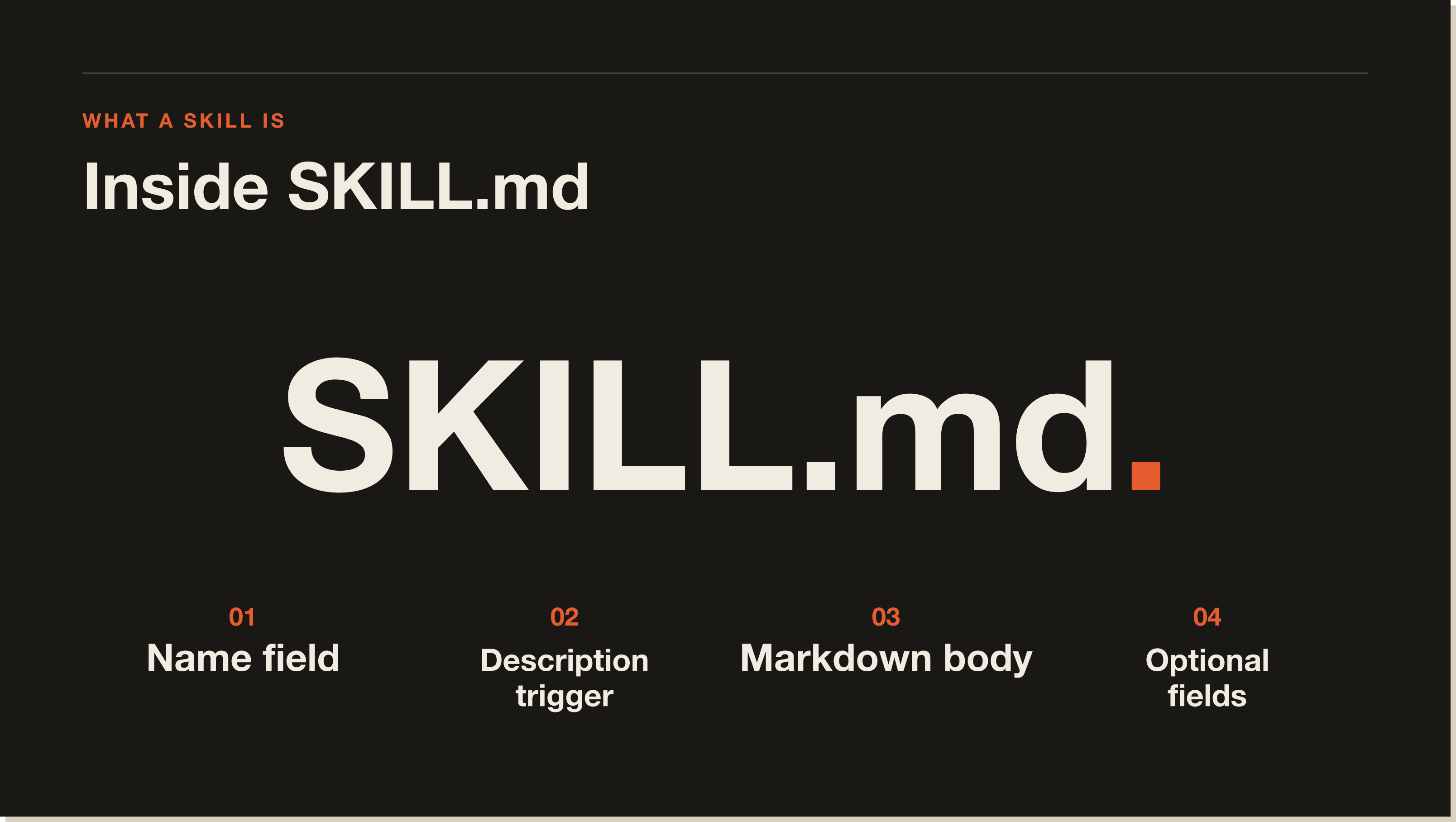
Skills work in three steps. Claude scans every installed skill's frontmatter at session start. When you send a prompt, the model decides whether any skill description matches your intent. If a match fires, Claude loads the full SKILL.md body into context and follows the instructions inside it.
Claude Code skills live in three places, in this lookup order. Project skills sit at .claude/skills/<name>/SKILL.md inside the repo you're working in. User skills sit at ~/.claude/skills/<name>/SKILL.md and are available across every project on your machine. Plugin skills come bundled inside an installed Claude Code plugin. Project beats user beats plugin if names collide.
A SKILL.md file is a markdown document with a YAML frontmatter block at the top. The frontmatter holds the skill's metadata: name, description (the trigger sentence Claude reads), and optional fields like allowed-tools, model, and version. Below the frontmatter, you write the instructions in plain markdown. That's the body Claude follows when the skill fires.
Examples are worth more than theory. Below are three skills I run weekly. Each is in my .claude/skills/ folder. I've pasted the frontmatter verbatim so you can see the exact patterns that get skills to fire reliably.
Removes signs of AI-generated writing from text. Every blog post, email, and organic post I write runs through it before I read it. Catches em dashes, the rule of three, vague attributions, promotional language, and the other tells the Wikipedia "signs of AI writing" article catalogues.
Frontmatter:
---
name: humanizer
version: 2.1.1
description: Remove signs of AI-generated writing from text. Use when editing or reviewing text to make it sound more natural and human-written. Based on Wikipedia's comprehensive "Signs of AI writing" guide. Detects and fixes patterns including: inflated symbolism, promotional language, superficial -ing analyses, vague attributions, em dash overuse, rule of three, AI vocabulary words, negative parallelisms, and excessive conjunctive phrases.
allowed-tools: Read, Write, Edit, Grep
---
Notice the description names trigger phrases ("editing or reviewing text") and lists the patterns it catches. That specificity is why Claude fires this skill when I say "clean this up" or "run the humanizer pass". A vague description like "helps with writing" would never trigger.
Reads a batch of my past posts and extracts the voice patterns: tone, common phrases, sentence structure, engagement hooks. The output is a structured voice profile I feed into other skills (content-create, sponsored-post, instagram-hook-writer). Ground truth for anything that needs to sound like me.
Frontmatter:
---
name: voice-analysis
description: Voice Analysis Skill. Analyze provided posts and extract tone patterns, common phrases, sentence structure, and engagement hooks. Output as a structured voice profile document. Use when the user says "analyse my voice", "extract my brand voice", "build a voice profile", or pastes in a batch of past posts and asks what their voice sounds like.
---
Canonical pattern for analysis skills. Trigger phrases in the description, specific output format (a profile document), specific input shape (a batch of posts). When all three are tight, the skill fires the moment I paste content.
Builds a publication-quality slide deck from a topic, outline, or source notes. Uses my canonical design (ink/bone/orange, Fraunces + Geist, scroll-snap), runs a mandatory voice check, exports a PDF, saves to a destination folder I confirm at the start. Five hours of design work in five minutes.
Frontmatter:
---
name: presentation
description: Build a slide deck in the canonical ink/bone/orange editorial design with mandatory voice enforcement and PDF export. Use when the user says "create a presentation", "build a deck", "make slides for", "turn this into a slide deck", "build a training deck", or provides an outline and asks for a presentation. Produces presentation.html + presentation.pdf + notes.md in an always-asked destination folder.
---
Most-used pattern in my system. The description lists six exact phrases that trigger it. The output is concrete (three named files). The skill body holds the design system, the voice gates, and the PDF export logic. When I say "build me a deck on Y", it fires every time.
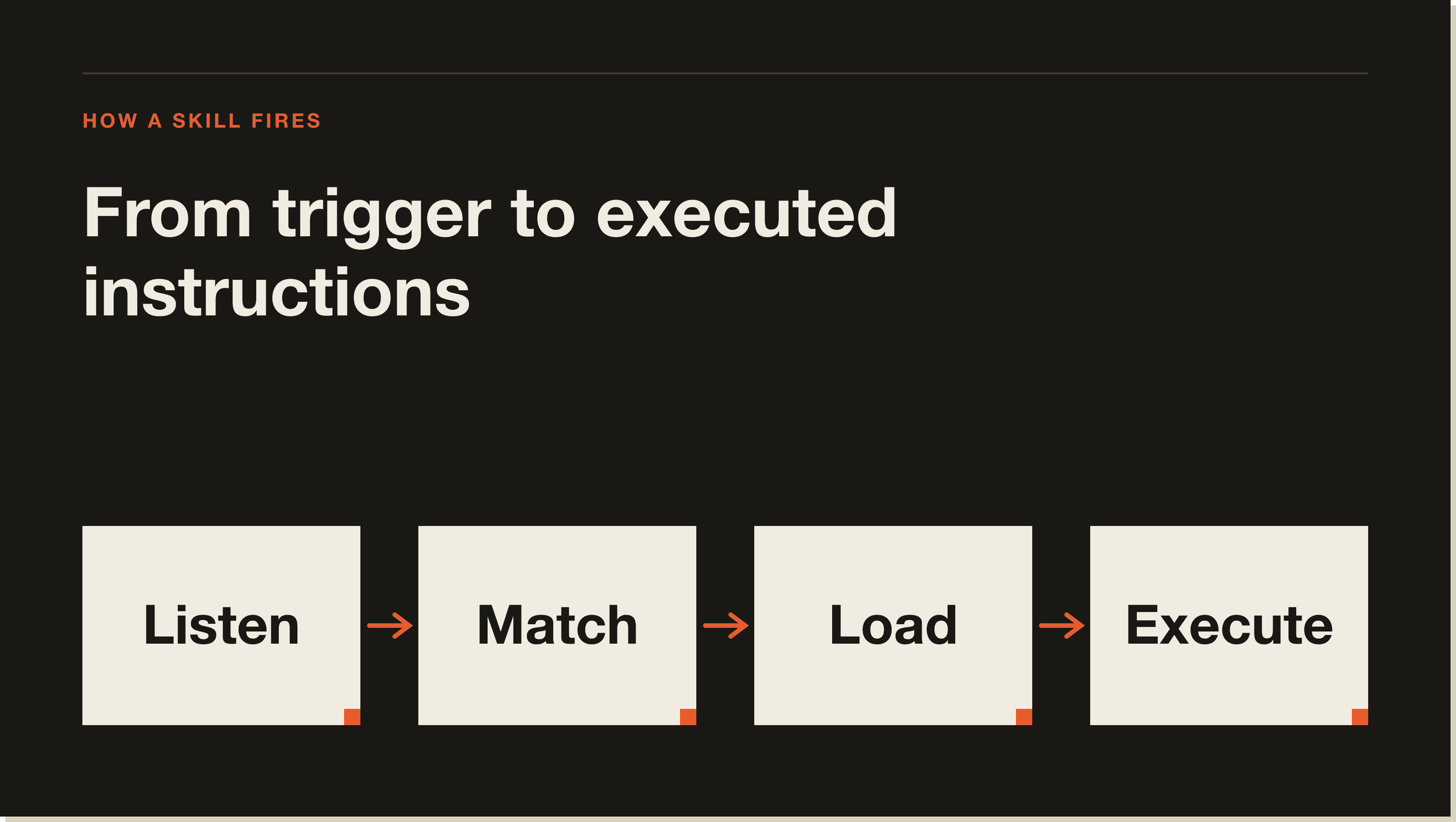
You don't trigger a Claude Code skill manually. You write a prompt that matches the skill's description, and Claude loads it automatically. The trigger lives entirely in the description field of the frontmatter. If the description says "Use when the user asks for a brief", and your prompt contains "give me a brief on X", the skill fires.
If a skill isn't firing when you expect, the description is too vague. "Helps with email writing" is vague. "Use when the user says 'write me an email', 'draft an email', or pastes a thread asking for a reply" is specific. The model is matching strings, so give it strings to match. You can also force-load with /skill <name> in modern Claude Code, but if you're typing that every time, the description needs work.
Three steps. Make a folder at .claude/skills/<name>/. Inside it, create a SKILL.md file. Write the frontmatter at the top (name, description, allowed-tools) and the instructions below. Claude reads the new skill at the next session start.
The folder name and the name field in frontmatter should match. Use lowercase with hyphens. Examples: humanizer, voice-analysis, instagram-hook-writer. The folder lives at .claude/skills/<name>/ if it's project-scoped or ~/.claude/skills/<name>/ if it's user-scoped.
Most people get this wrong. The frontmatter is YAML, three dashes on the line above and below. The two required fields are name (a slug) and description (the trigger sentence). Optional fields: allowed-tools, model, version. A solid frontmatter for a fresh skill:
---
name: company-brief
description: Generate a structured research brief on a company. Use whenever the user asks for a brief, runs the /brief slash command, or pastes a company name or URL with intent to research. Output four sections: Summary, Recent News, Key People, Suggested Angles.
allowed-tools: Read, Write, WebFetch
---
The body is the SKILL.md content below the frontmatter. Plain markdown. Tell Claude what to do, in what order, what each output looks like, what to skip, what to confirm with the user, where to save the result. My rule of thumb: if I had to write a Loom for a junior team member explaining the job, that's the SKILL.md. Skills are you turning your own brain into an SOP Claude can read.
Inside a SKILL.md body, you can prefix a line with an exclamation mark and a backtick to run a shell command at the moment the skill loads. The output of the command gets injected into Claude's context as if it were written there at design time. The syntax is: backtick, exclamation mark, your shell command, backtick. So !`date` gives Claude today's date the moment the skill fires. !`git status --short` gives Claude the current git diff. !`ls .claude/skills/` gives Claude a live list of every other skill installed in the project.
The trick I teach my mentorship students: when a skill needs context that changes between sessions (current date, active branch, latest CLAUDE.md, contents of a config file), don't hardcode it and don't make Claude run a tool call. Use the ! prefix. The shell runs at load time. The output lands in context. Claude reads it like normal markdown. Zero round-trips. My presentation skill uses this to inject today's date into the cover slide. My voice-analysis skill uses it to read the latest VOICE.md at load time. The shell does the work before Claude even sees the prompt.
Skills load automatically when their description matches your prompt. Slash commands fire only when you type /<command-name>. Skills are passive triggers, commands are active. Skills live in .claude/skills/<name>/SKILL.md, commands live in .claude/commands/<name>.md. In practice you use both. A slash command is a one-shot prompt you type a hundred times a week. A skill is a reusable instruction set Claude loads when the topic comes up. They compose: a slash command can reference a skill, the command sets the verb, the skill provides the playbook.
Anthropic recently merged custom commands and skills into a unified system. The Claude Code changelog at github.com/anthropics/claude-code documents the migration. Legacy .claude/commands/ files still work, but new ones are usually better written as skills with a /command-name in the description.
Commit the .claude/skills/<name>/ folder to git. Anyone who clones the repo gets the skill automatically. That's the entire distribution model for project skills. No registry, no install command. Git is the package manager. For user-scoped or cross-project skills, push the folder to a GitHub repo and tell people to copy it into ~/.claude/skills/, bundle the skill inside a Claude Code plugin (the modern path), or submit it to claude.com/skills for the public marketplace.
Anthropic maintains a reference repo of example skills at github.com/anthropics/skills. Worth a clone before you ship your first skill of your own.
You install a skill from a Claude Code plugin by installing the plugin itself. Plugin skills come bundled. Once the plugin is installed, its skills appear under a plugin namespace (something like plugin-name:skill-name) and Claude treats them like any other installed skill. Run /plugin install <plugin-name> or add the plugin to your settings.json under the plugins array, then restart your session.
The advantage of plugin-distributed skills is versioning. When the plugin author ships a new version, you get the new skill body automatically. With raw .claude/skills/ folders committed to git, every project has a frozen snapshot of the skill that drifts over time. Plugins solve that.
Skills aren't free. Three things to watch. First, the description-as-trigger model means a poorly written description either fires too often or never fires. It takes a few iterations to dial in. Second, skills compete for the model's attention. With 30 skills installed and overlapping descriptions, the model sometimes loads the wrong one. The fix is hygiene: one job per skill, narrow descriptions, no duplication, delete skills you stopped using. Third, skills can't share state. Each one loads fresh. If skill A produces output skill B needs, you have to write it to a file or pass it through the prompt. For multi-step workflows where skills need to talk, use a subagent or a slash command that orchestrates the steps explicitly.
Beyond the three above, a few patterns I've seen working well in the cohort and the wider community. Code review: reads the current git diff and produces a structured PR review (correctness, security, style). Anthropic ships a built-in version called /review that's a fine starting point. n8n validator: takes an exported n8n workflow JSON, validates node configurations, expression syntax, and credentials, returns a list of issues. Sponsored post: turns a product brief and a video transcript into a finished sponsored Instagram or LinkedIn post in my voice. Brief generator: the company-brief skill from my Blueprint walkthrough that spawns three subagents in parallel to research a company, then writes to Airtable.
Yes, if you've ever pasted the same instructions into Claude more than three times. Skills are the cheapest reusable infrastructure in Claude Code. Five minutes to write the first one. Pays back the next time you'd have copied your own SOP. Not worth it for one-off questions, but for any repeating workflow (writing, research, code review, deployment, content production), skills save more time than every other Claude Code feature combined.
The mental model that locks it in: skills turn your brain into an SOP a model can read on demand. Every skill is a piece of you that you no longer have to be in the room to deliver. Ten of them in, your Claude Code feels like a small team you trained.
Reusable instruction folders Claude loads automatically when their description matches your request. Each is a folder at .claude/skills/<name>/ with a SKILL.md file containing frontmatter (name, description) and a markdown body.
Make a folder at .claude/skills/<name>/, add a SKILL.md, write YAML frontmatter (name, description) at the top, write instructions below in plain markdown. Restart the session. The description is the trigger, so name the exact phrases you'll use.
Project skills at .claude/skills/<name>/SKILL.md. User skills at ~/.claude/skills/<name>/SKILL.md, available across every project. Plugin skills come bundled with installed plugins. Project beats user beats plugin on name collision.
A markdown document with a YAML frontmatter block on top. The frontmatter sets the skill's name and description (the trigger). The body is the instruction set Claude follows when the skill fires. Canonical format Anthropic shipped in October 2025 as part of Agent Skills.
You don't trigger one manually. Write a prompt that matches the skill's description, Claude loads it automatically. If a skill isn't firing, the description is too vague. Force-load with /skill <name> in modern versions, but if you're typing that every time, rewrite the description.
Skills fire automatically when their description matches your prompt. Slash commands fire only when you type /<command-name>. Skills are passive, commands are active. Skills live in .claude/skills/, commands in .claude/commands/. Modern Claude Code merges them into a unified registry.
Commit the .claude/skills/<name>/ folder to git for project skills. Push to GitHub and copy into ~/.claude/skills/ for user skills. Bundle inside a plugin for versioned distribution. Or submit to claude.com/skills for the public marketplace.
Yes. The SKILL.md format runs across Claude.ai, Claude Code, the API, and the agent SDK. Only the runtime changes. Some Claude.ai marketplace skills bundle tools that depend on the Claude.ai sandbox and won't run in Claude Code unmodified.
Install the plugin with /plugin install <plugin-name> or add it to settings.json under plugins. Restart. The plugin's skills appear under a namespace and fire automatically when descriptions match. Run /plugin list to confirm it loaded.
Anthropic's official examples live at github.com/anthropics/skills. The Claude Code docs at docs.anthropic.com/en/docs/claude-code/skills include reference SKILL.md files. The wider community curates lists at agentskills.io and at awesome-claude-skills repos on GitHub. My own .claude/skills/ folder ships 17 production skills you can lift directly.
If you've followed this far, you have what you need. The fastest way to internalise it is to build the company-brief skill from my Blueprint walkthrough end to end. 60 minutes, free, and the skill you write is genuinely useful. For multiple skills chained together (humanizer, voice-analysis, content-create), the 30-Day Challenge is where I take people next. For the surrounding mental model, my Claude Code beginner guide covers the rest.
A Claude Code skill is a folder inside your project at .claude/skills/<name>/ containing a SKILL.md file. The frontmatter has a name and a description. The body teaches Claude how to do a specific job. Claude loads the skill automatically when the description matches what you ask it to do. That is the entire concept.
You do not trigger a skill manually. You write a prompt that matches the skill's description and Claude loads it automatically. The trigger lives entirely in the description field of the frontmatter. If a skill is not firing, the description is too vague. 'Helps with email writing' is vague. 'Use when the user says write me an email or drafts a reply' is specific. The model is matching strings, so give it strings to match.
Skills load automatically when their description matches your prompt. Slash commands fire only when you type /<command-name>. Skills are passive triggers, commands are active. Skills live in .claude/skills/<name>/SKILL.md, commands live in .claude/commands/<name>.md. In practice you use both. A slash command sets the verb. A skill provides the playbook.
Yes. Anthropic ships skills as a single portable format that runs in Claude.ai, Claude Code, the API, and the agent SDK. The SKILL.md file is identical across surfaces. Only the runtime changes. The one caveat: some Claude.ai marketplace skills bundle tools (Document Suite, finance) that depend on the Claude.ai sandbox and will not run inside Claude Code unmodified.
Commit the .claude/skills/<name>/ folder to git. Anyone who clones the repo gets the skill automatically. That is the entire distribution model for project skills. No registry, no install command. Git is the package manager. For user-scoped skills, push to GitHub and have people copy into ~/.claude/skills/, or bundle inside a Claude Code plugin for versioned distribution.
Inside a SKILL.md body, you can prefix a line with a backtick and exclamation mark to run a shell command at load time. The output gets injected into Claude's context as if it were written there. So !`date` gives Claude today's date the moment the skill fires. !`git status --short` gives Claude the current diff. Zero round-trips. The shell does the work before Claude even sees the prompt.
Yes, if you have ever pasted the same instructions into Claude more than three times. Skills are the cheapest reusable infrastructure in Claude Code. Five minutes to write the first one. Pays back the next time you would have copied your own SOP. Not worth it for one-off questions. For any repeating workflow (writing, research, code review, deployment), skills save more time than every other Claude Code feature combined.
Five interactive lessons. Install Claude Code, build your first automation, and deploy it live on the internet — all in under an hour. Free, no coding required.
Grab the Blueprint →