← Back to Blog
The --dangerously-skip-permissions Flag: When to Use It.
Claude Code's --dangerously-skip-permissions flag bypasses every permission prompt. Here's when it's actually safe, when it will cost you, and the smarter alternatives.
Claude Code's --dangerously-skip-permissions flag bypasses every permission prompt. Here's when it's actually safe, when it will cost you, and the smarter alternatives.
--dangerously-skip-permissions is a Claude Code CLI flag that bypasses every permission prompt in the session, letting Claude execute shell commands, edit files, and run agent loops without stopping to ask you first. Most developers reach for it when prompt fatigue sets in. That's precisely when it bites you.
I've tested Claude Code across dozens of production builds. This flag is legitimate in a narrow set of conditions and genuinely dangerous outside them. This post breaks down exactly where the line is, what the safer middle ground looks like, and what Anthropic's own security documentation says you should do instead.
If you're new to Claude Code, start with the complete Claude Code guide to get the full picture before diving into permission configuration.
[CTA-BLUEPRINT]
--dangerously-skip-permissions?.--dangerously-skip-permissions is a CLI flag that sets Claude Code's permission mode to bypassPermissions. According to the Claude Code CLI reference, it is equivalent to running --permission-mode bypassPermissions. In this mode, every tool call, bash command, file edit, and agentic action executes without a confirmation prompt.
The community nickname for this mode is "yolo mode," and the name fits. You are telling Claude to act without a safety net.
There is one circuit breaker that stays active regardless: attempts to remove the filesystem root or your home directory (rm -rf / and rm -rf ~) still trigger a prompt. Everything else proceeds without interruption.
bypassPermissions mode work?.Claude Code normally uses a tiered permission system. Read-only operations (file reads, grep, ls) run without prompts. Bash commands require approval on first use. File modifications require approval until session end. When you approve a command, you can choose "yes, don't ask again" to allowlist it permanently for that project.
bypassPermissions collapses all of that. The mode flag tells Claude Code to skip the evaluation layer entirely for the session. From Anthropic's permissions documentation: "Skips all permission prompts. Root and home directory removals such as rm -rf / still prompt as a circuit breaker."
Critically, bypassPermissions also skips permission checks for writes to .git, .claude, .vscode, .idea, and .husky. That means Claude can rewrite your git hooks, modify IDE settings, and alter its own configuration files without stopping.
--dangerously-skip-permissions actually safe?.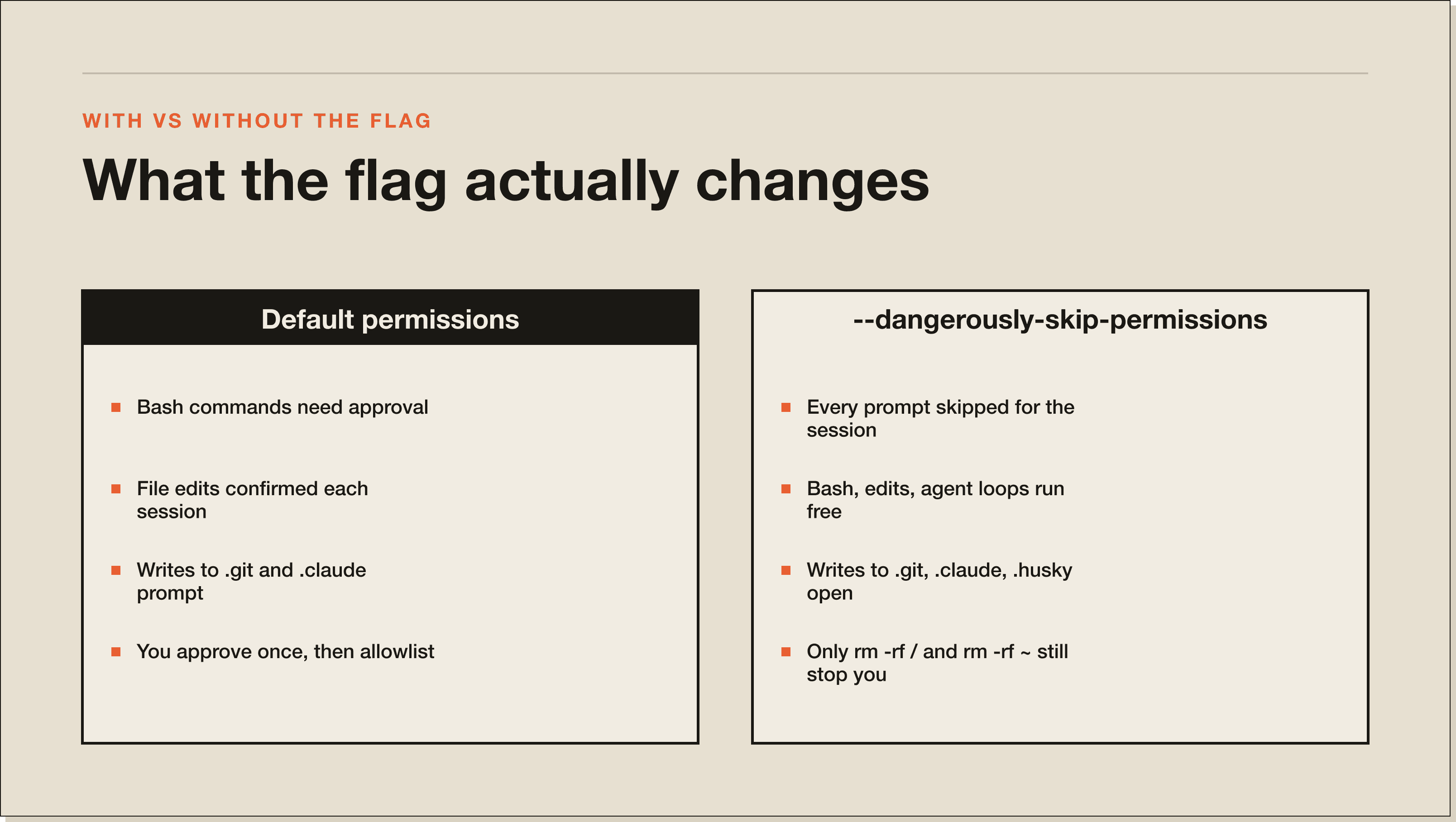
The flag is genuinely safe in exactly three scenarios.
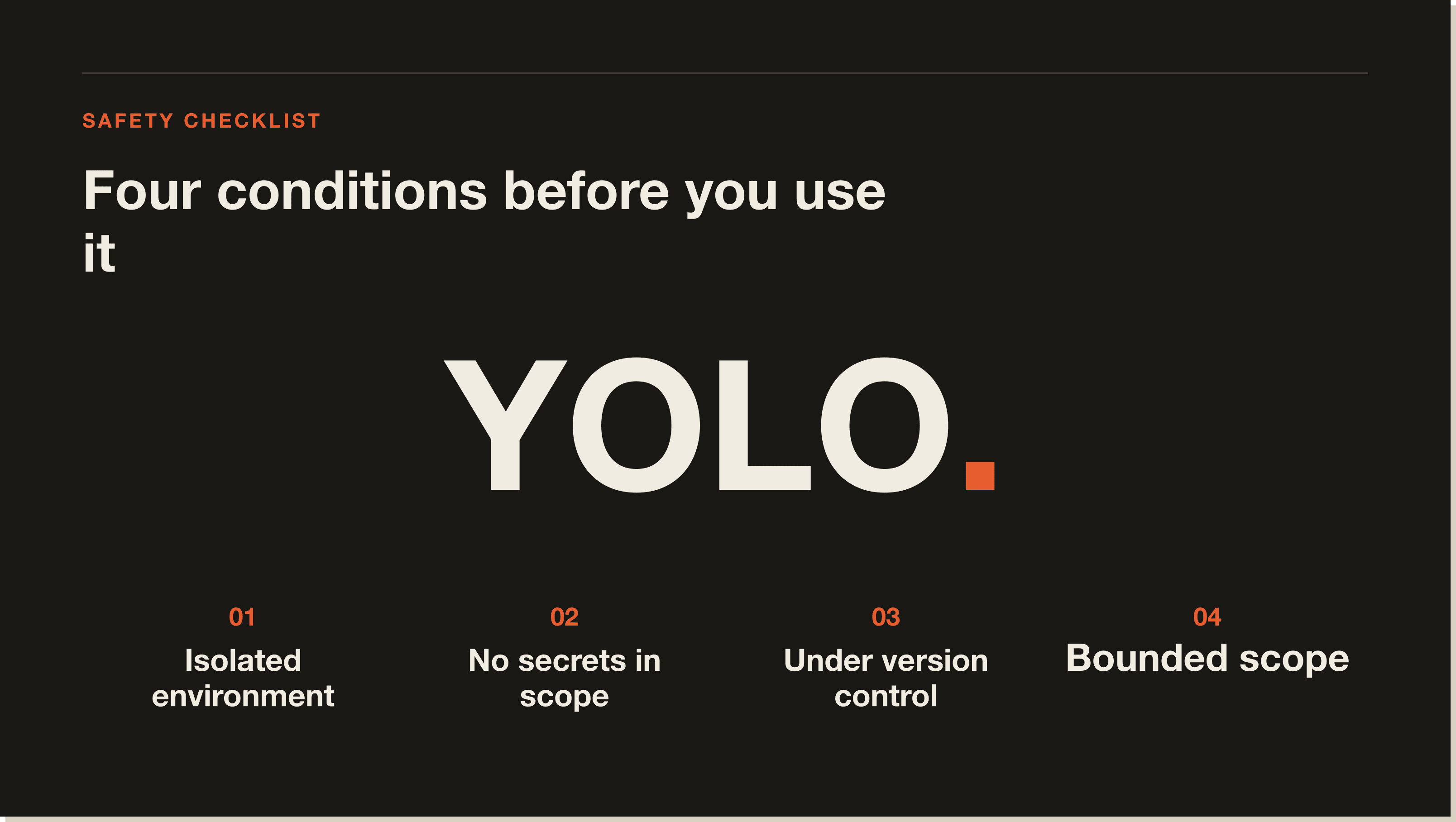
Sandboxed Docker containers. If Claude Code runs inside an isolated container with no access to your host filesystem, no production credentials mounted, and no network routes to live services, bypassing permissions costs you nothing. The container boundary is your safety layer. Anthropic explicitly recommends virtual machines or containers as the right isolation environment for this mode.
Throwaway test repositories. A fresh clone of a repo that contains no secrets, no deployment configs, and nothing you'd care about losing is a reasonable place to let Claude run free. The risk ceiling is "I might need to re-clone this."
Fully trusted, fully reviewed prompts. If you wrote the CLAUDE.md yourself, you understand every skill and hook in the project, you've read the prompt you're about to run, and you're confident it won't touch anything outside the repo, the flag is an acceptable time-saver for a one-off task. This scenario is rarer than most people assume.
--dangerously-skip-permissions bite you?.The failure modes cluster around four situations.
Code that touches files outside the repo. Claude Code's write access is normally restricted to the folder where it was started and its subdirectories. With bypassPermissions off, a command reaching for a parent directory or your home folder triggers a prompt that stops you. With it on, the write goes through.
Anything that can run arbitrary shell commands. If your workflow includes MCP servers, hooks, or skills that invoke bash, you've multiplied your attack surface. A prompt injection buried in a file Claude is reading can issue shell commands that execute immediately with no confirmation gate. The security documentation covers this specifically: prompt injection is a real attack vector, and the permission system is one of the primary defenses against it.
Agent loops without supervision. Running Claude Code in headless print mode (-p) with --dangerously-skip-permissions and a long agentic task is the highest-risk combination. The loop can run dozens of turns, each one executing without a check. A misunderstood instruction early in the loop can compound across every subsequent action.
Any session where you have production credentials in scope. If your environment has AWS credentials, Stripe keys, database connection strings, or any other live-service authentication, bypassPermissions means Claude can use them without stopping. This includes credentials in .env files, shell environment variables, and SSH keys accessible from the session.
The most common misunderstanding is treating --dangerously-skip-permissions as a permanent productivity setting rather than a situational tool. Developers add it to their default claude alias, run it for months without incident, then encounter a bad session where a malformed prompt or an unexpected file triggers a cascade of unrecoverable changes.
The second misunderstanding is assuming the flag only affects Claude's "dangerous" actions. It affects all actions. A session where you just want Claude to refactor some files without prompting you still runs entirely without safety checks. If the task expands into something you didn't anticipate, there is no gate.
The third is assuming the Docker circuit breaker is comprehensive. The circuit breaker only catches rm -rf / and rm -rf ~ style root deletions. It does not catch targeted deletion of important files, writes to credential files, or git operations that can irreversibly alter repository history.
auto mode (and what it actually does).Anthropic shipped a permission mode called auto that is the halfway-house most people reach for --dangerously-skip-permissions to find. From Anthropic's permissions documentation: "Auto-approves tool calls with background safety checks that verify actions align with your request. Currently a research preview."
The mechanics matter. Default mode prompts you for every first-use tool call. bypassPermissions (the flag) skips every prompt and trusts the model. auto sits between the two: it skips prompts when the action clearly aligns with your stated request, and a background classifier flags anything that looks off-pattern. You get the flow-state benefit without giving up the safety net entirely.
You set it the same way you'd set any permission mode. In your settings file:
{
  "permissions": {
    "defaultMode": "auto"
  }
}
Or as a CLI flag for a single session:
claude --permission-mode autoA few honest caveats. It is currently labelled a research preview, which means Anthropic is still tuning the safety classifier. The auto-mode-config doc lets you tell the classifier which infrastructure your organisation trusts, which reduces false alarms in mature environments. Administrators can disable auto mode entirely with permissions.disableAutoMode in managed settings, the same way bypassPermissions can be locked out.
When auto is the right pick: you have a working CLAUDE.md, you've configured your additionalDirectories correctly, you're working in a real repo (not a sandbox), and you want to remove the prompt friction without removing the guardrails. That covers most daily Claude Code use.
When auto is not enough: heavy agentic loops in headless mode, or workflows that touch credentials and live services. Those still warrant the targeted approach below.
--allowedTools and plan mode.The right approach for most "I don't want to keep approving prompts" frustrations is a targeted allowlist, not a blanket bypass.
--allowedTools lets you specify exactly which tools execute without prompting. From the CLI reference:
claude --allowedTools "Bash(git log *)" "Bash(git diff *)" "Read"This allows git log and diff commands and all file reads to run silently, while everything else still prompts. You get the flow-state benefit without the open-ended risk. You can also set persistent allowlists in .claude/settings.json:
{
  "permissions": {
    "allow": [
      "Bash(npm run *)",
      "Bash(git commit *)",
      "Bash(git diff *)",
      "Read"
    ]
  }
}
For tasks where you want Claude to plan before touching anything, plan mode is the cleanest middle ground. Claude reads files and runs read-only shell commands to map out what it wants to do, then presents the plan before making any changes. You approve the plan once rather than approving each individual tool call.
For automated pipelines where you genuinely need no-prompt execution, hooks give you enforcement at the tool-call level. A PreToolUse hook can block specific commands or command patterns even when other permissions are open, giving you a targeted deny list without removing the permission system entirely.
[CTA-BLUEPRINT]
--dangerously-skip-permissions.--dangerously-skip-permissions actually skip?It skips all permission prompts for the session, including bash command approvals, file edit confirmations, and writes to configuration directories like .git, .claude, .vscode, and .husky. The only exception is filesystem root and home directory deletions (rm -rf /, rm -rf ~), which still trigger a prompt as a circuit breaker.
--dangerously-skip-permissions the same as --permission-mode bypassPermissions?Yes. The two flags are functionally equivalent. --dangerously-skip-permissions is the shorthand. --permission-mode bypassPermissions is the explicit form. Both set Claude Code's session permission mode to bypassPermissions.
bypassPermissions mode for a team?Yes. Anthropic's permissions documentation describes a permissions.disableBypassPermissionsMode setting that can be placed in managed settings. When set to "disable", the mode cannot be activated by any user or project-level configuration, including the CLI flag.
--allow-dangerously-skip-permissions (with the extra allow- prefix)?This is a separate, more conservative flag. It adds bypassPermissions to the Shift+Tab mode cycle without starting in it. You might begin a session in plan mode and switch to bypass later if needed. It does not enable bypass by default. Example: claude --permission-mode plan --allow-dangerously-skip-permissions.
"Yolo mode" is the community nickname for --dangerously-skip-permissions / bypassPermissions mode. The nickname reflects what the flag does: run without checking anything.
--dangerously-skip-permissions vs --allowedTools?Use --dangerously-skip-permissions only inside isolated environments (containers or VMs) where damage is contained. Use --allowedTools any time you want to reduce prompts in a real working environment. --allowedTools gives you the same friction reduction for specific commands without removing the safety net for everything else.
--dangerously-skip-permissions let Claude access files outside my project?The flag bypasses prompt-based restrictions, but Claude Code's default write boundary (the directory where it was launched plus subdirectories) still applies unless you explicitly add directories with --add-dir. The flag removes confirmation prompts, not filesystem-level enforcement.
The permission system in Claude Code exists because agentic tools that execute code need guardrails. --dangerously-skip-permissions is a valid escape hatch for isolated environments, not a default setting for daily use.
If you want to reduce friction without removing safety, the Claude Code Blueprint walks through the permission configuration patterns, allowlist syntax, and hook setup that I use across all my production projects. Start there before reaching for the bypass flag.
Five interactive lessons. Install Claude Code, build your first automation, and deploy it live on the internet — all in under an hour. Free, no coding required.
Grab the Blueprint →