← Back to Blog
Claude Code Subagents vs Skills: When to Use Each.
Claude Code subagents vs skills, compared side by side. Decision tree, 5 production subagents I run daily, plus YAML frontmatter to copy in 2026.
Claude Code subagents vs skills, compared side by side. Decision tree, 5 production subagents I run daily, plus YAML frontmatter to copy in 2026.
Subagents in Claude Code are specialized assistants you call into a task, each running in its own context window with its own system prompt, tools, and (optionally) model. Skills are reusable instructions plus scripts that the main Claude Code agent loads when a task matches the skill's description. They look similar in the file system. They do completely different jobs.
I'm Tom. I run Claude Code every day to ship the apps, content, and automations behind my mentorship business. I have built skills for things like brand voice analysis and humanizing AI copy. I have built subagents for code review, security review, n8n workflow validation, and Codex rescue. This post is the side-by-side that Anthropic's docs do not give you, plus the five production subagents I actually use, the decision tree I use to pick between them, and the YAML frontmatter you can copy.
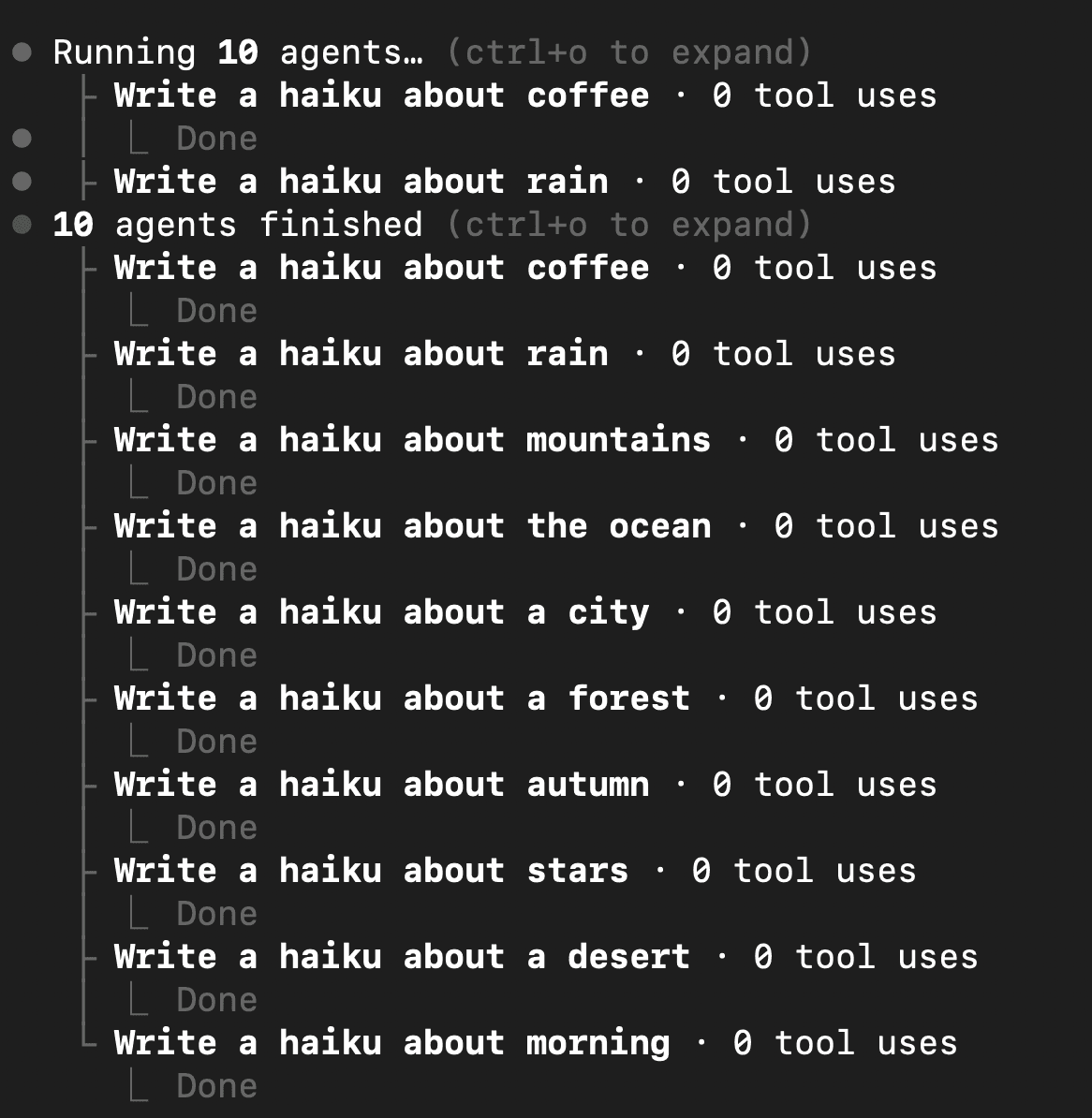
Claude Code subagents are independent assistants that the main agent can call into a task. Each subagent has its own system prompt, its own context window, its own tool permissions, and can run on a different model than the parent agent. Anthropic launched subagents in late July 2025 as a way to keep the main context clean and to delegate narrow jobs to focused specialists.
In practice, a subagent is a markdown file with YAML frontmatter that lives in either .claude/agents/ for project-scoped agents or ~/.claude/agents/ for user-scoped ones. The frontmatter sets the name, description, allowed tools, and model. Everything below the frontmatter is the system prompt the subagent runs under.
Skills are reusable packages of instructions and scripts that Claude Code can pull into the main agent's context when a task matches. A skill is a folder containing a SKILL.md file plus any helper scripts, templates, or reference docs. The main agent reads SKILL.md frontmatter on startup, scans descriptions, and loads the full skill body when the user's request triggers it.
Anthropic shipped skills in October 2025. Skills do not get their own context window. They do not run on a different model. They are instructions the parent agent loads, plus scripts the parent agent can execute. That difference matters more than anything else in this post.
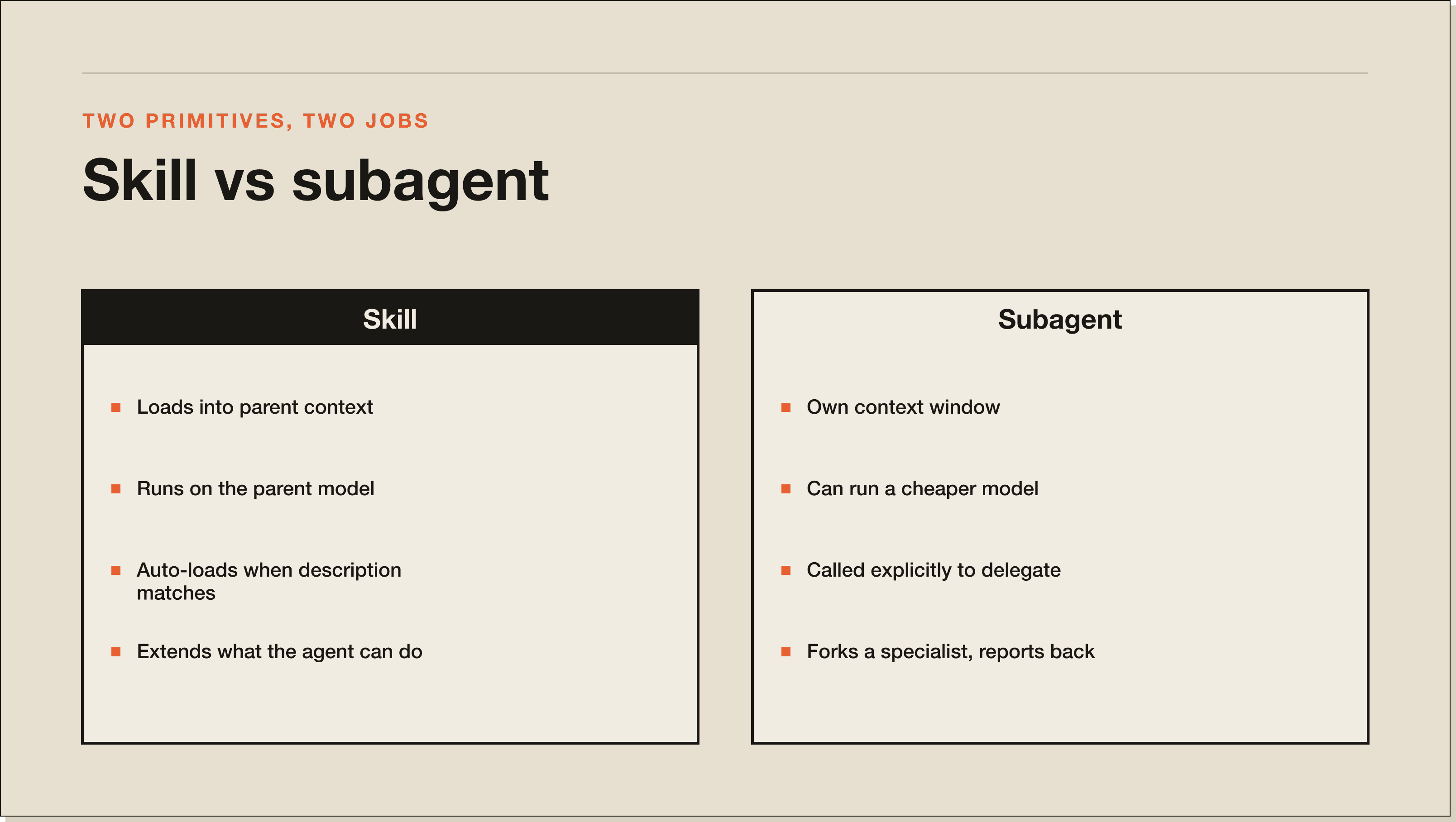
The fastest way to think about it: skills extend what the main agent can do. Subagents replace the main agent for one task. A skill teaches the parent new tricks. A subagent forks off a specialist who does the work and reports back. Here is the breakdown I keep on my wall.
| Dimension | Skill | Subagent |
|---|---|---|
| Context window | Loads into the parent context, eats parent tokens | Own context window, only the final summary returns to parent |
| Model selection | Runs on whatever model the parent is running | Can run on a cheaper model (e.g. Haiku) than the parent |
| Tool permissions | Inherits parent agent's tool permissions | Can declare a restricted tool list in YAML (real safety control) |
| Invocation | Auto-loads when description matches the task | Called explicitly or via routing logic |
Skills load into the parent context. They eat tokens from your active session. Subagents get their own context window. Anything the subagent does, including its tool calls and file reads, never touches the parent context until it returns a final summary.
Skills run on whatever model the parent is running. Subagents can run on a cheaper model than the parent. I run my main agent on Sonnet 4.5 and farm out review work to a Haiku-powered subagent when the job is mechanical. The cost difference shows up on the monthly bill.
Skills inherit the parent agent's tool permissions. Subagents can declare a restricted tool list in YAML. A code review subagent can be limited to Read and Grep with no Edit, no Bash, no MCP write tools. That is a real safety control, not a vibe.
Both reuse across projects. Drop a skill in ~/.claude/skills/ or a subagent in ~/.claude/agents/ and every project on your machine sees it. The difference is invocation. Skills auto-load when their description matches the task. Subagents are called explicitly: the parent decides to delegate, or you ask by name.
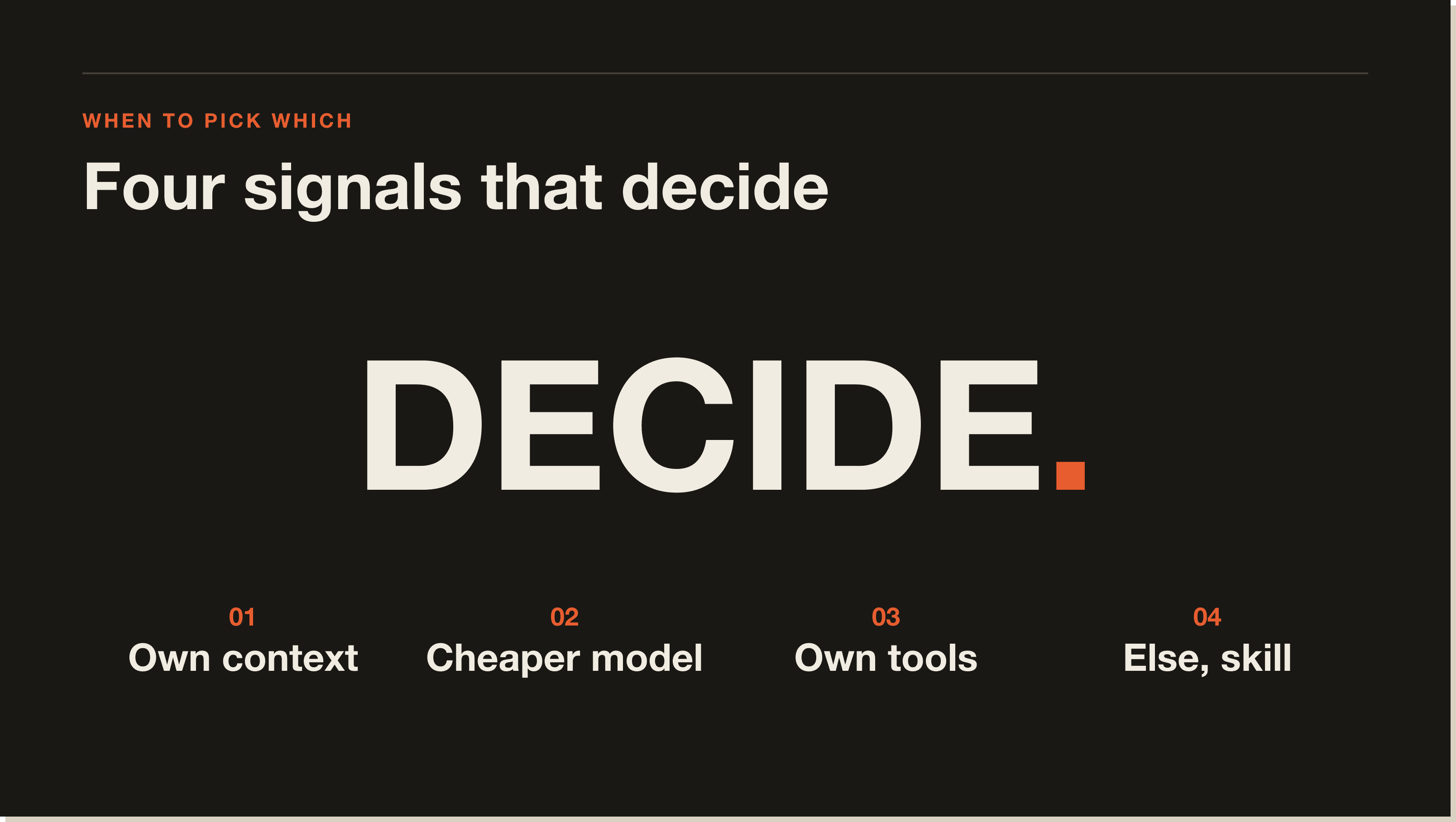
Use a skill when the work is short, runs on the same model, needs the parent's context, and benefits from being injected into an ongoing conversation. Use a subagent when the work is long-running, mechanical, repeatable, would pollute the parent context, or could safely run on a cheaper model.
Here is my decision tree. Run through it top to bottom. The first yes wins.
If the task involves reading a lot of files (a full repo audit, security review, dependency upgrade), the answer is yes. Use a subagent. Anthropic's docs make this point too. A 200k-token review eats your main session if you run it inline.
Mechanical work like linting, formatting, validation, or syntax checks does not need Opus or Sonnet. Subagents let you pin Haiku or Sonnet for the cheap stuff. Skills cannot.
If the work touches sensitive tools (git push, MCP write tools, Bash) and you want to lock those down, a subagent is the only way. Skills inherit your full permission set.
If none of those three are yes, you want a skill. Skills are lighter, faster to author, easier to debug, and they keep the conversation in one context.
These are the actual subagents in my .claude/agents/ directories. I am pasting the frontmatter and the use case for each one. Steal them. Adapt them. The names are mine, the patterns are not.
Claude Code ships with a built-in /review command that fires up a code review subagent. It reads the diff or the current branch, runs through a structured review checklist, and returns a markdown report. I use this before every PR.
The frontmatter pattern looks like this:
---
name: review
description: Review pending changes for bugs, regressions, and quality issues. Runs on PR diff or current branch.
tools: Read, Grep, Glob, Bash(git diff:*), Bash(git log:*)
model: sonnet
---
Why a subagent and not a skill: the review reads dozens of files. If it ran in my main context, it would burn through the session and crowd out the actual work I am doing. Forking off a Sonnet subagent with read-only tools means the review happens in parallel and the parent context stays clean.
Same pattern as /review but tuned for security: SQL injection patterns, secret exposure, auth flow regressions, unsafe deserialization. Anthropic ships this one too. I run it on every PR that touches auth, payments, or user-uploaded files.
---
name: security-review
description: Audit pending changes for security regressions. Use on auth, payments, file uploads, or any user-input handling.
tools: Read, Grep, Glob, Bash(git diff:*)
model: sonnet
---
This one is read-only. No Edit. No write tools. The whole point is for it to flag, not fix. Fixes happen in the main agent after I read the report.
I run a lot of n8n workflows for my mentorship business and for clients. Every time I generate or edit a workflow JSON, I delegate the validation to an n8n-validator subagent that knows the n8n MCP toolset, the validation profiles, and how to interpret a 47-error noise list. It reads the workflow, runs validate_workflow with the right profile, and returns a clean fix list.
---
name: n8n-validator
description: Validate n8n workflow JSON, interpret validation profiles, and return a prioritized fix list. Use after generating or editing any n8n workflow.
tools: Read, mcp__n8n__validate_workflow, mcp__n8n__get_node_essentials, mcp__n8n__search_nodes
model: sonnet
---
Subagent because validation reports are noisy. I do not want 47 lines of n8n schema warnings in my main context. The subagent triages, summarizes, and only the summary returns to the parent.
When Claude Code gets stuck on a hard bug after two or three rounds, I delegate to a Codex rescue subagent. It runs OpenAI's Codex CLI with a tighter system prompt, returns a second-opinion diagnosis, and proposes a patch as text for me to review. I do not let it write directly. The point is to break out of a single-model groupthink loop.
---
name: codex-rescue
description: Delegate stuck investigations to OpenAI Codex CLI for a second-opinion diagnosis. Use after 2-3 failed fix attempts in the main agent.
tools: Read, Bash(codex:*), Grep
model: sonnet
---
This one is mine, not Anthropic's. It analyzes business processes from interview notes and returns automation opportunities scored on feasibility and time saved. I built it for the AI Operator program because students were sending me long process docs and I needed a structured pass before our calls.
---
name: process-analyzer
description: Analyse business processes for automation opportunities. Returns pain points, opportunities scored Easy/Medium/Hard, and a recommended priority list.
tools: Read, Grep, WebFetch
model: sonnet
---
The system prompt hard-codes the output format: PROCESS OVERVIEW, PAIN POINTS, AUTOMATION OPPORTUNITIES, RECOMMENDED PRIORITY, IMPLEMENTATION NOTES. Every output is reviewable in 30 seconds. That structure is the whole product.
There are two ways. The interactive way is the /agents command, which Anthropic added to Claude Code in 2025 and which spins up a guided wizard. The manual way is to drop a markdown file into the right folder.
Project-scoped subagents go in .claude/agents/ inside your repo. They ship with the codebase and your team gets them on git pull. User-scoped subagents go in ~/.claude/agents/ and follow you across every project. Project scope wins by default. Only use user scope for genuinely cross-project tools like a generic code reviewer.
Every subagent file starts with frontmatter that sets the name, description, tools, and model. Skip any of the four and Claude Code applies a default. The description is the most important part. The parent agent uses it to decide whether to delegate.
---
name: my-subagent
description: One sentence on what this subagent does and when to use it. The parent agent reads this to decide whether to delegate.
tools: Read, Grep, Glob
model: sonnet
---
Below the closing --- you write the system prompt that runs every time the subagent is called. Treat it like a spec. State the role, the inputs it expects, the outputs it should return, the constraints, and an explicit Boundaries section listing what the subagent should refuse to do. Mine all end with a Boundaries block. It saves time later.
In the parent session, ask Claude Code to delegate the kind of task you want this subagent to handle. If the parent does not pick it up, your description is too vague. Rewrite the description until the parent reaches for the subagent automatically. This is the part most tutorials skip.
Subagents live in two places: .claude/agents/ for project-scoped subagents that ship with the repo, and ~/.claude/agents/ for user-scoped subagents that work across every project on your machine. Each subagent is one markdown file with YAML frontmatter. There is no registry, no index, no compile step. The parent agent scans the folders on startup and reads frontmatter for every file it finds.
Project scope beats user scope when the team needs the same subagent. User scope wins for personal tools you carry across clients. If you have both files with the same name, project scope wins.
Yes. A subagent runs on the same Claude Code runtime as the parent, so it can see and load skills from the same folders. The subagent's system prompt can reference a skill explicitly, or the subagent can be given a description that triggers a skill in its own context. The skill loads inside the subagent's context window, not the parent's.
That is the most useful pattern in this whole post: subagent for context isolation, skill for the reusable instructions inside it. Tom's voice-analysis skill, for example, is loaded inside a content-generation subagent so the parent agent never has to carry the voice rules in its main context.
Subagents cost the same per token as any other Claude Code call, billed against your active plan. The reason people ask is that subagents can either burn more tokens (parallel work) or save tokens (cheaper models on mechanical work). Both happen.
On Pro with 5x weekly usage, a single repo-wide review subagent can chew through a real slice of your weekly cap if you forget to scope it. On Max with 20x usage, it barely registers. Two ways to keep cost flat: pin the subagent to a cheaper model in the frontmatter, and restrict tools so it cannot recursively spider the whole repo.
A skill is loaded instructions plus scripts the parent agent runs. A subagent is an independent assistant the parent calls into a task with its own context, model, and tools. Skills extend the parent. Subagents fork the parent.
Practical version: if you would explain it as 'when X happens, the agent should do Y this way,' that is a skill. If you would explain it as 'send this whole task to a specialist and come back with a summary,' that is a subagent.
Yes. Claude Code spawns multiple subagents in parallel for independent tasks. Fan out a review subagent across each package of a monorepo, each running in its own context, then aggregate. The constraint is that parallel subagents do not see each other, so you have to merge their reports in the parent agent.
The frontmatter is a tight YAML block with four keys. Anything else gets ignored.
Lowercase, hyphenated. This is what the parent agent uses to call the subagent. Match the filename. If the file is review.md, the name is review.
One sentence on what the subagent does and when to use it. The parent agent reads this and decides whether to delegate. Make it specific. 'Review pending changes for bugs, regressions, and quality issues' is good. 'Reviews code' is too vague to trigger.
Comma-separated list of tools the subagent can use. Restrict aggressively. A review subagent should be Read, Grep, Glob and nothing else. Bash should be scoped (Bash(git diff:*) not bare Bash). MCP tools follow the same naming convention as the parent.
Either sonnet, haiku, opus, or inherit. Default is inherit. Pin to haiku for mechanical work. Pin to sonnet for anything requiring judgment. Opus rarely makes sense at the subagent level because the cost stacks fast.
If you are starting out, write skills first. They are easier to author, faster to debug, cheaper to run. Most of what you think you need a subagent for is actually a skill the parent agent can run inline.
Reach for a subagent only when you have all three: long-running work, dirty context, and a clear input/output contract. Code review, security audits, schema validation, repo-wide refactors, second-opinion bug rescues. Those are the jobs subagents earn their keep on. If you are running a team, build the four or five subagents your team uses on every PR, commit them to .claude/agents/, and let everyone benefit.
Yes. Subagents do not cost extra. They run on your existing Pro or Max usage allowance, billed the same way as any other Claude Code call. The only thing they change is how fast you burn through that allowance.
Yes. Project-scoped subagents in .claude/agents/ are plain markdown files that commit to your repo like any source file. The whole team gets the same subagents on git pull. This is the right default for most teams.
Yes. Subagents can call any MCP tool the parent agent has access to, as long as the tool is listed in the subagent's frontmatter tools field. The MCP server itself does not know it is being called by a subagent. It just sees a tool call from the Claude Code session.
Almost always, the description is too vague. The parent agent uses the description string to decide whether to delegate. Make the description name the trigger condition explicitly: 'when the user asks for a code review' or 'after generating an n8n workflow.' Specific descriptions trigger reliably.
Yes. There are growing GitHub repos collecting community subagents (search 'awesome-claude-code-subagents'), plus the official Anthropic agents repo. Be careful with anything that requests broad tool permissions. Read the frontmatter and the system prompt before dropping any subagent into ~/.claude/agents/.
It can, but you lose context isolation. A review skill loaded into the main agent will work for small diffs. On a large diff, it will eat the parent context and crowd out the conversation you started. Use a subagent for any review that touches more than a handful of files.
Most slash commands map cleanly to skills, not subagents. The /commands folder was Anthropic's first version of reusable workflows. Skills are the second generation, with better triggering and packaging. Migrate to skills first. Promote to a subagent only if you hit one of the three subagent triggers: long-running, dirty context, or restricted tools.
If you want the full mental model behind skills, subagents, MCP, hooks, and memory, plus the templates I use day to day, the Claude Code Blueprint walks through the whole stack in 60 minutes with no coding required.
If you would rather build alongside other operators, the 30-day Claude Code challenge is the cohort version with weekly calls, real builds, and real feedback. For the foundations, start with my Claude Code beginner guide. For the sibling deep-dive, read the skills explainer.
A skill is loaded instructions plus scripts the parent agent runs. A subagent is an independent assistant the parent calls into a task with its own context window, model, and tools. Skills extend the parent. Subagents fork the parent. If you would explain it as 'when X happens, do Y this way', that is a skill. If you would explain it as 'send this whole task to a specialist and come back with a summary', that is a subagent.
Reach for a subagent only when you have all three: long-running work, dirty context, and a clear input/output contract. Code review, security audits, schema validation, repo-wide refactors, second-opinion bug rescues. If the task involves reading a lot of files (200k tokens for a security review), the subagent's own context window keeps your main session clean. If you cannot tick all three boxes, write a skill instead.
Yes. Subagents do not cost extra. They run on your existing Pro or Max usage allowance, billed the same way as any other Claude Code call. The only thing they change is how fast you burn through that allowance. A repo-wide review subagent can chew through a real slice of your weekly Pro cap if you forget to scope it. Pin to Haiku for mechanical work to keep cost flat.
Yes. A subagent runs on the same Claude Code runtime as the parent, so it can see and load skills from the same folders. The skill loads inside the subagent's context window, not the parent's. That is the most useful pattern in this space: subagent for context isolation, skill for the reusable instructions inside it.
Drop a markdown file with YAML frontmatter into .claude/agents/ for project scope, or ~/.claude/agents/ for user scope. The four frontmatter keys are name (lowercase, hyphenated), description (the trigger sentence the parent reads), tools (restrict aggressively, scope Bash to specific subcommands), and model (sonnet for judgment, haiku for mechanical work). Anything below the closing --- is the system prompt the subagent runs under.
Almost always, the description is too vague. The parent agent uses the description string to decide whether to delegate. 'Reviews code' will not trigger. 'Review pending changes for bugs, regressions, and quality issues. Runs on PR diff or current branch.' will. Rewrite the description until the parent reaches for the subagent automatically on a real task.
Most slash commands map cleanly to skills, not subagents. The /commands folder was Anthropic's first version of reusable workflows. Skills are the second generation, with better triggering and packaging. Migrate to skills first. Promote to a subagent only if you hit one of the three triggers: long-running work, dirty context, or restricted tools.
Five interactive lessons. Install Claude Code, build your first automation, and deploy it live on the internet — all in under an hour. Free, no coding required.
Grab the Blueprint →