← Back to Blog
Claude vs Gemini for Real Work in 2026.
Claude vs Gemini tested on 6 real workloads: code review, email, spreadsheets, research, agent building, and long-doc QA. Honest results and a clear verdict.
Claude vs Gemini tested on 6 real workloads: code review, email, spreadsheets, research, agent building, and long-doc QA. Honest results and a clear verdict.
---
Claude and Gemini are the two most capable AI assistants you can put to work today, and choosing between them based on benchmarks will steer you wrong. Benchmarks measure what a model knows on a controlled test. Real work measures what a model actually delivers inside the tools you use every day. I tested both across six real workloads, scored them on output quality, speed, cost, and workflow fit, and the results were not the lopsided win most comparison posts pretend to find.
I'm Tom. I run an AI mentorship business, I build automations in Claude Code daily, and I have used both Claude and Gemini on live projects over the past six months. This comparison covers the six workloads I actually ran: code review, email drafting, spreadsheet analysis, research synthesis, agent building, and long-document QA. I will tell you honestly where Gemini wins, where Claude wins, and when to pick which.

---
[CTA-BLUEPRINT]
---
Claude is a family of large language models built by Anthropic, a safety-focused AI company founded in 2021. The current flagship is Claude Opus 4.7, released in 2026, which sits at $5 per million input tokens and $25 per million output tokens via the API. Below it sits Claude Sonnet 4.6 ($3 in / $15 out), the best speed-to-intelligence ratio in the lineup, and Claude Haiku 4.5 ($1 in / $5 out) for high-volume, latency-sensitive tasks.
All three current models share a 1M token context window (Opus and Sonnet) or 200k (Haiku), support image input, and are available on Claude Pro ($20/mo), Claude Max ($100–$200/mo), or direct API. The Claude Code CLI runs on top of these models and adds file editing, terminal commands, MCP integrations, and agent orchestration — which is where the comparison with Gemini gets interesting for builders.
Anthropic's positioning is built around safety and reliability rather than raw multimodal breadth. You will not find native video generation or music synthesis in the Claude lineup. What you get is a model that writes carefully, follows complex instructions consistently, and rarely hallucinates on long documents.
Gemini is Google DeepMind's model family. The current generation spans Gemini 3.1 Pro ($2–$4 per million input tokens, $12–$18 output depending on context length), Gemini 2.5 Pro ($1.25–$2.50 in / $10–$15 out), and Gemini 2.5 Flash ($0.30 in / $2.50 out) for speed-focused workloads. Most models have a free tier, which is one of Gemini's strongest practical advantages for individual users.
Gemini's differentiators are native multimodality (image, video, audio input and output from the same model), deep Google Workspace integration, and the 1M token context window on Gemini 2.5 Pro and Flash. Veo 3 handles video generation. Imagen 4 handles image generation. Lyria 3 handles music. If your workflow touches Google's ecosystem — Docs, Sheets, Drive, Gmail, YouTube — Gemini has architectural advantages that no other model can match.
Google positions Gemini as intelligence woven into the products you already use. Anthropic positions Claude as the model you trust for high-stakes output. Both frames are accurate.
I ran both models through six tasks that represent real business use, not synthetic benchmarks.
I gave each model a 400-line Python script with three deliberate bugs: a silent type coercion, an off-by-one in a date range loop, and an uncaught exception path. I asked for a complete review with specific line references.
Claude caught all three bugs. The explanations were precise and referenced the exact lines. It also flagged two non-bugs that were worth discussing: a mutable default argument and a style inconsistency in the error handling. The output was structured, easy to act on, and did not pad with generalities.
Gemini 2.5 Pro caught two of the three bugs. It missed the off-by-one in the date loop, which was the subtlest of the three. The review was well written and clear, but I had to prompt a second pass before it found the third issue.
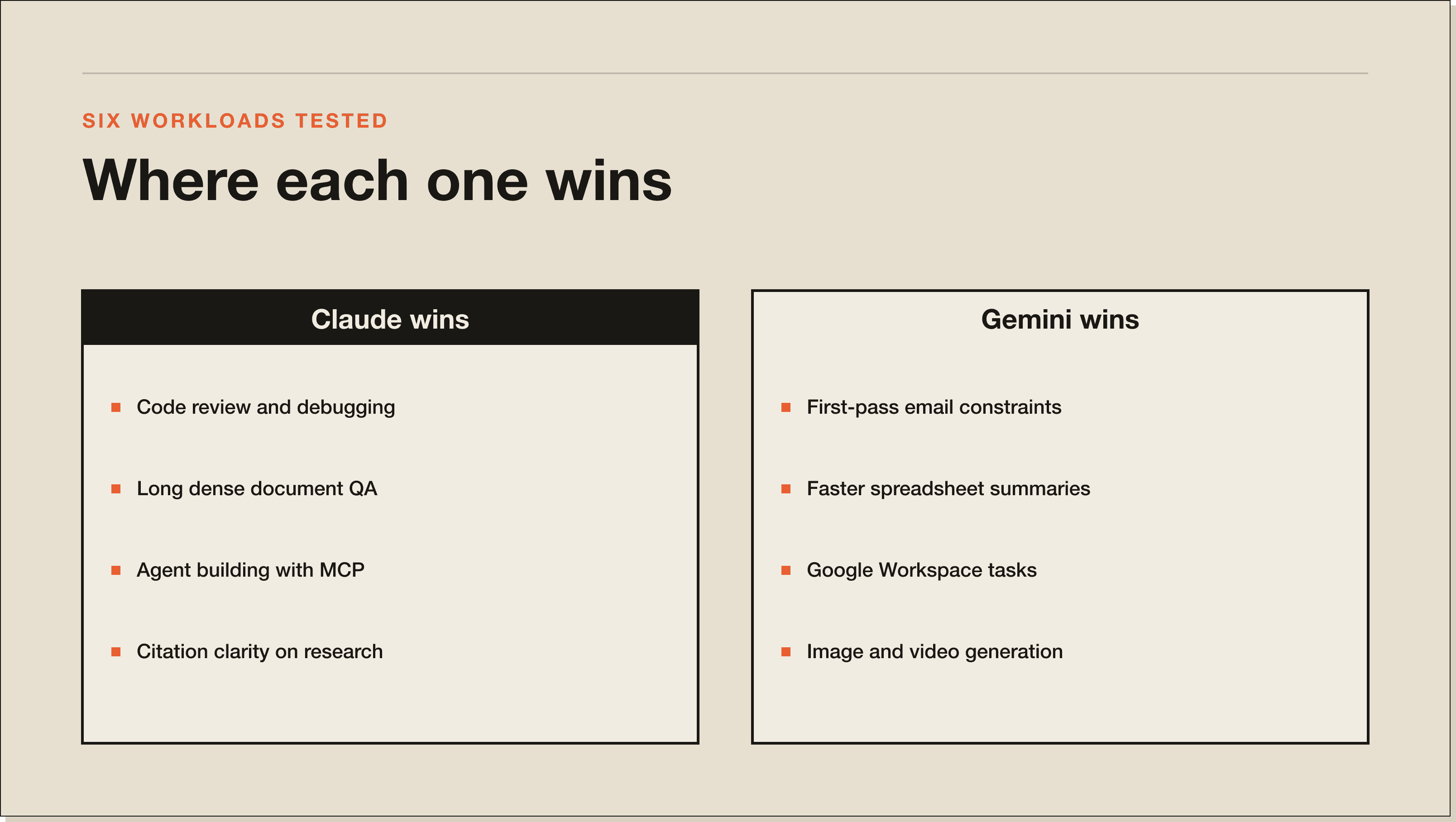
Winner for code review: Claude, by a clear margin on the hardest bugs.
I gave each model the same brief: write a follow-up email to a potential mentorship student who had filled in an application form but not booked a call. Tone: direct, warm, not pushy. Length: under 150 words.
Gemini produced a cleaner first draft. It respected the word limit, hit the tone, and avoided the sycophantic opener that Claude default-produces. The subject line options were sharper.
Claude produced a longer draft (around 210 words) and needed a trim pass. When prompted again with the word limit reinforced, the second draft was excellent, but it required that second step.
Winner for email drafting: Gemini, on first-attempt compliance with constraints.
I uploaded a 200-row Airtable export as CSV (revenue data, client names, dates, plan types) and asked for a summary: top three revenue months, average revenue per client, and any anomalies.
Claude handled this cleanly. The calculations were correct. It spotted one anomaly (a single client appearing twice under different names) and called it out unprompted.
Gemini 2.5 Flash also handled it cleanly and was noticeably faster. It did not catch the duplicate client anomaly without prompting.
Winner for spreadsheet analysis: Claude on accuracy; Gemini on speed. If you are doing exploratory analysis and anomaly detection matters, Claude. If you want fast summaries at volume, Gemini Flash is hard to beat.
I gave each model five articles on the same topic (AI agent frameworks in 2026) and asked for a 600-word synthesis that identified the main points of agreement, the open debates, and a recommendation.
Both models performed well here. Gemini leaned on the Google-adjacent sources more confidently and produced a slightly more current-feeling synthesis because of its training data access and native search integration. Claude produced a synthesis that was better organized and had cleaner sourcing: it attributed specific claims to specific articles rather than blending them into a general voice.
Winner for research synthesis: draw, with a slight lean toward Claude on citation clarity and Gemini on recency.
This is where the gap widens. I built a simple lead-capture automation in each ecosystem: a webhook that receives a form submission, enriches it with a contact lookup, and writes a formatted summary to a Notion database.
Claude Code with MCP servers (Notion MCP, webhook handler) had this running in about 40 minutes. Plan mode planned the architecture, the agent wrote and debugged the code, and the MCP integrations handled the Notion writes without extra scaffolding. The workflow was clean.
Gemini via Google AI Studio and the Gemini API required more manual wiring. The ecosystem does not have a Claude Code equivalent as of mid-2026. Google's agent tooling is capable, but it is spread across Vertex AI, Agent Builder, and Google Cloud Functions in a way that adds friction compared to the tightly integrated Claude Code stack. If you are building inside Google Cloud and already know Vertex, Gemini is the right call. If you are starting fresh, Claude Code is faster to a working result.
Winner for agent building: Claude Code, by a meaningful margin for builders starting outside the Google ecosystem.
I uploaded a 90-page PDF (a SaaS contract with complex renewal clauses) and asked each model to find the auto-renewal trigger date, the notice period for cancellation, and any caps on annual price increases.
Claude Opus 4.7 (1M context, Jan 2026 knowledge cutoff) found all three correctly and quoted the exact clause text. No hallucinations, all page references accurate.
Gemini 2.5 Pro (1M context) found two of the three correctly. It missed the price cap clause, which was in a rider rather than the main body. When I pointed to the rider section, it found it immediately.
Winner for long-document QA: Claude, on first-pass completeness for dense documents.
---
Gemini is not a consolation prize. There are three areas where it has a structural advantage that Claude cannot easily match.
If your business runs on Google Docs, Sheets, Drive, and Gmail, Gemini is woven into those surfaces in a way Claude is not. Gemini can read your Drive files, summarize your Gmail threads, and write back to Sheets from inside the same interface. Claude requires MCP tools or custom integrations to reach those same surfaces. For Google-first teams, that integration gap is real.
Gemini 2.5 Flash is free to use up to the API rate limits. Gemini 2.5 Pro has a free tier. Claude's free tier (claude.ai) is capped and does not include API access. If you are an individual builder running low-stakes tasks and you want to keep costs at zero, Gemini is the clear choice. Claude Pro starts at $20 a month and the API is pay-as-you-go from the first token.
Imagen 4 and Veo 3 are part of the same Google AI ecosystem as Gemini. If you need text-to-image or text-to-video alongside language tasks, Gemini lets you stay in one platform. Anthropic does not offer image or video generation. Claude handles image input (reading and describing images) but not image output.
---
At the API level, the comparison for the most-used models looks like this:
For budget API usage, Gemini Flash is cheaper than any Claude model at equivalent capability. For mid-range work, Gemini 2.5 Pro and Claude Sonnet 4.6 are competitive. At the frontier tier (Opus 4.7 at $5/$25 vs Gemini 3.1 Pro at $2/$12), Gemini 3.1 Pro is cheaper — but the capability comparison at that tier is genuinely contested.
The Claude API includes prompt caching, which reduces costs by up to 90% on repeated context. If you are running agent loops that re-read the same system prompt and files on each turn, Claude's caching makes the effective cost lower than the headline rates suggest.
---
Claude is better for writing-intensive work that requires following complex multi-step instructions, for long-document QA on dense or technical documents, for code review where catching subtle bugs matters, and for any workflow built on Claude Code's agent stack. Gemini is better for Google Workspace integration, for image and video generation, for high-volume low-cost API tasks, and for users who need a capable free tier.
The honest answer most comparison posts avoid: these models are not interchangeable, and the gap between them depends entirely on the workload. For four of my six tests, Claude produced better first-pass output. For two (email drafting and spreadsheet speed), Gemini was equal or better. That is a closer race than the fanboy threads on either side suggest.
---
For coding tasks, Claude has a consistent edge on code review and debugging. For agent building, Claude Code is the more complete platform. Gemini is a capable coding assistant, and Gemini 2.5 Pro scores competitively on coding benchmarks. In practice, the difference shows up most on complex multi-file refactors and subtle bug catching, where Claude's instruction-following consistency gives it an advantage.
If you are building inside Google Cloud (Cloud Functions, BigQuery, Firebase), Gemini's training data and integration familiarity give it a real edge. Outside the Google ecosystem, Claude Code is the better builder's tool.
For writing, Claude's output is more consistent with instructions on tone, length, and format. Gemini produces sharp first drafts but requires more steering on constraints. Both are capable of excellent writing output. The difference is mostly in how much prompting you need to get there. Claude tends to get there in one pass on precise briefs. Gemini sometimes needs two.
---
[CTA-BLUEPRINT]
---
The generational comparison that most people are actually searching for: Gemini 2.5 Pro versus the Claude 4 family.
Gemini 2.5 Pro offers: 1M context, multimodal input and output, strong reasoning scores on standard benchmarks, $1.25/$10 pricing, free tier access, deep Google integration.
Claude Opus 4.7 offers: 1M context, 1M-token output capacity on batch, adaptive thinking for complex reasoning, $5/$25 pricing, no free API tier, top-tier performance on instruction following and long-document tasks.
Claude Sonnet 4.6 is the more direct comparison at $3/$15. Sonnet 4.6 includes extended thinking, faster latency than Opus, and a context window that handles almost any document you throw at it.
The 2025-2026 benchmark races between these two have been genuinely contested. Both models sit at or near the top on most measures. The practical differences come down to ecosystem fit and the six workload categories above, not benchmark percentages.
---
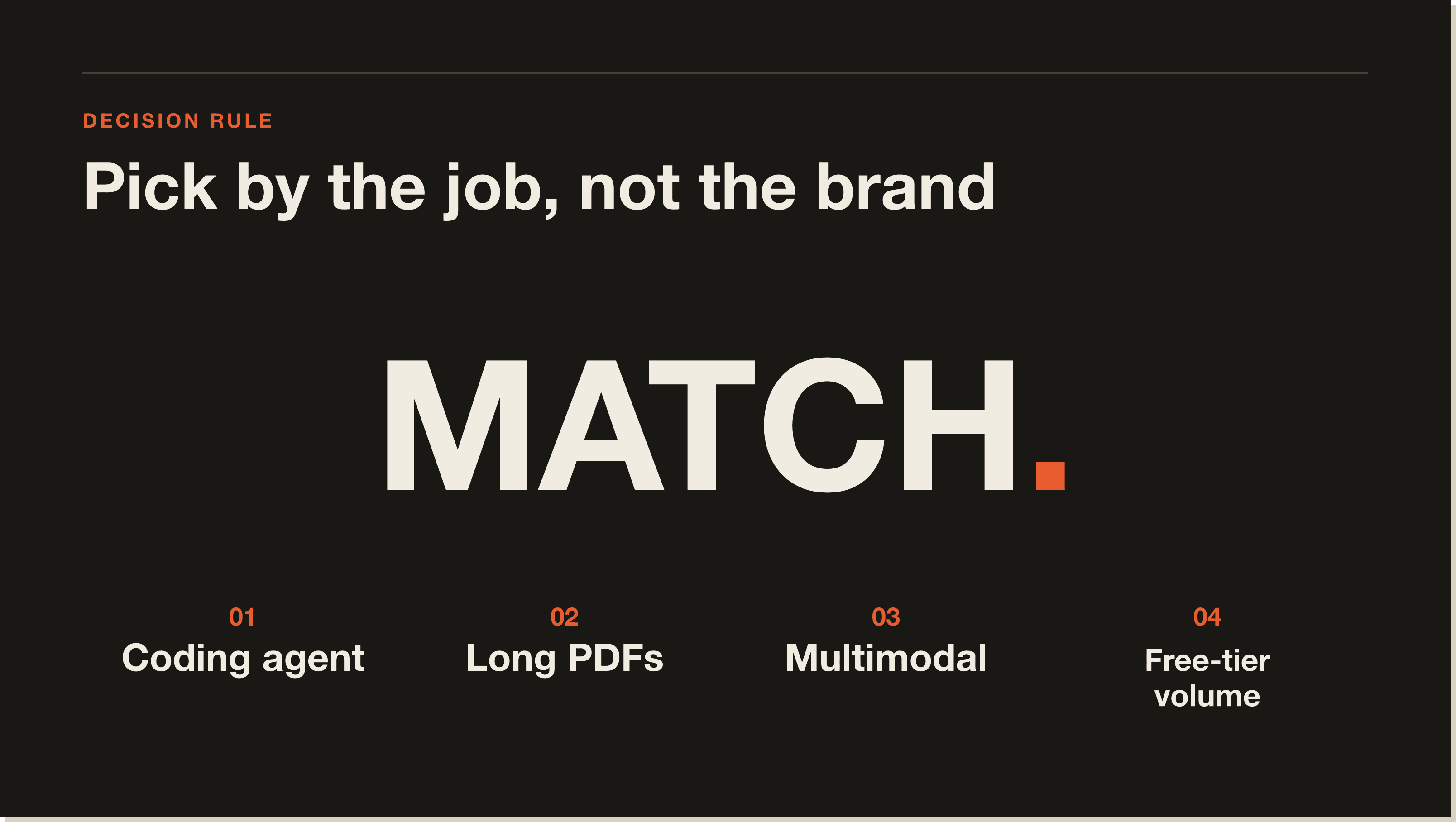
Pick Claude when:
Pick Gemini when:
Pick both if you can. I use Claude Code as my primary build tool, Gemini for Google Workspace tasks where the integration removes friction, and neither has displaced the other. The developers worth watching are the ones who treat these as complementary tools rather than as a binary choice.
If you want to get serious about Claude Code as your primary build environment, the next stop is the guide below.
---
Claude is better than Gemini for long-document QA, complex code review, and instruction-following on precise writing briefs. Gemini is better for Google Workspace integration, native image and video generation, and high-volume API tasks where cost per token matters. Neither model is universally better — the right answer depends on the workload.
Claude edges ahead for code review and debugging on complex multi-file work, and Claude Code is a more complete agent platform for building automations. Gemini 2.5 Pro is a capable coding model and has an advantage on tasks that touch Google Cloud services. For general coding assistance, both are excellent. For agent building outside Google Cloud, Claude Code is the stronger choice.
Claude produces more consistent first-draft output on precise writing briefs because it follows length and tone constraints reliably. Gemini writes sharp drafts but sometimes needs a second pass to respect word limits or tonal constraints. For most writing tasks the quality ceiling is similar; the difference is in how much prompting you need to reach it.
Claude Sonnet 4.6 costs $3 per million input tokens and $15 per million output tokens. Gemini 2.5 Pro costs $1.25/$10 (under 200k context) and $2.50/$15 (over 200k). For budget API work, Gemini 2.5 Flash at $0.30/$2.50 is cheaper than any Claude model. Claude's prompt caching can reduce effective costs by up to 90% on repeated context, which changes the math for agent loops.
Yes. Gemini 2.5 Flash and 2.5 Pro both have free API tiers with rate limits. Gemini in Google Workspace is available through Google One AI Premium plans. Claude's free tier at claude.ai exists but API access is paid from the first token. For zero-cost AI experimentation, Gemini is the more accessible entry point.
Yes. Many builders use Claude Code for coding and automation work, Gemini for Google Workspace tasks, and switch based on the job. They are not mutually exclusive, and the per-token costs are low enough that using both for different tasks is practical. Most workflow tools (n8n, Make, Zapier) support both model providers in the same automation.
Gemini 2.5 Pro and Claude 4 (Opus 4.7 and Sonnet 4.6) are the competing frontier-tier models from Google and Anthropic as of mid-2026. Both offer 1M token context windows, strong reasoning, and multimodal input. The key differences: Gemini 2.5 Pro is cheaper at the API level and includes native Google integration, Claude Opus 4.7 leads on long-document accuracy and instruction following, and Claude Code has a more complete agent-building platform than Google's equivalent tooling.
---
If this comparison pointed you toward Claude for your serious work, the fastest way in is the free Claude Code Blueprint. 60 minutes, no coding required, and you walk out with a working setup and a first build under your belt. The blueprint covers installation, your first CLAUDE.md, your first MCP server, and how to get a real task shipped on day one.
The 30-Day Claude Code Challenge goes further: four live calls, a real build per week, and a deployed agent by the end of the month.
Claude is better for long-document QA, complex code review, and instruction-following on precise writing briefs. Gemini is better for Google Workspace integration, native image and video generation, and high-volume API tasks where cost per token matters. Neither is universally better. Across six real workloads I tested (code review, email, spreadsheets, research, agent building, long-doc QA), Claude won four. Gemini won or tied on two.
Claude edges ahead for code review and debugging on complex multi-file work. In my test, Claude caught all three deliberate bugs in a 400-line Python script (including a subtle off-by-one), while Gemini 2.5 Pro caught two and needed a second prompt for the third. For agent building outside Google Cloud, Claude Code is the stronger platform. Inside Google Cloud (Cloud Functions, BigQuery, Firebase), Gemini has the home-court advantage.
Claude Sonnet 4.6 costs $3 per million input tokens and $15 per million output. Gemini 2.5 Pro costs $1.25/$10 under 200k context and $2.50/$15 over 200k. At the budget tier, Gemini 2.5 Flash at $0.30/$2.50 is cheaper than any Claude model. Claude's prompt caching reduces effective costs by up to 90% on repeated context, which changes the math for agent loops that re-read the same system prompt every turn.
Yes. Gemini 2.5 Flash and 2.5 Pro both have free API tiers with rate limits. Gemini in Google Workspace is available through Google One AI Premium. Claude's free tier at claude.ai exists but API access is paid from the first token. For zero-cost AI experimentation, Gemini is the more accessible entry point. Once you are doing serious work, both move into paid plans.
Yes, and most serious operators do. I use Claude Code as my primary build tool, Gemini for Google Workspace tasks where the integration removes friction, and neither has displaced the other. Most workflow tools (n8n, Make, Zapier) support both providers in the same automation. The developers worth watching treat these as complementary tools, not a binary choice.
Gemini produced a cleaner first draft on my email test, respected the 150-word limit, and avoided Claude's default sycophantic opener. Claude produced a 210-word draft that needed a trim pass. The quality ceiling is similar. The difference is how much prompting you need to reach it. Claude tends to get there in one pass on precise briefs. Gemini sometimes needs two.
Claude, by a clear margin on first-pass completeness. I uploaded a 90-page SaaS contract with complex renewal clauses and asked both models to find the auto-renewal trigger, the notice period, and any price-increase cap. Claude Opus 4.7 found all three with exact quotes. Gemini 2.5 Pro found two of three and missed the price cap in a rider until I pointed at the rider section directly.
Five interactive lessons. Install Claude Code, build your first automation, and deploy it live on the internet — all in under an hour. Free, no coding required.
Grab the Blueprint →