← Back to Blog
Claude Code vs Copilot vs Codex: Three Tools, Three Jobs.
I ran the same five tasks through Claude Code, GitHub Copilot, and Codex CLI. Here's where each one wins and why pairing them beats picking one.
I ran the same five tasks through Claude Code, GitHub Copilot, and Codex CLI. Here's where each one wins and why pairing them beats picking one.
Claude Code, GitHub Copilot, and Codex CLI aren't competing for the same job, even though every comparison thread treats them like they are. They sit in three different categories, solve three different problems, and the moment you stop treating them as rivals is the moment your output goes up.

I run all three. Five tasks tested in each, on real client work, over the past three weeks. This post is what I learned, with receipts.
The category confusion is the whole problem. GitHub Copilot is an inline autocomplete engine that lives inside your IDE and finishes the line you're typing. Claude Code is a terminal agent that runs in a loop, reads files, edits them, runs tests, and reports back. Codex CLI is also a terminal agent, but it's OpenAI's take, with a different default model and a leaner footprint.
Calling all three "AI coding tools" is technically correct and practically useless. One predicts your next token. The other two run autonomous loops. Different jobs.
The category split also explains the pricing weirdness. Copilot at $10 a month feels cheap because it's doing a smaller job. Claude Code at $200 a month for the Max plan feels expensive until you realise you're paying for an agent that can hold an entire feature in its head and ship it without supervision. Comparing the two on monthly cost alone is like comparing a calculator to an accountant.
The table flattens the actual experience. What it misses is feel. Copilot is invisible when it works, finishing the thought you were already having. Claude Code is more like delegating to a junior engineer who reads the whole codebase before touching anything. Codex sits closer to Claude Code in shape but with a different temperament, faster on small jobs and less patient on big ones.
If you only read one row, read "Category". Inline autocomplete and terminal agent aren't variants of the same product. They're different software categories that happen to share a marketing label.
I picked tasks I had already done by hand, so I knew what good looked like. Same prompt where possible, same repo state, same model defaults for each tool.
Claude Code wrote the route handler, added the Zod schema, updated the typed client, and ran the build. Three files touched, one round of fixes after I pointed out a missing error case. Total time: about six minutes.
Copilot finished individual lines beautifully once I started typing the file, but it couldn't scaffold the whole endpoint from a chat prompt without me steering each step. It's a passenger on this kind of task, not a driver.
Codex CLI did it in five minutes, slightly tighter code, but missed the typed client update because the context window dropped that file. I had to prompt again. The fix was a single re-prompt, so the time penalty was small, but the trust penalty was real. Once a tool drops a file silently, I start second-guessing the diffs.
The winner here was Claude Code by a thin margin. The thing that mattered wasn't speed, it was that I didn't have to babysit the file list.
This is where Claude Code's plan mode earned its keep. It read the component, listed the responsibilities it would extract, and waited for me to approve before writing a line. Final output was four smaller components plus a hook, tests still passing.
Copilot Chat could discuss the refactor but couldn't reliably apply it across files. Every multi-file edit needed me to copy code between buffers. Codex did the refactor in one shot but produced one component with a stale prop. Fixable, but I trusted the diff less than Claude Code's.
This is the kind of task that exposes the category boundary the cleanest. Refactoring isn't typing assistance, it's structural surgery, and a surgeon who can only operate on one line at a time isn't a surgeon.
Codex won this one. It produced a tight 40-line script with getopts, trap handlers, and a usage block on the first try.
Claude Code wrote a more verbose version with extra logging I didn't ask for. Copilot autocompleted the script line by line and was honestly fine, just slower because I had to drive every line.
Claude Code, easily. I pointed it at the diff and asked for a review. It flagged two real bugs, one style nit, and a missing test case. Reading 400 lines is exactly the kind of task an agent loop is built for.
Codex did a shorter pass with one of the same bug catches, plus a hallucinated concern about a function it had misread. Copilot doesn't really do this job. Copilot Chat will discuss a diff if you paste it, but at 400 lines you're fighting the chat window.
If I had to pick the single task that makes the $200 Max plan pay for itself, it's PR review. The number of bugs Claude Code has caught in client work over the past month would have cost me more than the subscription in rework.
The flaky test was a race condition in a Jest setup. Claude Code ran the test in a loop, captured the failure, traced the async chain, and fixed it. Took two passes.
Codex tried, missed, and asked for more context. I gave it the failure log and it got there on the third try. Copilot was useless here because the problem wasn't local to one line.
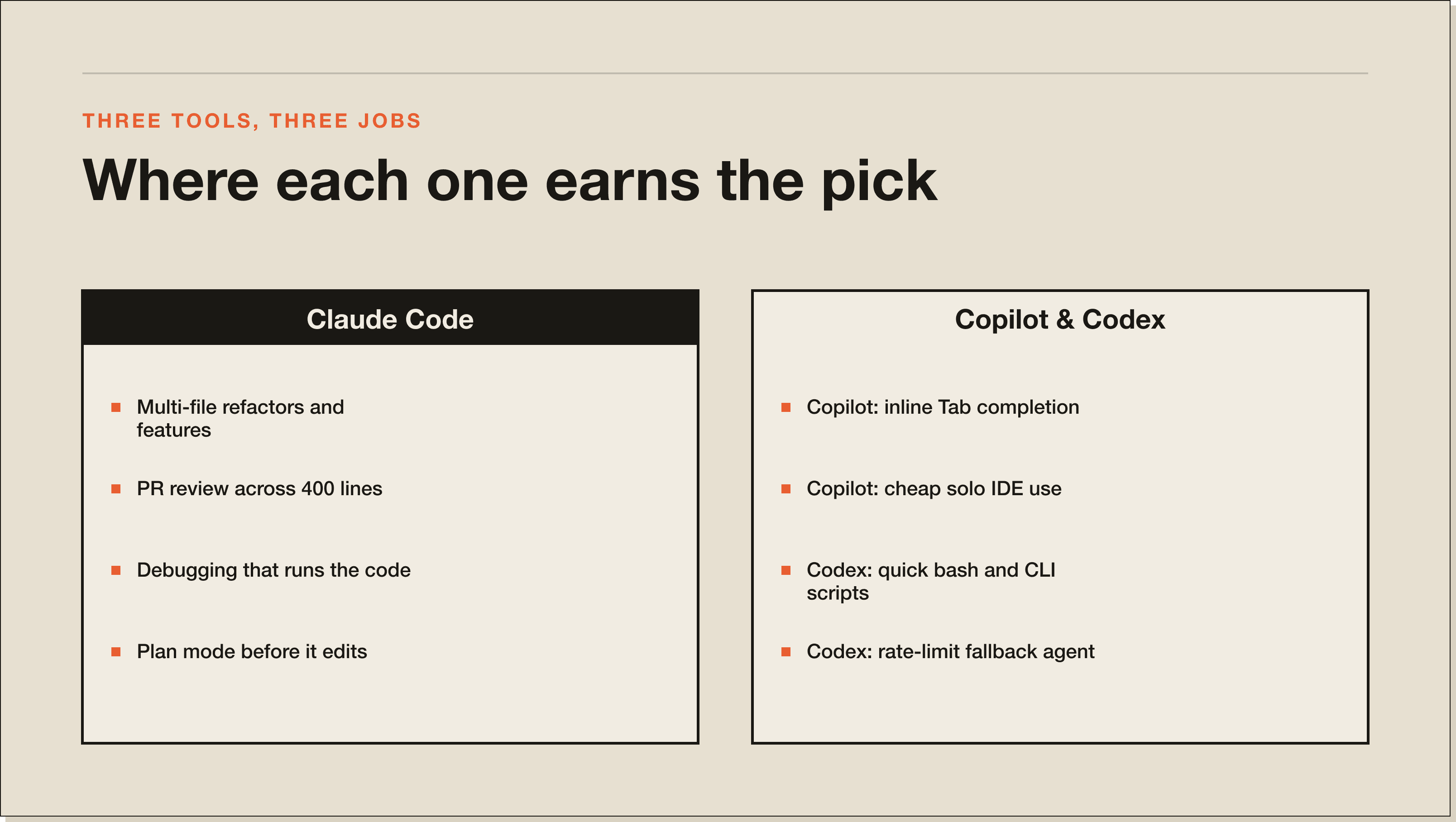
Any task that crosses more than two files and needs the agent to actually read the codebase. Refactors, new features that touch routes plus types plus tests, PR review, debugging that needs to run code.
The plan mode is the underrated bit. Telling the model to plan before it edits cuts the regenerate-this rate by roughly half in my use. If you haven't tried it, you're using about 60% of the tool.
It also wins on context handling. Claude Code's longer effective window means it can hold three or four files in working memory without forgetting the first one. On tasks that touch a route, a schema, a test, and a typed client, that single property is the difference between a clean ship and a half-finished diff.
For the deeper how-to, see my Claude Code walkthrough.
Inline completion while you're typing. Nothing else matches the latency and the muscle memory of just pressing Tab. If you spend most of your day inside an IDE writing code by hand, Copilot is paying for itself every hour.
It also wins on cost for solo developers who don't want an agent loop. Ten dollars a month for unlimited inline completion is still the best deal in the category.
The thing Copilot is bad at is anything that needs to span files or run for more than one turn. That's not a flaw. It's a category boundary.
One underrated Copilot use: it's still the best tool for languages and frameworks where Claude Code's plan mode is overkill. Quick HTML edits, CSS tweaks, small Python utility scripts. The agent loop adds friction when the task is genuinely one file long.
Quick scripted tasks where I want a terminal agent but don't want to spend Claude Code tokens. Bash scripts, one-off data munging, small CLI tools. It's faster on these and the output is usually cleaner.
It also wins as a rate-limit fallback. When I hit the Claude Code Max ceiling on a heavy day, Codex steps in. Not because it's better, because it's different infrastructure. Having two terminal agents from two different providers is the closest thing to redundancy you get in this category.
The honest knock on Codex is that its context handling on larger codebases is noticeably tighter than Claude Code's. On the five tasks above, every miss Codex made traced back to it dropping a file that mattered. Fine for small jobs, painful for big ones.
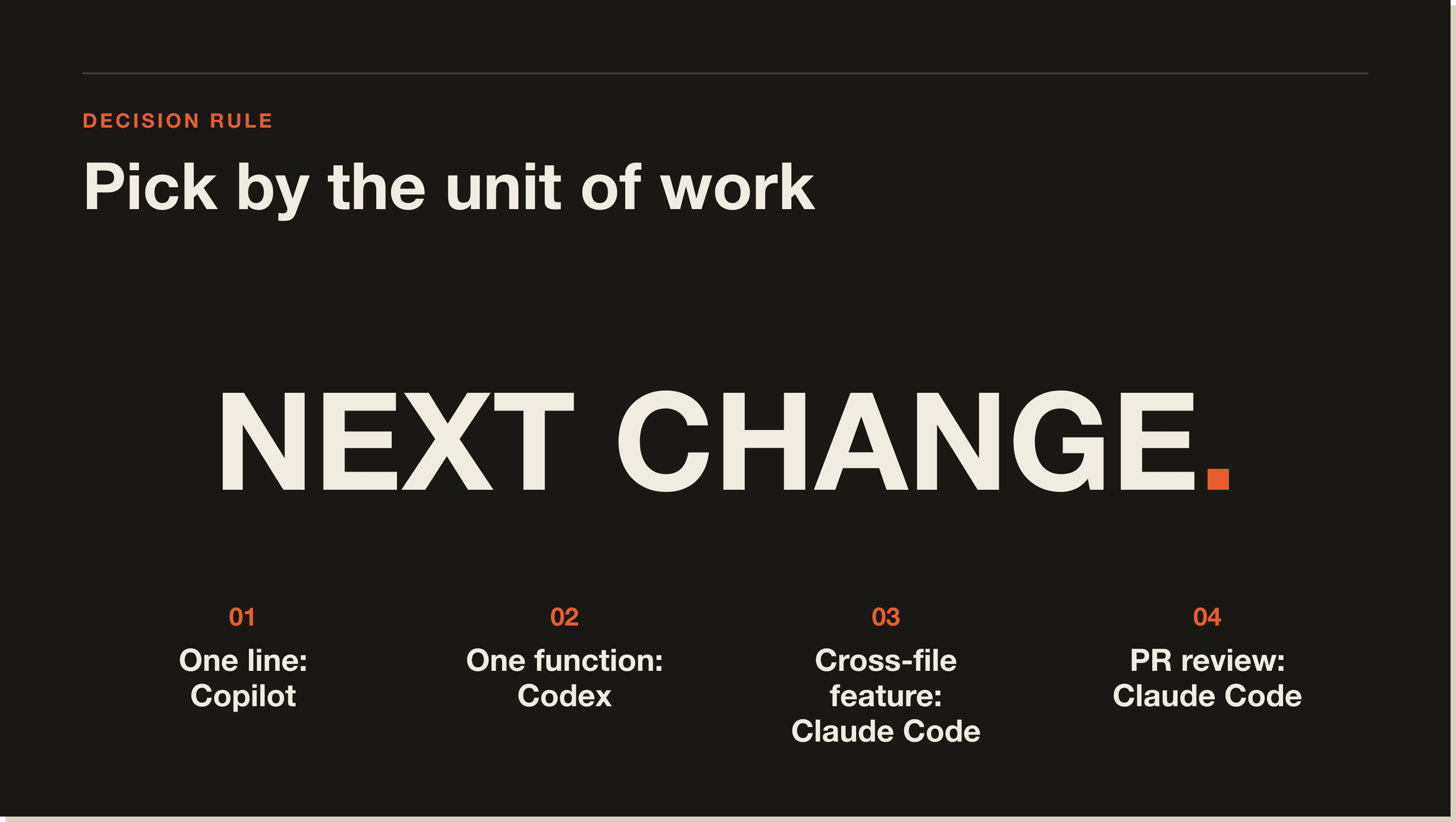
Copilot runs inline in VS Code while I'm typing. Always on. I don't think about it.
Claude Code runs in a terminal tab next to the editor for anything agentic. Refactors, new features, PR review, debugging. This is where the real leverage is. If you want the cost math on going heavier on Claude Code, Claude Code pricing breaks down the Pro versus Max decision.
Codex CLI sits in a third terminal as the fallback agent for when Claude Code is rate-limited or when the task is small enough that I don't want to spend Sonnet tokens on it.
Three tools, three jobs, zero overlap in practice. If you're choosing one, you're solving the wrong problem.
For agent work, yes. For inline autocomplete, no. They're different categories. Claude Code runs multi-step loops across your codebase. Copilot finishes the line you're typing. The honest answer is most working developers should run both.
Yes, and you should. Copilot stays on in your IDE for inline completion. Claude Code runs in a terminal for agent tasks. They never collide because they operate on different surfaces. This is the setup I use every day.
Copilot starts at $10 per month for individuals. Claude Code Pro is $20 per month, and the Max plan is $200 per month for heavy use. If you only need inline completion, Copilot is cheaper. If you need an agent that can refactor or debug across files, Claude Code is the only one of the two doing that job.
Both are terminal-based coding agents. Claude Code runs on Anthropic models and has a stronger plan mode and a larger effective context. Codex runs on OpenAI models and is faster on small tasks with a leaner footprint. I use Claude Code as the primary and Codex as the fallback.
Don't switch. Add. Copilot keeps doing the inline job it's good at. Claude Code adds the agent loop Copilot doesn't have. If your budget only allows one, pick based on what you actually do most: lots of typing inside the IDE means Copilot, lots of cross-file changes means Claude Code. If you want a deeper comparison with the closest IDE alternative, see Claude Code vs Cursor.
If you've read this far, you already know which category you live in. The pairing strategy above is the setup I run on every client build. Grab the Blueprint for the full workflow, including the prompts and the plan-mode templates I use to keep Claude Code on the rails.
For agent work, yes. For inline autocomplete, no. They sit in different categories. Claude Code runs multi-step loops across your codebase, reading files, making edits, and running tests. Copilot finishes the line you are typing. Most working developers should run both, because they solve different problems.
Copilot starts at $10 a month for individuals and $19 for business. Claude Code Pro is $20 a month, Max is $200 a month for heavy use. Copilot is cheaper if you only need inline completion. Claude Code is the only one of the two that can refactor or debug across files, so monthly cost alone is the wrong comparison.
Yes, and you should. Copilot runs inline in your IDE while you type. Claude Code runs in a terminal tab for anything agentic: refactors, new features, PR review, debugging. They never collide because they operate on different surfaces. This is the setup I run every day on client work.
Both are terminal-based coding agents. Claude Code runs on Anthropic models with a stronger plan mode and a larger effective context. Codex runs on OpenAI models, is faster on small tasks, and has a leaner footprint. On the five tasks I tested, every miss Codex made traced back to it dropping a file that mattered. I use Claude Code as the primary and Codex as the rate-limit fallback.
Claude Code by a clear margin. Plan mode reads the component, lists the responsibilities it would extract, and waits for approval before writing a line. Copilot Chat can discuss the refactor but cannot reliably apply it across files. Codex did the refactor in one shot but produced one component with a stale prop. Multi-file structural work is where Claude Code earns its keep.
Do not switch. Add. Copilot keeps doing the inline job it is good at. Claude Code adds the agent loop Copilot does not have. If your budget only allows one, pick based on what you actually do most. Lots of typing inside the IDE means Copilot. Lots of cross-file changes means Claude Code.
Five interactive lessons. Install Claude Code, build your first automation, and deploy it live on the internet — all in under an hour. Free, no coding required.
Grab the Blueprint →