← Back to Blog
Claude Agent SDK: Build Your First Production Agent.
The Claude Agent SDK lets you build production AI agents in Python or TypeScript. Inbox triage tutorial, MCP servers, cron deploy, rate-limit gotchas.
The Claude Agent SDK lets you build production AI agents in Python or TypeScript. Inbox triage tutorial, MCP servers, cron deploy, rate-limit gotchas.
The Claude Agent SDK is a Python and TypeScript library that gives you a production-ready AI agent loop — file reading, command execution, code editing, and web search — built directly on top of the same engine that powers Claude Code.

If you have spent any time with the raw Anthropic Messages API, you know the drill: send a prompt, check whether the response includes a tool call, execute the tool, send the result back, repeat. The Claude Agent SDK removes that entire plumbing layer. You hand it a prompt and a list of allowed tools, then stream the results while Claude handles the loop. This post walks through a real working agent — a daily inbox triage system that summarises high-priority emails and posts to Slack — including the rate-limit gotchas, the tool-loop pattern, and a cron-based production deploy.
I have been building production agents with Claude for over a year. This is the clearest path I have found from zero to a working autonomous system.
---
[CTA-BLUEPRINT]
---
The Claude Agent SDK is a library from Anthropic that exposes the full Claude Code agent loop as a programmable interface in Python and TypeScript. Rather than implementing your own tool-use loop against the Messages API, you import query from the SDK, pass it a prompt and a set of permitted tools, and stream back structured messages as Claude reads files, runs commands, searches the web, and edits code autonomously.
Anthropic recently renamed it from the Claude Code SDK to the Claude Agent SDK. If you see references to claude-code-sdk in older posts or packages, they point to the same thing. The current Python package is claude-agent-sdk and the npm package is @anthropic-ai/claude-agent-sdk.
The SDK sits between the raw Anthropic Client SDK (which requires you to write the tool loop) and Managed Agents (where Anthropic runs the infrastructure). With the Agent SDK, the loop runs in your own process, on your own infrastructure.
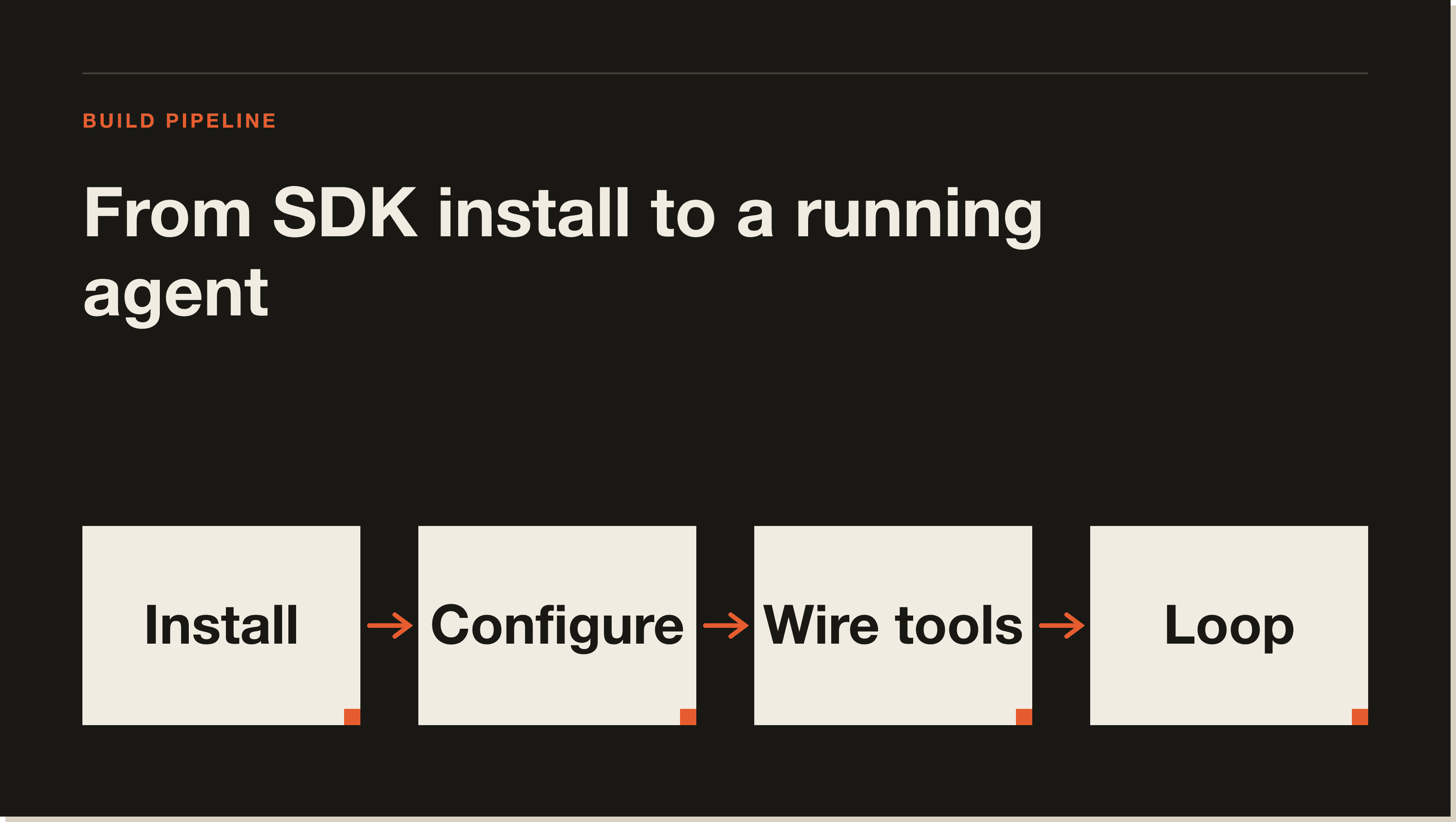
The Agent SDK exposes a single core function called query. You call it with a natural-language prompt and an options object that specifies which tools Claude is allowed to use. query returns an async iterator that yields messages as Claude works: reasoning text, tool calls, tool results, and a final result message.
Under the hood, Claude reads your prompt, decides which tool to call first, executes it, observes the output, and decides what to do next. That loop continues until Claude decides the task is complete. The SDK handles retries, context management, and session state — none of that is your problem.
Here is the minimal Python pattern:
import asyncio
from claude_agent_sdk import query, ClaudeAgentOptions, AssistantMessage, ResultMessage

async def run_agent(task: str):
    async for message in query(
        prompt=task,
        options=ClaudeAgentOptions(
            allowed_tools=["Read", "Bash", "Glob", "Grep"],
            permission_mode="acceptEdits",
        ),
    ):
        if isinstance(message, AssistantMessage):
            for block in message.content:
                if hasattr(block, "text"):
                    print(block.text)
        elif isinstance(message, ResultMessage):
            return message.result

asyncio.run(run_agent("Summarise the five most recent emails in ~/mail/inbox/"))
The async for loop is the whole pattern. Claude calls tools, you get message objects. Filter for AssistantMessage to show Claude's reasoning, and ResultMessage for the final output.
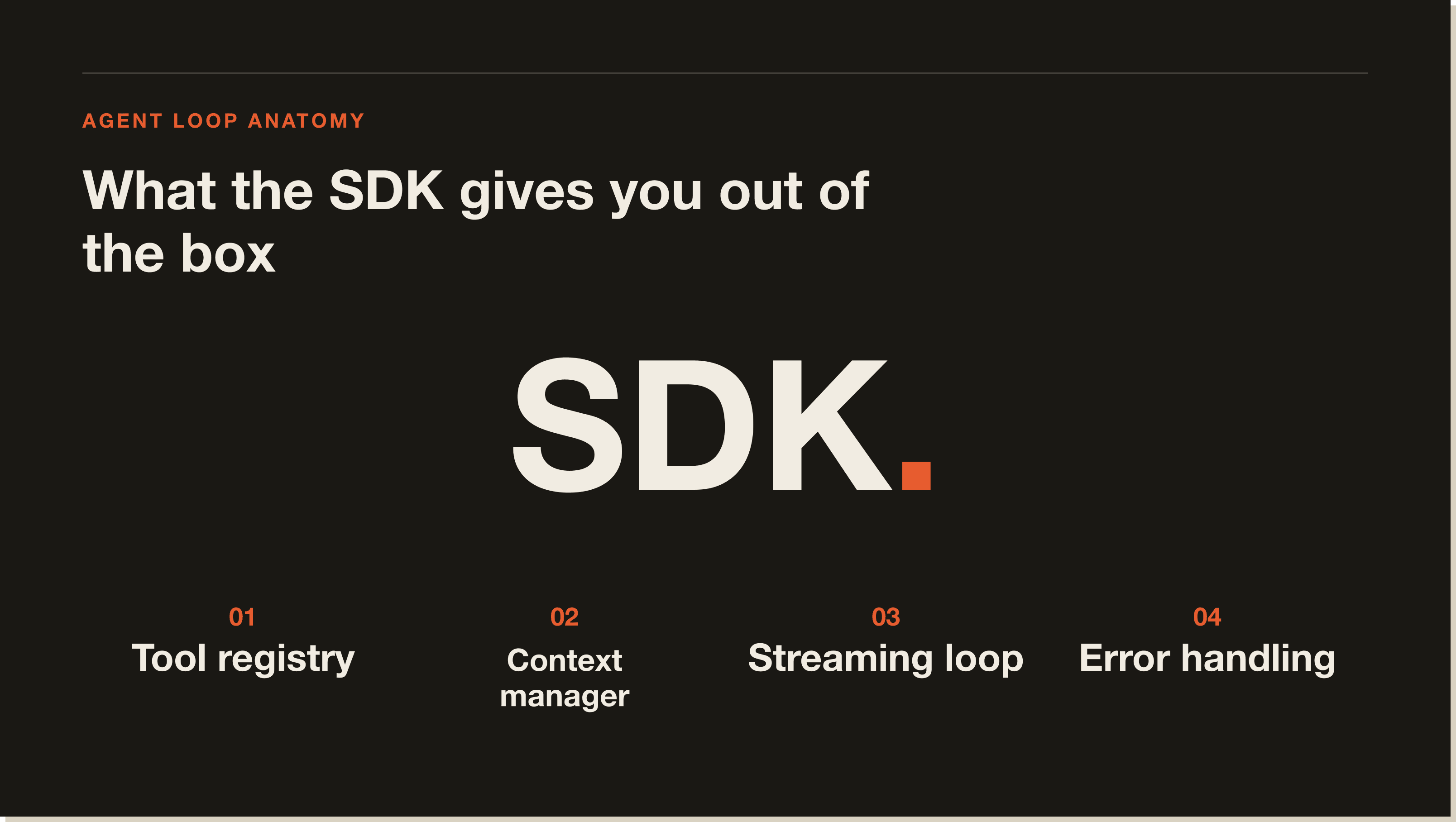
The SDK ships with ten built-in tools you can enable by name:
**/*.ts, src/**/*.py)permission_mode controls how much the agent can do without pausing to ask:
allowed_toolscanUseTool callback to handle approvalFor production headless agents, acceptEdits with a narrow allowed_tools list is the safest default.
The agent reads unread emails via a local fetchmail dump, classifies them by priority, writes a Markdown summary, then posts it to a Slack webhook. The whole thing runs in under two minutes and costs roughly $0.04 per run.
inbox-agent/
  agent.py          # main agent script
  prompts.py        # task prompt
  .env              # ANTHROPIC_API_KEY, SLACK_WEBHOOK_URL
mail/inbox/ # fetchmail drops .eml files hereimport asyncio
import os
import httpx
from claude_agent_sdk import query, ClaudeAgentOptions, ResultMessage
SLACK_WEBHOOK = os.environ["SLACK_WEBHOOK_URL"]
TASK = """
Read every .eml file in mail/inbox/.
For each email, extract: sender, subject, date, and a one-sentence summary.
Classify each as HIGH, MEDIUM, or LOW priority.
HIGH = investor updates, customer complaints, payment failures, anything with URGENT in subject.
Write a Markdown summary grouped by priority to mail/triage-summary.md.
Return the raw Markdown as your final result.
"""
async def main():
result_text = None
async for message in query(
prompt=TASK,
options=ClaudeAgentOptions(
allowed_tools=["Read", "Glob", "Write"],
permission_mode="acceptEdits",
),
):
if isinstance(message, ResultMessage):
result_text = message.result
if result_text:
async with httpx.AsyncClient() as client:
await client.post(
SLACK_WEBHOOK,
json={"text": f"*Daily inbox triage*\n\n{result_text[:2900]}"},
)
print("Posted to Slack.")
asyncio.run(main())Three tools only: Read to open emails, Glob to find all .eml files, Write to save the summary. No Bash, no internet access. The agent cannot do anything outside those three operations, which is exactly right for production.
The Claude Agent SDK can connect to any MCP server, which means you can drop in a Postgres MCP server and your agent can query your database, or add the Playwright MCP server for browser automation, all without writing custom tool code. I use this pattern to connect inbox-triage agents to CRM databases for customer lookup.
options=ClaudeAgentOptions(
    mcp_servers={
        "playwright": {"command": "npx", "args": ["@playwright/mcp@latest"]}
    }
)
The Agent SDK is also how Claude Code itself exposes MCP to the rest of your stack. For a full breakdown of MCP setup, see our Claude Code MCP guide.
You can resume a session across multiple calls, which means Claude retains memory of everything it has read and done. The session ID comes from the first SystemMessage with subtype == "init".
session_id = None
async for message in query(prompt="Read auth.py"):
    if message.type == "system" and message.subtype == "init":
        session_id = message.data["session_id"]

# Later, same context:
async for message in query(
    prompt="Now find all callers of the auth functions",
    options=ClaudeAgentOptions(resume=session_id),
):
    ...
This is the pattern that makes multi-step research agents practical. Each sub-task builds on what Claude already knows.
You can spawn named subagents with their own tools and system prompts. The orchestrator delegates, subagents report back. For a codebase audit, for example, you might have a security-reviewer subagent with Read, Glob, and Grep, and a separate docs-writer subagent with Read and Write.
options=ClaudeAgentOptions(
    allowed_tools=["Read", "Glob", "Agent"],
    agents={
        "security-reviewer": AgentDefinition(
            description="Expert security code reviewer.",
            prompt="Find SQL injection, XSS, and authentication vulnerabilities.",
            tools=["Read", "Glob", "Grep"],
        )
    },
)Hooks let you run custom code at lifecycle events. A PostToolUse hook fires after every tool call. Use it for audit logs, cost tracking, or blocking writes to production paths.
async def audit_log(input_data, tool_use_id, context):
    file_path = input_data.get("tool_input", {}).get("file_path", "unknown")
    with open("./audit.log", "a") as f:
        f.write(f"{datetime.now()}: {file_path}\n")
    return {}
For a deeper look at how hooks apply to the broader Claude Code configuration system, see our Claude Code guide.
The SDK runs inside your process, on your infrastructure. That is a feature for most teams, but it means you own all the operational overhead: container sizing, retry logic, cold-start latency, and session storage (stored as JSONL on your filesystem by default). For long-running or asynchronous jobs, Anthropic's Managed Agents API offloads that to Anthropic-hosted infrastructure.
Rate limits are the other practical friction point. The SDK does not have built-in backoff. If you fire twenty concurrent agents with Bash and WebSearch enabled, you will hit token-per-minute limits quickly. The safest production pattern is a queue with one agent running at a time, or a semaphore if you need concurrency.
The Claude Agent SDK also does not yet expose a direct REST interface, so you cannot call it from a non-Python, non-TypeScript runtime without spawning a subprocess. For Go or Java backends, Managed Agents is the right call.
---
[CTA-HOSTINGER]
---
For Python (using pip):
python3 -m venv .venv && source .venv/bin/activate
pip install claude-agent-sdk
For Python (using uv, the faster option):
uv init && uv add claude-agent-sdkFor TypeScript:
npm install @anthropic-ai/claude-agent-sdkThe TypeScript package bundles a native Claude Code binary for your platform, so you do not need to install Claude Code separately.
Get an API key from the Anthropic Console, then set it:
export ANTHROPIC_API_KEY=your-api-keyOr write it to a .env file in your project root. The SDK reads it automatically.
The SDK also supports Amazon Bedrock (CLAUDE_CODE_USE_BEDROCK=1), Google Vertex AI (CLAUDE_CODE_USE_VERTEX=1), and Microsoft Azure (CLAUDE_CODE_USE_FOUNDRY=1) if you need to run agents through those providers.
Save this to agent.py:
import asyncio
from claude_agent_sdk import query, ClaudeAgentOptions

async def main():
    async for message in query(
        prompt="What files are in this directory?",
        options=ClaudeAgentOptions(allowed_tools=["Glob"]),
    ):
        if hasattr(message, "result"):
            print(message.result)

asyncio.run(main())
Run it:
python3 agent.pyFor the inbox triage agent, I use a simple cron job on a $6/month VPS:
# /etc/cron.d/inbox-agent
0 7 * * 1-5 /home/tom/inbox-agent/.venv/bin/python /home/tom/inbox-agent/agent.py
That runs Monday to Friday at 7am. The agent finishes in under two minutes, posts to Slack, and exits. Total monthly cost: the VPS + roughly $1 in API calls.
For n8n users, wrap the agent in a Python subprocess node on a scheduled trigger. See our Claude Code and the web guide for the broader deployment patterns.
The Client SDK gives you raw API access: you send a prompt and implement every tool call yourself. The Agent SDK wraps that loop. If you want control over every decision point, use the Client SDK. If you want Claude to run autonomously and just tell you when it is done, use the Agent SDK.
The practical path: prototype with the Agent SDK, move to Managed Agents when you need Anthropic to handle the infrastructure.
OpenAI's Agents SDK follows a similar pattern. The main difference is tool inventory: Claude Agent SDK ships with Bash, Monitor, and WebFetch out of the box, which OpenAI's does not. Claude also handles long-context tasks (200k token window) better than GPT-4o for codebase-wide analysis. For MCP support, the Claude Agent SDK is currently more mature.
Yes, if you are building any kind of autonomous workflow that touches files, code, or the web. The SDK collapses what would be three to four hundred lines of tool-loop boilerplate into a ten-line async iterator. The built-in tools are production-quality. The MCP integration means you can add capabilities without writing custom tool definitions.
It is not the right choice if you need a non-Python, non-TypeScript runtime, if you want Anthropic to own the sandboxing and session storage, or if your task is simple enough that a single Messages API call handles it.
For most builders in the AI Operators community, the Claude Agent SDK is the correct abstraction. You get Claude's full capability set without owning the plumbing.
---
[CTA-BLUEPRINT]
---
The Claude Agent SDK is a Python and TypeScript library from Anthropic that gives you a production-ready AI agent loop. You pass it a prompt and a list of allowed tools, and Claude autonomously reads files, runs commands, edits code, and searches the web until the task is complete.
The SDK itself is free to download and use. You pay for API usage at standard Anthropic pricing. A typical agent run that reads ten files and makes a few edits costs between $0.02 and $0.10 depending on the model. Sonnet 4.6 is the cost-efficient default. Opus 4.7 is the high-capability option.
They are the same thing. Anthropic renamed the Claude Code SDK to the Claude Agent SDK. The Python package changed from claude-code-sdk to claude-agent-sdk. The TypeScript package changed from @anthropic-ai/claude-code-sdk to @anthropic-ai/claude-agent-sdk. All the APIs are the same.
Yes. Pass an mcp_servers dict in ClaudeAgentOptions with the command and args for each server. The SDK connects to any MCP-compliant server: databases, browsers, APIs, and the growing ecosystem of community-built servers.
Python 3.10 or later. For TypeScript, Node.js 18 or later. The TypeScript package bundles a native binary, so you do not need Claude Code installed separately.
The SDK does not have built-in backoff. For production deployments with multiple concurrent agents, add a semaphore or run agents sequentially through a queue. Hitting rate limits produces an API error you can catch and retry with exponential backoff.
Yes. Set CLAUDE_CODE_USE_BEDROCK=1 for Bedrock or CLAUDE_CODE_USE_VERTEX=1 for Vertex AI and configure the corresponding cloud credentials. The SDK routes calls through the appropriate provider automatically.
The Claude Agent SDK gives you the same tools that power Claude Code, wrapped in an async iterator you can run anywhere. The inbox triage agent above is a good starting point: narrow tool set, clear task, sub-two-minute runtime, and a Slack notification when it is done.
If you want a structured path from your first agent to a full AI operating system for your business, the Claude Code Blueprint lays it out step by step.
The Claude Agent SDK is a Python and TypeScript library from Anthropic that exposes the full Claude Code agent loop as a programmable interface. You pass it a prompt and a set of allowed tools, and Claude autonomously reads files, runs commands, edits code, and searches the web until the task is done. It used to be called the Claude Code SDK before Anthropic renamed it.
The SDK itself is free. You pay standard Anthropic API pricing for tokens. A typical agent run that reads ten files and makes a few edits costs $0.02 to $0.10 on Sonnet 4.6. The inbox triage agent in this post runs in under two minutes and costs roughly $0.04 per run, plus a $6 a month VPS to host it.
The Agent SDK runs in your own process on your own infrastructure, which gives you control but means you own retries, container sizing, and session storage. Managed Agents runs on Anthropic infrastructure with a REST API, which fits Go or Java backends or long-running async jobs. Prototype with the Agent SDK, move to Managed Agents when you need someone else handling the plumbing.
Yes. Pass an mcp_servers dict in ClaudeAgentOptions with the command and args for each server, and the SDK connects to any MCP-compliant server. Drop in a Postgres MCP server and your agent can query your database. Add the Playwright MCP server and it can drive a browser. No custom tool code needed.
The SDK does not ship with built-in backoff. If you fire twenty concurrent agents with Bash and WebSearch enabled, you will hit token-per-minute limits fast. The safest production pattern is a queue running one agent at a time, or a semaphore if you need controlled concurrency. Wrap your call in a try block and retry rate-limit errors with exponential backoff.
Python 3.10 or later for the Python SDK. Node.js 18 or later for TypeScript. The TypeScript package bundles a native Claude Code binary for your platform, so you do not need to install Claude Code separately to use the TS SDK.
The Client SDK gives you raw API access where you implement every tool call yourself. The Agent SDK wraps that loop. Want control over every decision point? Use the Client SDK. Want Claude to run autonomously and tell you when it is done? Use the Agent SDK. The Agent SDK collapses three to four hundred lines of tool-loop boilerplate into a ten-line async iterator.
Five interactive lessons. Install Claude Code, build your first automation, and deploy it live on the internet — all in under an hour. Free, no coding required.
Grab the Blueprint →