← Back to Blog
Claude Code GitHub Integration: Actions, MCP, Auto-Review in 2026.
How to wire Claude Code into GitHub. Three integration paths (Actions, MCP, /review), copy-paste workflow file, and the auto PR review setup.
How to wire Claude Code into GitHub. Three integration paths (Actions, MCP, /review), copy-paste workflow file, and the auto PR review setup.
You use Claude Code with GitHub through three integration paths: the official GitHub Actions runner that posts PR reviews on every commit, the GitHub MCP server that lets your local CLI read and write issues and PRs, and the bundled /review skill paired with the claude --from-pr <url> flag for one-off audits.
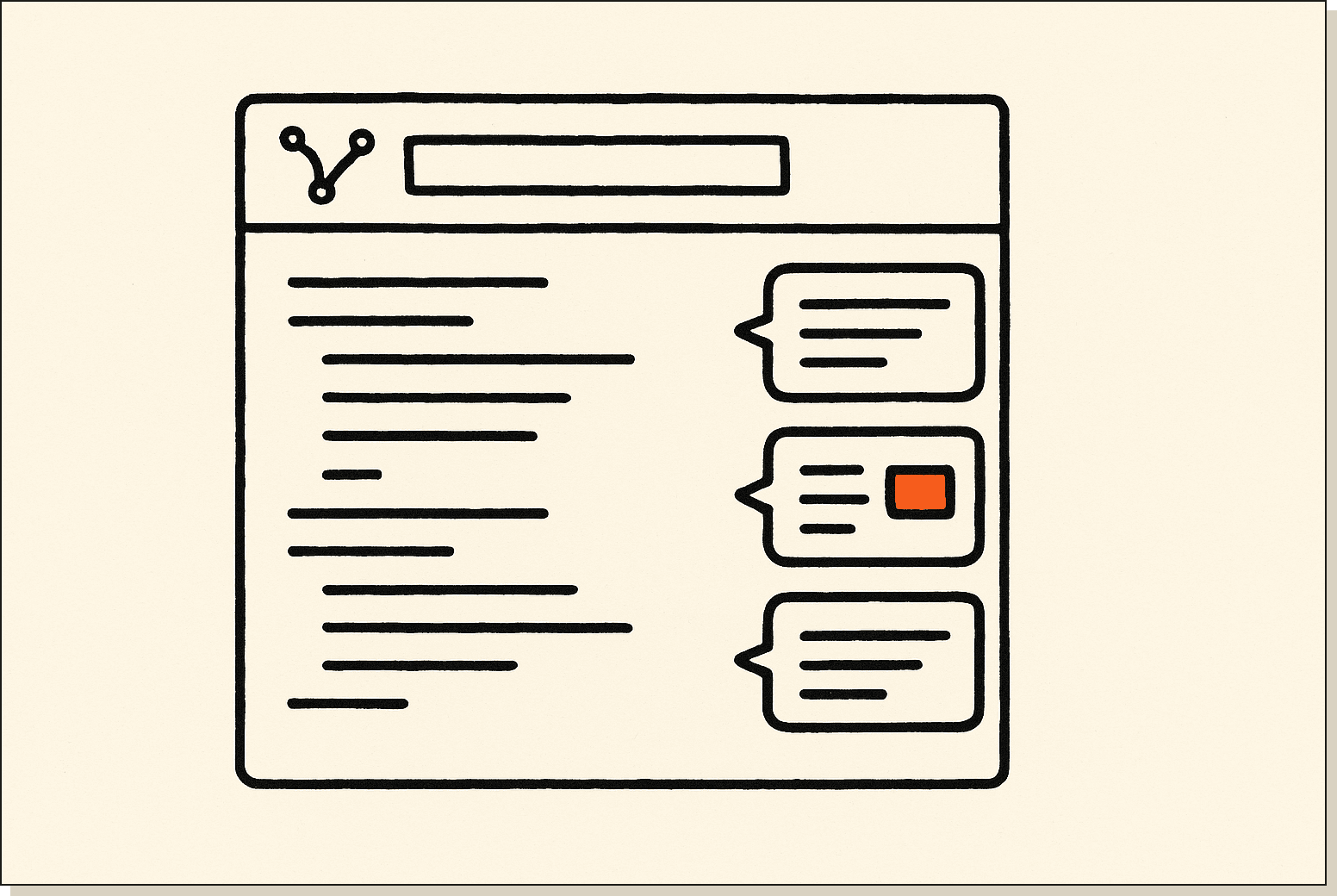
I run the AI Architects mentorship and I have all three wired into the same repo. The Actions runner catches obvious bugs before I look at the diff. The MCP server lets me triage issues from the terminal without opening a browser. The /review skill is what I reach for when a contributor opens a messy PR and I want a structured second opinion before I merge.
Most tutorials cover one of these in isolation and skip the trade-offs. I want to show you the whole picture, because each path has a different cost, a different setup time, and a different failure mode. By the end of this you will know which one to install first for your repo.
The Claude Code GitHub integration is Anthropic's official set of tools for running Claude inside your GitHub workflow. It ships as three separate pieces: a GitHub Actions runner, a GitHub MCP server, and a code review skill bundled with the Claude Code CLI.
Each piece solves a different problem. Actions handles automation inside CI. The MCP server handles read and write access from your terminal. The review skill handles the actual code analysis prompt. You can install one, two, or all three depending on how much of your workflow you want Claude inside.
Claude Code talks to GitHub in three different ways, and most people only know about the first one. Path one is the GitHub Action: a YAML workflow file in .github/workflows/ that triggers on pull requests, runs Claude inside a runner, and posts the review as a PR comment. It is the most public-facing of the three and the easiest to demo.
Path two is the GitHub MCP server. MCP stands for Model Context Protocol, the spec Anthropic released for giving Claude tool access to external systems. The GitHub MCP server exposes GitHub's REST API to your local Claude Code CLI, which means you can say "list open issues on this repo" or "open a PR with these changes" from inside a terminal session. If you have not set up MCP yet, my Claude Code MCP walkthrough covers the basics.
Path three is the /review skill plus the --from-pr CLI flag. The skill is a structured review prompt that ships with the Claude Code install. The flag lets you pull a PR diff directly into a local session without cloning the branch. Together they give you the same review quality as the GitHub Action, but run on your machine and on demand.
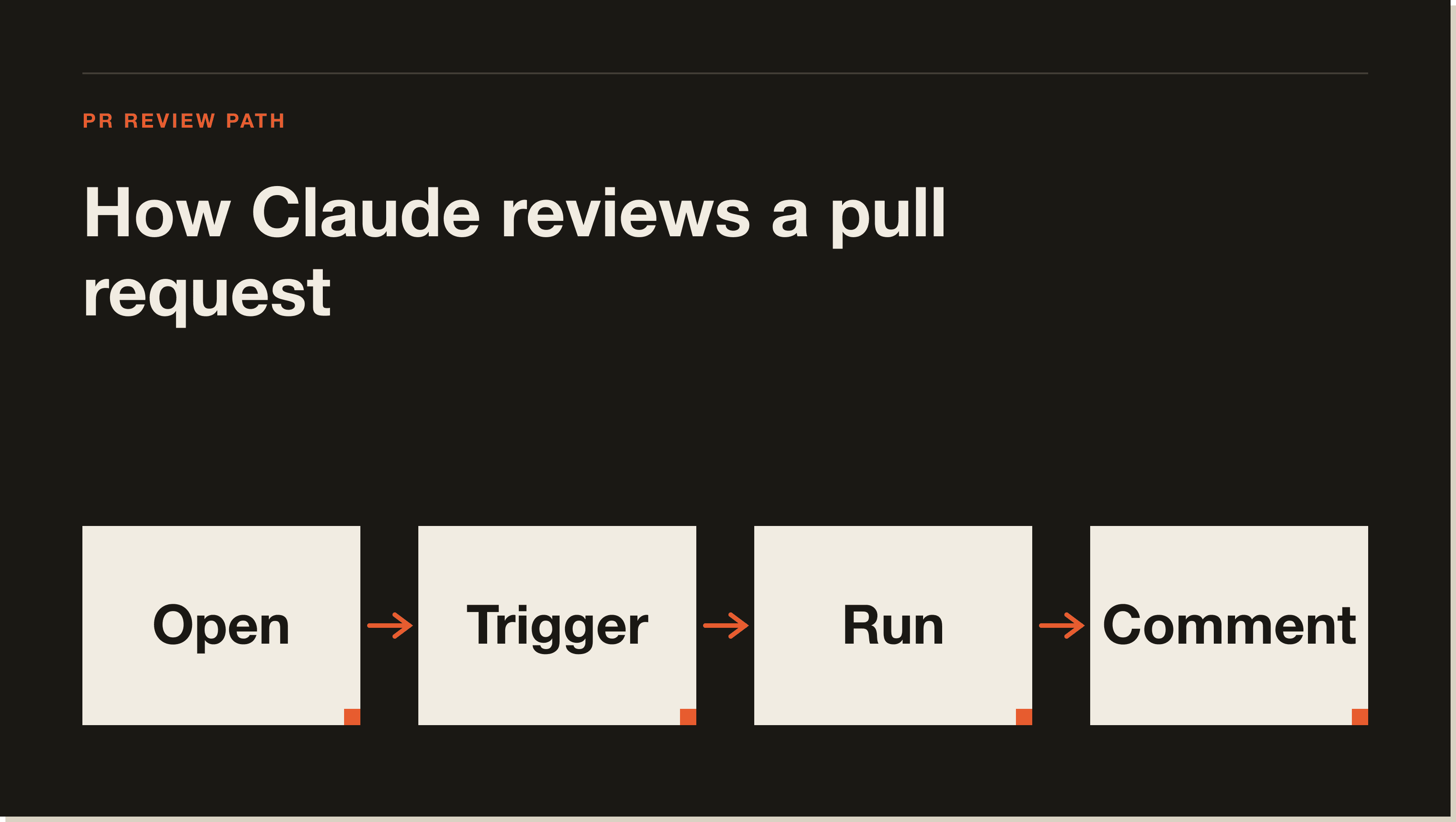
The Action is the integration most people start with because it runs without you doing anything once it is installed. Every time someone pushes a commit to a PR, the workflow triggers, Claude reads the diff, and a review comment appears on the PR within a minute or two.
The setup is a single YAML file and one repo secret. The workflow uses Anthropic's official claude-code-action and a standard GITHUB_TOKEN for posting comments. You drop the file into .github/workflows/, add your ANTHROPIC_API_KEY as a secret, and the next PR triggers a review automatically.
Here is a clean version of the workflow file I use:
name: Claude PR Review
on:
  pull_request:
    types: [opened, synchronize]
jobs:
  review:
    runs-on: ubuntu-latest
    permissions:
      contents: read
      pull-requests: write
    steps:
      - uses: actions/checkout@v4
        with:
          fetch-depth: 0
      - uses: anthropics/claude-code-action@v1
        with:
          anthropic_api_key: ${{ secrets.ANTHROPIC_API_KEY }}
          mode: review
That is the entire integration. No extra config, no separate GitHub App install for basic usage.
The GitHub MCP server is what I use when I am already in a Claude Code session and I do not want to context-switch to a browser. It exposes GitHub's API as MCP tools, so Claude can list issues, read PR comments, open new issues, and even merge PRs if you give it write scope.
The install is a single block in your .mcp.json file at the repo root or in ~/.claude.json for global access. You need a GitHub personal access token with repo scope, which goes in the env block. Configuration looks like this:
{
  "mcpServers": {
    "github": {
      "command": "npx",
      "args": ["-y", "@modelcontextprotocol/server-github"],
      "env": { "GITHUB_PERSONAL_ACCESS_TOKEN": "ghp_..." }
    }
  }
}
Once that is in place, Claude Code can use natural language for any GitHub action: "show me open issues tagged bug", "open a PR from this branch", "leave a review comment on PR #42 asking about the loop". The first time it feels uncanny because there is no UI in the loop.
/review skill + claude --from-pr flag.The third path is the most flexible because it runs entirely locally. The /review skill is one of the built-in skills that ships with Claude Code. You invoke it inside a session and it runs a structured audit against the current diff or working tree, checking for bugs, security issues, and style problems.
The --from-pr flag is what makes it useful for GitHub workflows. Instead of cloning a contributor's branch and checking it out, you run claude --from-pr https://github.com/owner/repo/pull/42 and Claude pulls the diff straight from the PR URL. Then you fire /review and you get a full audit without ever leaving your terminal.
I use this path when the Action's automated review is not enough. The Action runs once per push and produces a single comment. The local /review lets me iterate, ask follow-up questions, and dig into specific files. The two paths complement each other rather than competing.
Go to console.anthropic.com, sign in, and create a new API key under the API Keys tab. Copy the key once because the console will not show it again. If you already use Claude Code locally with a Claude.ai subscription, you still need an API key for the Action because GitHub runners do not have access to your local session.
In your repo, go to Settings, then Secrets and variables, then Actions, then New repository secret. Name it ANTHROPIC_API_KEY and paste the key. The workflow file references this exact name, so spelling matters.
Create .github/workflows/claude-review.yml in your repo. Paste in the YAML block from the section above. Commit it to your default branch. The Action will not run on the commit that adds it, only on subsequent PRs.
Make a small change on a feature branch and open a PR against main. Anything works: a typo fix, a comment update, a renamed variable. Push the branch and open the PR through the GitHub UI or with gh pr create.
Go to the Actions tab on your repo. You should see a "Claude PR Review" run in progress. It usually finishes in 60 to 120 seconds. When it completes, refresh the PR page and you will see Claude's review as a new comment with inline annotations on the diff.
If the run fails, the most common culprits are a missing or misspelled secret, missing pull-requests: write permission, or running on a fork PR without the pull_request_target event. The Actions log tells you which one.
One extra step I always do on day one: open the PR review comment Claude posts and check whether the tone matches what you want from a teammate. The default prompt is solid, but if your repo has house style rules around commits, types, or test coverage, you can extend the workflow with a prompt input that adds those rules. That turns the Action from a generic reviewer into a reviewer that already knows your codebase conventions.
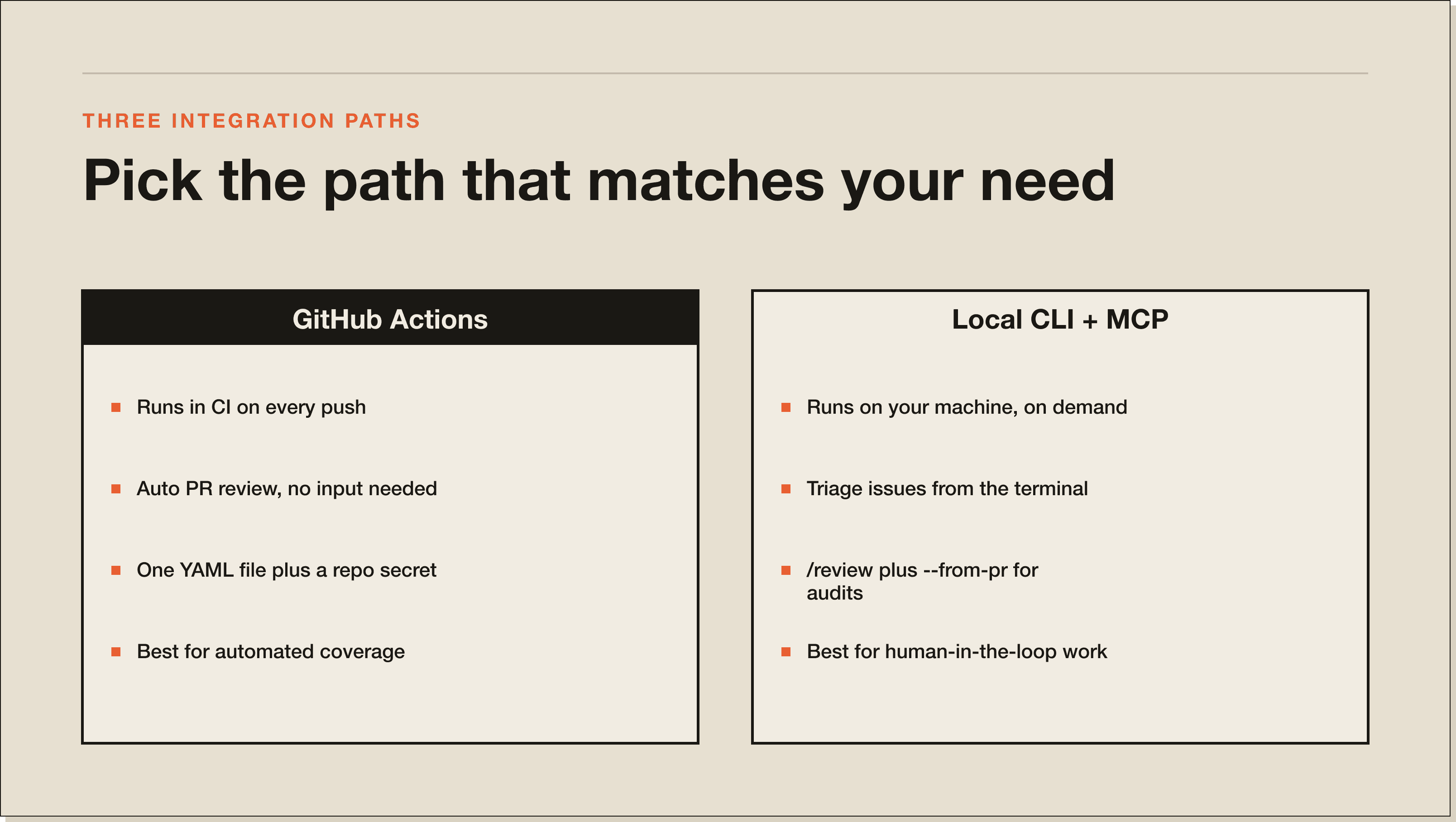
The Action is best for automated coverage across every PR. The MCP server is best for human-in-the-loop work where you are already in a terminal session. The /review skill with --from-pr is best for deep audits on specific PRs where the automated comment is not detailed enough.
Most repos I work on use the Action as a default safety net and the local /review for anything sensitive. The MCP server is the one I forget about most often, but it pays for itself the first time you triage 20 stale issues without leaving your editor.
There is also a cost calculation that matters once you scale. The Action runs on every push, which means a 30-commit PR triggers 30 reviews. That can add up if you are on Sonnet or Opus and the diffs are large. For repos with heavy churn I usually scope the Action to pull_request: types: [opened, ready_for_review] so it runs once per PR rather than once per commit, and I lean on /review locally for the rest.
/review + --from-pr/review + --from-prThe Claude Code GitHub Action is Anthropic's official workflow that runs Claude inside a GitHub Actions runner. It triggers on pull request events, reads the diff, and posts a structured review as a PR comment. You install it by dropping a YAML file into .github/workflows/ and adding your Anthropic API key as a repo secret.
You install it by adding a github entry to your .mcp.json file with the @modelcontextprotocol/server-github package and a GitHub personal access token in the env block. The token needs repo scope for full access. Restart Claude Code and the GitHub tools become available in any session. For background on MCP setup, my Claude Code MCP post covers it end to end.
Yes. The GitHub Action reviews PRs automatically on every push. The workflow triggers on pull_request events, runs the anthropics/claude-code-action, and posts a review comment within a minute or two. You can also run reviews manually with claude --from-pr <url> and the /review skill if you want more control.
The Action itself is free. You pay for Anthropic API usage and for GitHub Actions minutes. A typical PR review uses between 5,000 and 50,000 input tokens depending on diff size, so cost lands in the cents per review range on Sonnet. Public repos get free Action minutes on GitHub, private repos use your plan's quota.
Yes, through the GitHub MCP server. Once installed, you can ask Claude to open an issue with a title, body, labels, and assignee, and it uses the GitHub API directly. You can do the same with PRs, comments, and labels. If you want to layer it with Claude Code hooks, you can have Claude open an issue every time a hook detects a failed build.
Three integration paths, one repo, full coverage. The Action catches issues automatically, the MCP server moves your triage into the terminal, and the /review skill plus --from-pr handles the deep audits.
If you want the full Claude Code build path, including the GitHub setup I run on my own repos, grab the Blueprint. And if you are still getting Claude Code installed in the first place, start with how to use Claude Code and come back here once the CLI is running.
Three ways. The GitHub Action runs Claude inside a CI runner and posts PR reviews on every commit. The GitHub MCP server gives your local CLI read and write access to issues and PRs. The /review skill paired with claude --from-pr <url> handles deep audits on demand. Most people only know about the Action.
Drop a YAML file into .github/workflows/, add ANTHROPIC_API_KEY as a repo secret, and the next PR triggers automatically. The whole workflow is one file using anthropics/claude-code-action@v1 in review mode, with contents: read and pull-requests: write permissions. The next PR you open gets a review comment within 60 to 120 seconds.
The Action itself is free. You pay for Anthropic API usage and GitHub Actions minutes. A typical PR review uses 5,000 to 50,000 input tokens depending on diff size, which lands in the cents per review range on Sonnet. Public repos get free Action minutes. For heavy churn, scope the Action to types: [opened, ready_for_review] so it runs once per PR instead of once per commit.
The Action runs once per push in CI and produces a single review comment automatically. The /review skill runs locally on demand, lets you iterate, ask follow-up questions, and dig into specific files. Use the Action as the default safety net across every PR. Reach for /review locally when the automated comment is not detailed enough.
Yes, through the GitHub MCP server. Once installed, you can ask Claude to open an issue with a title, body, labels, and assignee, and it uses the GitHub API directly. Same for PRs, comments, and labels. Pair it with hooks to have Claude open an issue every time a hook detects a failed build.
Three usual culprits: a missing or misspelled ANTHROPIC_API_KEY secret, missing pull-requests: write permission in the workflow, or running on a fork PR without the pull_request_target event. The Actions log tells you which one. Misspelt secrets are the most common, because the workflow file references the name exactly.
Five interactive lessons. Install Claude Code, build your first automation, and deploy it live on the internet — all in under an hour. Free, no coding required.
Grab the Blueprint →