← Back to Blog
Claude Code on the Web: Coding From Your Phone in 2026.
Claude Code on the web, mobile, desktop, and terminal. Multi-surface async coding, Routines, Channels, and the iOS app workflow that changed mine.
Claude Code on the web, mobile, desktop, and terminal. Multi-surface async coding, Routines, Channels, and the iOS app workflow that changed mine.
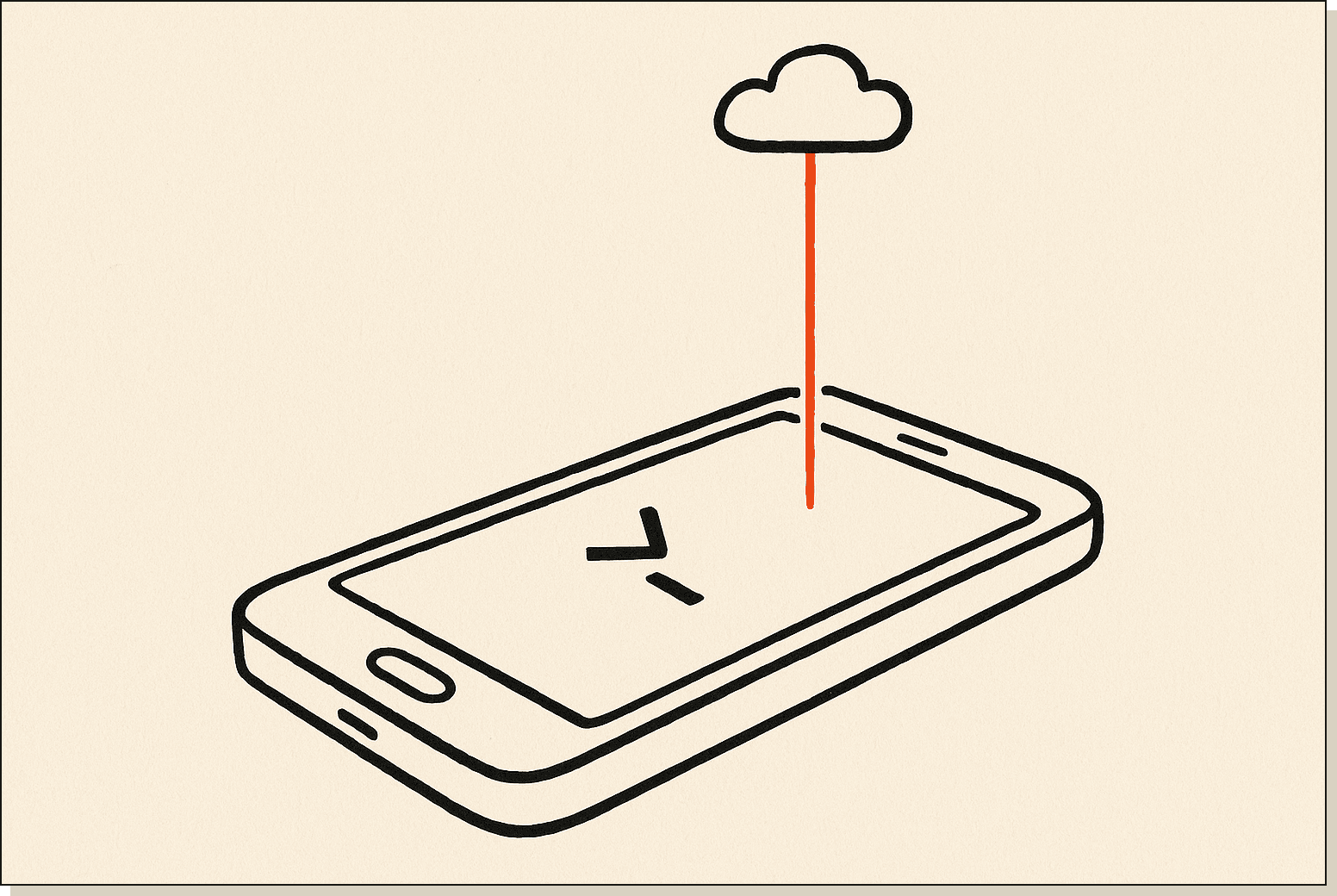
Claude Code on the web is Anthropic's browser-hosted, asynchronous version of its coding agent. It runs in a cloud sandbox, clones your GitHub repo on the fly, and lets you fire off tasks from any device with a browser. No local install. No terminal. Just a URL and a prompt box.
I'm Tom. I now run Claude Code across four surfaces (terminal, desktop, web, iOS) and I've shipped over 40 production features this way in the last six weeks, including the publishing pipeline behind this blog. This post is the field guide I wish I'd had when web launched.
Claude Code on the web is the browser-based version of Anthropic's coding agent, announced on November 12, 2025. You log in at claude.com/code, point it at a GitHub repository, and it spins up an isolated cloud sandbox running the same Claude Code engine that lives in the terminal.
The whole point is asynchronicity. You queue a task, close the laptop, and come back to a pull request waiting for review. The agent does the work in the cloud while you do something else with your day.
When you start a session, the web app clones your repo into a fresh cloud sandbox attached to a single Anthropic-hosted container. Claude then plans, edits files, runs tests, and opens a PR back to your branch. Your laptop is not involved.
Because the work runs on Anthropic's infrastructure, you can have multiple sessions going at once across different repos. I usually have three or four active in different browser tabs. One refactor, one bug fix, one experimental feature, one docs pass.
The web surface also exposes new primitives that the terminal CLI doesn't have natively. Routines for scheduling. Channels for inbound events. Dispatch for phone-triggered runs. I'll cover those further down.
Under the hood, each sandbox gets a fresh Linux container with your repo checked out, Anthropic's tool-use runtime, and a scoped GitHub token that can only see the repos you've authorised. When the task finishes, Claude pushes a branch and opens the PR through the GitHub API. Read the official web quickstart docs for the full security model.
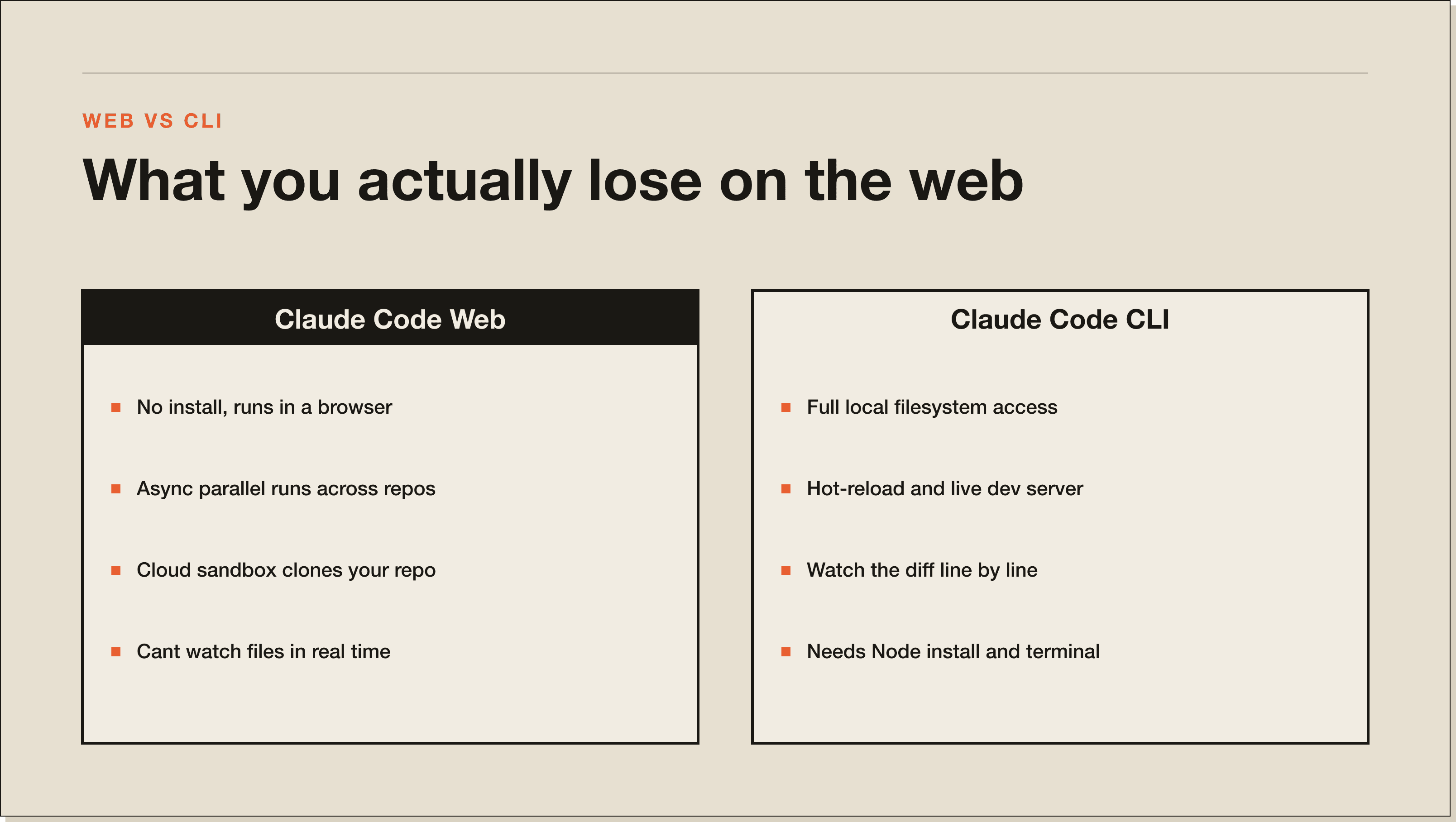
The original. Install via npm install -g @anthropic-ai/claude-code, run claude in any repo, and you get full local control. It can read your filesystem, run your dev server, hot-reload your code, and watch files in real time.
I use the terminal for anything where I want to see the work happen line by line. Debugging. Reading logs. Pairing with the agent on tricky migrations. If you're new to all this, start with my 60-minute beginner guide before touching the web app.
The desktop app is Claude Code with a graphical chrome wrapper around the same engine. Same machine, same filesystem, same git, just with a clickable UI instead of a TUI. It runs locally like the CLI does.
This is the surface I recommend to non-developers in the AI Architects cohort. The drag-and-drop file context and the visual diff viewer make it dramatically easier to onboard. If you've ever fought with vim keybindings, the desktop app is your friend.
The browser-hosted, cloud-sandboxed version. No install, no local dependencies, no Node version mismatch. You can use it from a Chromebook, a friend's laptop, or a hotel business centre. As long as you can sign in to claude.com, you can ship code.
The async nature is what makes it different. The web surface assumes you'll fire and forget, and the entire UI is built around managing multiple parallel runs instead of one synchronous chat.
The phone app. Push a task from your iPhone, the work runs in the cloud, and you get a notification when the PR is ready. I review diffs from the back of a London cab.
The iOS app shines for two things specifically. Capturing ideas the moment they hit (instead of letting them die in a Notes file) and reviewing agent work during the dead time you'd otherwise scroll Instagram. It is genuinely the highest-leverage app on my phone right now.
The diff viewer on mobile is better than I expected. Syntax highlighting, file tree on the left, swipe-to-approve on the right. I can read a 400-line PR on a 6.1-inch screen without squinting. Push notifications respect Focus modes, so it doesn't bother me during deep work.
A normal Tuesday looks like this. At my desk by 7am, I open the terminal, start a complex refactor that needs me watching the test output, and pair with Claude on it until 9am. That work is too gnarly for async. I want eyeballs on every diff.
Around 9am I switch to the web app and queue three smaller tasks across two repos. A copy update on the marketing site. A new field on the student-os Airtable sync. A docs refresh on the Claude Code course repo. I close the laptop and go to a coaching call.
By the time the call ends at 11am, two of the three PRs are ready. I review them on my iPhone using the iOS app while walking to lunch and merge the easy one straight from the phone. The third needs a tweak, so I leave a comment and let the agent take another pass. After lunch I'm back on the desktop app to do the final review and ship. Four hours, four surfaces, six features shipped.
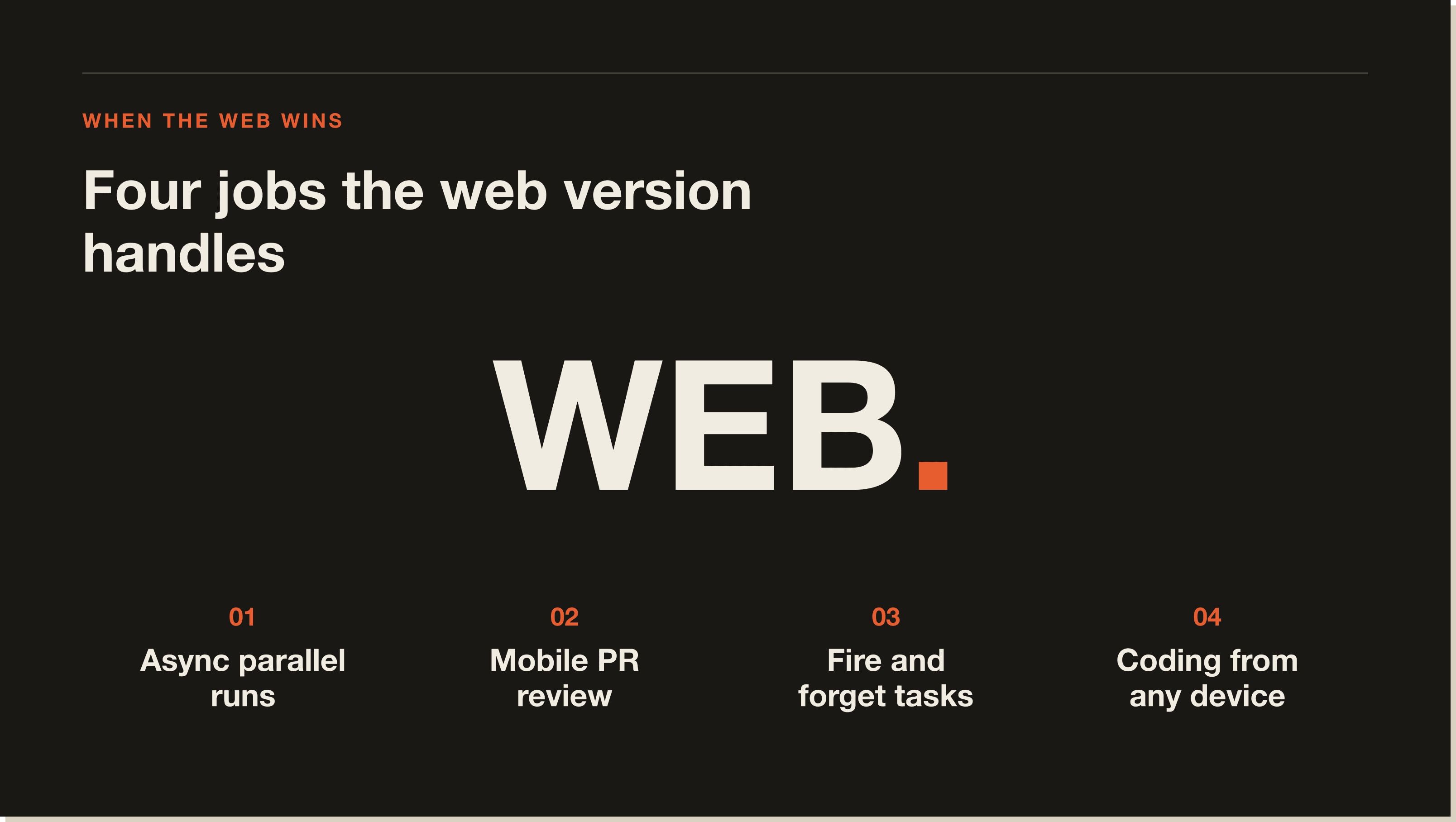
The trick is matching the task to the surface, not jamming everything into one tool. Watch-the-diff work goes in the terminal. Async batchable work goes on the web. Mobile review goes on iOS. That is the entire system.
Before web launched, my throughput was capped at how fast I could read diffs in one terminal window. Now the bottleneck is my own attention, not the agent's speed. Six weeks in, I've stopped scheduling "coding blocks" on my calendar entirely. Coding fits in the gaps between meetings instead of needing its own dedicated time.
claude --teleport.Routines are scheduled cloud cron jobs that run Claude Code on a timer. Cron-style syntax, hosted by Anthropic, no server to maintain. I have one that runs every Monday at 6am, pulls the week's analytics from PostHog, and drafts a summary PR for the team channel.
You can think of them as the lightweight Vercel cron equivalent for repo-level work. Anything you'd ask Claude to do every Monday or every hour can become a Routine in about ninety seconds.
Channels let external systems push events into a live Claude session. Slack messages, Telegram threads, GitHub webhooks, Linear comments, all of it. The agent listens and responds.
I have a Channel wired to my support inbox. When a customer files a bug report with a reproducible link, the Channel pushes the payload into a Claude Code session that opens a draft PR with the fix. I review and merge. Support-to-shipped in under an hour on a good day.
Dispatch is the feature behind the iOS app's main button. You type a task into your phone, hit send, and the work executes on cloud infrastructure. The phone is purely a remote.
I use Dispatch most when I'm out walking and an idea hits. Instead of writing a Notion ticket I'll never read again, I dispatch the task directly to the repo and let Claude scaffold it. Half the time the PR is good enough to merge as-is. The other half is at least 80% of the way there.
claude --teleport.claude --teleport is the CLI flag that ships your local terminal session to the cloud so you can resume on another surface. Halfway through a refactor on your laptop and need to leave? Run claude --teleport, close the lid, open the web app, and pick up exactly where you stopped.
The state, the context, the open files, the planning notes, all of it transfers. This is the connective tissue between the four surfaces and the reason the whole system actually works as one tool instead of four separate ones.
It isn't all upside. The cloud sandbox can't watch files in real time the way the local CLI does, which means tasks that depend on hot-reload or live dev server output are awkward. I still do those on the terminal.
Latency on long sessions is real. A two-hour async run sometimes ends with the sandbox having to re-clone or re-warm, and the final five minutes feel sluggish compared to local execution. Not a dealbreaker, but worth knowing before you push a marathon job at 4pm on a Friday.
And the pricing. Web access is gated to Claude Pro and Max users, with stricter rate limits than the terminal CLI. If you're on the free plan, the web app will show you the door fast. Full breakdown is in my Claude Code pricing post.
Claude Code on the web is the browser version of Anthropic's coding agent, launched on November 12, 2025. It runs in a cloud sandbox, connects to your GitHub repos, and executes coding tasks asynchronously without any local install.
Download the Claude app from the iOS App Store and sign in with the same account you use for claude.com. Tap the code icon, pick a connected repo, and type your task. The work runs in the cloud and a notification lands when the PR is ready for review.
No. Claude Code on the web is gated to paid plans (Pro and Max). The free plan gives you the chat interface but not the coding agent. If you want the agent across all four surfaces, you need at least a Pro subscription.
Yes. The web app is built around parallel sessions, and I commonly have three or four sandboxes running across different repos at the same time. Each session is isolated, so a long task on Repo A won't block a quick PR on Repo B.
The desktop app runs locally on your machine and has full filesystem access. The web app runs in an Anthropic-hosted cloud sandbox and clones your repo from GitHub. Desktop is better for live debugging. Web is better for async batch work and for using on devices where you can't or don't want to install anything. For a deeper comparison of agent tools generally, see my Claude Code vs Cursor post or the official web quickstart docs.
The four-surface workflow took me from one feature a day to six. The web app alone won't get you there, but combining web with terminal, desktop, and iOS will. The whole point is matching the right surface to the right task and letting the agent run while you do something else.
If you want the full playbook I run with my mentorship cohort, including the exact Routines and Channels setups, grab the Blueprint and I'll walk you through it. It covers the surface-matching framework, the three Routines I run every week, and the Channels wiring that turns Slack into a shipping queue.
Claude Code on the web is the browser-hosted version of Anthropic's coding agent, launched November 12, 2025. You log in at claude.com/code, point it at a GitHub repo, and it spins up an isolated cloud sandbox running the same engine as the terminal CLI. No local install. You queue a task, close the laptop, come back to a PR waiting for review.
Download the Claude app from the iOS App Store and sign in with the same account you use for claude.com. Tap the code icon, pick a connected repo, and type your task. The work runs in the cloud on Anthropic infrastructure and a notification lands when the PR is ready. I review 400-line diffs from the back of a London cab without squinting.
No. Web access is gated to paid plans (Pro at $20 a month and Max at $200 a month). The free Claude.ai plan gives you the chat interface but not the coding agent. If you want the agent across all four surfaces, Pro is the minimum entry point.
Routines are scheduled cloud cron jobs that run Claude Code on a timer with no server to maintain. Channels let external systems push events (Slack, GitHub webhooks, Linear comments) into a live session that responds. Dispatch is the iOS app feature that fires a task from your phone to the cloud. All three are web-only primitives the terminal CLI does not have natively.
Yes. The web app is built around parallel sessions. I usually have three or four sandboxes running across different repos at the same time. Each session is isolated, so a long task on Repo A does not block a quick PR on Repo B. This is the property that took my throughput from one feature a day to six.
The desktop app runs locally on your machine with full filesystem access. The web app runs in an Anthropic-hosted cloud sandbox and clones your repo from GitHub. Desktop is better for live debugging with hot-reload and watching files in real time. Web is better for async batch work and for devices where you cannot install anything.
Three places. The cloud sandbox cannot watch files in real time the way the local CLI does, so hot-reload work stays on terminal. Latency on long sessions is real, with two-hour async runs sometimes feeling sluggish at the end. And the web app is paid-only, so the free plan shows you the door fast.
Five interactive lessons. Install Claude Code, build your first automation, and deploy it live on the internet — all in under an hour. Free, no coding required.
Grab the Blueprint →