npm install @anthropic-ai/claude-code: What Actually Happens (and 4 Errors to Watch For).
What npm install @anthropic-ai/claude-code actually does, what gets installed where, the 4 errors most devs hit on first run, and the verify command that proves it worked.
The npm command to install Claude Code is npm install -g @anthropic-ai/claude-code. Run it once with Node 20+ and you get a working claude CLI binary you can call from any terminal.
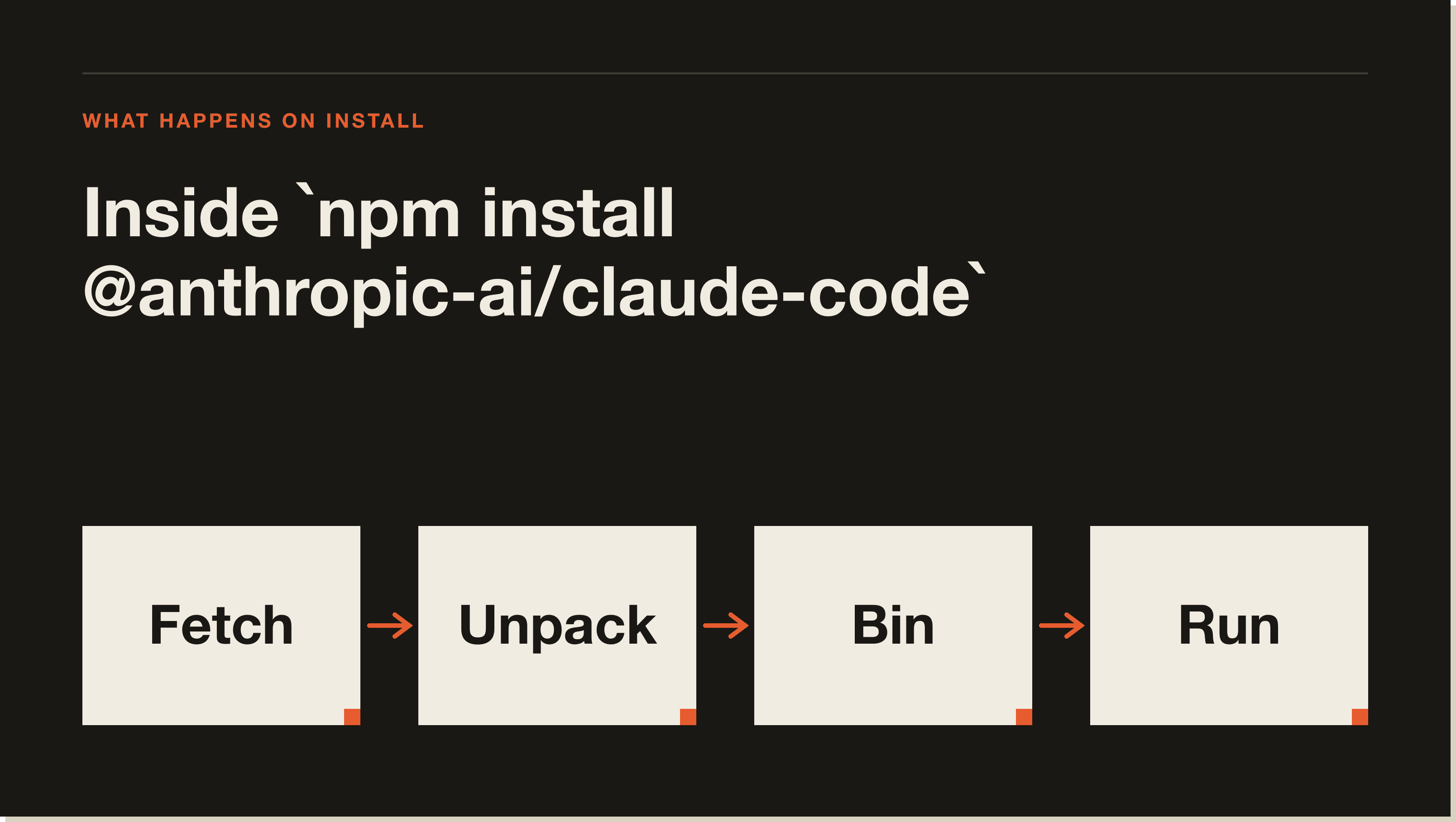
What npm install actually does: fetch, unpack, link. Three moves, four errors to dodge.
I'm Tom. I've installed Claude Code on a fresh laptop more times than I can count. Here's exactly what npm does under the hood, the 4 errors that catch most people on first run, and the one verify command that proves the install worked.
What does npm install @anthropic-ai/claude-code do?.
Running npm install -g @anthropic-ai/claude-code fetches the package from the npm registry, resolves its dependencies, and writes everything to your global node_modules directory. The -g flag is the critical piece: without it, npm installs the package locally inside your current project folder, and the claude command won't be available system-wide.
The install drops a claude binary into your npm global bin directory. That binary is what you call from the terminal every time you start a Claude Code session. Anthropic ships the CLI as a self-contained package, so you do not need to clone a repo or build anything yourself.
Inside the install command. Four moves between hitting Enter and `claude` opening in your terminal.
What gets installed where.
When you run a global npm install, npm resolves the destination from your npm prefix setting. On most machines this is configured automatically when you install Node.js. You can check yours by running npm config get prefix in your terminal.
The claude binary ends up in the bin subfolder of that prefix. For the install to work from any directory, that bin folder needs to be in your system's PATH. On macOS with Homebrew Node this is handled automatically. On Linux and Windows you may need to add the path manually if you configured a custom npm prefix.
✓macOS (Homebrew Node) — Global bin location: /opt/homebrew/bin/claude. What goes in PATH: /opt/homebrew/bin.
✓macOS (system Node) — Global bin location: /usr/local/bin/claude. What goes in PATH: /usr/local/bin.
✓Linux — Global bin location: ~/.npm-global/bin/claude or /usr/local/bin/claude. What goes in PATH: depends on npm prefix.
✓Windows — Global bin location: %AppData%\npm\claude.cmd. What goes in PATH: %AppData%\npm.
The 4 errors you'll hit on first run.
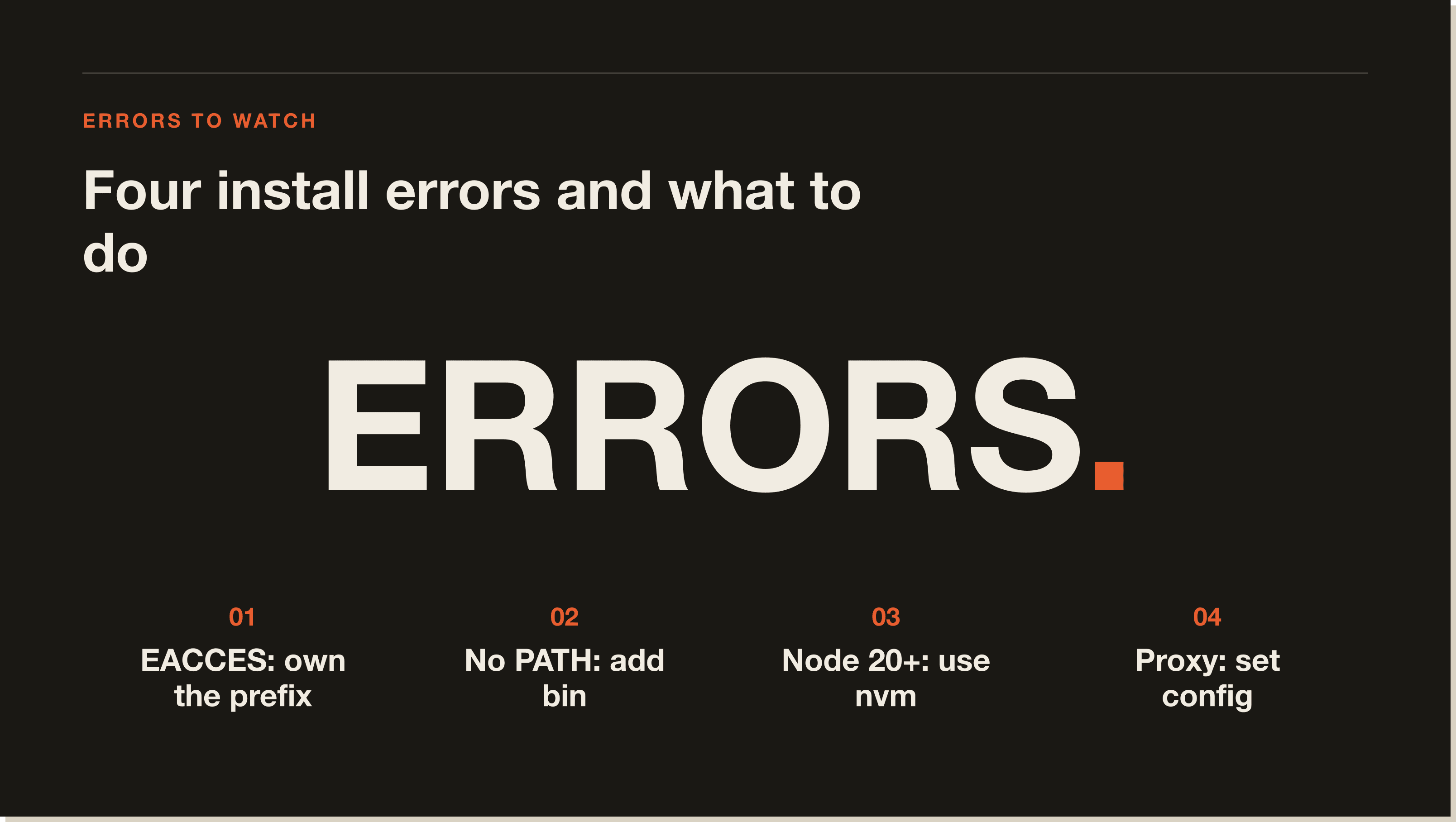
The four errors that catch most people on first install. Each one has a one-line fix.
These are the same errors you'd see from any global npm install of a non-trivial CLI, but they trip up Claude Code installs in predictable ways.
1. EACCES permission denied.
Error:npm ERR! code EACCES followed by a path to your node_modules or bin directory.
Fix: Do not use sudo npm install -g. Instead, configure a user-owned npm prefix. Run mkdir -p ~/.npm-global && npm config set prefix ~/.npm-global, then add export PATH=~/.npm-global/bin:$PATH to your shell profile (~/.zshrc, ~/.bashrc, or equivalent) and reload with source ~/.zshrc. Once the prefix points to a directory your user owns, the install completes without permission errors.
2. command not found: claude (PATH not set).
Error: The install completes without errors, but running claude returns command not found or 'claude' is not recognized.
Fix: Your npm global bin directory is not in PATH. Run npm config get prefix to find where the bin is, then add that path to your shell profile. On macOS with a standard Node install the bin is at /usr/local/bin, which is usually already in PATH. On Linux with a custom prefix you'll need to add it manually. After editing your shell profile, run source ~/.zshrc (or open a new terminal) and try claude again.
3. Node version too old.
Error: During install you see something like Unsupported engine: wanted: {"node":">=20"} or the install completes but Claude Code refuses to run with a Node version error.
Fix: Claude Code requires Node 20 or newer. Run node --version to check what you have. If you're on an older version, the cleanest upgrade path is to install nvm and run nvm install 20 && nvm use 20, then repeat the Claude Code install. Alternatively, install the latest Node LTS from nodejs.org directly.
4. Corporate proxy or firewall blocking npm.
Error: The install hangs indefinitely, or you see ETIMEDOUT, ECONNREFUSED, or a certificate error pointing at the npm registry.
Fix: If your machine routes traffic through a corporate proxy, npm needs to know about it. Run npm config set proxy http://your-proxy:port and npm config set https-proxy http://your-proxy:port. If the error is a self-signed certificate, you may also need npm config set cafile /path/to/cert.pem. Your network or IT team can supply the proxy URL and cert. Once the proxy is configured, retry the install.
How to verify the install worked.
Run this in a new terminal window after the install completes:
bash
claude --version
A healthy output looks like claude 1.x.x (the exact version number varies with each release). If you see a version number, the install worked and the binary is in your PATH.
If you see command not found, your PATH is missing the npm bin directory. Go back to error 2 above. If you see an error about authentication or credits, the binary is installed correctly and you need to connect it to a Claude account by running claude and following the login prompt.
How to update Claude Code after the first install.
Run either of these commands to update to the latest version:
bash
npm update -g @anthropic-ai/claude-code
or, to force the absolute latest release:
bash
npm install -g @anthropic-ai/claude-code@latest
Anthropic ships new Claude Code versions roughly weekly. Running the update command takes under a minute and keeps you on current model defaults, bug fixes, and new features. You can check your current version at any time with claude --version.
npm install Claude Code FAQ.
What is the npm package name for Claude Code?
The package name is @anthropic-ai/claude-code. The full install command is npm install -g @anthropic-ai/claude-code. The scoped package name (@anthropic-ai/) is required: searching for just claude-code on npm will find unrelated packages.
Can I install Claude Code without npm?
npm is the primary install method. Anthropic does not currently publish a standalone binary or a Homebrew formula for Claude Code. If you have Node.js installed, npm is already available and the install takes under a minute.
Do I need to install Claude Code globally?
For almost all use cases, yes. The -g flag puts the claude binary on your system PATH so you can run it from any directory. If you install locally (without -g), you'd need to run it via npx or a relative path, which is not how Claude Code is designed to be used day to day.
Why does my Claude Code install hang on npm install?
The most common causes are a corporate proxy blocking the npm registry, a slow connection during a large dependency download, or an antivirus tool scanning the install in real time. Check for proxy configuration errors first (error 4 above). If you are on an unrestricted connection and the hang persists past a few minutes, cancel with Ctrl+C and retry.
Is the Claude Code npm package free?
The npm package itself is free to download and install. To actually run Claude Code you need either a paid Claude Pro plan ($20 per month or higher) or Anthropic API credits. The CLI will prompt you to log in and connect a plan on first use.
What Node version do I need to install Claude Code?
Node 20 or newer. Run node --version to check. If you're on Node 18 or older, the install may appear to succeed but Claude Code will not run correctly. Use nvm to upgrade: nvm install 20 && nvm use 20.
How do I uninstall Claude Code from npm?
Run npm uninstall -g @anthropic-ai/claude-code. This removes the package from your global node_modules and deletes the claude binary from your npm bin directory. Your Claude account and any conversation history are stored separately and are not affected by the uninstall.
Related guides.
For more on getting Claude Code set up and using it effectively:
Once the install is verified, the next step is connecting your account and running your first session.
Frequently Asked Questions.
What is the npm install command for Claude Code?
npm install -g @anthropic-ai/claude-code. The scoped package name is required because searching for just claude-code on npm pulls unrelated packages. The -g flag is the critical piece: without it, npm installs locally and the claude command is not available system-wide. Takes under a minute on a normal connection.
Why does my Claude Code install hang on npm install?
Three usual causes. A corporate proxy blocking the npm registry (you will see ETIMEDOUT or ECONNREFUSED). A slow connection during dependency download. Or an antivirus tool scanning the install in real time. Check proxy configuration first with npm config get proxy. If you are on an unrestricted connection and the hang persists past a few minutes, cancel with Ctrl+C and retry.
Do I need Node.js to install Claude Code?
Yes, Node.js 20 or newer. Run node --version to check. If you are on Node 18 or older, the install may appear to succeed but Claude Code will not run correctly. The cleanest upgrade path is nvm: nvm install 20 && nvm use 20, then retry the install. Or grab the latest LTS from nodejs.org.
Is the Claude Code npm package free?
The package is free to download and install. To actually run sessions you need either a paid Claude Pro plan ($20 a month or higher) or Anthropic API credits. The CLI installs cleanly without authentication, but the first time you run claude it prompts you to log in and connect a plan.
How do I fix EACCES permission denied during install?
Do not use sudo. Configure a user-owned npm prefix instead. Run mkdir -p ~/.npm-global && npm config set prefix ~/.npm-global, add export PATH=~/.npm-global/bin:$PATH to your shell profile, then source ~/.zshrc. Retry the install. sudo npm install -g writes to root-owned directories and creates ownership problems later.
How do I verify the install worked?
Open a new terminal window and run claude --version. A healthy output shows claude 1.x.x. If you see command not found, your npm bin directory is not in PATH (run npm config get prefix and add the bin folder to your shell profile). If you see an authentication error, the binary is fine and you just need to log in by running claude.
How do I update Claude Code?
Run npm install -g @anthropic-ai/claude-code@latest or npm update -g @anthropic-ai/claude-code. Anthropic ships new versions roughly weekly with bug fixes, model default updates, and new features. The update takes under a minute. Check the current version any time with claude --version.
Five interactive lessons. Install Claude Code, build your first automation, and deploy it live on the internet — all in under an hour. Free, no coding required.