← Back to Blog
Claude Plugins Explained: Install, Create, and Distribute.
Claude plugins bundle skills, agents, hooks, and MCP servers into one installable package. How to install, create, and compare plugins to .claude/ config.
Claude plugins bundle skills, agents, hooks, and MCP servers into one installable package. How to install, create, and compare plugins to .claude/ config.
---
A Claude Code plugin is a self-contained directory that bundles skills, agents, hooks, MCP servers, and LSP support into a single installable package you can share with a team or distribute to thousands of people with one command. It is the distribution layer that .claude/ never had.
If you have been building skills and slash commands in your .claude/ directory, you already understand 80% of how plugins work. The remaining 20% is the manifest, the namespace, and the marketplace. This post covers all three. I am Tom. I run AI Architects. I have been working inside Claude Code since before skills had a name. Here is what plugins actually are and how to use them from day one.
[CTA-BLUEPRINT]
A Claude plugin is a directory with a .claude-plugin/plugin.json manifest at its root and one or more component folders alongside it. The manifest tells Claude Code the plugin's name, version, and description. The component folders hold the actual functionality: skills in skills/, agents in agents/, hooks in hooks/hooks.json, MCP server configs in .mcp.json, LSP server configs in .lsp.json, and background monitors in monitors/monitors.json.
When you install a plugin, Claude Code copies it to a local cache and makes every component inside it available to your session. Skills get namespaced as /plugin-name:skill-name. Agents appear in /agents. Hooks fire automatically on the events they listen for. MCP servers start in the background. All of it activates with a single install command and a /reload-plugins.
The mental model that makes this click: your .claude/ directory is a shoebox. A plugin is a labeled box with a lid. The contents are the same type of thing. The difference is that the labeled box can be versioned, shared via a marketplace, installed in seconds, and updated in one step.
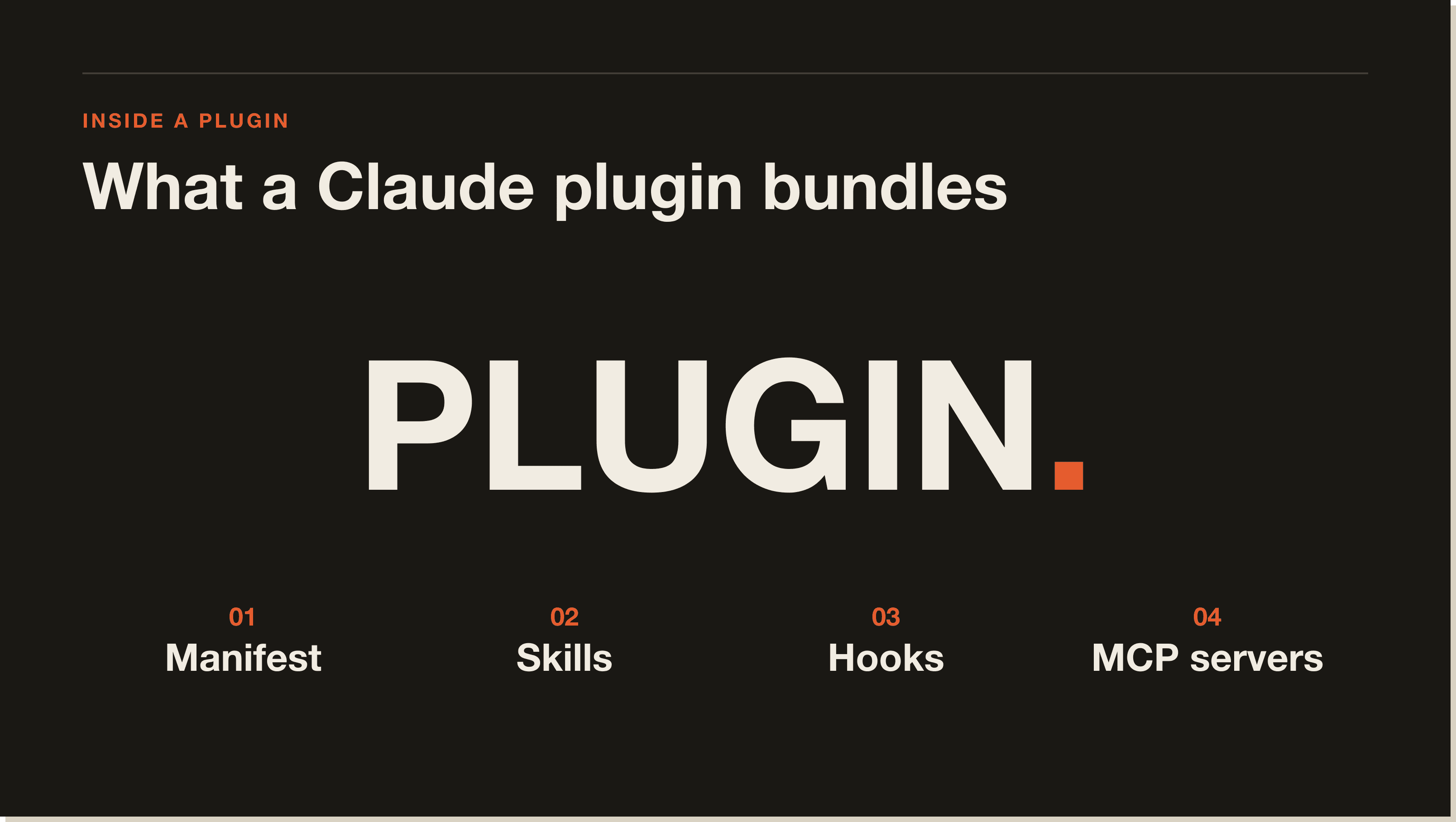
Plugins work through three mechanisms that run in sequence when you install one.
Every plugin must have .claude-plugin/plugin.json at its root. The minimum viable manifest is four fields:
{
  "name": "my-plugin",
  "description": "What this plugin does",
  "version": "1.0.0",
  "author": { "name": "Your Name" }
}
The name field is the namespace. If the name is commit-commands, every skill inside the plugin is reachable as /commit-commands:skill-name. The version field is what drives updates: Claude Code only delivers a new copy to installed users when this field changes.
Each type of functionality lives in its own folder at the plugin root. A plugin can have any combination of these, or all of them:
/plugin-name:skill-nameskills/ for new work)One common mistake: do not put these folders inside .claude-plugin/. Only plugin.json goes in .claude-plugin/. Everything else sits at the plugin root.
A marketplace is a JSON catalog that lists available plugins and their source URLs. When you run /plugin marketplace add anthropics/claude-code, Claude Code downloads that catalog and makes the plugins inside it browsable via /plugin. When you install a specific plugin, Claude fetches the source, copies it to cache, and activates its components.
Anthropic ships one official marketplace, claude-plugins-official, which is automatically available in every Claude Code install. You browse it in the Discover tab of /plugin. There is also a community demo marketplace at anthropics/claude-code you can add manually.
The official claude-plugins-official marketplace ships plugins in four categories. Based on the official docs, here are the standout ones.
These are the plugins most developers will install first. Each one pairs a language server binary you already have installed with a Claude Code plugin that connects it to your sessions. Once active, Claude sees type errors immediately after edits, can jump to definitions, find references, and trace call hierarchies without running a compiler.
Available language pairings: TypeScript (typescript-lsp), Python (pyright-lsp), Go (gopls-lsp), Rust (rust-analyzer-lsp), C/C++ (clangd-lsp), Java (jdtls-lsp), Swift (swift-lsp), Kotlin, Lua, PHP, and C#.
Install with: /plugin install typescript-lsp@claude-plugins-official
These bundle pre-configured MCP servers so you get authenticated access to external services without manual setup. Available integrations include GitHub, GitLab, Atlassian (Jira and Confluence), Figma, Vercel, Supabase, Firebase, Slack, Linear, Asana, Notion, and Sentry.
Before these plugins existed, each integration required you to find the right MCP server package, write a config block in .mcp.json, pass the right environment variables, and verify it worked. The plugin does all of that in one install.
These add skills and agents for day-to-day coding work:
commit-commands: Git workflow skills for staging, committing, and opening PRspr-review-toolkit: Specialized agents for structured pull request reviewagent-sdk-dev: Tools for building with the Claude Agent SDKplugin-dev: A toolkit for building your own plugins (meta, but useful)explanatory-output-style and learning-output-style change how Claude responds: the first adds implementation reasoning to replies, the second turns sessions into an interactive learning mode. Both install as settings.json overrides the plugin activates automatically.
[CTA-BLUEPRINT]
Installing a Claude plugin takes two commands. First, add a marketplace if you haven't. Second, install the plugin.
The official Anthropic marketplace is pre-loaded, so for official plugins you can skip this step. For the community demo marketplace:
/plugin marketplace add anthropics/claude-codeYou can also add marketplaces from any git URL, local directory, or hosted JSON file:
/plugin marketplace add https://gitlab.com/company/plugins.git
/plugin marketplace add ./my-local-marketplace
/plugin marketplace add https://example.com/marketplace.json/plugin install github@claude-plugins-officialSwap github for whichever plugin name you want. Add @marketplace-name to target a specific catalog. The interactive UI at /plugin lets you choose the installation scope:
.claude/settings.json, shared with everyone who clones the repo/reload-pluginsThat is it. Skills appear under their namespace. Agents show in /agents. Hooks start firing. MCP servers start in the background.
Creating a plugin is three steps: directory, manifest, components.
mkdir my-plugin
mkdir my-plugin/.claude-plugin
Create my-plugin/.claude-plugin/plugin.json:
{
  "name": "my-plugin",
  "description": "What this plugin does",
  "version": "1.0.0",
  "author": { "name": "Your Name" }
}Add a skill:
mkdir -p my-plugin/skills/helloCreate my-plugin/skills/hello/SKILL.md:
---
description: Greet the user. Use when the user says hello or asks for a greeting.
---

Greet the user warmly and ask how you can help today.
Add a hook by creating my-plugin/hooks/hooks.json:
{
  "hooks": {
    "PostToolUse": [
      {
        "matcher": "Write|Edit",
        "hooks": [{ "type": "command", "command": "npm run lint:fix" }]
      }
    ]
  }
}claude --plugin-dir ./my-pluginThe --plugin-dir flag loads your plugin for that session only without installing it. Make changes, then run /reload-plugins to pick them up. Test multiple plugins at once by repeating the flag.
When you are ready to share, publish the plugin directory to a GitHub repo. Create a marketplace.json in a .claude-plugin/ folder at the repo root that lists your plugin. Others add your marketplace with:
/plugin marketplace add your-org/your-repoTo submit to the official Anthropic marketplace, use the form at platform.claude.com/plugins/submit.
Claude plugins and MCP servers serve different purposes and operate at different layers. The confusion is common because a plugin can bundle an MCP server inside it.
An MCP server is a process that exposes tools to Claude over a standard protocol. Claude calls MCP tools the same way it calls built-in tools: read a file, search the web, query a database. The MCP server handles the call and returns structured output. MCP is the protocol. The server is the implementation.
A Claude plugin is a packaging format for distributing Claude Code extensions. A plugin can include zero or more MCP servers in its .mcp.json. When you install the plugin, Claude Code starts those servers automatically. Without the plugin, you would configure each MCP server manually in your own .mcp.json and manage the credentials yourself.
The short version: MCP is about tools Claude can call. Plugins are about distributing and activating Claude Code extensions, which may or may not include MCP tools.
For a deeper look at MCP server setup in Claude Code, see the Claude Code MCP guide.
A skill is a single SKILL.md file that teaches Claude how to do one job. A plugin is a package that can contain many skills plus agents, hooks, MCP configs, and other components.
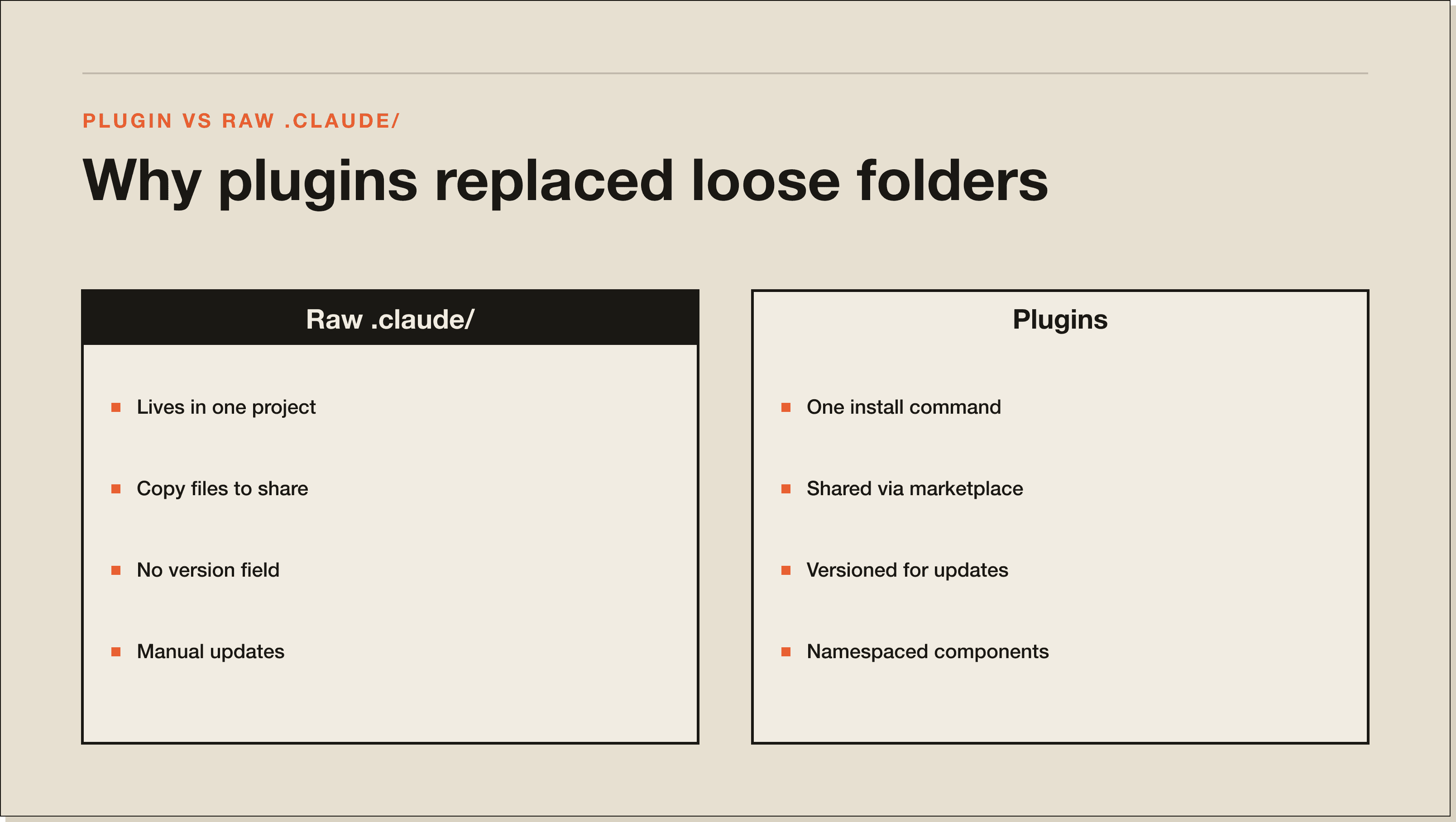
The relationship is container to contents. Skills are a component type that plugins can ship. Standalone skills live in your .claude/skills/ directory and are only available in that project (or globally if in ~/.claude/skills/). Plugin skills travel with the plugin, get namespaced automatically, and update when the plugin updates.
.claude/skills/<name>/. Plugin-bundled skill: plugin-name/skills/<name>/./skill-name. Plugin-bundled skill: /plugin-name:skill-name.If you are building a skill for one project, keep it standalone. If you are building something you want to reuse across projects or share with others, package it as a plugin. The skills article covers the standalone case in detail: Claude Code skills explained.
Plugins are not perfect yet. Three things to know before you invest.
First, the namespacing adds friction. Standalone skills fire with /skill-name. Plugin skills fire with /plugin-name:skill-name. That extra prefix is a small thing until you are typing it fifty times a session. The auto-trigger behavior (where Claude fires a skill because the description matches) still works for plugin skills, which cuts most of the manual invocation. But for skills you run explicitly via slash command, the namespace is a daily reminder that you are inside a plugin.
Second, plugins are copied to a cache, not symlinked. Files your plugin references must live inside the plugin directory. Paths that point outside the plugin directory break on install. This matters if you are converting an existing .claude/ config that relies on project-specific files.
Third, the official marketplace is curated, which means the selection is limited compared to the raw number of skills floating around GitHub. The community catalog is smaller. If you want a specific integration, you may need to build and self-host the plugin for now.
Yes, with a clear condition: they are worth it when you need to share or reuse across projects. For single-project personal workflows, your .claude/ directory is faster and simpler. For anything you want your team to have, or that you want to version and iterate on, plugins are the right format.
The code intelligence plugins alone are worth installing for any serious Claude Code user. Type errors surfacing in real time inside your Claude session eliminates an entire category of debugging loop. The external integration plugins (GitHub, Jira, Figma) remove the manual MCP setup that used to take an hour. The development workflow plugins are genuinely useful if you commit and review code inside Claude Code daily.
If you are a builder who ships tools for other Claude Code users, plugins are now the correct distribution mechanism. The marketplace submission process is straightforward. The versioning system means your users get updates without touching their configs. The namespace prevents conflicts with other plugins.
Start here: add the official marketplace if it isn't loaded, install one code intelligence plugin for your primary language, and install commit-commands if you commit from inside Claude Code. That is a ten-minute setup that changes how you work.
[CTA-BLUEPRINT]
Claude plugins are installable packages that extend Claude Code with skills, agents, hooks, MCP servers, LSP servers, and background monitors. Each plugin is a directory with a .claude-plugin/plugin.json manifest and one or more component folders. Install from a marketplace with /plugin install plugin-name@marketplace-name.
Run /plugin install plugin-name@claude-plugins-official for official plugins. For community plugins, first add the marketplace with /plugin marketplace add owner/repo, then install with /plugin install plugin-name@marketplace-name. Run /reload-plugins after installing to activate.
The Claude plugin marketplace is a catalog of plugins you can install into Claude Code. Anthropic maintains the official marketplace at claude.com/plugins, automatically available in every Claude Code install. You browse it with /plugin in the Discover tab. Anyone can create and host a marketplace from a GitHub repo.
For code intelligence, the LSP plugin matching your primary language (typescript-lsp, pyright-lsp, rust-analyzer-lsp) gives Claude real-time diagnostics and code navigation. For workflow, commit-commands and pr-review-toolkit are the most-used in the developer community according to the official docs.
MCP servers are processes that expose tools Claude can call via a standard protocol. Plugins are a packaging format for distributing Claude Code extensions, which may include MCP servers. A plugin can bundle an MCP server so it starts automatically on install. MCP is the transport layer; plugins are the distribution layer.
Skills are individual SKILL.md files that teach Claude one job. Plugins are packages that can contain multiple skills plus agents, hooks, and MCP configs. Standalone skills in .claude/skills/ use short names like /skill-name. Plugin skills are namespaced as /plugin-name:skill-name. Use standalone skills for single-project work and plugins when you need sharing or cross-project reuse.
Create a directory, add .claude-plugin/plugin.json with name, description, and version fields, then add component folders at the plugin root: skills/, agents/, hooks/, .mcp.json. Test locally with claude --plugin-dir ./my-plugin. Distribute by publishing to GitHub and creating a marketplace.json. Submit to the official marketplace at platform.claude.com/plugins/submit.
.claude/ directory into a plugin?Yes. Create the plugin structure, copy your existing commands/, skills/, and agents/ folders into it, migrate hooks from settings.json into hooks/hooks.json, and test with --plugin-dir. The component formats are identical between standalone and plugin configurations.
Plugins are the distribution layer. The underlying components are where the real power is. The Claude Code skills guide covers SKILL.md anatomy and how auto-triggers work. The commands guide covers slash command patterns. The MCP guide covers connecting external tools. And the complete Claude Code guide covers how everything fits together from installation to production.
If you want a structured path through all of it, the Blueprint walks you from install to your first production skill in 60 minutes.
A Claude plugin is a self-contained directory that bundles skills, agents, hooks, MCP servers, LSP support, and background monitors into a single installable package. Each plugin has a .claude-plugin/plugin.json manifest at its root and component folders alongside it. Install from a marketplace with one command and every component activates after /reload-plugins.
Run /plugin install plugin-name@claude-plugins-official for official Anthropic plugins (the marketplace is pre-loaded). For community plugins, first add the marketplace with /plugin marketplace add owner/repo, then install with /plugin install plugin-name@marketplace-name. Run /reload-plugins after installing. Skills appear under their namespace, hooks start firing, MCP servers boot in the background.
A skill is a single SKILL.md file that teaches Claude one job. A plugin is a package that can contain many skills plus agents, hooks, and MCP configs. Standalone skills in .claude/skills/ fire as /skill-name. Plugin skills are namespaced as /plugin-name:skill-name and travel with the plugin. Use standalone skills for single-project work, plugins when you need sharing or cross-project reuse.
MCP servers are processes that expose tools Claude can call over a standard protocol. Plugins are a packaging format for distributing Claude Code extensions. A plugin can bundle one or more MCP servers in its .mcp.json so they start automatically on install. MCP is the transport layer. Plugins are the distribution layer.
Three steps. Create a directory and add .claude-plugin/plugin.json with name, description, version, and author fields. Add component folders at the plugin root (skills/, agents/, hooks/, .mcp.json). Test locally with claude --plugin-dir ./my-plugin. To share, publish the directory to GitHub and create a marketplace.json. Submit to the official marketplace at platform.claude.com/plugins/submit.
Yes when you need to share or reuse across projects. For single-project personal workflows, your .claude/ directory is faster and simpler. Plugins win for anything you want a team to install, version, and update in one step. The code intelligence plugins (typescript-lsp, pyright-lsp, rust-analyzer-lsp) and external integration plugins (GitHub, Jira, Figma) are worth installing on day one regardless.
Yes. Create the plugin structure, copy your existing commands/, skills/, and agents/ folders into it, migrate hooks from settings.json into hooks/hooks.json, and test with claude --plugin-dir ./my-plugin. The component formats are identical between standalone and plugin configurations. One gotcha: plugins are copied to a cache, not symlinked, so paths that reference files outside the plugin directory will break.
Five interactive lessons. Install Claude Code, build your first automation, and deploy it live on the internet — all in under an hour. Free, no coding required.
Grab the Blueprint →