← Back to Blog
24 Claude Code Skills, Subagents and Hooks Worth Stealing in 2026.
The 24 skills, subagents, and hooks I actually run in my Claude Code setup, with one-line problem statements and the .claude/ files behind each one.
The 24 skills, subagents, and hooks I actually run in my Claude Code setup, with one-line problem statements and the .claude/ files behind each one.
My .claude/ directory has 24 things in it that I'd rebuild from scratch if I lost them tomorrow. Skills, subagents, hooks. Each one earns its keep or gets deleted on the next Sunday cleanup.
I've shipped 11 client projects and run a daily content operation through this stack. Each entry below solves a specific problem in one move. No "nice to haves". No "I might use this someday".
Three different layers of the same engine. Skills are markdown files that teach Claude how to do a specific job (write a newsletter, audit a brand, build a deck). You trigger them by intent. Subagents are separate Claude instances with their own context window and tool list. You delegate a chunk of work to them and get a clean result back.
Hooks are shell commands that fire on lifecycle events. SessionStart, PreToolUse, Stop, and so on. They run deterministically. They're how you make Claude Code behave like a real production system instead of a clever chatbot. If you want the full primer, start with my walkthrough on how to use Claude Code and then come back here.
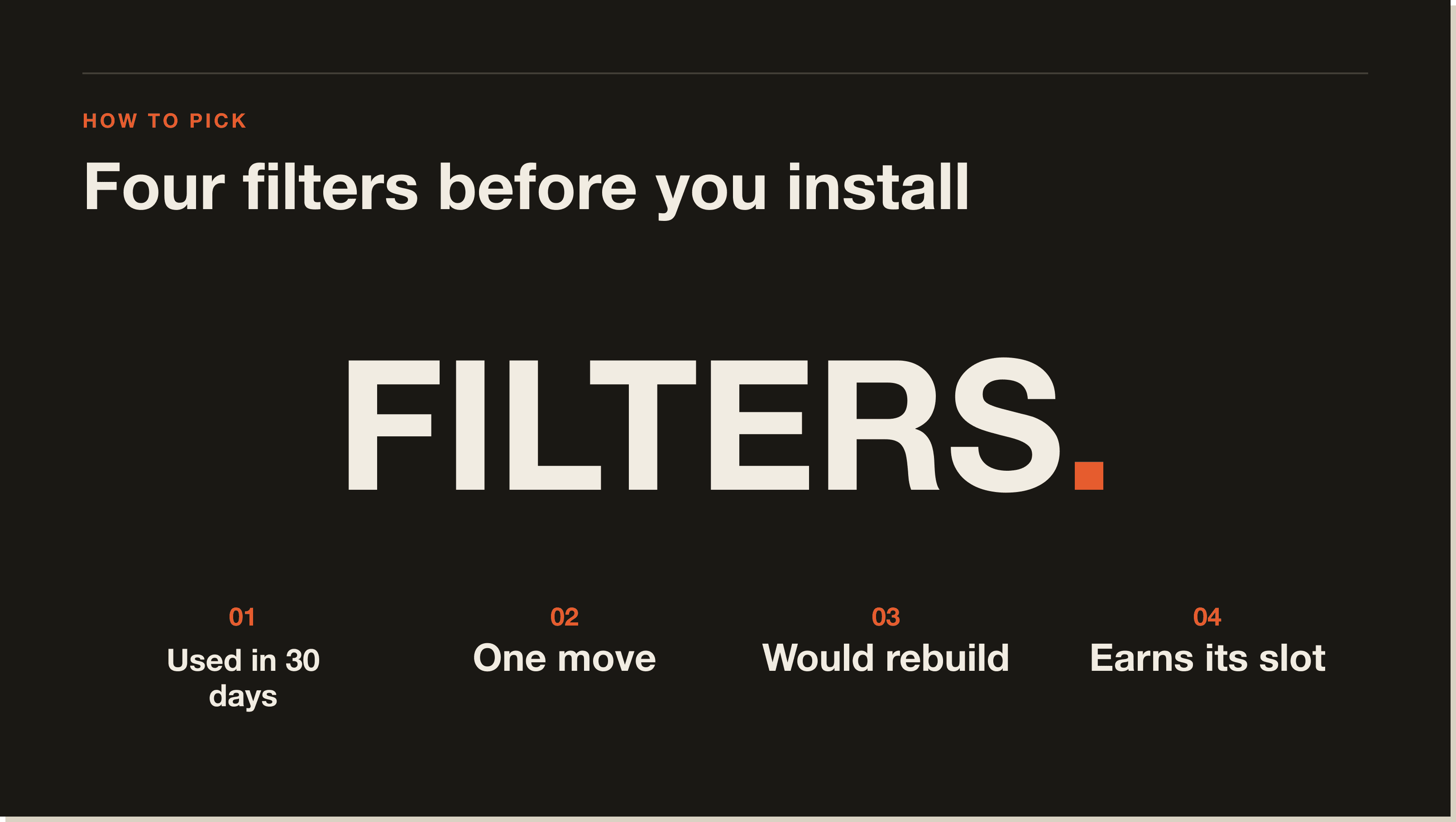
Three rules. I had to have actually used the thing in the last 30 days. It had to solve a real problem in one move, not five. And I had to be willing to rebuild it from scratch if it disappeared overnight.
That cut my install list from around 60 down to these 24. Some are from Anthropic's official skills repo. Some are community pulls. Most are mine, hand-built for the AI Architects operation and tuned every week.
A note on category. The line between a skill and a subagent is fuzzier than the docs suggest. My working rule: if the job needs its own context window (long codebase searches, security audits, stack-trace triage), it's a subagent. If the job is mostly a writing or structural task that reads files in my main context, it's a skill. Hooks are for things I never want Claude to forget or skip.
These are the skills I trigger by name almost daily. Each one has a SKILL.md file in .claude/skills/ with frontmatter, a description, and the instructions Claude follows when invoked.
humanizer.Problem: AI drafts have tells. Em dashes, rule-of-three parallels, words like "comprehensive" and "robust". This skill strips them out in one pass.
I run every piece of copy through it before anything goes live. It's the single highest-leverage skill in my stack because it makes everything else usable. Built on Wikipedia's "Signs of AI writing" guide plus a personal blacklist I've added to every week since January.
voice-analysis.Problem: I want Claude to write like me, not like ChatGPT in a wig.
This skill ingests a folder of my best-performing posts and outputs a voice-profile.md that other skills read at runtime. Sentence rhythm, banned phrases, hook formulas, the lot. Fed straight into humanizer and direct-response-copy so they share a brain.
presentation.Problem: I need a slide deck and I don't want to open Keynote.
I drop in an outline. The skill outputs presentation.html plus presentation.pdf in my locked ink/bone/orange editorial design. About 4 minutes from outline to PDF. I've used it for client workshops, internal training, and one paid talk.
direct-response-copy.Problem: Landing page copy that sounds like a smart friend, not a marketing intern.
Loaded with reference material from Schwartz, Hopkins, Halbert, Caples and Sugarman. Reads the voice profile, takes a brief, returns headlines, body, and CTA variants. The headline-rating pass is built in so I get scored options instead of one weak attempt.
brand-voice.Problem: Starting a new client project from zero with no voice guide.
Two modes. Extract pulls a voice from existing content. Build constructs one strategically when there's nothing to pull from. Outputs a profile that every other content skill can read. This is how I onboard a new brand in under an hour.
content-atomizer.Problem: I wrote a 2,000-word newsletter and I want LinkedIn, X, and Instagram versions without sitting at the desk for three more hours.
Takes the source, returns platform-specific drafts. Hook formulas, character limits, format conventions are all baked in. I still edit the output. But the lift goes from 90 minutes to 15.
newsletter.Problem: The weekly issue has a locked house style and I do not want to redesign it every Sunday.
This one is brutal in scope. Editorial masthead, decisive periods, numbered showcase section, image placeholders with prompts, direct-response CTA. I drop in the week's topics. The skill returns a publication-ready file in AI OPERATOR OS/Email Campaigns/Newsletters/.
reddit-post.Problem: I want to share a build on r/ClaudeAI without sounding like a marketer.
The skill drafts a native, value-first post with karma-warm strategy and a quality-gate checklist. No CTAs in the body. No links in the title. It's saved me from at least three shadowbans I would have walked straight into.
token-optimizer.Problem: Context feels tight and I don't know why.
Audits my Claude Code setup, shows where tokens are going, and recommends specific cuts. I run this once a month. Last audit found I was loading a 14k-token reference doc into every session I didn't need. One delete bought me back half my budget.
recall.Problem: I worked on something three weeks ago and I cannot find the file.
Searches prior session transcripts by topic or date. Native JSONL for temporal queries ("what was I doing last Tuesday"), QMD BM25 for topic queries. Ends every search with a single highest-leverage next action. The closest thing I have to long-term memory across sessions. Pairs naturally with slash commands so I can fire it with two keystrokes.
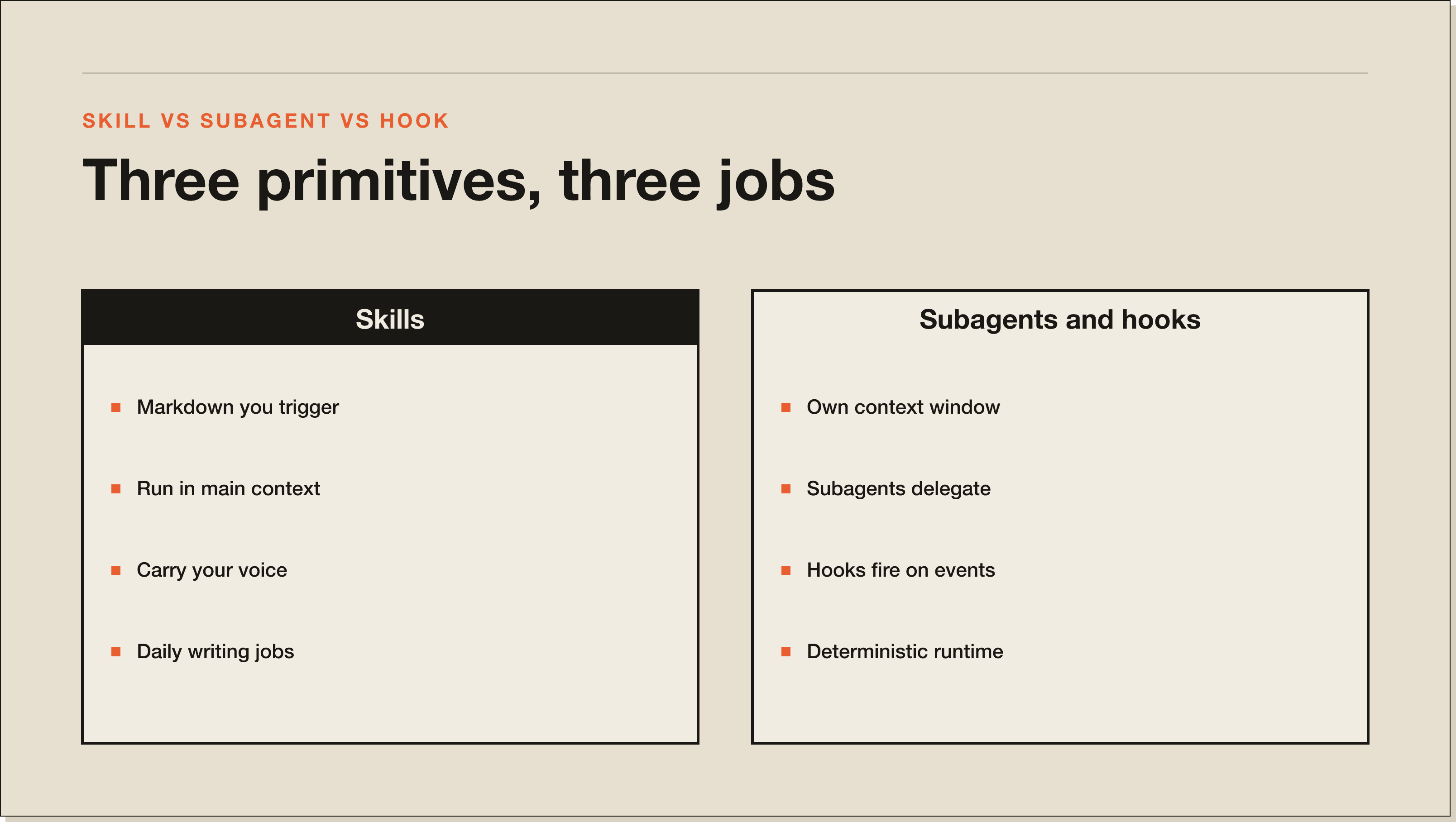
Subagents are different. They run in their own context window with a restricted tool list. You delegate, they return, you keep going. Configured in .claude/agents/ or via the Task tool.
error-debugger.Problem: I have a 200-line stack trace and I do not want it polluting my main context.
I paste the trace into a Task call. The subagent returns a diagnosis, a suggested fix, and a confidence level. Main thread stays clean. Worth its weight in tokens.
process-analyzer.Problem: I'm describing a manual workflow and I want to know which steps an AI agent could own.
Takes a process description, returns a ranked list of automation candidates with effort estimates. Used this last week to spec out a client's CRM hygiene flow. Saved a half-day of discovery.
api-integration-expert.Problem: I'm staring at a 401 from an API and the docs are lying to me.
The subagent walks the auth flow, checks for common mistakes (header case, token expiry, scope), and returns a fix. Specialized for OAuth, API keys, and webhook signatures. Beats Googling the same Stack Overflow thread for the eighth time.
Explore.Problem: I need to find where a function is defined across a 400-file codebase without burning context on grep output.
Read-only codebase search. Returns the relevant paths and a summary. I use it before any non-trivial edit so I'm not guessing at structure.
code-reviewer.Problem: I want a second opinion before I merge to main.
Independent review pass on the diff. Flags logic issues, missing tests, security smells. Returns a verdict with line-level comments. Catches things my own implementation context blinds me to.
security-review.Problem: I'm about to ship payment logic and I want a focused pre-flight.
Scoped audit of pending changes. API keys, injection risks, auth boundary checks. I run this on anything touching Stripe or user data. Cheap insurance.
Plan.Problem: I have a complex feature and I need a step-by-step plan before touching code.
Acts as a software architect. Returns numbered steps, file targets, and verification commands. I use it whenever the work spans more than three files. The plan becomes the to-do list for the implementation session.
general-purpose.Problem: Multi-step research that does not fit any specialist subagent.
The catch-all. "Find every place we reference the old pricing tier across the vault and the codebase". "Compare these three vendors and tell me which has webhook retry semantics". Slower than a specialist, broader than anything else. When I'm not sure which subagent to call, I default to this one and let it scope the work itself.
Hooks are the deterministic layer. They fire on events whether Claude likes it or not. Configured in settings.json under the hooks key. This is where you bolt down the operation.
SessionStart context loader.Problem: Every new session, Claude has zero memory of what I was doing yesterday.
A SessionStart hook runs a bash script that pulls my last three session summaries from Open Brain and the current sprint notes. Loaded as context before I type a single character. Saves the "remind me where we left off" round-trip.
PreToolUse block rm -rf.Problem: Claude is autonomous enough to delete things I did not want deleted.
A PreToolUse hook on the Bash tool that regex-matches destructive patterns (rm -rf, git reset --hard, git push --force to main) and refuses them with a clear error. Slash commands like slash commands can override when I genuinely need to nuke a directory.
PostToolUse auto-format.Problem: I do not want to remember to run prettier after every edit.
A PostToolUse hook on the Edit and Write tools that runs prettier --write (or ruff format) on the changed file. Code stays consistent without me thinking about it. Lints never get checked in dirty.
Stop Slack notification.Problem: Long-running jobs finish and I miss them because I switched windows.
A Stop hook that posts to Slack with the session summary and the elapsed time. I'll kick off a 40-minute video transcription job, walk to make coffee, and get pinged when it's done. Tiny change, huge quality of life.
Notification push.Problem: Permission prompts block the session and I'm in another room.
Notification hook fires a push to my phone via ntfy.sh whenever Claude asks for permission. I can approve from the kitchen. Means I can leave longer agentic runs going without babysitting.
UserPromptSubmit lint.Problem: I write a vague prompt and Claude spends 8 minutes producing the wrong thing.
A UserPromptSubmit hook checks my prompt against a small ruleset (does it specify the output file, does it name the skill if one applies, does it include a target word count). If it fails, the hook prints a warning before Claude even reads the prompt. Forces me to write better briefs.
Bonus hook I'm testing: a Stop hook that auto-captures the session summary to Open Brain so I never lose a decision. Two weeks in. It's earning its place.
If you're staring at an empty .claude/ and you've read the Anthropic skills docs, here's the order I'd add them in.
First, humanizer. Even before you have a voice profile, the AI tells are the most expensive thing in your output. Strip them at the door. Second, voice-analysis so every skill that comes after it shares a brain. Pair these two before anything else.
Third, whatever your highest-leverage output is. For me that was newsletter. For a SaaS founder it might be a changelog skill. Pick the thing you do every week and automate the structure. Fourth, recall so you stop losing work between sessions. Get this far and you've already overtaken 90 percent of Claude Code users I've onboarded through the mentorship.
After that it gets personal. Look at your last 10 prompts and ask which ones you'll send again next month. Those are your next skills. The Claude plugins ecosystem is growing fast, so check there before you build from scratch.
For me it's humanizer, because it touches every piece of output before it ships. Most useful single install across any use case I've tested. If you write anything customer-facing, this is the one to copy first.
The official starting point is github.com/anthropics/skills, Anthropic's curated repo. Beyond that, search GitHub for claude-code-skills and claude-skills as topics. Community repos pop up weekly. I pull from three or four I trust and ignore the rest.
Copy their SKILL.md file into your .claude/skills/<skill-name>/SKILL.md. The skill's frontmatter handles registration. Restart your session, type the trigger phrase, and you're running it. No build step, no plugin loader. That's the whole point of the format.
No. Skills are markdown instructions Claude reads at invocation time. Plugins are bundled packages that can include skills, subagents, hooks, and slash commands together. A plugin can contain ten skills. A skill is a single file.
Yes. Drop the .claude/skills/ folder into your project repo and commit it. Anyone who clones the repo gets the same skill set. For team-wide skills that span projects, ship a small internal repo and have everyone symlink it into ~/.claude/skills/. That's how my mentorship cohort shares the AI Architects skill library.
Skills feel like keyboard shortcuts. You hit them constantly, they do small focused jobs in your main context. Subagents feel like delegations. You hand off a chunk of work and get back a clean answer. Most days I trigger 15-20 skill invocations and 3-4 subagent calls.
The 24 above took me about 14 months of iteration to settle on. You don't need to repeat that work. Inside the AI Architects Blueprint I walk through the exact .claude/ directory, the hook scripts, and the subagent configs I use every day.
Same stack. Same files. Yours to fork.
Humanizer. It touches every piece of output before it ships. Strips em dashes, rule-of-three parallels, and AI-tell words like comprehensive and robust. Built on Wikipedia's Signs of AI writing guide plus a personal blacklist I have added to every week since January. If you write anything customer-facing, this is the one to copy first.
Three layers of the same engine. Skills are markdown files that teach Claude how to do a specific job (newsletter, brand audit, slide deck). Subagents are separate Claude instances with their own context window for delegated work. Hooks are shell commands that fire deterministically on lifecycle events. Skills suggest. Subagents delegate. Hooks enforce.
Copy their SKILL.md file into your .claude/skills/<skill-name>/SKILL.md. The frontmatter handles registration. Restart your session, type the trigger phrase, and you are running it. No build step, no plugin loader. That is the whole point of the format. Always read a skill before installing it because skills can include instructions that mutate files.
The official starting point is github.com/anthropics/skills, Anthropic's curated repo. Beyond that, search GitHub for claude-code-skills and claude-skills as topics. Community repos pop up weekly. Pull from three or four you trust and ignore the rest. Quality varies wildly outside the official repo.
No. Skills are markdown instructions Claude reads at invocation time. Plugins are bundled packages that can include skills, subagents, hooks, and slash commands together. A plugin can contain ten skills. A skill is a single file. Use standalone skills for single-project work and plugins when you need versioning, sharing, or cross-project reuse.
Four picks in this order. First, humanizer to strip AI tells at the door. Second, voice-analysis so every skill that comes after it shares a brain. Third, whatever your highest-leverage output is (for me, newsletter, for a SaaS founder it might be a changelog skill). Fourth, recall so you stop losing work between sessions. Get this far and you have already overtaken 90% of Claude Code users I have onboarded.
Yes. Drop the .claude/skills/ folder into your project repo and commit it. Anyone who clones the repo gets the same skill set. For team-wide skills that span projects, ship a small internal repo and have everyone symlink it into ~/.claude/skills/. That is how my mentorship cohort shares the AI Architects skill library across 20 plus students.
Five interactive lessons. Install Claude Code, build your first automation, and deploy it live on the internet — all in under an hour. Free, no coding required.
Grab the Blueprint →