← Back to Blog
Claude Code Rate Limits and How to Stop Hitting Them (2026).
Claude Code rate limits, how to check your usage, the 5-hour and weekly caps explained, plus 9 ways to cut token usage by 80% without changing what you ship.
Claude Code rate limits, how to check your usage, the 5-hour and weekly caps explained, plus 9 ways to cut token usage by 80% without changing what you ship.
Claude Code rate limits are usage caps that throttle or block your session when you cross either a 5-hour rolling window or a weekly threshold on your plan. The fastest way to stop hitting them is to switch your default model to Sonnet, compact every 20-30 messages, scope subagents through plan mode, and install the token-optimizer skill.

I'm Tom. I run Claude Code 4-8 hours a day across multiple projects and I rarely hit a limit. This post is what I actually do.
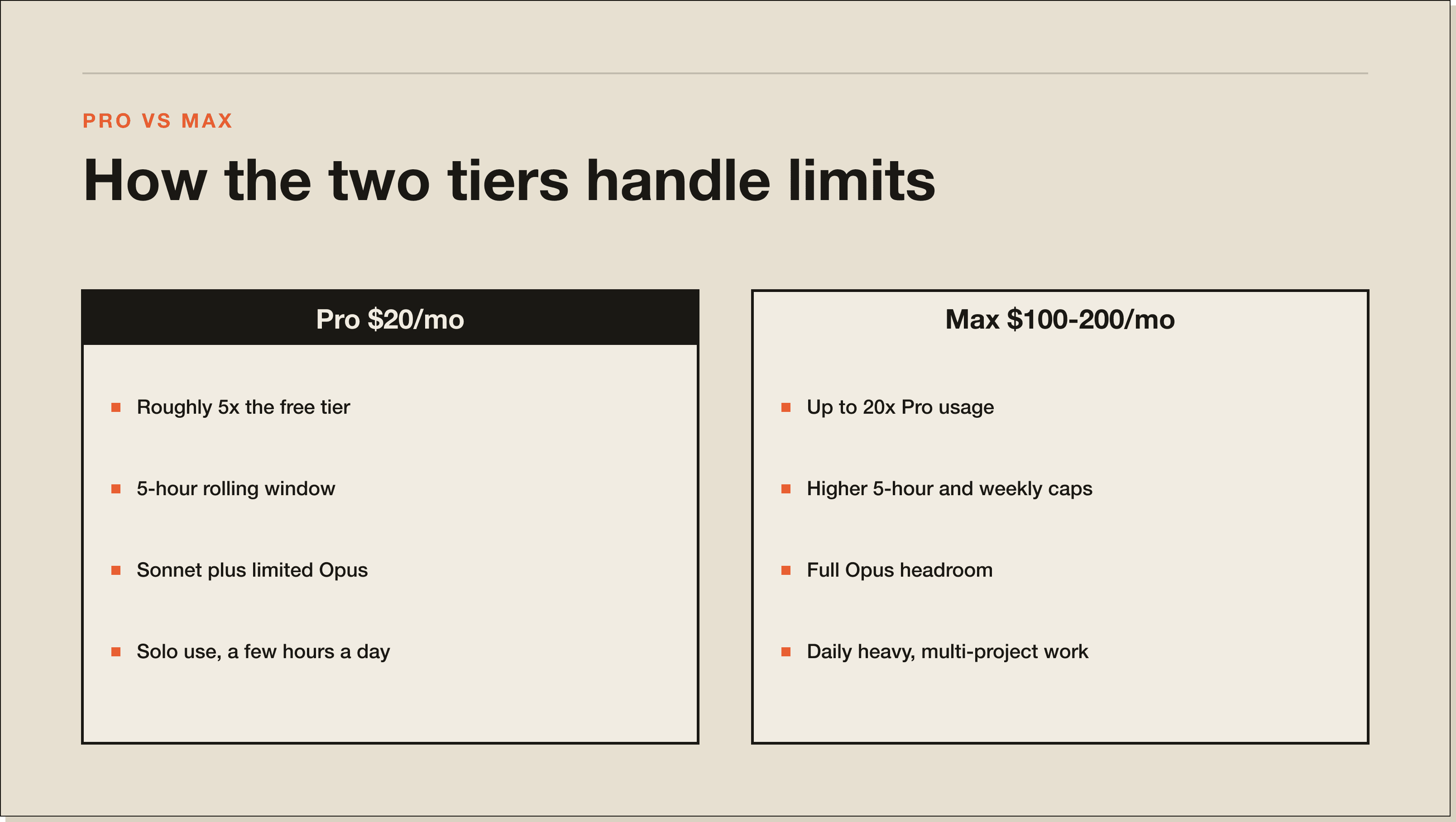
Claude Code rate limits are tied to your Claude plan, not to Claude Code as a separate product. The free tier gives you a small daily allotment of messages. Pro gives you roughly 5x the free tier in a rolling 5-hour window. Max gives you 20x. Every plan also has a weekly ceiling that resets on a fixed day, and Opus burns through that ceiling faster than Sonnet.
You will hit one of three caps in practice. The 5-hour rolling cap throttles you mid-session when you push hard on Opus. The weekly cap stops the bleeding for the rest of the week if you spent all five days on long agentic loops. The output cap on individual responses can clip a long file rewrite without warning.
The full pricing breakdown is on the Claude Code pricing post.
Three checks, in order:
/cost in the CLI. You get the current session's token spend, model mix, and approximate dollar equivalent. Fastest signal when you suspect a session has gone heavy./token-optimizer opens an interactive dashboard with cost per session, model mix, cache hit rate, and subagent spending. More detail than the app, scoped to your local sessions.The Anthropic console at console.anthropic.com is the fourth check, but only if you run Claude Code against your own API key. Open Usage there for per-day token consumption by model. If you are on the standard Pro or Max plan, the console will not show your Claude Code usage, the desktop app will.
For serious users who want their own tracker: pipe /cost output to a log file via a Stop hook and roll a weekly rollup. Five lines of bash. The Claude Code hooks post covers the hook setup.
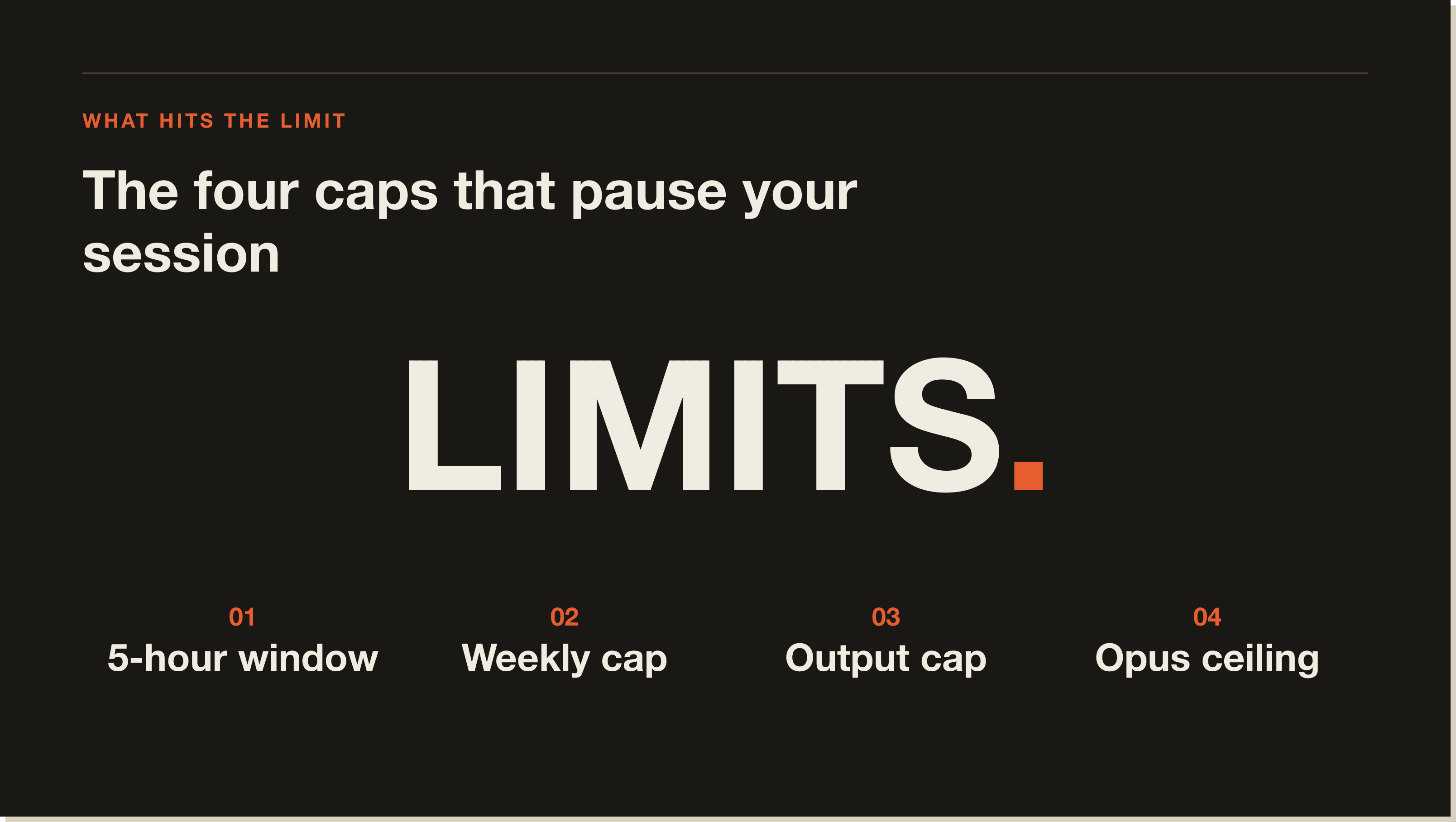
Four causes, in order of frequency:
/model sonnet to keep working.Two of these caps can be raised without changing plans. The other two require either a plan upgrade or an architectural change to how you use the tool. The next sections cover both paths.
First, the honest framing. Most people reading this do not want to leave their Claude Code subscription. You are paying a flat monthly rate and you want to get more out of it, not start paying per token again. So treat the first two levers as the exception. The real win for almost everyone is the efficiency section right after this one.
You have three levers, in escalating cost order:
Lever 1: Upgrade the Claude plan. Pro to Max gets you roughly 4x more usage. Max to Team or Enterprise adds another step up plus admin features. If you bill Claude Code as a business expense and use it 4+ hours a day, the Max plan pays for itself in saved context-switching.
Lever 2: Move heavy workloads to the Claude API. This is the exception, not the answer most people want, so I am putting the caveat first. You would be leaving the flat-rate plan you already pay for and switching to metered per-token billing. It only makes sense for unattended production agent loops that run overnight on their own. For everyday coding on a Pro or Max plan, do not do this. The efficiency moves below get you further on the subscription you already have. If you genuinely need it, you run Claude Code against your own Anthropic API key and the setup is one environment variable.
Lever 3: Route specific workloads to a cheaper backend. Pair Claude Code with free-claude-code or Crush for the parts of your work that do not need Sonnet 4.6 quality. Lint fixes, doc generation, file renames, basic refactors. Route them to a local model or to OpenRouter. Keep Claude Code on the actual thinking.
If none of those work for you, the better answer is to use the plan you have more efficiently. That is the next 80% of this post.
Nine moves, ranked by how much they actually move the needle.
This is the single biggest lever. Sonnet 4.6 handles 80% of real work at roughly a fifth of the cost of Opus 4.7 on Max plans. Set Sonnet as your default model in your CLAUDE.md or via /model sonnet. Reserve Opus for multi-file architecture decisions, hard debugging, and irreversible production work. When the hard part is done, drop back to Sonnet.
I run a one-line rule in my CLAUDE.md that says: "Default to Sonnet. Ask before escalating to Opus." It cut my Opus usage by 70% in the first week.
One caveat worth knowing before you hardcode it. If you pin Sonnet as your default model, you lose auto mode, where Claude Code picks the model for you and automatically steps down to a cheaper one as you approach your limit. Auto mode is genuinely useful and giving it up stings. So the real trade-off is this. Pin Sonnet when you want hard, predictable cost control. Leave it on auto when you want the routing handled for you. I pin Sonnet on long agentic sessions and let auto run the day-to-day.
Claude Code accumulates context as you go. Every file you read, every tool output, every prior message stays in the working set until you compact. After 30-40 messages, you are paying for 50,000-80,000 tokens of conversation that no longer serves the task.
Run /compact aggressively. Twice an hour on a long session. Once after any large file read. The first run is the painful one because you watch your context drop. After that you forget you are doing it.
/compact keeps the gist. /clear wipes the session. If you are switching from "fix the auth bug" to "draft a marketing email," you want a clean slate. The new task does not need 80,000 tokens of debugging context attached to it.
I run /clear 4-6 times a day. Anything more than a 10-minute context switch gets a fresh session.
One habit that makes this safe on important work: write a handoff file before you compact or clear. A short HANDOFF.md covering what you were doing, what is already done, and where the next session should pick up. Then clear without fear, because the next session reads the handoff and loses nothing. I do this before every clear on a live build, and it is the single reason I can clear so aggressively without dropping the thread.
The token-optimizer skill by Alex Greensh is the single best Claude Code optimization tool I have installed. It runs as an external process so it costs zero context tokens of its own.
What it actually does:
.claude/ directory for unused skills, bloated CLAUDE.md files, duplicate system prompts, and stale memory entries. Roughly 75-85% of token waste is structural and this is what removes it./compact fires and restores critical content afterwards so you do not lose what mattered.Install with /plugin marketplace add alexgreensh/token-optimizer, then run /token-optimizer for an interactive audit. It will tell you exactly what to cut.
Every CLAUDE.md byte loads on every session. A 200-line CLAUDE.md across 50 projects a week adds up. My rule: if a CLAUDE.md line is not actively shaping behaviour, it gets cut.
Two specific patterns to delete on sight:
The Claude Code memory post goes deeper on writing a tight CLAUDE.md.
Three parallel subagents each running a 30-step plan can eat an hour of usage in 10 minutes. The fix is to use plan mode first, scope the work, then dispatch.
The pattern I run:
Plan mode is roughly free because it does not edit files. The cost of the dispatched work is whatever the work would have cost anyway, but without the speculation tax.
Haiku 4.5 is roughly 4x cheaper than Sonnet and roughly fast enough for things like file renames, doc cleanups, lint fixes, and migration scripts. Set it as the model for batch subagent runs.
The pattern: main session on Sonnet, dispatched batch work to subagents running Haiku.
Add a line to your CLAUDE.md that says: "Keep responses under 2,000 tokens unless I ask for the full version." Claude obeys it. You stop getting 4,000-token essay answers to two-line questions.
A few other optimization tools worth checking, ranked by what I have either used or seen working in production:
Pick one, not all. The token-optimizer skill plus the native moves above will cover 80% of the gap for most users.
The 80/20 of this post, in order:
/plugin marketplace add alexgreensh/token-optimizer, then run /token-optimizer. Removes the structural waste that nobody catches manually./compact twice an hour during long sessions. /clear between unrelated tasks. Free habit, biggest single behavioural change.Everything else in this post is incremental on top of those three.
You get a polite message saying you have hit your weekly cap and can either upgrade your plan or wait for the reset. The 5-hour cap keeps working independently, so you can still run short sessions, you just cannot run long ones.
Two things to know:
If you are hitting the weekly cap regularly on Max, the optimization moves above will pull you back into the cap on most weeks. If they do not, you are doing genuine production work and the Enterprise tier or API billing is the right answer.
The Claude Code 5-hour limit is a rolling usage cap that resets exactly 5 hours after your first message in the current window. It is your plan's standard rate limit and the most common cap you hit during a normal workday. The cap is shared across Claude.ai and Claude Code, so heavy use in either counts towards it.
The Claude Code weekly limit is a 7-day usage ceiling that resets on the day of the week tied to your billing cycle. Hitting it stops your sessions for the rest of the week unless you upgrade or move to API billing. Opus burns through the weekly limit roughly 5x faster than Sonnet on Max plans.
Run /cost inside Claude Code for the current session, or sign into console.anthropic.com and open Usage for the canonical daily and weekly breakdown. For deeper insight, install the token-optimizer skill and run /token-optimizer for a dashboard with cost per session, model mix, and cache hit rate.
You have three paths. Upgrade the Claude plan (Pro to Max gives roughly 4x more usage). Move heavy workloads to the Claude API and pay per token, which bypasses the plan cap. Or route specific workloads to a cheaper backend through Crush or free-claude-code. The third option is the cheapest if you are willing to set it up.
Slow Claude Code is usually one of three things. The session is bloated with old context (fix with /compact or /clear). The current model is overloaded by Anthropic (check the Is Claude Down page). Or your CLAUDE.md is loading too much on every message (tighten it).
Yes, on Team and Enterprise plans. Each seat gets its own rate limit, with admin visibility into team-wide consumption. On Pro and Max, usage is per-account and not shareable.
The cheapest setup is Claude Code on Pro with Sonnet as the default, token-optimizer installed, and overflow routed to OpenRouter or a local model through Crush. That gets most operators below $25 a month for daily heavy use.
The five moves that matter most are in this post. The Blueprint walks you through the full setup, including the CLAUDE.md template I use, the token-optimizer install, and the model routing pattern. Free, 60 minutes, no coding required.
Five interactive lessons. Install Claude Code, build your first automation, and deploy it live on the internet — all in under an hour. Free, no coding required.
Grab the Blueprint →