The Ralph Wiggum Loop and /goal in Claude Code (2026).
The Ralph Wiggum loop is the AI coding pattern where the agent keeps building until a verifiable condition is met. Claude Code's /goal command is the official version. Here's how to use it.
The Ralph Wiggum loop is the AI coding pattern where an agent works on a task in a loop, checking after each turn whether a verifiable completion condition is met, and only stopping when it is. Claude Code's /goal command and Codex's goal subcommand are the official implementations. Same pattern, two names, two CLIs.
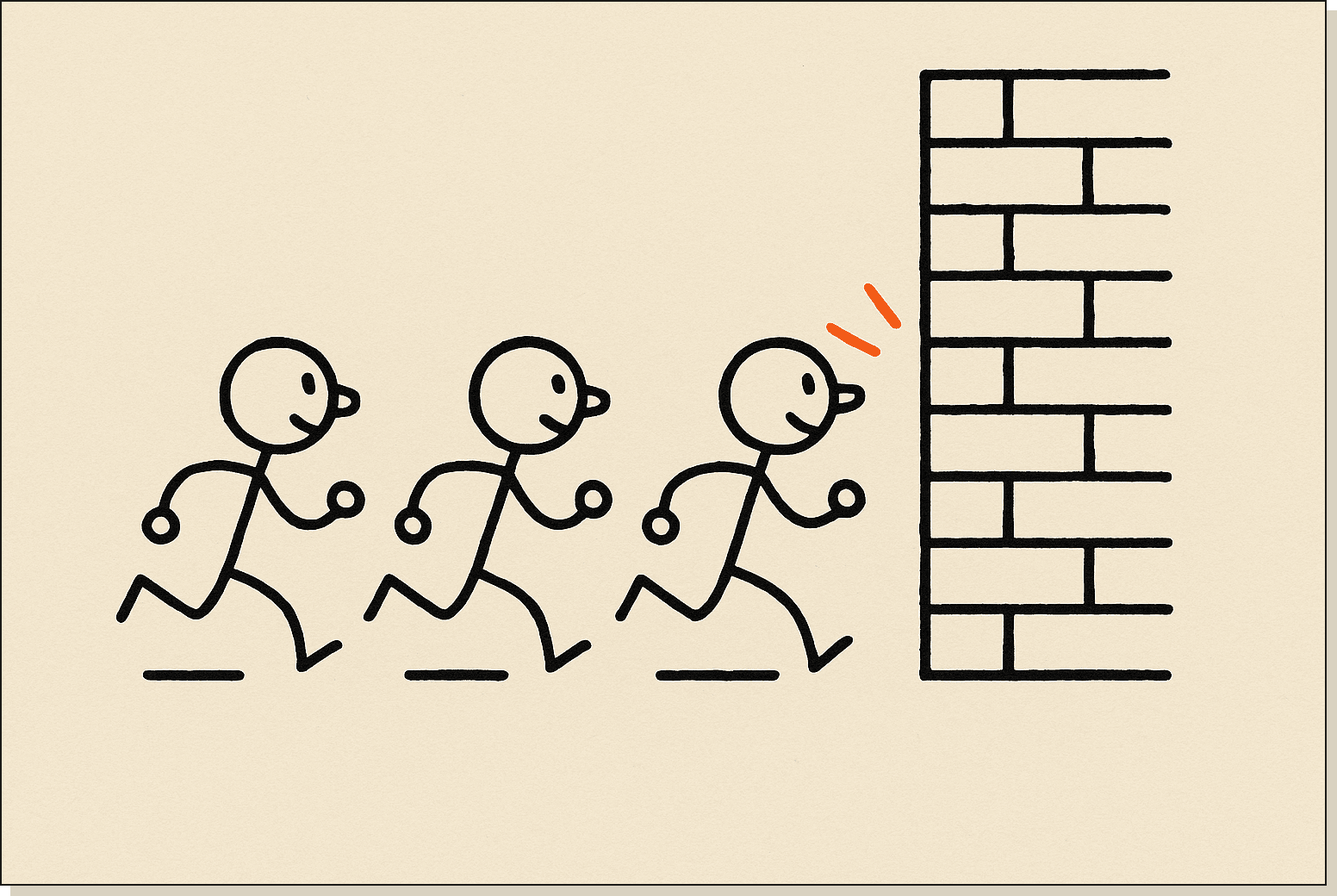
The Ralph loop in one frame: try, fail, try, fail, try, succeed. The agent does the trying.
I'm Tom. Claude Code runs my entire business and it is the thing I teach, every day, with more conviction than anything else I do. I've been using /goal to ship internal tools while I sleep, and this post is the playbook. Small disambiguation up front: yes, the pattern is named after the Simpsons character.
What is the Ralph Wiggum loop?.
The Ralph Wiggum loop is a development pattern where you set a measurable end condition, hand it to an AI coding agent, and let the agent loop on the task. After each turn, the agent checks whether the condition has been met. If yes, it stops. If no, it keeps going.
The name is a community joke. Ralph Wiggum is the Simpsons character whose contributions to a scene are usually a single repeated line. The pattern carries the same energy: one condition, one job, infinite turns until done.
The dev community started using "ralph loop" and "ralph wiggum loop" interchangeably in late 2025. Search volume for both terms went from roughly 10 a month in November 2025 to over 12,000 a month by March 2026. That is what happens when a community names a pattern and the pattern actually works.
What is /goal in Claude Code?.
/goal is the Claude Code command that runs the Ralph Wiggum loop natively. You type /goal followed by a completion condition, up to 4,000 characters. Claude Code sets the condition, starts working, and a small fast model checks after every turn whether the condition holds. If it does not, Claude takes another turn. If it does, the goal clears automatically and control returns to you.
The same feature exists in Codex CLI as the goal subcommand. The behaviour is functionally identical. Anthropic shipped /goal in Claude Code shortly after OpenAI shipped it in Codex. Both reference the same underlying pattern.
The Claude Code docs at code.claude.com/docs/en/goal cover the official command spec. Codex's version is at the OpenAI Codex docs.
How does the Ralph Wiggum loop work?.
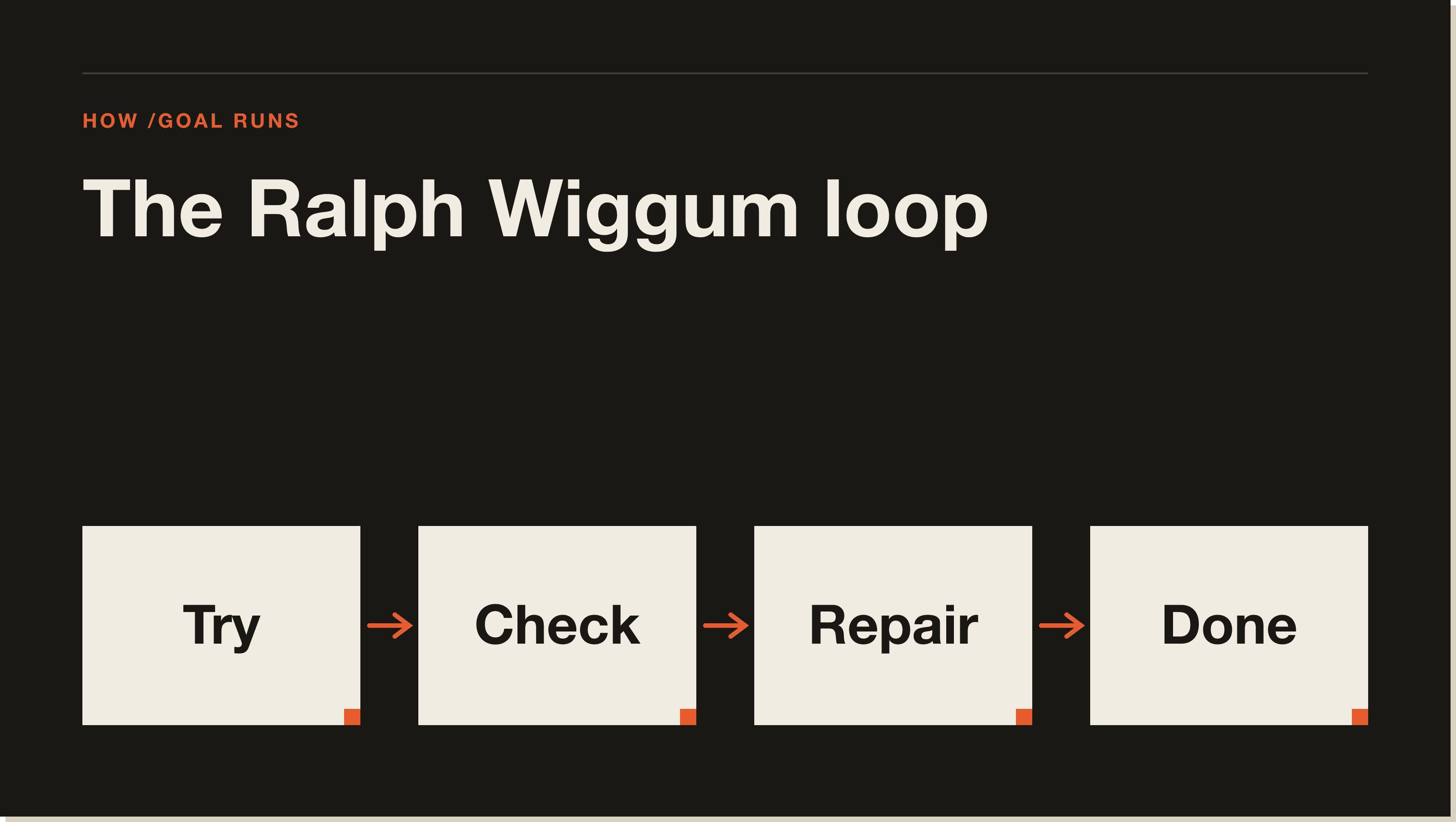
The mechanism has four parts:
You set a completion condition. A sentence or paragraph that describes the verifiable end state. Up to 4,000 characters.
Claude Code starts working. Reads files, makes edits, runs tools, calls subagents.
A fast checker model runs after every turn. It evaluates whether the condition is satisfied. The checker is a small model so the cost overhead is tiny.
The loop continues until the checker says done. No prompting between turns. No babysitting. If the condition is never met, the loop runs until you stop it or hit a usage limit.
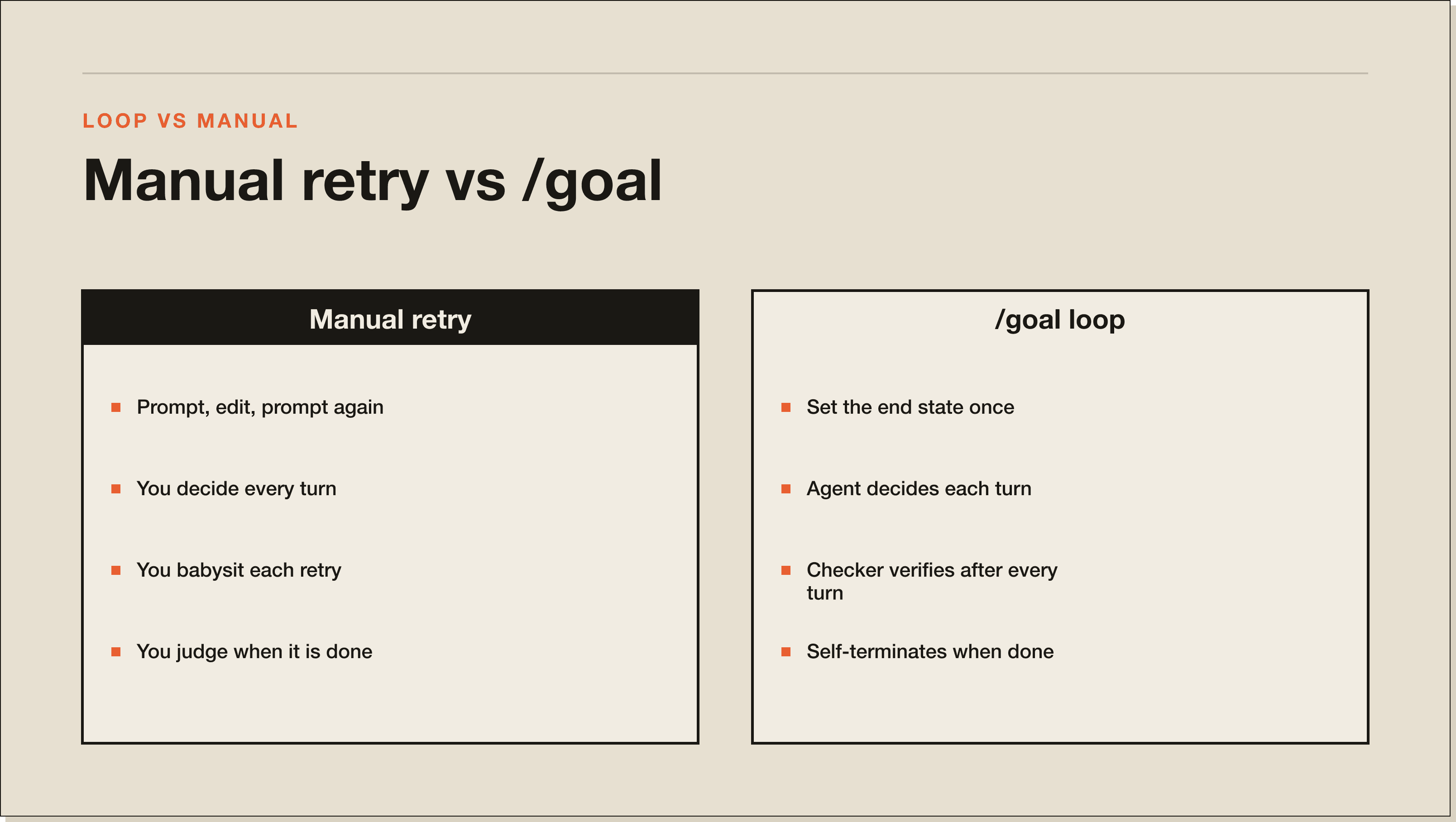
The whole point is that the agent decides what each turn does. You only set the destination. This is a significant shift from the old prompt-and-edit-and-prompt-again rhythm.
Four moves per cycle. The checker model is the difference between a runaway loop and a self-terminating one.
If you have used the plan mode workflow before, /goal is the next step up. Plan mode produces a plan you execute manually. /goal produces a plan and executes it for you.
What is the difference between ralph loop, ralph wiggum loop, and /goal?.
Three names for variations of the same idea, with one important distinction:
✓Ralph loop is the older community term, used since early 2025. It originally referred to a hand-rolled bash script or hook that re-invoked Claude Code repeatedly until a target file showed a "DONE" marker.
✓Ralph Wiggum loop is the same pattern with the Simpsons reference attached. Dev Twitter started swapping the names around late 2025. They mean the same thing.
✓`/goal` is the official Anthropic implementation of the pattern, built into Claude Code as a first-class command. Same behaviour, no shell script required.
If you read someone tweeting about a ralph loop or a ralph wiggum loop in 2026, they almost certainly mean /goal.
What changes when you move from babysitting retries to letting the agent loop itself.
How to write a strong /goal condition.
Four ingredients separate a goal that works from a goal that runs forever:
1. A measurable end state.
The condition has to be verifiable by the checker model. "Build a good app" is not measurable. "All 62 tasks in product-roadmap.md are checked off and the test suite passes" is.
I run my goals with a checklist file in the repo. The condition is always some version of: "every item in CHECKLIST.md is marked complete and the tests pass." The agent and the checker can both look at the file.
2. Scope.
Tell /goal what is in and what is out. If you say "build the auth flow", the agent might also rewrite three unrelated files. Add scope: "edit only files under src/auth and src/middleware. Do not touch the marketing pages."
3. Constraints.
Anything that must not change on the way to done. "Do not modify package.json. Do not change the database schema. Do not edit existing tests." Constraints are how you stop the agent from getting clever.
4. Validation method.
How the agent should verify each step. Tests? A specific bash command? A file existence check? Be specific. "Run npm test after each task and only mark complete when it passes" beats "verify the work."
I keep a small template for this. Slug it as four lines at the top of every goal: end state, scope, constraints, validation. Saves time and stops me from writing vague goals.
The setup that makes /goal actually work.
/goal is only as strong as the context you feed it. The setup I run for any non-trivial build:
A `CLAUDE.md` at the project root. Project context, conventions, the four Karpathy rules for code agents. The Claude Code memory post covers what goes in here.
A `docs/PRD.md` file. Product spec. What we are building, who it is for, the user flows. 1-2 pages.
A `docs/product-roadmap.md` file. A flat list of tasks broken down into phases, with checkboxes. Phases like "Phase 1: scaffolding", "Phase 2: data model", "Phase 3: auth". 40-80 tasks total for a full app.
A `docs/design.md` file. Design tokens, colour palette, font, component patterns. Use this so the agent does not pick generic AI-slop styling.
With those four files in place, the goal becomes a one-liner: "Build the app described in docs/PRD.md by completing every task in docs/product-roadmap.md, using docs/design.md for visual direction. Stop when all checkboxes are marked and the test suite passes."
That goal sends Claude Code into a 30-90 minute build with no further input from you.
How /goal pairs with auto mode.
/goal on its own still asks for permission on tool calls. If you want a fully hands-off build, pair it with auto mode (claude --auto or the /auto toggle in-session).
Auto mode grants extended permissions so the agent does not stop to ask before running bash commands, editing files, or calling MCP tools. In a /goal loop, that means the agent runs end-to-end without intervention.
This is genuinely powerful. It is also a foot-gun. Pair it with the --dangerously-skip-permissions defaults only inside a sandboxed environment. A throwaway Docker container. A fresh repo. Not your production directory.
I run /goal plus auto mode plus a fresh git branch. Anything the agent breaks, I throw away the branch and start over.
What I built with /goal.
The first thing I shipped with /goal was an experimental project in the local hosting space. Something I'd been wanting to prototype for a while but kept putting off because the setup cost felt too high to justify before I knew the idea was viable. /goal was the test of whether I could get from concept to a working prototype in one sitting.
Setup took about 40 minutes:
✓PRD: one page covering what the tool needs to do and the local-first constraint.
✓Product roadmap: roughly 30 tasks across three phases. Scaffolding, the core feature, then local persistence.
✓design.md: brief notes on the layout. Nothing fancy.
✓CLAUDE.md: project context, plus a note that nothing leaves localhost.
I dropped the goal in and let it run. Claude Code finished the build in about 30 minutes. All tasks complete, the prototype booting locally, the core feature working end to end.
I stepped away to do something else while it ran. The build was further along when I got back than I expected. The watch-it-build experience is genuinely strange the first time.
Common /goal mistakes.
Three patterns kill goals more than anything else:
Vague end conditions. "Build the feature" is not a goal. "All tests pass and the new endpoint returns 200 on a sample request" is. If the checker model cannot tell whether you are done, the loop runs until your weekly cap kicks in.
No scope. The agent will touch files you did not expect. Always specify which directory the work lives in.
No constraints. Without explicit "do not change X" rules, the agent will sometimes rewrite shared utilities, change a database migration that already shipped, or refactor a config file out from under you. Constraints stop this.
A fourth one worth flagging separately: running /goal without a roadmap. A goal of "build the app" with no task list is asking the agent to invent its own plan and then verify its own work. The results vary. With a roadmap, the checker has something concrete to verify against. Without one, the checker is guessing.
/goal vs plan mode vs subagents.
✓`/plan` — generates a plan, you execute it manually. Use for one-shot tasks where you want control.
✓`/goal` — generates a plan AND executes it in a loop. Use for multi-task builds with a clear end state.
✓Subagents — splits work across parallel sessions. Use for independent tasks that can run concurrently.
✓`/goal` + subagents — the agent dispatches subagents during the loop. Use for large multi-phase builds.
✓`/goal` + auto mode — full autonomy, no permission prompts. Use only inside a sandboxed environment.
/goal is the right tool when you have a measurable end state and want the agent to keep working without you. Plan mode is the right tool when you want to see the plan first. Subagents are the right tool when work can be parallelised. They compose. The subagents vs skills post covers when subagents are the right call.
Where /goal falls short.
Two things /goal does not solve:
✓Open-ended creative tasks. "Write something interesting about Claude Code" has no measurable end state. The checker has nothing to verify. The loop will either run forever or exit on the first turn. Use plan mode for creative work.
✓Tasks that touch external systems with no fallback. If your goal requires hitting a live Stripe webhook or a third-party API that might be down, the agent will mark steps complete that have not actually verified end to end. Bake fallback assertions into your validation method.
For everything else, the pattern is the cleanest single feature shipped to Claude Code in 2026.
Ralph Wiggum loop FAQ.
What is the Ralph Wiggum loop?
The Ralph Wiggum loop is a development pattern where an AI coding agent loops on a task until a verifiable completion condition is met. The pattern is named after the Simpsons character. Claude Code's /goal command and Codex's goal subcommand are the official implementations.
Is the Ralph Wiggum loop the same as the ralph loop?
Yes. They are two names for the same pattern. "Ralph loop" was the original term, used for hand-rolled implementations in early 2025. "Ralph Wiggum loop" is the same pattern with the Simpsons reference attached. The community uses them interchangeably in 2026.
How do I use /goal in Claude Code?
Type /goal followed by a completion condition up to 4,000 characters. Claude Code will work in a loop, checking after each turn whether the condition is met. The goal clears automatically when done. Pair with auto mode for fully hands-off runs.
How long can /goal run for?
In practice, 15 minutes to several hours. The longest published /goal build I have seen took roughly 90 minutes to ship a full 62-task app. The hard ceiling is your weekly usage cap. Long /goal runs burn through usage fast, so check the Claude Code rate limits post before running overnight.
Can I use /goal without auto mode?
Yes. Without auto mode, Claude Code will stop and ask for permission on tool calls that need approval. The loop continues after you approve. This is the safer default for production-adjacent work.
Is /goal available in Codex?
Yes. Codex shipped the goal subcommand first. Claude Code's /goal is functionally identical. Same pattern, different CLI. The behaviour and best practices are the same.
Does /goal work with subagents?
Yes. A /goal run can dispatch subagents during the loop, then continue once they return. This is useful for the parallel-task phases of a longer build.
What is the difference between /goal and a Ralph loop bash script?
/goal is a built-in command with a managed checker model and a clean exit condition. A Ralph loop bash script is a hand-rolled wrapper that re-invokes Claude Code in a shell loop with a custom check. Same idea, but /goal is more reliable, more efficient, and does not require maintaining the script.
Ready to try /goal?.
The fastest way to feel the difference is to set up a PRD plus roadmap plus design.md on a small project, drop in a /goal condition, and watch it run. The Blueprint walks through the full Claude Code workflow including the spec-driven pattern that makes /goal actually work. Free, 60 minutes, no coding required.
Frequently Asked Questions.
What is the Ralph Wiggum loop in Claude Code?
The Ralph Wiggum loop is a coding pattern where you give an AI agent a verifiable completion condition and let it work in a loop until that condition is met. Claude Code's /goal command is the official implementation. You set the destination, the agent decides every turn, and a small checker model runs after each turn to ask one question: are we done yet?
How do I use /goal in Claude Code?
Type /goal followed by a completion condition up to 4,000 characters. Claude Code starts working, a fast checker model evaluates after every turn whether the condition holds, and the goal clears automatically when it does. Pair it with auto mode for fully hands-off runs and a fresh git branch so you can throw away anything that goes sideways.
What makes a strong /goal condition?
Four ingredients: a measurable end state, a defined scope, explicit constraints, and a validation method. "Build a good app" runs forever because the checker has nothing to verify. "Every item in CHECKLIST.md is marked complete and the test suite passes" is something the checker can actually evaluate. Keep the four lines at the top of every goal.
How long can a /goal run last?
In practice, 15 minutes to several hours. The longest published build I have seen took roughly 90 minutes to ship a 62-task app. The hard ceiling is your weekly usage cap, so /goal burns through usage fast on long runs. Check the rate limits before pointing it at an overnight build.
Is /goal the same as the ralph loop bash script?
Same pattern, different implementation. The original ralph loop was a hand-rolled bash wrapper that re-invoked Claude Code in a shell loop with a custom check. /goal is the built-in command with a managed checker model and a clean exit condition. Same idea, more reliable, no script to maintain.
Where does /goal fall short?
Two places. Open-ended creative tasks ("write something interesting about Claude Code") have no measurable end state, so the loop either runs forever or exits on turn one. Tasks that touch external systems with no fallback can mark steps complete that have not actually verified end to end. Bake fallback assertions into your validation method for anything that hits a live API.
What setup do I need before running /goal on a real build?
Four files at minimum: CLAUDE.md for project context, docs/PRD.md for the spec, docs/product-roadmap.md as a checkbox list of tasks broken into phases, and docs/design.md so the agent does not pick generic AI-slop styling. With those in place, the goal becomes a one-liner pointing at the roadmap, and the agent runs for 30 to 90 minutes with no further input.
Five interactive lessons. Install Claude Code, build your first automation, and deploy it live on the internet — all in under an hour. Free, no coding required.