← Back to Blog
How to Learn AI in 2026: My Unfiltered Advice.
Stop consuming tutorials and start building. Here's my honest advice on how to learn AI in 2026, based on 10 years of building automation systems.
Stop consuming tutorials and start building. Here's my honest advice on how to learn AI in 2026, based on 10 years of building automation systems.
Stop consuming and start building. That is the single most important thing I can tell you about how to learn AI in 2026, and most people are getting it exactly backwards. Over the last 10 years I've built automation systems that have generated millions of dollars in revenue for clients. I've also learned guitar, music production, skydiving, content creation, and now AI automations from scratch. Every single one started with months of being terrible at it, and every single one followed the same pattern.
This is not a tutorial. It's the advice I wish someone had given me upfront, delivered without the sugar-coating.
Pick one tool, open it, and start building something today. Not after the next tutorial. Not once you feel ready. Today. If you can use Claude Code to build even a basic automation around a problem you actually have, you will learn more in that one session than in five hours of watching someone else do it. The experience you get from breaking things and fixing them is irreplaceable, and AI gives you an on-demand co-pilot for every moment you get stuck.
If you're coming from a tech background with API and workflow experience, the leap to building AI automations is a short one. If you're starting from casual ChatGPT use, the curve is steeper but the principle is the same: you need reps, not more content. The people making real progress today are the ones who were willing to start long before they felt ready.
The biggest problem I see in this space is not lack of talent and not lack of motivation. It's a total lack of follow-through. You probably know the pattern. You see something online, you get excited, you buy the course or watch the tutorial, you feel that dopamine hit from starting, and then things get hard. The learning curve shows up, you're not immediately good at it, and that uncomfortable gap between where you are and where you want to be starts to feel like a sign that it's not working.
It's not a sign. It's just what learning feels like.
The people who actually get good at these tools are the ones who can stay in that uncomfortable zone the longest. They are not more talented. They have just accepted that sucking at something is the price of admission, and they keep showing up anyway.
Most people don't fail because they lack ability. They fail because they quit during the period where they haven't yet earned the feedback that would keep them going. You spend two weeks struggling with Claude Code or n8n, you don't see any clients or results, and you decide this probably isn't for you. Then you reset to zero and start over with the next thing.
The trap is that every time you quit and restart, you're a beginner again. The compounding you built up vanishes. You end up in a cycle of shiny objects where you know a little bit about a lot of things and aren't useful with any of them.
My recommendation: before you start, ask yourself honestly how long you're willing to see no results before you reach your goal. Then multiply whatever number came to mind by three. That's the real timeline.
This is something I learned the hard way with this YouTube channel and with posting on X. I posted my first video and then spent six months posting into the void before I had a video hit 10,000 views. Same on X. Six months of near silence before I figured out how to write posts that actually spread. I now have millions of views and over 27,000 followers on X, but none of that was visible during those early months of grinding.
Every new skill and every market follows this exact delay pattern. You put effort in, and the feedback comes back weeks or months later. Most people are giving up right before the curve turns. And the brutal reality is: if you don't keep going, you never see the fruits of your labor.
Take whatever timeline you think learning AI is going to take, and triple it. Think realistically about how much time you're prepared to invest before you see $10,000 a month, or before your automation is running reliably in production, or before your boss stops thinking of you as just an employee and starts thinking of you as the AI person. That extended timeline is not a problem. It's just how learning works.
Consistency is absolute king. You do not need to cram five hours into a Saturday session to make progress. What you need is to touch the work every single day, even for 15 minutes.
The reason this matters is familiarity. If you leave something six days before you come back to it, so much has happened in your brain in the intervening time that you can barely remember where you left off. Your previous session's context is gone. You spend the first half of your next session just re-orienting. Whereas if you open the same project every single day, even briefly, the context stays fresh and you can push things forward immediately.
Here is the practical version of this principle:
Small daily actions that compound over weeks and months will give you better results in the long run than sporadic intense sessions. You might not notice the progress day to day, but look back after one month and the improvement will be obvious. One of my students, Cal, spent four months consistently building inside the mentorship. In the early days he wasn't chasing fast results. He accepted that roadblocks were part of the process, he kept showing up, and he came out the other side as a genuinely competent builder. He automated the core process in his job, presented it to management, and they were so impressed they put him on a larger project worth potentially tens of millions of dollars of annual impact. You can read more about how Cal did it in the case study here.
Right now there are more AI tools than any one person can keep track of. Claude Code, Lovable, Codex, Cursor, n8n, a dozen different image models, video generators, the list adds a new entry every week. If you're deep in the AI space the way I am, it can feel like your job is to test all of them. It is not.
The trap is trying to keep up with everything. You end up knowing a little bit about 18 different tools and being genuinely useful with none of them.
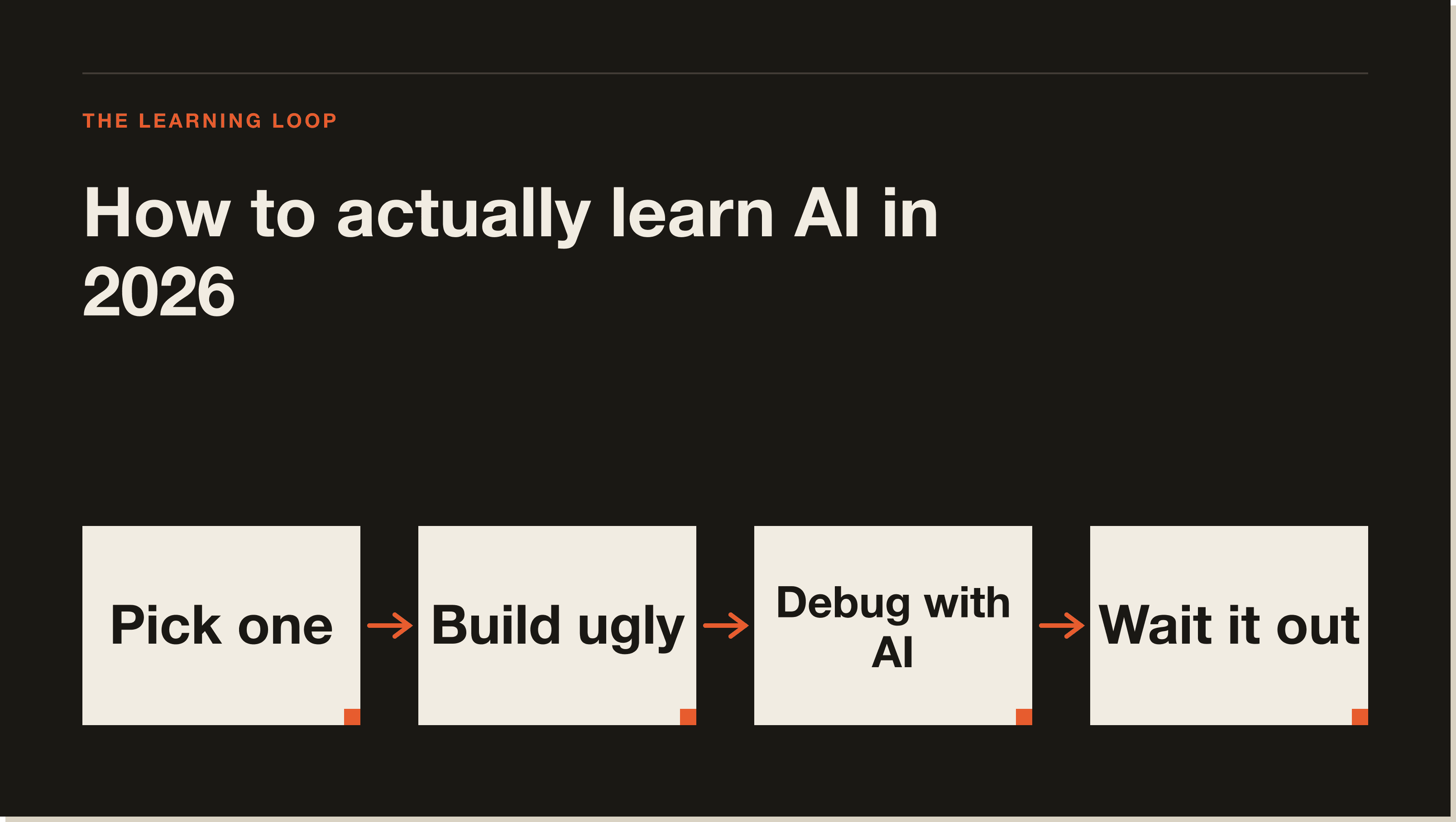
In my eight to nine years working in the automation space I've watched the specific tools change five, six, seven times. What has not changed is the methodology: identify a problem, choose one tool, build a solution, test it, debug it, put it in production. That process transfers across every generation of tooling. The specific syntax changes. The thinking does not.
So here is the instruction: find one problem or create a fictitious scenario, pick one tool with one LLM, and build the simplest possible solution. Do not start with the perfect use case. Do not wait until you have the ideal client or the best workflow idea. If you're just starting out and don't have a real problem to solve yet, make one up. In my Claude Code 30-day challenge, I give students a fictitious company scenario with real processes to automate, because waiting for the perfect real-world use case is just another way of not starting.
This is also the key advice for anyone feeling overwhelmed by the pace of AI news: you do not need to be on top of every new tool or feature release. You just need to be doing the work and moving forward. See Claude Code use cases and Claude Code tips for ideas on where to start.
The creator of one of the fastest-growing open-source AI projects publicly said he ships code he doesn't even read. He builds it, ships it, and moves on. That is a signal worth paying attention to.
Your first automation is going to be messy. It will probably break. That is completely fine. An ugly working tool you can actually use is always better than a perfect idea sitting in your head. Nobody cares how many nodes are in your n8n workflow or how many hours you spent debugging it. People care about what it does, what problem it solves, and what the results are.
Speed of execution matters more than perfection in a fast-moving space. You learn more from a broken live automation than from a perfect theoretical one. Stop trying to be a perfectionist before you even get started. Build something that works, ship it, and fix it in the next iteration.
Perfectionism is just procrastination with better branding. If you try to get things perfect every single time, you will fall behind. Once you're comfortable with the basics of Claude Code, check out Claude Code agents and the best MCP servers for Claude Code to see how far you can extend what you build.
Some people still think AI is a passing fad. It is not. This is the new reality of how businesses operate, and the people who start building now are going to have a compounding advantage over the people who wait.
Only 16 to 20 percent of the global population has interacted with generative AI tools. That means the majority of the market, including your clients, your employer, and your competitors, have not yet internalized what these tools can do. That gap is an opportunity. But the window is not going to stay open at this size. The percentage of active AI builders is going to shift massively over the next 12 to 24 months.
Six months ago we didn't have Claude Opus 4 or Claude Sonnet 4. Six months in AI is a huge amount of time. Waiting for the right moment means you're already behind. The barrier to entry right now is lower than it has ever been. A Claude subscription costs around $20 a month. You need nothing else to start building real tools that solve real problems.
The moment you start building consistently, your sense of what's possible with these tools will expand rapidly. You'll go from "I don't know where to start" to having more ideas than you have time to build. And when that happens, you go through the same process again: simplify, pick one thing, stay consistent. Start with how to use Claude Code if you want the foundational guide, and when you're ready to explore more advanced patterns, see Claude Code agents.
To make this concrete, here is the condensed version of everything above:
Expect it to take longer than you think. Results typically lag behind effort by 30 to 90 days, sometimes more. A realistic timeline for going from beginner to useful with tools like Claude Code is three to six months of consistent daily practice. The people who get there faster are usually not smarter, they just started sooner and stayed consistent through the uncomfortable early period.
No, but your starting point affects the shape of the learning curve. If you come from a background with APIs, automation tools like Zapier, or email marketing platforms, you'll find tools like n8n and Claude Code feel like a natural extension. If you're starting from casual ChatGPT use, the curve is steeper but still very manageable. The methodology is the same regardless: pick one thing, build it, ship it.
Spending more time consuming content about AI than actually using AI. Tutorials give you a walkthrough you can copy. They do not give you the experience of solving your own problem, hitting a wall, and debugging your way through it. That experience is where the actual learning happens, and it only comes from building.
Start with Claude Code if you want to build real tools and automations, particularly if you want to work with code and deployable projects. It has the best reasoning capability of any model I've used, and the Claude Code documentation covers the common workflows clearly. If you want to start with visual workflow automation, n8n is the other tool I'd recommend first.
Block 15 minutes in your calendar and protect it. You do not need an hour. You do not need to dedicate your Saturday mornings to this. Fifteen minutes a day, five days a week, compounds faster than you expect. The key is making it a daily habit rather than a weekly binge. Daily contact keeps the context fresh and lets you push things forward in small increments.
No. Only 16 to 20 percent of the global population has interacted with generative AI tools. The majority of businesses, employers, and markets have not yet integrated AI at any meaningful level. The window for early movers is still open. Six months from now the competitive landscape will look different. The best time to start is now.
Build something you actually need, or make up a realistic scenario if you don't have a clear real problem yet. A simple automation that saves you time on a repetitive task is the best starting point. It doesn't need to be impressive. It needs to work well enough that you can use it and see the result of your effort. The Claude Code use cases post has concrete examples of what's possible at different skill levels.
The fastest way to learn AI in 2026 is to get in the work every day, even for 15 minutes, with a specific project and a specific tool. If you want a structured path through that, my 30-day Claude Code challenge gives you real scenarios to build against, weekly calls, and accountability from people going through the same process at the same time. Or if you want the free starting point, the AI blueprint covers the framework I use with every student before they write a single line of code.
Do the hard thing. Commit. The window is open.
Five interactive lessons. Install Claude Code, build your first automation, and deploy it live on the internet — all in under an hour. Free, no coding required.
Grab the Blueprint →