← Back to Blog
Best MCP servers for Claude Code (my stack).
The best MCP servers for Claude Code connect it to the tools you already work in. Here are the ones I run every day, plus how to add them.
The best MCP servers for Claude Code connect it to the tools you already work in. Here are the ones I run every day, plus how to add them.
The best MCP servers for Claude Code are the ones that plug it into the tools you already work in: your database, your browser, your repo, your docs, your analytics. An MCP server is a small connector that gives Claude Code a set of real actions inside an outside system, so instead of guessing it can read a live Airtable record, drive a real browser, or open a pull request for you.
I run more than twenty MCP servers in Claude Code across my own business and my mentorship cohort. Some I use every single day. Most of the ones people install never get touched again. This post is the working list: the servers worth your time, the exact stack I run, and how to add one in about two minutes.
An MCP server is a connector that exposes a specific tool or service to Claude Code through the Model Context Protocol. MCP is an open standard Anthropic released in late 2024, and it does for AI tools what USB-C did for hardware. One protocol, any number of connectors, no custom glue code per integration.
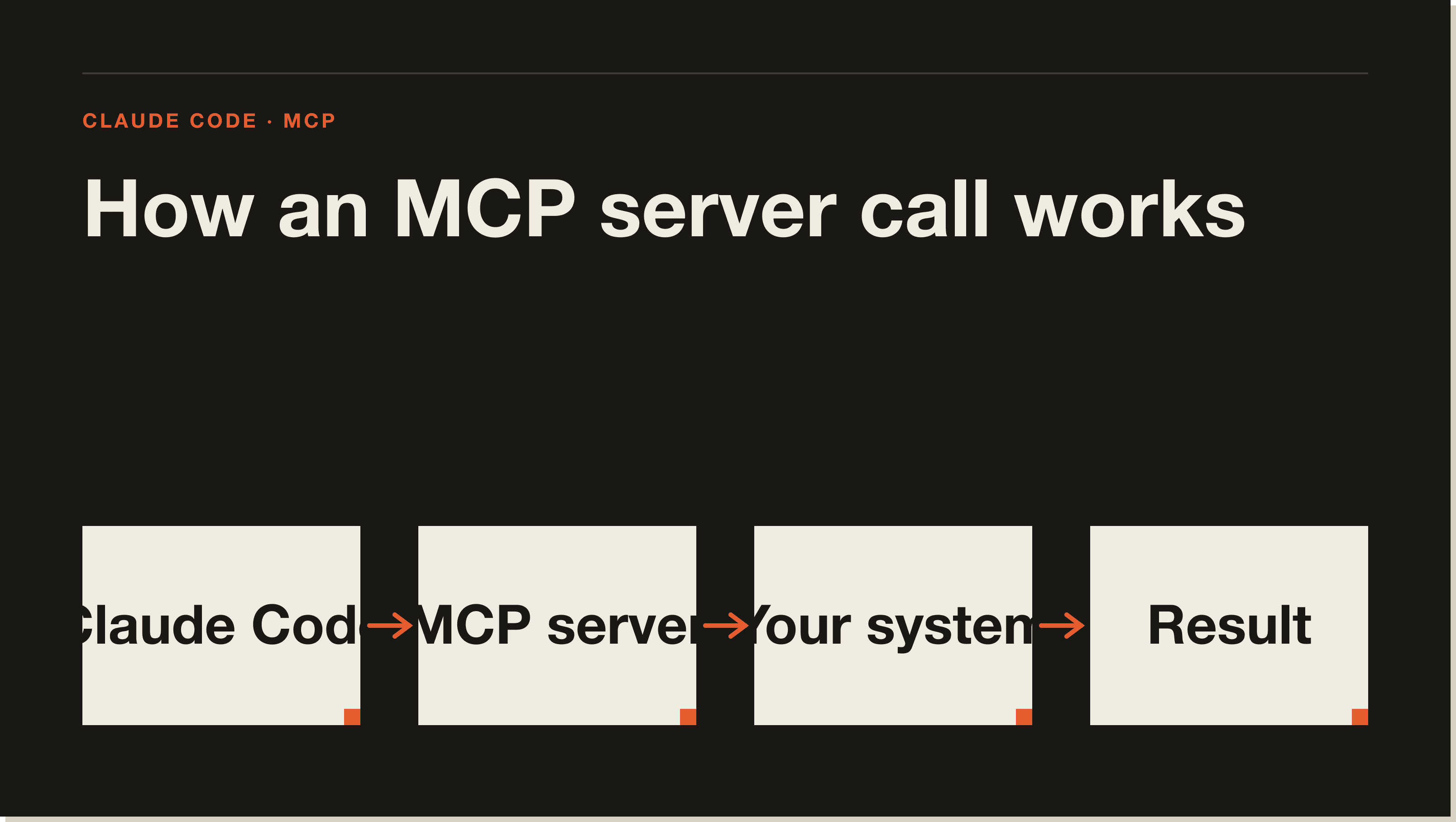
In plain terms, a server hands Claude Code a menu of actions. The GitHub server gives it "list pull requests," "create issue," "read file." The Playwright server gives it "open page," "click," "screenshot." Claude decides which action to call, the server runs it against the real system, and the result comes back into the conversation. The model stops describing what you could do and starts doing it.
If you want the deeper mechanics of the protocol itself, I covered that in my Claude Code MCP guide. This post is about which servers actually earn a slot.
MCP servers run as separate processes that Claude Code talks to over one of two transports. Local servers run on your machine and connect over stdio, which is standard input and output. Remote servers run somewhere else and connect over HTTP. You do not need to know the difference to use them, but it explains why some servers need a command on your machine and others just need a URL and a token.
Claude Code reads its server list from a config file. Project servers live in a .mcp.json file at the root of the repo, so everyone on the team gets the same stack. User servers live in your global config and follow you across every project. When Claude Code starts, it launches each server, asks what tools it offers, and adds those tools to the session.
The practical takeaway is that adding a server does not change Claude. It changes what Claude can reach.
My daily stack is built around the systems my business runs on, not a generic "top 10" list. Here is the project-scoped block from my .mcp.json, with the secrets pulled out into environment variables so nothing sensitive sits in the file:
{
  "mcpServers": {
    "airtable": {
      "command": "npx",
      "args": ["-y", "airtable-mcp-server"],
      "env": { "AIRTABLE_API_KEY": "${AIRTABLE_API_KEY}" }
    },
    "github": {
      "type": "http",
      "url": "https://api.githubcopilot.com/mcp/",
      "headers": { "Authorization": "Bearer ${GITHUB_MCP_TOKEN}" }
    },
    "posthog": {
      "type": "http",
      "url": "https://mcp.posthog.com/mcp",
      "headers": { "Authorization": "Bearer ${POSTHOG_MCP_TOKEN}" }
    },
    "obsidian": {
      "command": "npx",
      "args": ["-y", "obsidian-mcp", "/path/to/your/vault"]
    }
  }
}
The Airtable server is the one I would lose sleep over. My sales pipeline and application briefs live in Airtable, and a couple of times an hour Claude Code pulls new applications into pre-call briefs without me touching the base. The PostHog server reads product analytics for the apps I run, so I can ask "which onboarding step are people dropping at" and get a real answer from real events. The Obsidian server points at my entire operating system, more than four thousand markdown notes, so Claude can search and edit the business itself. GitHub handles pull requests and issues across every repo.
That is the proprietary angle nobody else can copy. The best MCP stack is not a leaderboard. It is a mirror of the tools your work already lives in.
These are the servers I recommend most people install first, in rough order of how often they earn their keep. Each one is a clean, single-purpose connector with an official or well-maintained source.
Context7 pulls current, version-specific documentation into Claude Code so it stops writing code against APIs that changed a year ago. It is the single highest-leverage server for anyone writing real code, because it kills the most common failure mode: confident, outdated answers. I wrote a full walkthrough in my Context7 MCP guide.
The Playwright server lets Claude Code drive a real browser: open pages, click, fill forms, take screenshots, and run end-to-end tests. It is the most-searched MCP integration in the Claude Code niche right now, and for good reason. You can hand Claude a failing UI and it can actually look at the page instead of guessing. Microsoft maintains it, and the install is a single command. Full walkthrough in my Playwright MCP for Claude Code guide.
The GitHub server connects Claude Code to your repositories so it can read code across branches, open and review pull requests, file issues, and check CI status without you leaving the terminal. GitHub ships an official server, which is exactly the kind of primary-source connector you want over a random community fork. I broke down the full setup in my GitHub MCP for Claude Code guide.
The Filesystem server gives Claude scoped read and write access to directories you choose. It is the quiet workhorse for anyone working across files outside the current repo, like a notes folder, a downloads directory, or a separate assets project. You decide the boundaries, and Claude stays inside them.
The Supabase server lets Claude Code query your database, inspect your schema, and manage your backend directly. If you are vibe-coding a real app, this turns "write me a migration" into "write and check the migration against my actual schema." Supabase maintains it officially. Full setup and the tools it exposes are in my Supabase MCP for Claude Code guide.
The Figma server reads your design files so Claude Code can turn a frame into real, matching front-end code. It is the cleanest bridge I have used between a designer's file and a working component. Figma ships the official Dev Mode server.
The servers that compounded for me are the boring ones wired into my actual operation: Airtable for the pipeline, PostHog for analytics, Stripe for revenue questions, Gmail and Google Drive for the back office. None of these will show up on a generic "best MCP" list, and that is the point. The best MCP server for you is the one connected to the system you check twenty times a day.
One of my mentorship clients, Keven, rebuilt a seven-year-old content workflow into a system that runs in minutes, and MCP servers were part of how he wired the pieces together. The full breakdown is in his case study.
Adding a server takes one command. The fastest path is the claude mcp add command, which writes the config for you.
Run claude mcp add with a name and the command that starts the server. For example, a filesystem server looks like this:
claude mcp add filesystem -- npx -y @modelcontextprotocol/server-filesystem ~/projectsThe double dash separates the Claude Code flags from the command Claude should run. Everything after it is the server's own startup command.
For an HTTP server, pass the transport and the URL. Many hosted servers also need an auth header:
claude mcp add --transport http github https://api.githubcopilot.com/mcp/ \
--header "Authorization: Bearer ${GITHUB_MCP_TOKEN}"By default a server is added for you only. Add --scope project to write it into the repo's .mcp.json so your whole team inherits it, or --scope user to make it follow you across every project. Project scope is what you want for anything the team shares.
Run claude mcp list to see every server and its health. A green check means Claude Code can reach it. A "needs authentication" flag means the server loaded but you still have to log in, which you do with claude mcp auth prompts or the server's own flow.
You can skip the commands and edit .mcp.json directly, which is what I do once a stack settles. The file lives at the repo root and holds one entry per server under mcpServers. Local servers take a command and args. Remote servers take a type of http and a url.
Never paste a raw API key into the file. Use the ${VAR} syntax shown in my stack above and keep the real values in your shell environment or a gitignored .env. This keeps secrets out of version control, which matters the moment a repo goes anywhere near public. Claude Code expands those variables at launch.
MCP servers are not free in the way that matters most: context. Every server you load injects its tool definitions into the model's context window, so a machine stuffed with thirty servers spends tokens describing tools Claude will never call in that session. I run a large stack, but I prune it per project, and I keep noisy servers in user scope so they are not forced on every repo.
The other real cost is trust. An MCP server can run commands and touch live systems, so you are extending real permissions to it. Install official or well-known servers, read what actions a server exposes before you wire it into a project, and never give a server credentials it does not need. A server with write access to your production database is convenient right up until it is not.
Authentication churn is the last papercut. Remote servers expire tokens and drop connections, and you will see "needs authentication" in claude mcp list more often than you would like. It is a minor tax, not a dealbreaker.
If you are starting from zero, install three: Context7 so Claude writes code against current docs, Playwright so it can see and test the browser, and GitHub so it can work your repo. That covers the writing, testing, and shipping loop, and it is enough to feel the difference immediately.
After that, stop chasing the leaderboard and wire in the systems your work actually runs on. The Airtable, PostHog, and Stripe servers do more for my day than any "top MCP servers" list ever could, because they are connected to the business instead of a demo. Add servers when a real task needs one, not because a post told you to.
For most people the best first MCP server is Context7, because it keeps Claude Code writing code against current documentation instead of outdated training data. Playwright and the official GitHub server are the next two to add. The best long-term server is whichever one connects to the system you use most.
Run as few as you actively use per project. Each server adds its tool definitions to the context window, so a bloated stack wastes tokens and can slow Claude down. I keep shared servers in project scope and personal ones in user scope, and I prune anything I have not called in weeks.
Most MCP servers are free and open source, including Playwright, Filesystem, and the official GitHub and Supabase servers. You pay only for the underlying service if it charges, such as a paid API tier. The server itself is just a connector.
Project servers are configured in a .mcp.json file at the root of the repo, which is shared with your team. User servers live in your global Claude Code config and follow you across projects. You can edit either file directly or use the claude mcp add command to write the entry for you.
A local server runs as a process on your machine and connects over stdio, so it needs a command like npx. A remote server runs elsewhere and connects over HTTP, so it needs a URL and usually an auth token. Local servers suit tools that touch your filesystem, and remote servers suit hosted services.
Yes. Every loaded server injects its tool list into the context window, so running many servers at once consumes tokens and can make responses slower. Keep your active stack lean per project and the overhead stays small.
Run claude mcp remove <name> to delete a server, or delete its entry from .mcp.json by hand. Run claude mcp list afterward to confirm it is gone. Removing a server you are not using is the simplest way to reclaim context.
Yes. MCP is the same open standard across Claude Code, Claude Desktop, and other MCP-aware clients, so most servers work in all of them. The config location differs per app, but the servers themselves are interchangeable.
You do not need twenty MCP servers to get value out of Claude Code. You need the three that cover writing, testing, and shipping, plus one wired into the system your work actually runs on. Start there, add servers when a real task demands one, and let the stack grow around how you work instead of a list.
If you want the guided version, my free Claude Code Blueprint walks you through your first real build in about sixty minutes, no coding required.
Five interactive lessons. Install Claude Code, build your first automation, and deploy it live on the internet — all in under an hour. Free, no coding required.
Grab the Blueprint →