← Back to Blog
Playwright MCP for Claude Code (setup + verdict).
Playwright MCP lets Claude Code drive a real browser: click, fill, screenshot, and test. Here's how to install it and when it actually earns its slot.
Get your free AI audit.
Book a call →Playwright MCP lets Claude Code drive a real browser: click, fill, screenshot, and test. Here's how to install it and when it actually earns its slot.
Playwright MCP is a server that lets Claude Code drive a real web browser: open pages, click buttons, fill forms, take screenshots, and run end-to-end tests. Instead of guessing what your UI does, Claude can actually open it, look at the page, and act on what is really there. It is built on Microsoft's Playwright framework and connects to Claude Code through the Model Context Protocol.
I run Playwright MCP in my own Claude Code setup, and it is the server I reach for the moment a problem moves from "reason about code" to "see what the page is doing." This is the full setup, how it differs from the Playwright CLI, where it falls short, and whether it deserves a slot in your stack.
Playwright MCP is the official Model Context Protocol server for Playwright, maintained by Microsoft. It exposes browser actions as tools Claude Code can call, so the model can navigate, interact with, and inspect web pages on your behalf. It is the most-searched MCP integration in the Claude Code niche, and it sits inside the wider MCP server stack as the browser-control piece.
One thing to clear up early, because the names collide. Playwright MCP is not the same as the Playwright test runner you may already use. The test runner is a CLI you script against. Playwright MCP is a live connector that hands the browser to Claude as a set of callable actions. They share the same underlying engine, but you use them in completely different ways.
Playwright MCP works by exposing browser actions to Claude Code as a tool menu over the Model Context Protocol. When you load the server, Claude gains tools like "navigate," "click," "type," "take screenshot," and "snapshot the page." Claude decides which action to call, the server runs it in a real Chromium browser, and the result comes back into the conversation.
The detail that makes it powerful is the accessibility snapshot. Rather than feed Claude raw pixels, Playwright MCP can hand back a structured snapshot of the page, the buttons, inputs, and links with their roles and labels. Claude reads that snapshot, decides what to click, and acts. It is closer to how a screen reader sees a page than how a screenshot does, which is exactly why it is reliable.
The practical effect is that Claude stops describing what your UI might do and starts operating it. You can hand it a broken form and it can fill the fields, submit, and report what actually happened.
I keep Playwright MCP loaded for the work that no amount of code-reading can solve: seeing the running app. When a page behaves wrong in a way the source does not explain, I let Claude open it, walk the flow, and screenshot the failure. That turns a vague "the button does nothing" into Claude reporting the exact element and state it found.
The second job is end-to-end checks. After a front-end change, Claude can drive the real user path, sign in, click through, fill a form, and confirm the screen ends up where it should. It is not a replacement for a proper test suite, but it catches the obvious breakage before I do.
The honest pattern I have settled on: I load it when a task is about the browser, and I leave it out when it is not. A browser server burns context describing tools Claude will not call on a backend task, so it lives in my stack as a per-project decision, not an always-on default.
Installing Playwright MCP takes one command. The official Microsoft package is @playwright/mcp, and Claude Code can add it for you.
Run the claude mcp add command with the official package:
claude mcp add playwright -- npx -y @playwright/mcp@latestThe double dash separates the Claude Code flags from the command the server runs. Everything after it starts Playwright MCP through npx, so there is nothing to install globally.
By default the server is added for you only. Add --scope project to write it into the repo's .mcp.json so your team inherits it, or --scope user to make it follow you across every project. For a browser server I tend to use user scope, because I want it available everywhere but not forced onto backend repos.
Run claude mcp list and look for a green check next to playwright. That means Claude Code launched the server and can reach its tools. The first time it drives a page, Playwright downloads the Chromium browser it needs, which takes a moment but only happens once.
Ask Claude to do something that needs the browser. A prompt like "open localhost:3000, click the sign-up button, and tell me what happens" is enough. Claude calls the navigate and click tools, runs them in the real browser, and reports back.
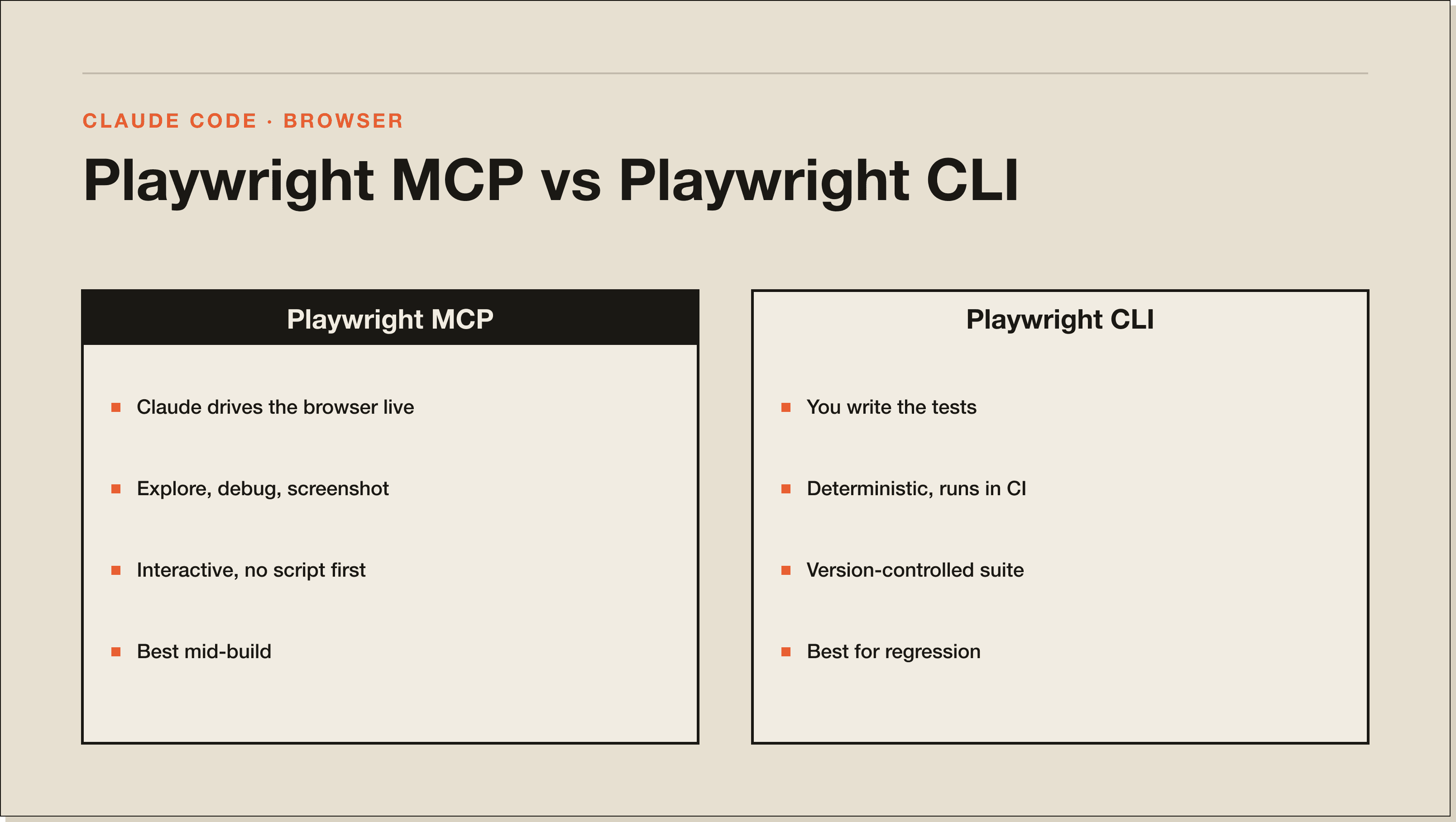
Playwright MCP and the Playwright CLI solve different problems, and the "playwright cli vs mcp" question comes down to who is driving. The CLI is for tests you write and run yourself. The MCP server is for letting Claude operate the browser interactively.
Use the Playwright CLI when you want a deterministic, version-controlled test suite that runs in CI. You write the test once, it runs the same way forever, and it fails loudly when something breaks. That is the right tool for regression coverage.
Use Playwright MCP when you want Claude to explore, debug, or check something live without you writing a script first. It shines in the loop where you are building and want a second pair of eyes on the running UI. The two are complements, not rivals. I use the CLI for the suite and the MCP server for the messy, exploratory middle of a build.
Yes. Playwright MCP is free and open source under Microsoft's Playwright project, and so is the Chromium browser it drives. You pay nothing for the server itself. The only cost is the usual one, the tokens Claude Code spends calling its tools, which is part of your normal Claude usage rather than a separate Playwright charge.
Playwright MCP is not free in context terms. It loads a broad set of browser tools into the model's context window, so keeping it on for a backend or pure-writing task wastes tokens on actions Claude will never call. This is the main reason I scope it per project instead of running it everywhere.
The other limit is that a live browser session is stateful and occasionally fragile. Pages hang, logins expire, and a flow that worked yesterday can need a nudge today. It is excellent for interactive debugging and quick checks, but it is not the thing you lean on for rock-solid, repeatable regression testing. That is what the CLI suite is for.
There is also a trust dimension. You are giving Claude control of a real browser that can submit forms and trigger actions on live sites. Point it at local or staging environments while you are exploring, and be deliberate before you let it act against anything in production.
Yes, for anyone who builds or debugs web UIs with Claude Code. It is the cleanest way to give Claude eyes on the running app, and the install is a single command with no global setup. If your work touches the browser, it is one of the first three MCP servers I would add, alongside Context7 and the GitHub server.
It is not worth loading if your work never leaves the backend or the terminal. A browser server on a pure-API project is just context overhead. Add it when a task is about the browser, scope it so it is not forced onto repos that do not need it, and keep your deterministic regression tests in the Playwright CLI where they belong.
Playwright is Microsoft's browser automation framework, used mainly through a CLI and test runner you script yourself. Playwright MCP is a Model Context Protocol server built on that framework that exposes browser actions as tools an AI like Claude Code can call directly. Same engine, different driver.
Run claude mcp add playwright -- npx -y @playwright/mcp@latest, then run claude mcp list to confirm it connected. The first browser action downloads Chromium automatically. No global install is required because it runs through npx.
Yes. Both the Playwright MCP server and the Chromium browser it controls are free and open source. The only cost is the Claude Code tokens spent calling its tools during a session.
With Playwright MCP, Claude Code can open web pages, click elements, fill and submit forms, take screenshots, and read a structured snapshot of the page to decide what to do next. That makes it useful for interactive debugging and for walking through end-to-end user flows.
Use the Playwright CLI for deterministic, version-controlled tests that run in CI. Use Playwright MCP when you want Claude to explore or debug the running UI interactively without writing a script first. Most teams benefit from both, the CLI for the suite and the MCP server for exploratory work.
Yes. Because it follows the open Model Context Protocol, Playwright MCP works in Claude Code, Claude Desktop, and other MCP-aware clients. The configuration location differs per app, but the server itself is the same.
The most common causes are a missing Chromium download on first run, a server that needs a moment to launch, or a scope mismatch where the server was added in a different project. Run claude mcp list to check its health, and re-add it with the correct --scope if it is missing from the project you are in.
Playwright MCP is one piece of a stack. The real win is wiring Claude Code into the few tools your work actually runs on, then letting it do the clicking, testing, and shipping while you direct. Start with the best MCP servers for Claude Code, add Playwright when your work touches the browser, and grow the stack around real tasks.
If you want the guided version, my free Claude Code Blueprint walks you through your first real build in about sixty minutes, no coding required.
Five interactive lessons. Install Claude Code, build your first automation, and deploy it live on the internet — all in under an hour. Free, no coding required.
Grab the Blueprint →