← Back to Blog
Claude Code Status Line: Show Context, Cost and Git.
The Claude Code status line is a custom bar showing context usage, cost, and git status. Here's how to set it up with /statusline or a script.
The Claude Code status line is a custom bar showing context usage, cost, and git status. Here's how to set it up with /statusline or a script.
The Claude Code status line is a customizable bar at the bottom of the interface that runs a shell script you configure and displays whatever it prints. It receives JSON session data on stdin, so you can show context window usage, session cost, the current model, your git branch, or anything else you want visible at a glance. The fastest way to set one up is the /statusline command, which writes the script for you.
I'm Tom, and I run a custom status line every day. Mine pipes the session JSON through a Node script so I always see how much context I have left, which on long sessions is the single most useful number on screen. This post covers both ways to set one up, the data you can pull, and a few patterns worth stealing.
[CTA-BLUEPRINT]
The status line is a persistent row above Claude Code's built-in footer that shows the output of a script you choose. Claude Code runs your script, pipes session data to it as JSON on stdin, and prints whatever your script returns to stdout. It does not replace the footer badges, it adds a row of your own above them.
It is most useful for four things: watching context window usage as you work, tracking session cost, telling multiple sessions apart, and keeping git branch and status always visible. The status line runs locally and does not consume API tokens, so there is no cost to having it on.
Claude Code runs your script and pipes a JSON object of session data to it on stdin. Your script reads that JSON, extracts the fields it wants, and prints a line. Claude Code displays the result. It re-runs after each assistant message, after /compact finishes, when the permission mode changes, and when vim mode toggles, all debounced at 300ms so rapid changes batch together.
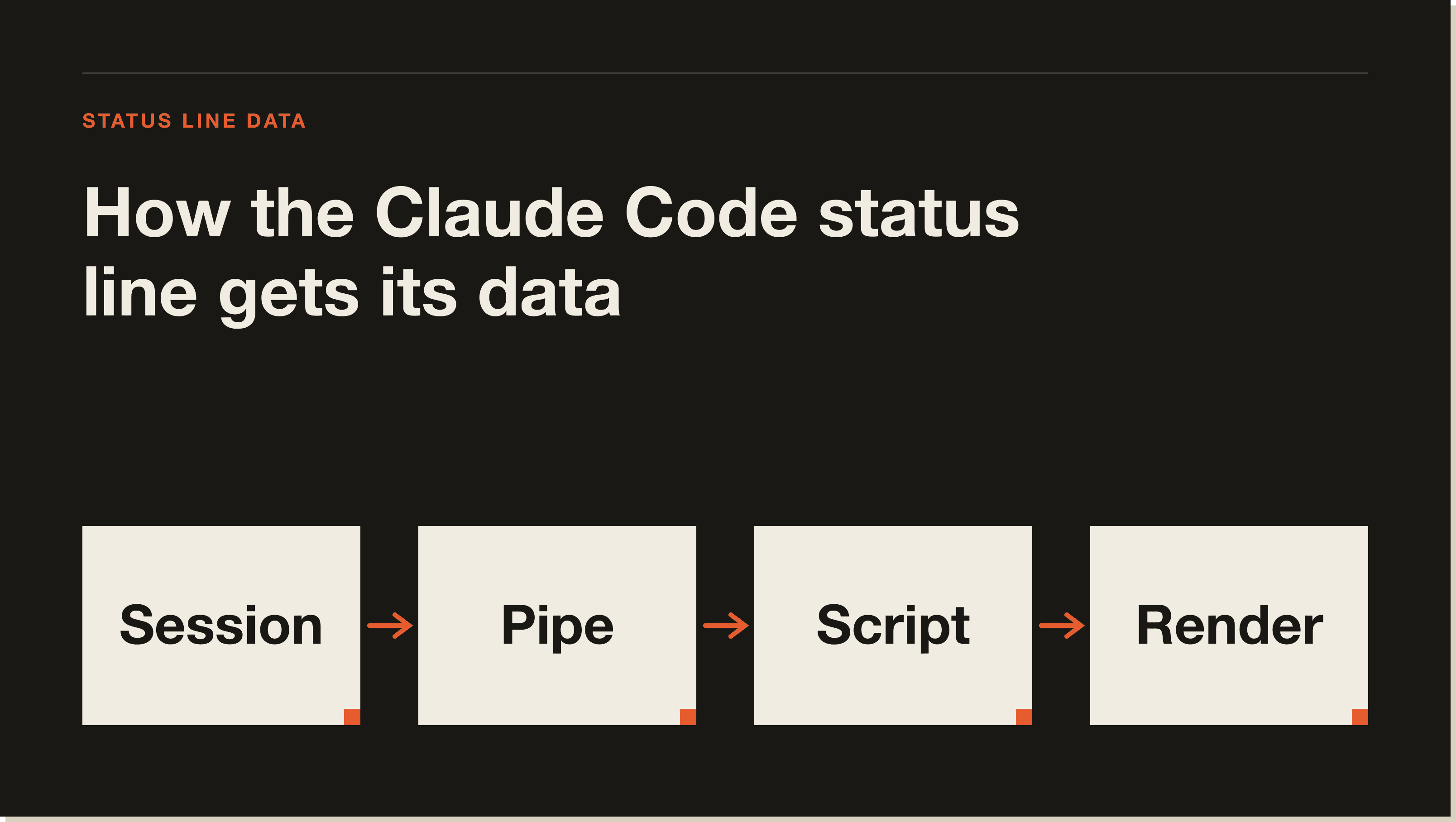
Your script can print more than plain text. Each separate echo renders as its own row, so you can build a multi-line status line. ANSI escape codes give you colour, like \033[32m for green, as long as your terminal supports them. And because Claude Code captures the output rather than connecting your script to the terminal directly, you read the terminal width from the COLUMNS environment variable that Claude Code sets, not from tput cols.
There are two ways to set one up: let Claude write it, or write it yourself. Both end with a statusLine block in your settings.
The fastest path is the /statusline command. It takes a plain-English description, generates a script in ~/.claude/, and updates your settings automatically.
/statusline show model name and context percentage with a progress barThis is how most people should start. Describe what you want, and Claude Code builds and wires it up for you. You can refine it later by editing the generated script.
To do it by hand, add a statusLine field to your ~/.claude/settings.json, set type to "command", and point command at a script or an inline command. Here is the minimal shape:
{
  "statusLine": {
    "type": "command",
    "command": "~/.claude/statusline.sh",
    "padding": 2
  }
}
The optional padding field adds horizontal spacing. The optional refreshInterval re-runs your command every N seconds for time-based data like a clock, which is also handy when background subagents change git state while the main session sits idle. My own config points command at a Node script rather than a shell script, which is the same mechanism: any executable that reads stdin and prints a line works. For more on the settings file, see my Claude Code settings guide.
Here is a minimal script that reads the JSON with `jq` and prints the model, folder, and context percentage:
#!/bin/bash
input=$(cat)
MODEL=$(echo "$input" | jq -r '.model.display_name')
DIR=$(echo "$input" | jq -r '.workspace.current_dir')
PCT=$(echo "$input" | jq -r '.context_window.used_percentage // 0' | cut -d. -f1)
echo "[$MODEL] 📁 ${DIR##*/} | ${PCT}% context"
Save it to ~/.claude/statusline.sh, run chmod +x ~/.claude/statusline.sh to make it executable, and point your statusLine command at it. The // 0 is a jq fallback so a null field prints 0 instead of breaking the line.
Claude Code sends a rich JSON object to your script, so the question is mostly what you want to surface. The fields I reach for most are the context window and cost numbers, but the full set is broad.
model.id and model.display_name for the current model.workspace.current_dir, workspace.project_dir, and workspace.repo.owner and workspace.repo.name parsed from your origin remote.context_window.used_percentage and context_window.remaining_percentage, pre-calculated so you do not have to do the math.cost.total_cost_usd, cost.total_lines_added and total_lines_removed, and effort.level for the current reasoning effort. The cost figure is computed client-side and may differ from your actual bill, as the cost tracking docs note.rate_limits.five_hour.used_percentage and rate_limits.seven_day.used_percentage.session_id, session_name, and version.That context-window percentage is the one I would not work without. On a long session it is the difference between compacting on purpose and getting surprised. The status line is a sibling to the rest of Claude Code's customization layer, so once you have one, my Claude Code hooks guide and the how to use Claude Code walkthrough are the natural next steps.
[CTA-BLUEPRINT]
The quickest way is the /statusline command, which takes a plain-English description, generates a script in ~/.claude/, and updates your settings for you. To do it manually, add a statusLine block to your ~/.claude/settings.json with type set to "command" and command pointing at your script.
It can display the model name, working directory, git branch and repo, context window usage percentage, session cost, lines added and removed, reasoning effort level, rate limit usage, and the session name and version. Claude Code sends all of this as JSON to your script on stdin, and you choose which fields to print.
Read the context_window.used_percentage or context_window.remaining_percentage field from the JSON Claude Code pipes to your script. Both are pre-calculated, so you can print them directly or render a progress bar. This is the most useful number to surface on long sessions.
Yes. Print ANSI escape codes from your script, such as \033[32m for green, and Claude Code renders them as long as your terminal supports ANSI colors. You can also output multiple lines, since each separate echo renders as its own row.
No. The status line runs locally as a shell script and does not consume API tokens. It only reads session data that Claude Code already has and prints text, so you can keep it on permanently without any usage cost.
Run /statusline and ask it to remove or clear your status line, for example /statusline delete or /statusline clear. You can also manually delete the statusLine field from your settings.json. Either way removes the custom bar and leaves the built-in footer badges in place.
statusLine field lives and how settings are loaded.A status line is one small piece of shaping Claude Code around how you work. If you want the guided path to a real build, my free Claude Code Blueprint walks you through your first project in about sixty minutes, no coding required.
Five interactive lessons. Install Claude Code, build your first automation, and deploy it live on the internet — all in under an hour. Free, no coding required.
Grab the Blueprint →