← Back to Blog
Claude Code Tutorial: The Only One You Need.
The Claude Code tutorial that skips the fantasy builds and shows the real mistakes, the real learning timeline, and the setup that makes it actually work.
The Claude Code tutorial that skips the fantasy builds and shows the real mistakes, the real learning timeline, and the setup that makes it actually work.
Learning Claude Code in 2026 is one of the most valuable skills you can build. It's also a fast track to burning through tokens and shipping absolutely nothing if you start the wrong way.
I've been generating revenue through automation for eight years and using Claude Code on real client work every day since it launched. I've watched dozens of YouTube tutorials on this exact topic. Almost all of them are setting you up to fail.
Claude Code is not a chatbot. It's a fully autonomous agent with full access to your computer. It can read your files, rewrite them, run commands in your terminal, and modify your database, all without asking permission if you configure it wrong.
That distinction matters more than anything else in this tutorial. The regular Claude in your browser responds to prompts. Claude Code acts on your codebase. If you want the full beginner walkthrough, installation, configuration, first project, go read how to use Claude Code. This tutorial covers what actually breaks down for most people after the first week, and what to do about it.
Most Claude Code tutorials skip straight to the fancy commands and the big demo builds. That's how you end up frustrated, confused, and running out of tokens with nothing shipped.
Before getting into the steps, here's the timeline you're actually in.
Week one feels like a cheat code. You write prompts, code flies across your screen, you ship features faster than anything you've ever used. You're impressed.
Week two is when reality arrives. You go back to add a feature to something you built the week before and Claude breaks half of it. You spend hours debugging Claude's own mistakes instead of building anything new.
Week three hits your wallet. If you're on the Pro plan, you're probably hitting your weekly limits in two to three days. Max users are running out faster than they expected. Most of those tokens are going toward Claude debugging Claude's own mess.
By week four, most people quit or jump to the next tool. The ones who push through are the ones who figured out three specific mistakes everyone makes in those first weeks. Then they stopped making them.
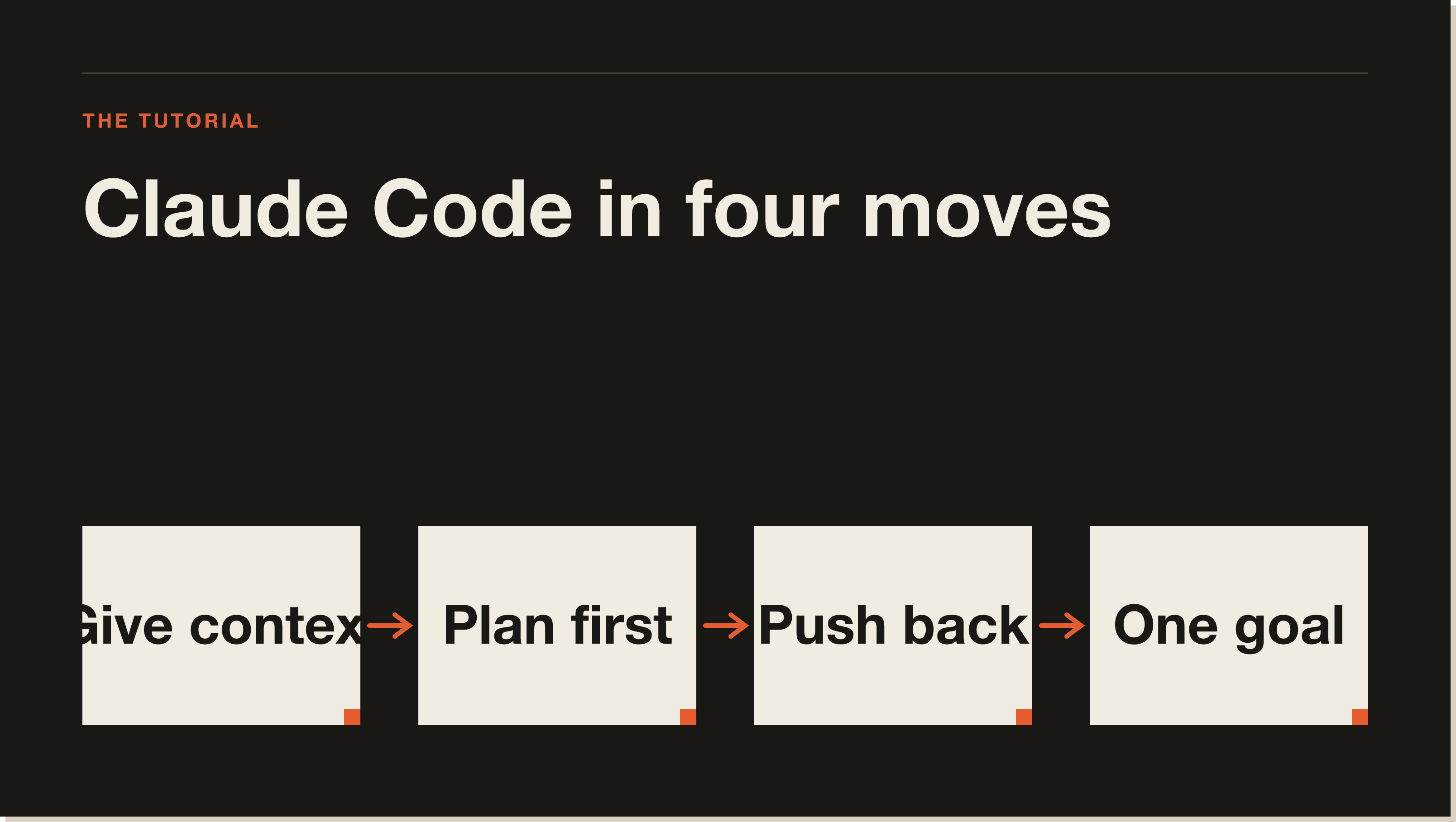
The first mistake is giving Claude Code vague prompts the way you'd talk to ChatGPT. Commands like "fix the bug" or "change the button color" leave Claude guessing. Every guess is a chance to break something that was working yesterday.
Treat Claude Code like a junior engineer who needs full context. Tell it the exact file path. Tell it what to do, what not to touch, and what the result should look like when it's done.
This is why your CLAUDE.md file matters so much. It's a file in your project root that Claude reads automatically at the start of every session. You write your tech stack, your conventions, the files you don't want touched, and you do it once. Claude follows it forever. Something you keep updating as your project evolves.
There's a feature most tutorials haven't shown you yet. It's called plan mode.
Hit Shift+Tab inside Claude Code and you flip it into a mode where it cannot touch a single file. It has to plan first. Claude reads your codebase, lays out what it's going to do, shows you the file paths, and waits for your approval before touching anything.
That one keystroke would have prevented the majority of the disasters in the comments section of every Claude Code video I've ever watched. If you're treating Claude Code like a chatbot right now, plan mode is your seatbelt. Check the Claude Code commands reference for a full breakdown of the keyboard shortcuts worth knowing.
Claude generates 500 lines of code and most people don't even scan it. If you're coming from a non-coding background, you hit accept and move on.
That's the trap. Tests passing doesn't mean the code is correct. It just means the tests pass. Those are different things.
Claude's first answer is a draft. Treat it like one. Check what files it touched, what it deleted, and ask why. Push back with questions like: what if the user is null here? What if the input is the wrong format? Show me the edge cases you didn't handle.
Claude gets sharper every time you challenge it. The back and forth is where quality lives. Most people skip that part entirely.
Every message you send in a Claude Code session resends the entire conversation history. Your first prompt might be 2,000 tokens. By message 50, every prompt is costing five to ten times what the first one did.
That's where your tokens disappear. Claude is rereading the entire history of your chat every single time.
The common advice is to run /compact, which compresses your session into a summary. It's not the fix it sounds like. Compact replaces your full session with a brief summary, you lose the file paths, the line numbers, the exact decisions you made. Claude actually gets worse output, not lighter context. It's a band-aid for not wanting to start fresh.
The real fix is simpler. One goal per session. When you're done with that goal, commit your work, run /clear, and start a new session. Fresh sessions are almost free. Bloated sessions cost you tokens and quality.
This is the one that costs money silently and nobody talks about it.
There's a free token optimizer tool on GitHub that audits your Claude Code setup and shows you exactly where your context is leaking. It scans your CLAUDE.md file, your hooks, your skills, your MCP servers, your output styles, and surfaces what it calls ghost tokens, the thousands of tokens injected into every prompt before you've typed a single word.
I ran it on my own setup and I'm now saving 14% of my context window on every session. Somewhere between 15 and 20 million tokens a month, just from changing default settings. Most people are running a bloated config and have no idea. Combine the token optimizer with one goal per session and your Max subscription suddenly stops feeling like a Pro plan.
You can find it linked from the official Claude Code documentation.
The deepest problem with early Claude Code usage is context. When you open a fresh session, Claude knows nothing. It doesn't know your project, your business, your customers, or what you're trying to build.
Context isn't a list of preferences in a settings file. It's everything Claude needs to behave like the senior engineer it actually can be: your tech stack, how your files are structured, your customers, your offer, your constraints. Without that spine, Claude behaves the same way for you as it does for every other user. That's not a model problem. That's a setup problem.
The CLAUDE.md file is where this lives. Start building it on day one and keep adding to it as your project grows. The best MCP servers for Claude Code can extend that context even further by connecting Claude to live data sources it can actually use.
Claude Code is an autonomous AI agent that runs in your terminal with full access to your computer. Regular Claude in your browser is a conversational tool. Claude Code can read and rewrite files, run terminal commands, and modify databases without asking for confirmation unless you configure it to pause.
The real timeline is four to six weeks before Claude Code stops feeling unpredictable. Week one feels effortless. Week two and three are where most people struggle with broken builds and high token costs. The people who push through week four are the ones who build real applications with it.
A CLAUDE.md file sits in your project root and gets read automatically at the start of every Claude Code session. You put your tech stack, coding conventions, and rules for what Claude should and shouldn't touch. It's the single biggest lever for making Claude behave consistently across sessions.
Plan mode is activated with Shift+Tab inside Claude Code. It prevents Claude from editing any files until it has laid out a plan and you've approved it. Claude reads your codebase, lists the files it intends to modify, and waits for your go-ahead. It is one of the most important habits to build early.
Every message in a Claude Code session resends the entire conversation history. By message 50, each prompt costs five to ten times the first one. The fix is one goal per session, running /clear when you're done, and running the token optimizer to remove ghost tokens from your setup configuration.
/compact command and should I use it?/compact summarizes your session into a compressed version to reduce context size. The problem is you lose file paths, line numbers, and the specific decisions made during the session. Claude's output quality drops. Starting a fresh session with /clear after committing your work is almost always the better move.
The Claude Code agents guide covers how to run parallel agents and multi-step workflows. The Claude Code hooks guide covers how to automate triggers before and after Claude actions. Both are worth reading once you've got the basics locked in.
The blueprint I mention in the video is a free interactive course that runs inside Claude Code itself. You install it, open the folder, type "start lesson one," and Claude Code walks you through every step. By the end you have Claude Code installed, configured, and shipping, in under 60 minutes.
Get the free blueprint at /blueprint and start lesson one tonight.
Five interactive lessons. Install Claude Code, build your first automation, and deploy it live on the internet — all in under an hour. Free, no coding required.
Grab the Blueprint →