← Back to Blog
Claude vs ChatGPT Chrome Extension: Which Wins?.
I've run both browser extensions in real workflows. Claude wins on browser control and multi-step automation. ChatGPT wins on simplicity. Here's the full breakdown.
I've run both browser extensions in real workflows. Claude wins on browser control and multi-step automation. ChatGPT wins on simplicity. Here's the full breakdown.
Claude for Chrome is the better extension for anyone doing multi-step browser tasks, form filling, or competitive research. ChatGPT's browser capability is simpler and more approachable, but it does not give ChatGPT actual control over your browser the way Claude does.
I'm Tom. I build AI workflows for business owners and I've been running both extensions in live production work for several months. This post compares them on the five dimensions that actually matter: browser control, autonomy, privacy, pricing, and real task performance. There's a comparison table and a direct verdict at the end.
---
---
The Claude Chrome extension is a browser add-on from Anthropic that gives Claude the ability to read pages, fill forms, click buttons, and chain actions across multiple tabs. You install it from the Chrome Web Store, grant it access site by site, and Claude can then act on your instructions in context rather than waiting for you to copy-paste content into a chat window.
Anthropic launched it as a pilot to around 1,000 Max plan users in August 2025, expanded it to all Max subscribers in November 2025, and opened it to Pro, Team, and Enterprise plans on 18 December 2025. It works in Chrome, Edge, Arc, and Brave. Not Firefox or Safari.
ChatGPT's browser capability works differently. OpenAI's ChatGPT Search extension (available in the Chrome Web Store) adds a shortcut to open ChatGPT from your browser and enables ChatGPT to read page content when you ask it a question in the sidebar. It also powers the browsing capability inside ChatGPT, which lets the model fetch and read live URLs in the chat.
The difference is that ChatGPT's browser tool reads and retrieves. Claude's extension acts.
---
Claude for Chrome has what Anthropic calls "computer use" applied to the browser. It can read DOM structure, identify form fields, click specific elements, fill inputs, and submit forms. When I run it on a multi-step task, it navigates through the whole sequence with each action informing the next.
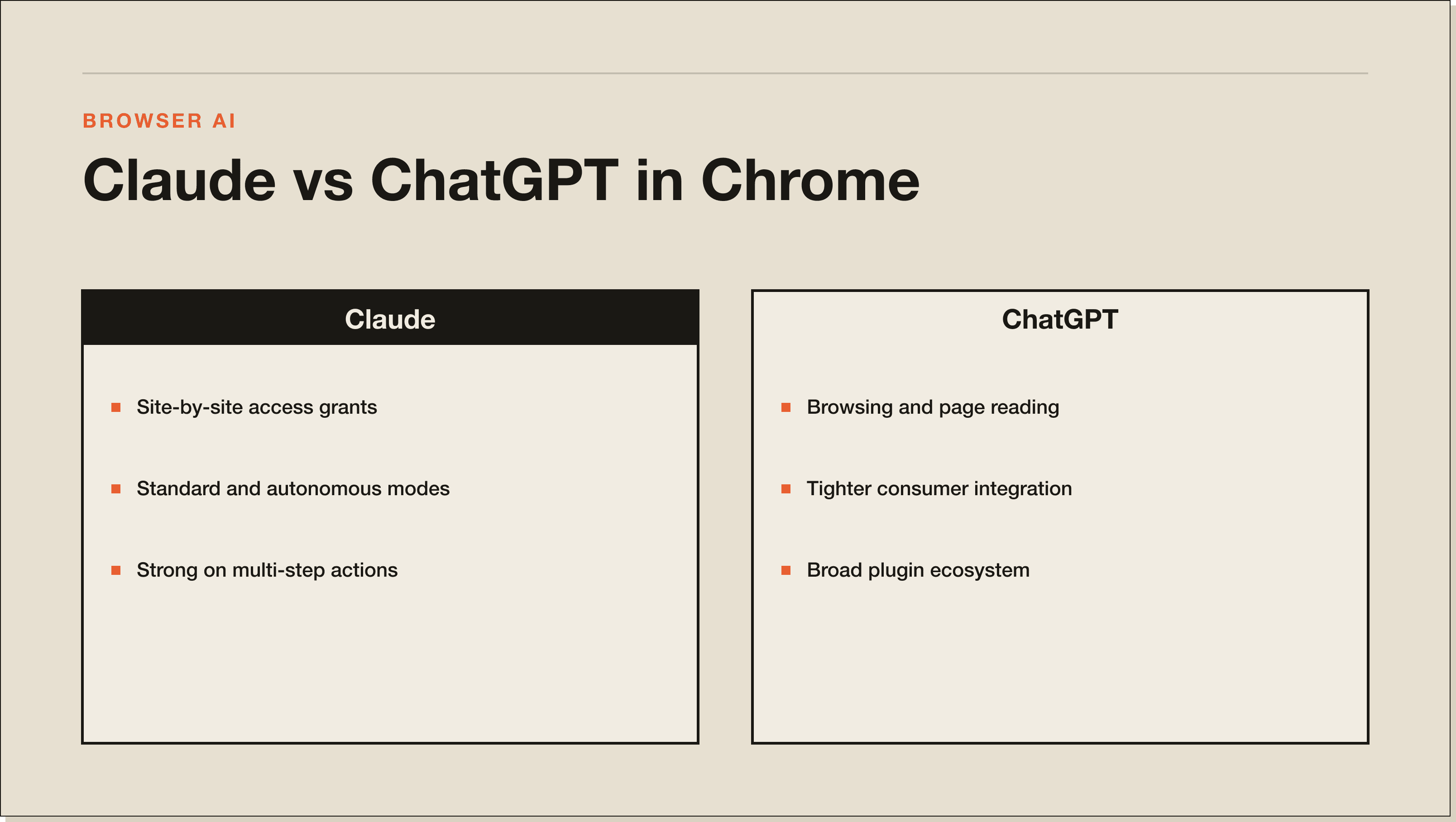
ChatGPT can open a URL and read the page content. It can summarize what it finds and report back. What it cannot do is interact with the page: fill a field, click a button, or carry out a sequence of actions that changes the page state.
For researching a competitor's pricing page, both tools work. For filling in a supplier onboarding form while you work on something else, only Claude can do it.
---
Claude for Chrome runs in two modes. In standard mode, Claude asks for your confirmation before taking high-risk actions like submitting a form or sharing data. In autonomous mode, it chains actions together without a pause. Anthropic keeps additional safeguards on the most sensitive actions even in autonomous mode. In my testing, standard mode is the right starting point until you know exactly what Claude will do on each site you've enabled.
ChatGPT has no equivalent of autonomous mode. Every action is in-conversation. You ask, it retrieves, it answers. There is no mode where ChatGPT is working through a series of browser steps without you in the loop.
If your goal is to have an AI complete a workflow while you focus on something else, Claude is the only option of the two. If you want a faster answer to a research question in a conversational interface, ChatGPT works fine.
---
Claude gives you site-by-site access control. You explicitly grant Claude access to each domain in the extension settings. Claude cannot read any site you have not enabled. Team and Enterprise admins can push org-wide allowlists and blocklists.
Anthropic published adversarial testing data alongside the launch. With safety mitigations in place, the prompt injection attack success rate sits at 11.2%, down from 23.6% without them. On browser-specific attack scenarios, mitigations reduced the attack success rate from 35.7% to 0%. Those are the numbers I cite when clients ask whether it's safe to use on internal tools.
ChatGPT's browsing is session-scoped. Each conversation that uses browsing reads the pages relevant to that conversation. There is no persistent site-by-site toggle to manage.
The practical difference: Claude's model is more granular and requires more upfront setup, but gives you finer control. ChatGPT's model is simpler and lower-friction, but you have less visibility into what it's reading and when.
Neither tool should be used on pages containing medical records, legal documents under confidentiality, or financial accounts unless you are on an Enterprise plan with a data processing agreement in place.
---
Claude for Chrome requires a paid Claude plan. The entry point is Claude Pro at $20 per month. Claude Max is $100 per month (the tier Anthropic targets at heavy users and builders) or $200 per month for the higher usage limit. Team and Enterprise add admin controls and data processing agreements.
ChatGPT's browsing capability requires ChatGPT Plus at $20 per month, or a Team or Enterprise plan. The ChatGPT Search extension itself is free to install but only useful as a shortcut to open ChatGPT.
The starting cost is the same for both. Where they diverge is at the top: Claude Max at $100 per month sits below ChatGPT's Pro tier at $200 per month. For the workflow I use, the Pro tier on either platform is enough.
---
For page summarization, both tools work. Ask either one to summarize the article you're reading and you'll get a competent summary. ChatGPT's sidebar shortcut is slightly faster to open because of the keyboard shortcut integration. Claude's output tends to be more structured when you specify a format.
For form filling, Claude is the only option. I've used it to fill in grant application forms with repeating business information fields, and to complete supplier onboarding portals. Claude works through the fields, populates them, and holds before submitting so I can review. When I ran both on the same task, ChatGPT read the form and described it. Claude filled it in.
For multi-tab competitive research, Claude handles this natively. I've had it pull pricing, positioning headlines, and top CTAs from four competitor sites in a single request. It moves through the tabs and compiles a comparison. This used to take 30 to 45 minutes of manual work. ChatGPT cannot coordinate across tabs in the same way.
The one category where ChatGPT's browsing sometimes outperforms is when you need live web search built into the answer. ChatGPT's browsing is integrated with its search capability, so it can pull live results and cite them in a structured answer in one step. Claude's browser control is about acting on pages you visit, not searching the web on your behalf.
---
Claude for Chrome has real limitations. Some sites block automated browser access or use DOM structures Claude cannot parse reliably. React and Vue single-page applications sometimes behave unpredictably because the content isn't in a simple static DOM at load time. I've hit this on a few SaaS portals where the page loads JavaScript-rendered content after a delay and Claude reads the loading state instead of the data.
Autonomous mode also requires a level of trust that takes time to build. Running a workflow unattended before you fully understand what Claude considers a "safe" action is how you end up with unexpected form submissions.
The extension also requires an active paid plan, starting at $20 per month for Claude Pro. There is no way to test browser control features on a free Claude account.
ChatGPT's browsing capability falls short on depth. It reads pages and reports back. It cannot interact with them. If your workflow involves anything beyond reading and summarizing, you will hit the ceiling quickly. There is also no persistent permission model to configure. Every session starts fresh, which is simpler but means you have less audit trail for what ChatGPT has read and when.
Both extensions are Chrome-only. If your team uses a mix of browsers, neither provides a consistent experience across the board.
---
---
---
Claude wins on browser automation. ChatGPT wins on web search integration.
Pick Claude for Chrome if you do multi-step browser work, form filling, competitive research across tabs, or you are already using Claude Code and want the browser loop closed. The depth of control is not close.
Pick ChatGPT if your main use case is getting live web search results inside a conversational interface, or you find Claude's site-by-site permission setup too much overhead for your workflow. ChatGPT's browsing is also better integrated into its mobile and desktop apps, which matters if you switch devices constantly.
The contrarian verdict: most people installing either extension underuse the capability. The Claude extension is doing real work in my stack, but only because I took the time to configure site access and build specific prompts around it. If you are going to install it and then occasionally ask it to summarize a page, the ChatGPT shortcut is honestly the better fit for that use case because it requires zero configuration.
For the full picture on what the Claude extension can do, see my Claude Chrome extension guide. If you are evaluating Claude against its other main rival, the Claude vs Gemini breakdown covers that comparison in detail. And if you want to understand where Claude Code fits into all of this, the how to use Claude Code guide is the place to start.
---
For browser control, yes. Claude for Chrome can fill forms, click buttons, and chain multi-step actions across tabs. The ChatGPT browser capability reads pages and retrieves information but does not interact with page elements. For live web search built into chat, ChatGPT has the edge.
Both have safety measures that cut real attack vectors. Claude's site-by-site access model gives you more explicit control over what the AI can see. Anthropic published adversarial testing results showing mitigations reduce prompt injection success rates to 11.2%. ChatGPT's browsing is session-scoped with no persistent site toggle. Neither should be used on confidential documents or financial accounts outside of Enterprise plans with data processing agreements.
Both start at $20 per month (Claude Pro, ChatGPT Plus). The Claude Max plan is $100 per month. ChatGPT's Pro tier is $200 per month. If you only need browser extension access, the entry-level paid tier on either platform gives you what you need.
Claude has an autonomous mode that chains actions without confirmation prompts, with Anthropic-maintained safeguards on the highest-risk actions. ChatGPT does not have an autonomous mode. Every ChatGPT browser interaction is conversational and in-the-loop.
Both summarize pages competently. If page summarization is your only use case, ChatGPT's keyboard shortcut integration is slightly faster to open. If you also need structured extraction, form filling, or multi-tab research, Claude is the better choice because it handles all of those in the same extension.
No. The ChatGPT browser capability reads and retrieves page content but cannot interact with DOM elements, fill form fields, or click buttons. Form completion is a Claude-specific capability in this comparison.
No. Both extensions require Chromium-based browsers: Chrome, Edge, Arc, and Brave. Firefox and Safari are not supported by either extension as of June 2026.
---
---
Five interactive lessons. Install Claude Code, build your first automation, and deploy it live on the internet — all in under an hour. Free, no coding required.
Grab the Blueprint →