← Back to Blog
Context7 MCP: Up-to-Date Docs Inside Claude Code (2026).
Context7 is an MCP server that pulls current library documentation into Claude Code at query time, stopping the hallucinated APIs and outdated code examples.
Context7 is an MCP server that pulls current library documentation into Claude Code at query time, stopping the hallucinated APIs and outdated code examples.
Context7 is an MCP server that pulls current, version-specific library documentation directly into Claude Code when you ask about a package. Without it, Claude answers from training data that can be months or years out of date. With it, Claude has the right docs in its context window before it writes a single line.
It has 56,300 stars on GitHub. That number tells you how many developers have hit the same problem: outdated code examples, hallucinated APIs, and generic answers that break on the version you are actually running.
I'm Tom. I teach Claude Code operators how to build real production systems, and Context7 is one of the first MCP servers I install on a new machine.
Claude Code is trained on a snapshot of the internet. That snapshot has a cutoff. When you ask about a package that has shipped major updates since training, Claude answers from old data.
The result is code that looks right but does not work. An API method that no longer exists. A config option that was renamed. A pattern that the library deprecated two versions ago. You debug for 20 minutes before realising Claude was working from the wrong docs.
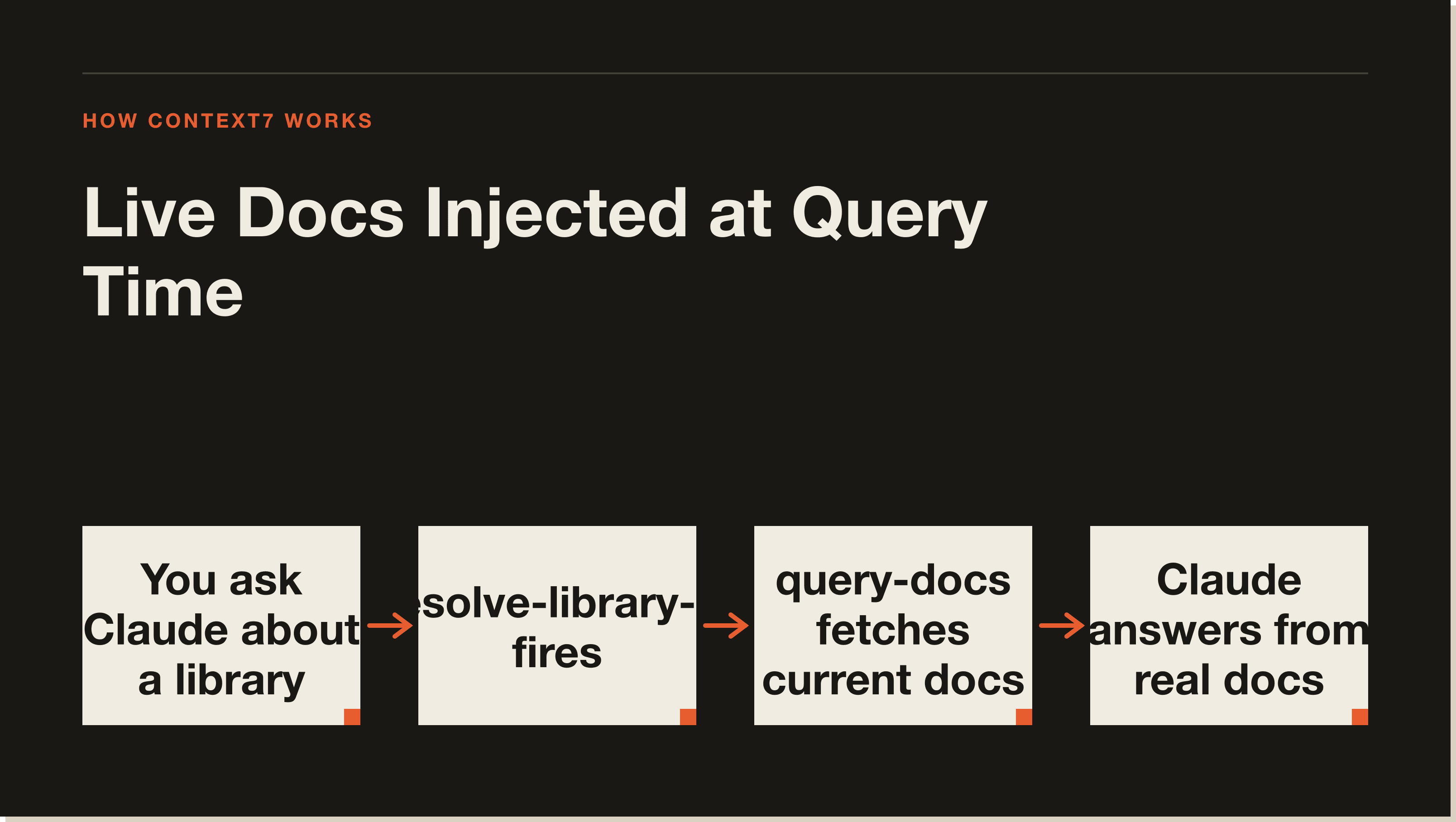
Context7 fixes this by pulling documentation at query time, not training time. When you ask Claude about a library, Context7 fetches the current official docs and injects them into the context window. Claude then answers from what is actually true right now.
Context7 exposes two tools to Claude Code.
The first is resolve-library-id. It takes a plain library name and converts it to a Context7-compatible ID. If you ask about React or Tailwind or Drizzle, Claude starts here to get the canonical identifier before fetching anything.
The second is query-docs. It takes a library ID and a query and returns the relevant documentation. Claude uses this to pull exactly the section it needs, not the entire docs for a library.
Both tools run in the background. From your side, you just ask Claude about a library and it handles the rest. You see more accurate answers without changing your workflow.
The fastest path is a single command:
npx ctx7 setupThis authenticates via OAuth, generates an API key, and registers the MCP server with Claude Code. If you want to target Claude Code specifically, add the --claude flag.
For manual configuration, the MCP server URL is https://mcp.context7.com/mcp. Add it to your .mcp.json with your CONTEXT7_API_KEY passed as a header. The setup command handles all of this automatically.
After installation, restart Claude Code and you are done. No extra prompts needed in your workflow.
The difference is most visible when you are working with fast-moving libraries. Next.js ships breaking changes regularly. Drizzle ORM added new patterns in recent versions. The Claude Code MCP ecosystem itself updates constantly.
Before Context7, Claude would give you the pattern from its training snapshot. That might be two or three major versions behind. After Context7, Claude pulls from the current docs and gives you the pattern that actually works today.
You can also specify a version in your prompt. If your project pins a specific version of a library, tell Claude which one and Context7 will match the documentation to that version rather than the latest.
Some operators paste docs or README excerpts directly into the context window. That works for small files. It breaks down quickly once a library's API surface is large, or when you need accurate answers across several libraries in the same session.
Context7 is surgical. It fetches only the section relevant to your query, not the whole docs. Your context window stays clean. And it does it automatically, so you do not spend time hunting for the right page and copying it in.
The 56,300 stars on GitHub are not from developers who paste docs manually.
Context7 works at the user level (available across all your projects) or at the project level (scoped to one codebase). If you install it globally with npx ctx7 setup, it is available everywhere. If you prefer to keep it project-specific, add the MCP config to your project's .mcp.json instead of your user config.
For a full walkthrough of how MCP server scopes work in Claude Code, read Claude Code MCP: Setup, Scopes and the 4 Servers I Use.
Context7 has a free tier for personal use. Commercial use and higher query volumes require a paid plan. The npx ctx7 setup flow walks you through the options during authentication.
Yes. Context7 also works with Cursor, Copilot in VS Code, and other MCP-compatible tools. The Claude Code setup just targets Claude Code specifically. The npx ctx7 setup --claude flag writes the configuration to the right place for Claude.
Context7 supports most major JavaScript, TypeScript, and Python libraries, plus a growing list of others. Coverage is driven by the open-source community. If a library you need is missing, you can contribute documentation to the Context7 index.
The query-docs tool adds one fetch step before Claude answers library questions. In practice the delay is not noticeable in a normal coding session. Claude does not call Context7 on every response, only when it is fetching library-specific information.
The most expensive debugging sessions are the ones where the code Claude wrote was technically correct for a library version from 18 months ago. Context7 eliminates that class of error.
Install it once. It runs every session. You stop hitting outdated patterns and start shipping code that matches the library you are actually using.
Start with the free Claude Code Blueprint for the foundations, then join the 30-day challenge to build real production systems.
Five interactive lessons. Install Claude Code, build your first automation, and deploy it live on the internet — all in under an hour. Free, no coding required.
Grab the Blueprint →