← Back to Blog
Claude Chrome Extension: Setup, 8 Use Cases, Privacy.
The Claude Chrome extension gives Claude real browser control. Here's the setup, the 8 use cases that matter, and the privacy trade-off in plain language.
The Claude Chrome extension gives Claude real browser control. Here's the setup, the 8 use cases that matter, and the privacy trade-off in plain language.
The Claude Chrome extension is a browser add-on from Anthropic that lets Claude read the page you're on, fill in forms, click buttons, and take actions across tabs on your behalf. It is not a sidebar chatbot. It gives Claude actual browser control, which is useful and comes with real privacy considerations you should understand before you install it.
I'm Tom. I build AI workflows for business owners and have been testing Claude for Chrome since it expanded to Pro and Team plans in December 2025. This post covers the eight use cases that matter most for business owners, the privacy trade-off in plain language, and a side-by-side look at how it compares to the ChatGPT extension and the Cursor browser extension.
---
[CTA-BLUEPRINT]
---
The Claude Chrome extension is a browser tool that gives Claude the ability to see and interact with what's on your screen. Install it from the Chrome Web Store, authenticate with your Claude account, and Claude can navigate pages, extract data, draft replies in the context of what you're reading, and complete long forms. It works alongside Claude Code for developers who want to build in the terminal and verify results in the browser in the same loop.
Anthropic launched it as a pilot to 1,000 Max plan users in August 2025, expanded it to all Max subscribers in November 2025, and opened it to Pro, Team, and Enterprise plans on 18 December 2025. If you're on a paid Claude plan today, you have access.
---
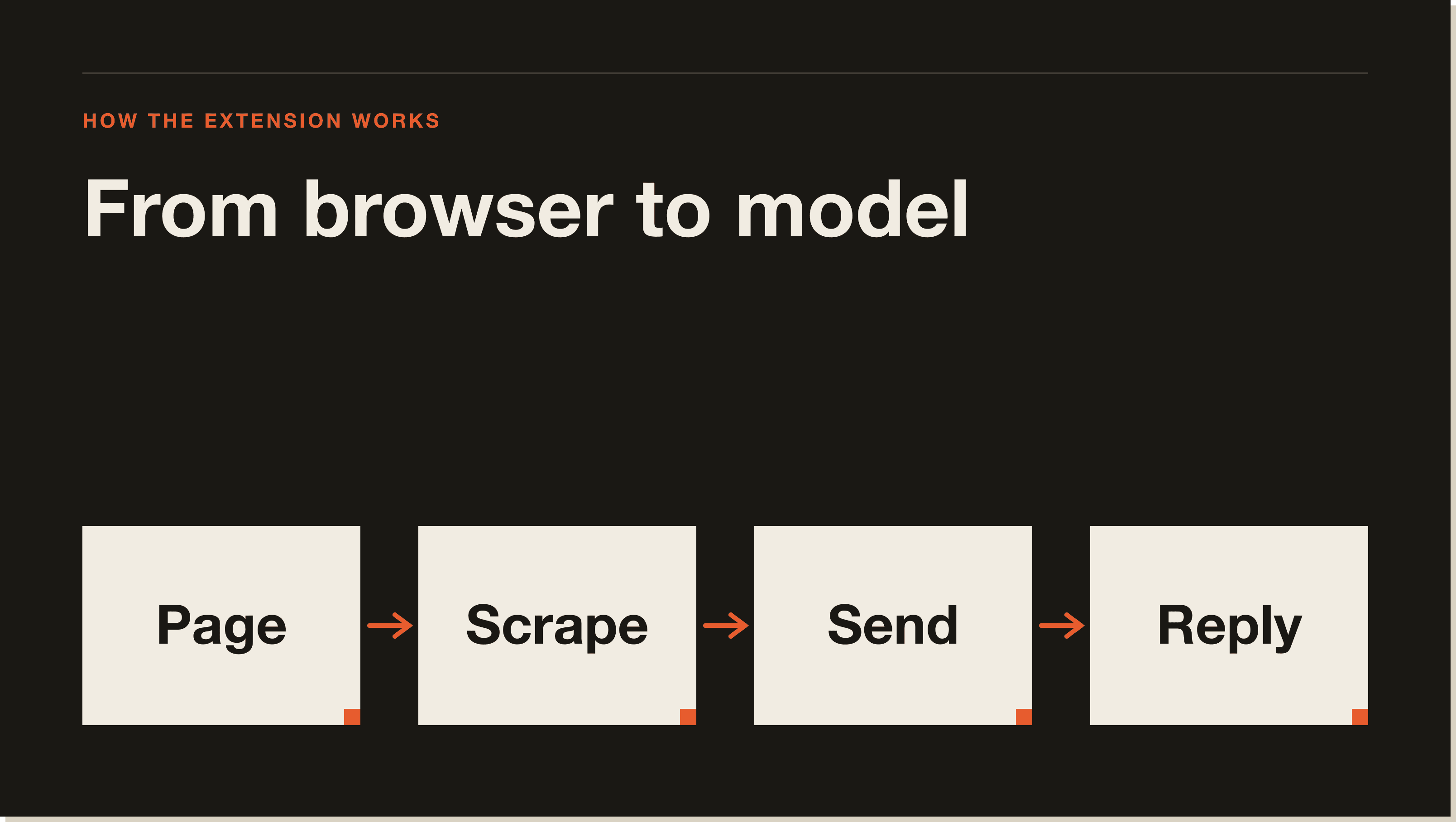
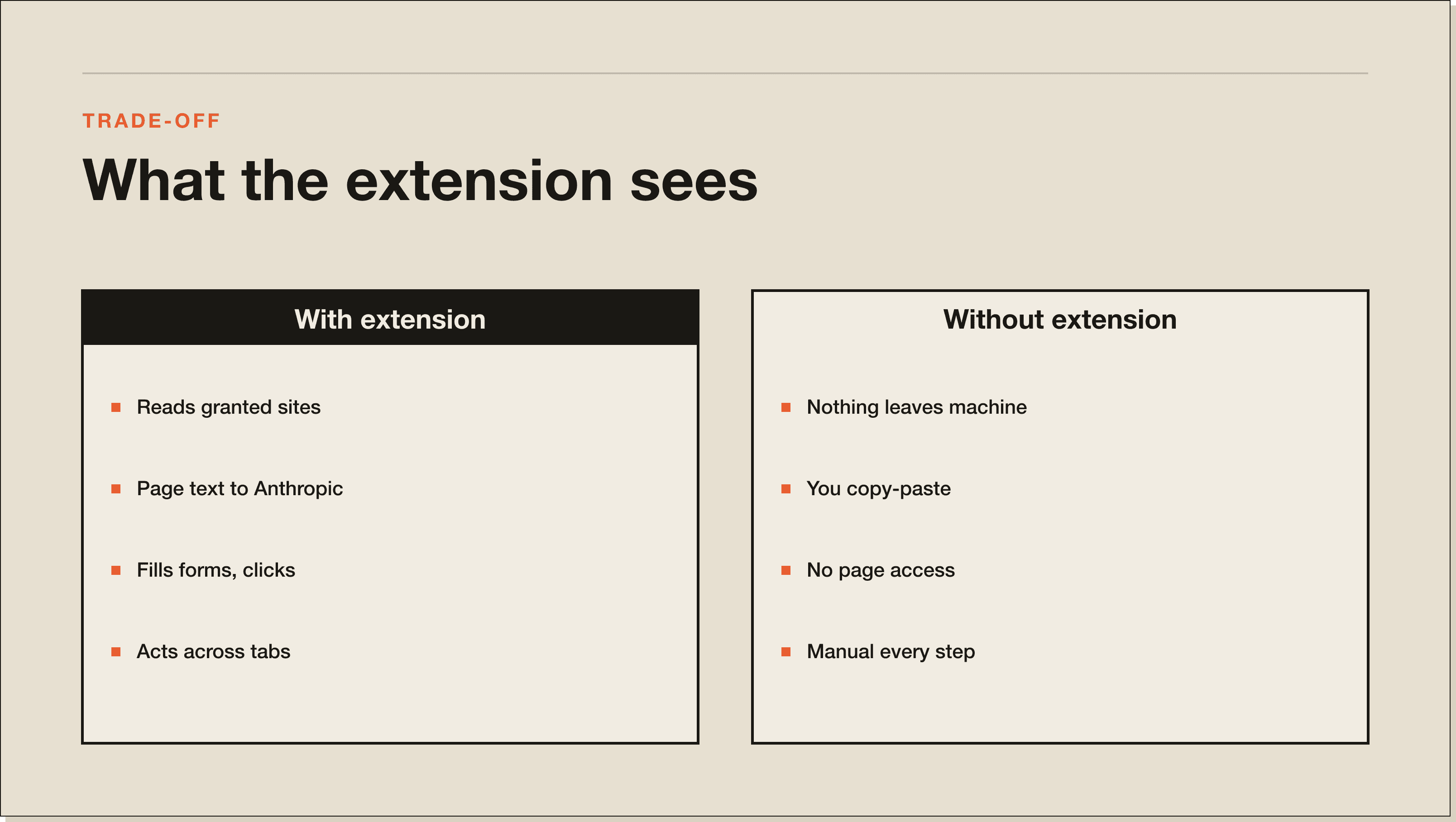
When you install the extension, Claude gains the ability to read the content of pages you explicitly give it access to. You grant access site by site in the extension settings. Claude can then see text, form fields, and DOM structure on those pages, which lets it act on your instructions instead of waiting for you to copy-paste content into the chat.
The extension operates in two modes. In standard mode, Claude asks for confirmation before taking high-risk actions like submitting a form, making a purchase, or sharing personal data. In autonomous mode, it can chain actions together without a confirmation prompt, but Anthropic maintains additional safeguards for the most sensitive actions even in that mode.
For Claude Code users, the integration is more direct. You can build in the terminal, point Claude at the browser, and have it read console errors and DOM state to help debug, all without leaving the workflow.
Claude reads only sites you specifically grant access to in the Settings panel. Anthropic automatically blocks certain categories regardless of your settings: financial services sites, adult content sites, and pirated content. Every other site is off by default until you enable it.
---
This is the section most articles skip over. The Anthropic announcement page lists calendar management and expense reports. Those are fine, but they're not where business owners tend to find the most leverage. Here are the eight cases that have come up repeatedly in the workflows I build.
Give Claude access to a site, open an article, a research report, or a competitor's pricing page, and ask for a summary. Claude reads the full page and returns a structured summary without you lifting anything into the chat window. Useful for research sessions where you're moving through 10 or 15 tabs.
If your CRM runs in the browser (HubSpot, Pipedrive, Attio, most of the modern stack), Claude can pull contact data, deal stage information, and activity history from the page. No API key, no export, no manual copy. You ask, it reads, it compiles. Combine this with a Claude Code workflow and you can push the extracted data directly into a spreadsheet.
Open an email thread. Claude reads the entire conversation and drafts a reply that matches the context without you summarising what happened first. This is the use case that saves the most time per day for most business owners I work with because the setup cost is zero and the payoff is immediate.
Grant Claude access to a news site or an industry blog and ask it to cross-reference a specific claim against other sources. Claude navigates to supporting sources, reads them, and reports back on whether the claim holds. This is slower than a human researcher but faster than doing it yourself and more thorough than trusting the original article.
Ask Claude to read a complex web page, a pricing table, or a long spec document and convert it into a structured format: a table, a bulleted brief, a comparison matrix. The output lands in the Claude chat window, where you can copy it into Docs or pass it to a Claude Code workflow.
If you regularly fill in grant applications, supplier onboarding forms, or government portals with the same business information, Claude can handle the repetitive field completion. You review the completed form before it submits. This is not magic, it is just boring work that Claude is better suited for than you are.
Open four competitor sites in separate tabs. Ask Claude to pull their pricing, their positioning headline, their main CTA, and their top-listed features from each. Claude moves through the tabs and compiles everything into a comparison you can use. This used to take 30 to 45 minutes of manual work.
Give Claude a starting URL and ask it to follow a chain of links and report back on what it finds. Useful for due diligence on a supplier, background research on a potential hire, or mapping a competitor's content strategy without visiting every page yourself.
---
This is the part most review posts gloss over and it is the most important section if you handle client data or operate in a regulated space.
When Claude reads a page, the content of that page goes to Anthropic's servers to be processed. That is how the AI works. Anthropic processes it the same way it processes any message you send in claude.ai. You are not in a local sandbox. The page content travels over the network.
What this means in practice:
Anthropic published adversarial testing data alongside the launch. Without safety mitigations, malicious actors achieved a 23.6% success rate at prompt injection attacks designed to trick Claude into sharing your data or taking unintended actions. With the current mitigations in place, that number dropped to 11.2%. That is a meaningful improvement, but it is not zero. On browser-specific attack scenarios, mitigations reduced the success rate from 35.7% to 0%. The lesson: use the extension on sites you trust, keep autonomous mode off until you understand what a workflow does, and review actions before they touch anything sensitive.
The on/off toggle: You control access site by site in the extension settings panel. Revoking access to a site is instant. You can also have your Team or Enterprise admin configure org-wide allowlists and blocklists, which is the right approach if you're rolling this out to a team.
---
[CTA-BLUEPRINT]
---
Go to the Claude AI for Chrome listing in the Chrome Web Store. You need a Chromium-based browser: Chrome, Edge, Arc, or Brave all work.
Click the Add to Chrome button and confirm the permissions prompt. The extension installs in seconds.
Click the extension icon in your browser toolbar and sign in with the same account you use at claude.ai. You need an active paid plan: Pro ($20/mo), Max ($100/mo), Team, or Enterprise.
In the extension settings, add the sites you want Claude to read. Start with one or two trusted sites. Test a simple task before expanding access further.
Once you're authenticated and have granted site access, navigate to a page on one of your enabled sites and open a new Claude conversation. Claude will confirm it can see the page and you can start giving it instructions.
---
The honest answer is that if you are a business owner using Claude for day-to-day work, the Claude extension is the right choice. If you are a developer, the Cursor integration may serve you better because it is built around the coding workflow. The ChatGPT extension works well for simple research tasks but does not offer the same level of browser control.
---
The extension is in active development and there are real limitations to know about before you build workflows around it.
It does not work on every site. Some sites block automated browser access or use structures that Claude cannot read reliably. Dynamic single-page applications built on React or Vue sometimes behave unpredictably.
Autonomous mode requires trust in Claude's judgment about what constitutes a "safe" action. Anthropic's definition of high-risk is sensible but not comprehensive. You should review any autonomous workflow before running it unattended.
The extension is not available on Firefox or Safari at launch. If your team uses a mix of browsers, that creates an inconsistent experience.
Finally, it requires an active Claude subscription. There is no free tier access to the browser extension.
---
The Claude Chrome extension itself is free to download from the Chrome Web Store. Using it requires an active paid Claude subscription. The entry-level access is the Pro plan at $20 a month. Team and Enterprise plans add admin controls, org-wide configuration, and data processing agreements for regulated industries. There is no free trial of the browser extension separate from a Claude subscription.
---
Yes, if you are already on a paid Claude plan and you do repetitive browser-based work. The email reply drafting alone justifies the time to install and configure it. The competitive research and CRM extraction use cases add compounding value as you build familiarity with what Claude can do in context.
It is not worth the additional mental overhead if you are using Claude only occasionally or if your work is primarily document-based rather than browser-based. The privacy considerations are also worth taking seriously before you grant access to sites that contain client data.
For developers already using Claude Code, the browser integration closes a workflow loop that previously required manual copy-paste between the terminal and the browser. That alone is worth the upgrade to Pro if you are not already on it.
Read my complete Claude Code guide for the broader picture of how Claude Code and the browser extension fit together. If you work with data in spreadsheets, the Claude for Excel post covers a different but complementary workflow.
---
[CTA-BLUEPRINT]
---
The Claude Chrome extension is a browser add-on that gives Claude the ability to read web pages, fill in forms, click buttons, and take actions across multiple tabs. It connects your browser activity to your Claude conversations so Claude can act on context without you manually copying content into the chat.
Go to the Chrome Web Store, search for "Claude AI for Chrome," and click Add to Chrome. You authenticate with your Claude account after installation. Access requires an active paid Claude plan: Pro, Max, Team, or Enterprise.
The extension is free to download. Using it requires a paid Claude subscription starting at $20 a month for the Pro plan. There is no free-tier access to browser control features.
It is safe to use on trusted, non-sensitive sites with the default settings. Anthropic blocks access to financial services and other high-risk categories automatically. Adversarial testing found that safety mitigations reduce prompt injection attack success rates from 23.6% to 11.2%. Do not use it on pages containing confidential client data, medical records, or financial accounts unless you are on an Enterprise plan with appropriate data agreements.
Pro ($20/mo), Max ($100/mo), Team, and Enterprise plans all support the extension as of December 2025. Free accounts do not have access. Team and Enterprise admins can configure org-wide allowlists and blocklists.
No. The extension is currently Chrome-only, with support for Chromium-based browsers including Edge, Arc, and Brave. Firefox and Safari are not supported at launch.
The Claude extension offers deeper browser control, including form filling, multi-tab workflows, and autonomous mode. The ChatGPT extension is primarily built around in-chat web browsing and summarisation. For business workflow automation, Claude for Chrome provides more capability. For simple research tasks in chat, either works.
Yes. You grant and revoke access site by site in the extension settings. Claude cannot read any site you have not explicitly enabled. Team and Enterprise admins can also enforce org-wide site allowlists and blocklists.
---
The Claude Chrome extension is one piece of a broader AI workflow stack. If you want to see how business owners are putting Claude, Claude Code, and browser automation together into systems that save 10 to 20 hours a week, the Blueprint is where to start.
The Claude Chrome extension is a browser add-on from Anthropic that gives Claude the ability to read web pages, fill in forms, click buttons, and take actions across multiple tabs. It connects your browser activity to your Claude conversations so Claude can act on context without you copying anything into the chat. Anthropic opened it to Pro, Team, and Enterprise plans on 18 December 2025.
The extension is free to download from the Chrome Web Store. Using it requires an active paid Claude subscription, starting at Pro ($20 a month). Max ($100), Team, and Enterprise plans also work. There is no free-tier access to the browser control features and no trial separate from the Claude subscription itself.
It is safe on trusted, non-sensitive sites with the default settings. Anthropic blocks financial services, adult content, and pirated sites automatically. But page content goes to Anthropic's servers to be processed, the same way any Claude message does. Adversarial testing showed safety mitigations cut prompt injection success from 23.6% to 11.2%. Do not enable it on legal documents, medical records, or anything under a confidentiality agreement unless you are on Enterprise with the right data processing agreement.
Only sites you specifically grant access to in the extension settings panel. Every site is off by default. Anthropic automatically blocks financial services, adult content, and pirated content categories regardless of your settings. You can revoke access to any site instantly. Team and Enterprise admins can configure org-wide allowlists and blocklists for the whole company.
No. It is Chrome-only at launch, with support for Chromium-based browsers including Edge, Arc, and Brave. Firefox and Safari are not supported. If your team uses a mix of browsers, that creates an inconsistent experience and is worth knowing before you roll it out.
The Claude extension offers deeper browser control: form filling, multi-tab workflows, and an autonomous mode with safeguards. The ChatGPT extension is built around in-chat web browsing and page summarisation. For business workflow automation, Claude for Chrome provides more capability. For simple research tasks in chat, either works. The Cursor browser extension is a different category aimed at developers debugging through the browser.
Drafting email replies in context. Open a thread, Claude reads the whole conversation, and you get a reply that matches the context without summarising what happened first. The setup cost is zero and the payoff is immediate. After that, competitive research across multiple tabs (pulling pricing, positioning, and CTAs from four competitors at once) is the use case that saves the most time per week.
Five interactive lessons. Install Claude Code, build your first automation, and deploy it live on the internet — all in under an hour. Free, no coding required.
Grab the Blueprint →